2OM-1086-002.pdf - 第198页
1.5 "Information" W indow • Window Layout When the [Information] button is pressed in the "ERROR" window , the following window opens. Fig. 4A6 • Window Composition *1 DA TE Displayed are the date and…
1.4 "MAINT. STOP" Window
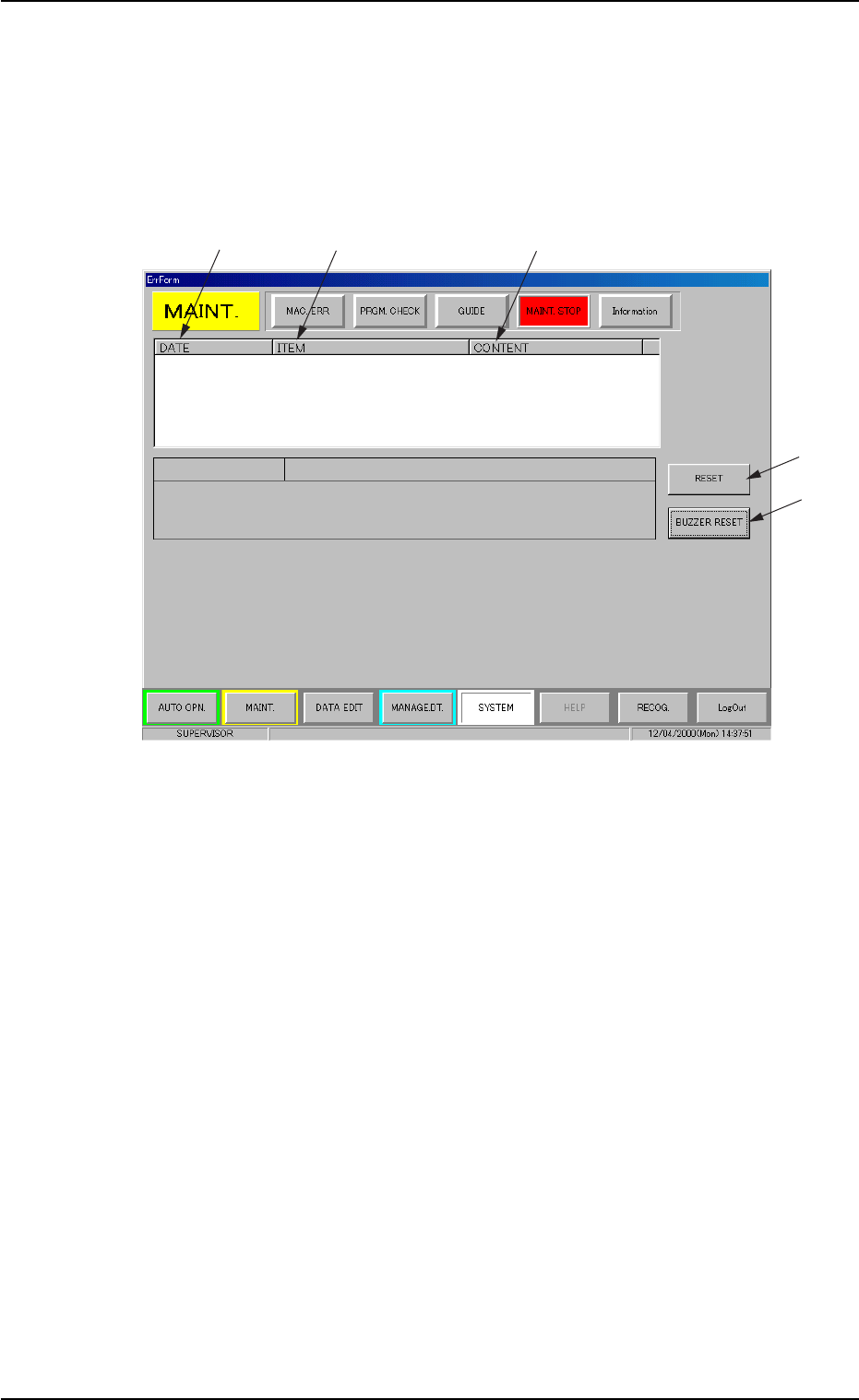
• Window Layout
When the [MAINT. STOP] button is pressed in the "ERROR" win-
dow, the following window opens.
Fig. 4A5
• Window Composition
*1 DATE
Displayed are the date and time when the machine has stopped
for maintenance.
*2 ITEM
Displayed are the items related to the maintenance stops.
*3 CONTENT
Displayed are the contents of maintenance stops.
*4 [RESET] Button
Pressing this button cancels an alarm (sound) and closes the "ER-
ROR" window.
*5 [BUZZER RESET] Button
Pressing this button cancels an alarm (sound) only.
1.4 "MAINT. STOP" Window
0211-005 Chapter 2 1-8 Tg0583-PM-D2
*1
*4
*2
*3
*5
1.5 "Information" Window
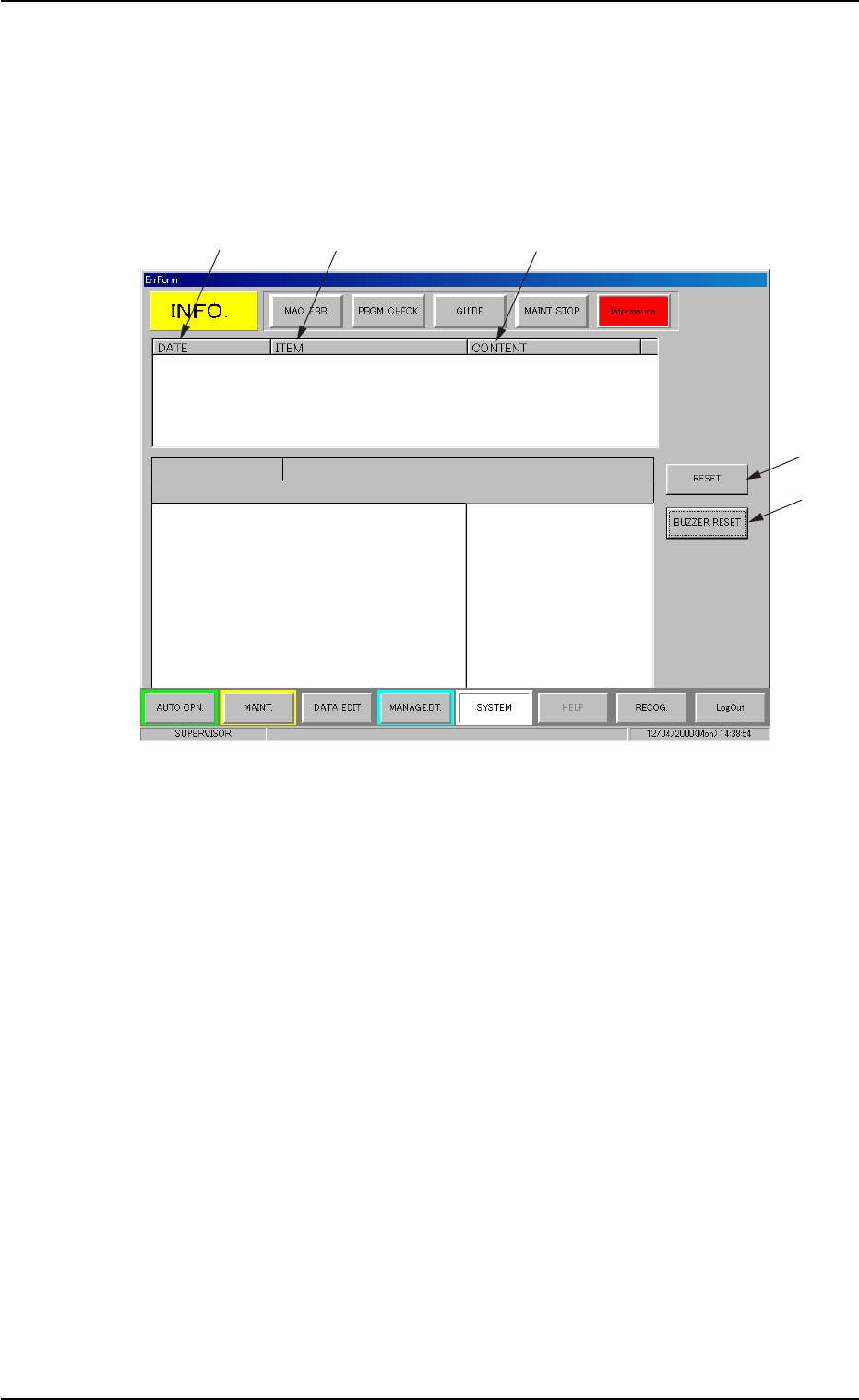
• Window Layout
When the [Information] button is pressed in the "ERROR" window,
the following window opens.
Fig. 4A6
• Window Composition
*1 DATE
Displayed are the date and time when the machine information is
issued.
*2 ITEM
Displayed are the items related to the machine information.
*3 CONTENT
Displayed are the contents of the machine information.
*4 [RESET] Button
Pressing this button cancels an alarm (sound) and closes the "ER-
ROR" window.
*5 [BUZZER RESET] Button
Pressing this button cancels an alarm (sound) only.
1.5 "Information" Window
0211-005 Chapter 2 1-9 Tg0583-PM-D2
*1
*4
*2
*3
*5

0211-005 Chapter 2 1-10 Tg0583-PM-D2