00194313-03.pdf - 第87页
SIPLACE S-25 HM / S-27 HM 2 Assembly Inst ructions for PCB Camera, Multicolor 02/2007 Edition 2.13 Attachments: PCBs, Cables and Circuit Diagrams 87 2.13 Att achment s: PCBs, Cables and Circuit Diagrams NOTE: This sectio…
2 Assembly Instructions for PCB Camera, Multicolor SIPLACE S-25 HM / S-27 HM
2.12 Illumination Setting 02/2007 Edition
86
: Select the button "Positioning the gantry" and position the gantry over the fiducial that is cur-
rently to be recognized / tested.
: Check the quality of the image on the vision screen (see the section "Teaching Fiducials" in the
User Manual).
: If the image of the fiducial is still not optimal, select another illumination level or, if appropriate,
change the brightness too and select the button "Positioning the gantry" again.
: If the image of the fiducial is alright, select the button "OK".
As a result, the illumination set is accepted for both gantries.
2
2
2
2
2
2
2
2
2
2
2
2
2
2
2
2
2
2
2
2
2
2
2
SIPLACE S-25 HM / S-27 HM 2 Assembly Instructions for PCB Camera, Multicolor
02/2007 Edition 2.13 Attachments: PCBs, Cables and Circuit Diagrams
87
2.13 Attachments: PCBs, Cables and Circuit Diagrams
NOTE:
This section contains the circuit diagrams for assembly the PCB camera Multicolor (see Abschn.
2.13.2). 2
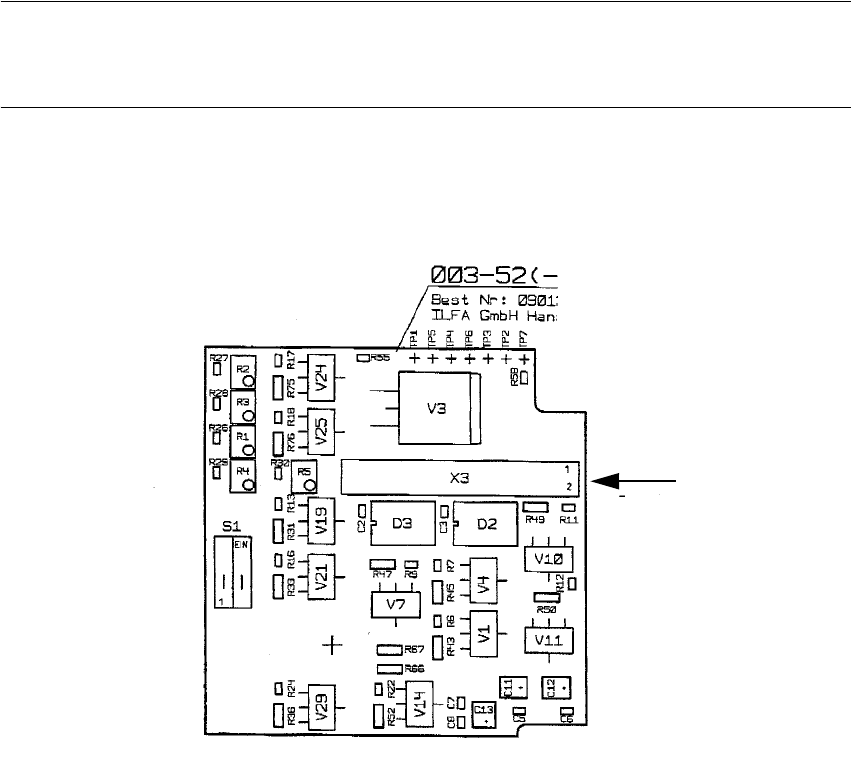
2.13.1 Layout: PCB Camera Board and Vision Board, Modular
2
Fig. 2.13.1 Layout: PCB Camera Board, Modular, Made by Sticksel
PCB Camera
Multicolor" -> X3
Cable
"Illumination of the
Layout, component side
2 Assembly Instructions for PCB Camera, Multicolor SIPLACE S-25 HM / S-27 HM
2.13 Attachments: PCBs, Cables and Circuit Diagrams 02/2007 Edition
88
2
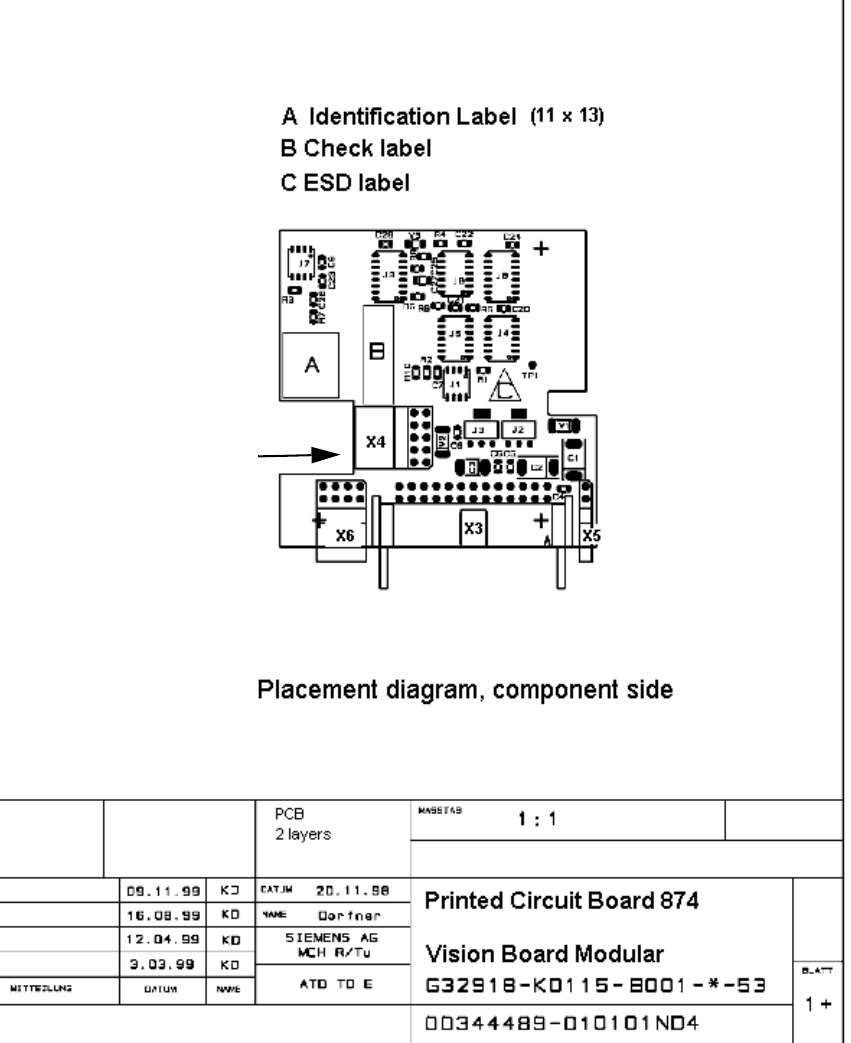
Fig. 2.13.2 Layout: Vision Board, Modular, HS-50 and S-25 HM
2
2
2
2
"Camera" of the
PCB Camera Multicolor
-> X4
Cable