Maintenance Manual.pdf - 第65页
AV131 MAINTENANCE MANUAL 3.2 Connec ti ng t he Power Suppl y D79MEC- 11-020-A0 3.2- 4 3.2. 3 Setting Step-down Transfor m er Tur n OFF the power switc h o f the distr ibuti on panel. Connect U, V and W to an appropri ate…
AV131
MAINTENANCE MANUAL
3.2 Connecting the Power Supply
D79MEC-11-020-A0
3.2-3
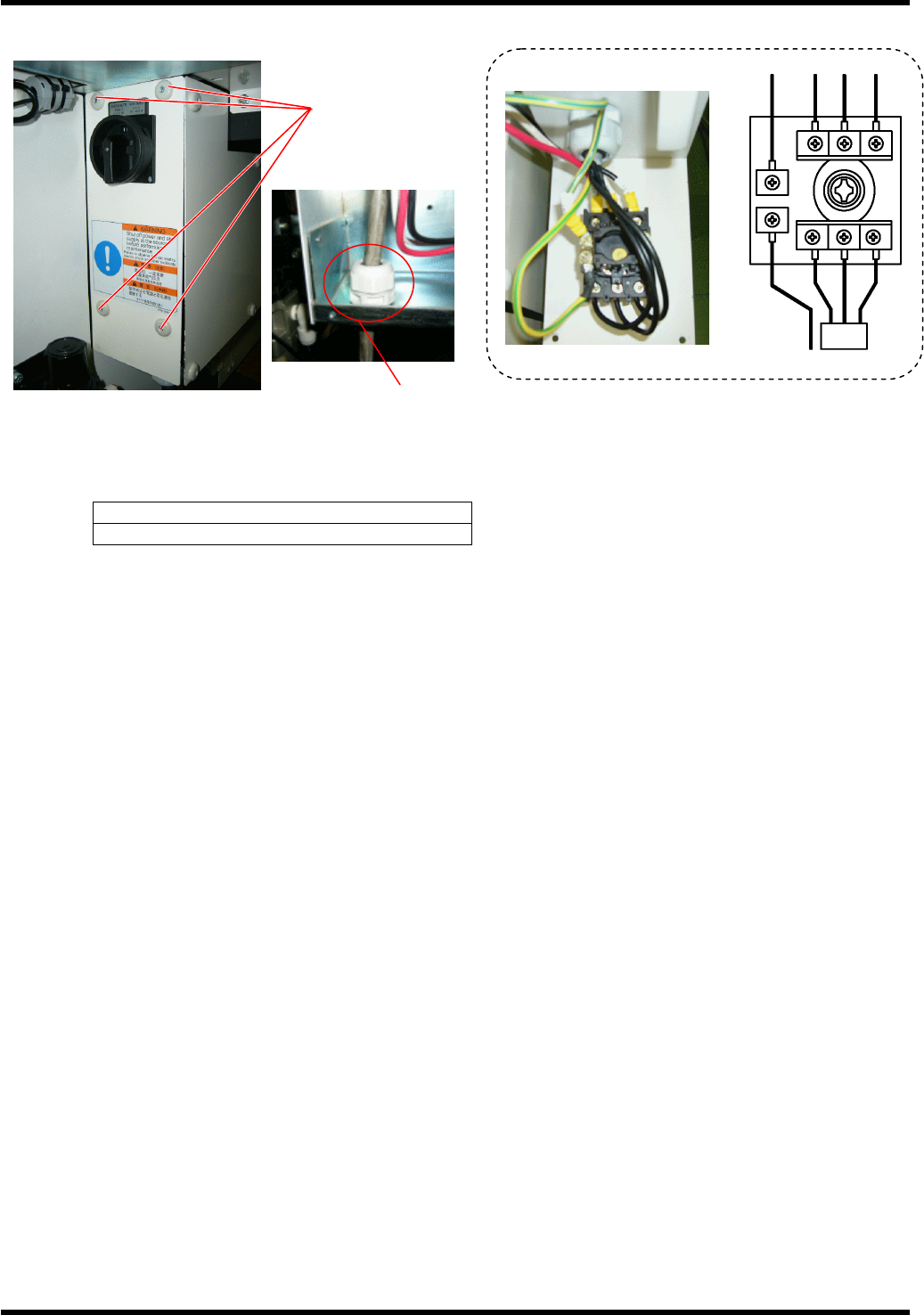
Connecting Cables
Turn OFF the power switch of the distribution panel.
Connect the distribution panel to the input terminals of the main switch by 3-core cable and one core
protective ground cable or 4-core cable (one for protective earth). The protective earth (PE) must be
connected.
Screw tightening torque
1.6 Nm
Fix the power cable securely with the cable gland (SC lock).
Check that the cable is not loosened under a tension of 100 N.
PE
L1 L2 L3
Factory power
l
Inside of the machine
Screw cramp x 4
Cable gland (SC lock)
AV131
MAINTENANCE MANUAL
3.2 Connecting the Power Supply
D79MEC-11-020-A0
3.2-4
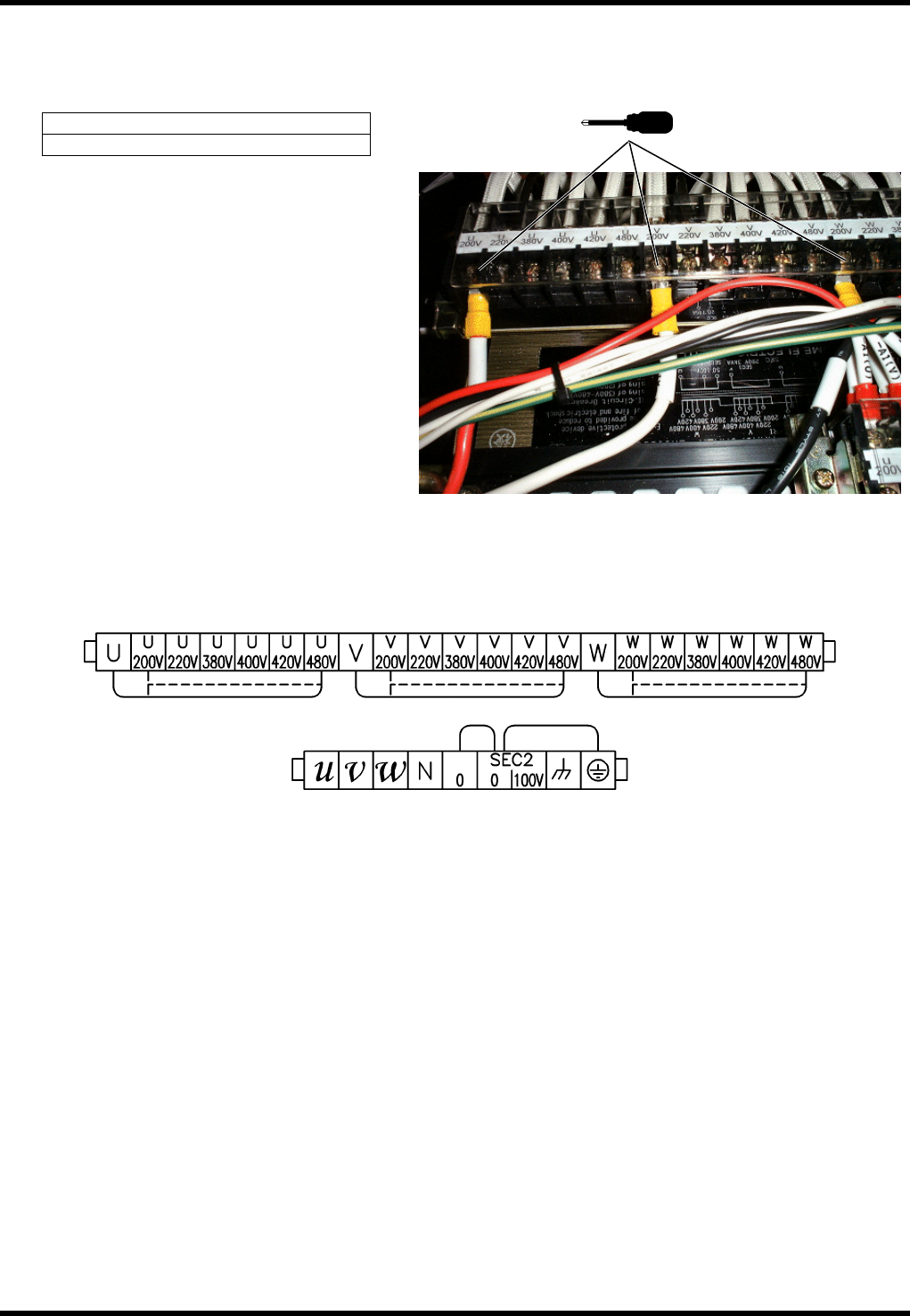
3.2.3 Setting Step-down Transformer
Turn OFF the power switch of the distribution panel.
Connect U, V and W to an appropriate terminal of the voltage respectively.
Screw tightening torque
2.5 Nm
Terminal layout
Output terminal
U, V, W: 3φ200V
0, 100V: 1φ100V
Input terminal
Select from 200 / 220 / 380
/ 400 / 420 / 480
AV131
MAINTENANCE MANUAL
3.2 Connecting the Power Supply
D79MEC-11-020-A0
3.2-5
3.2.4 Checking Voltage
Using a tester, measure the voltage among the input and output terminals of the step-down transformer to
make sure the rated voltage is supplied.
3.
1. Turn OFF the breaker and circuit protector on the output side of the step-down transformer.
2. Turn ON the main switch.
3. Using a tester, measure the voltage between the input terminals of the step-down transformer to make
sure the rated voltage is supplied.
4. Measure the output terminals of the step-down transformer. Voltages between U and V, V and W, W and
U should be 200V AC.