JUKI FX-3R MAINTENANCE GUIDE.pdf - 第146页
FX-3R Maintenance Guide 12-17 12-2-3-3. Registering a User You may register a user name and password in the FX-3R, which you must input to start up the PC (personal computer) where the IS has been installed. 1) Check the…
FX-3R Maintenance Guide
12-16
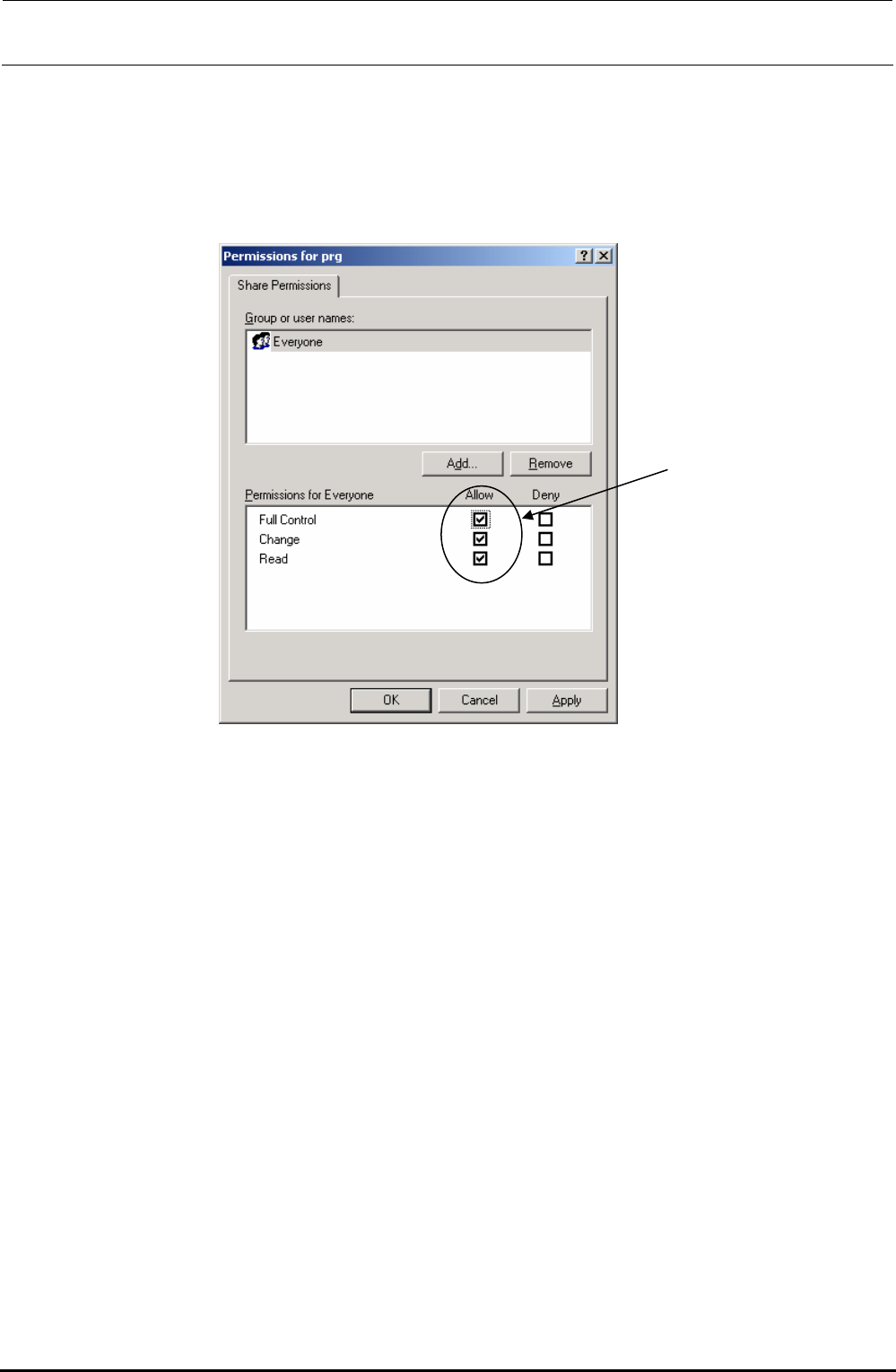
7) Click the [Permissions] button on the screen above to display the “Permissions for prg” dialog
box. Check to see if “Everyone” is set to “Full Control” by checking its check box.
Note) “Full Control” is allowed for the access privilege described above by default when
the network is shared on Windows NT. However, this privilege is not allowed on
XP-E, so you have to make the settings by yourself.
Rev. 1.00
FX-3R Maintenance Guide
12-17
12-2-3-3. Registering a User
You may register a user name and password in the FX-3R, which you must input to start up the PC
(personal computer) where the IS has been installed.
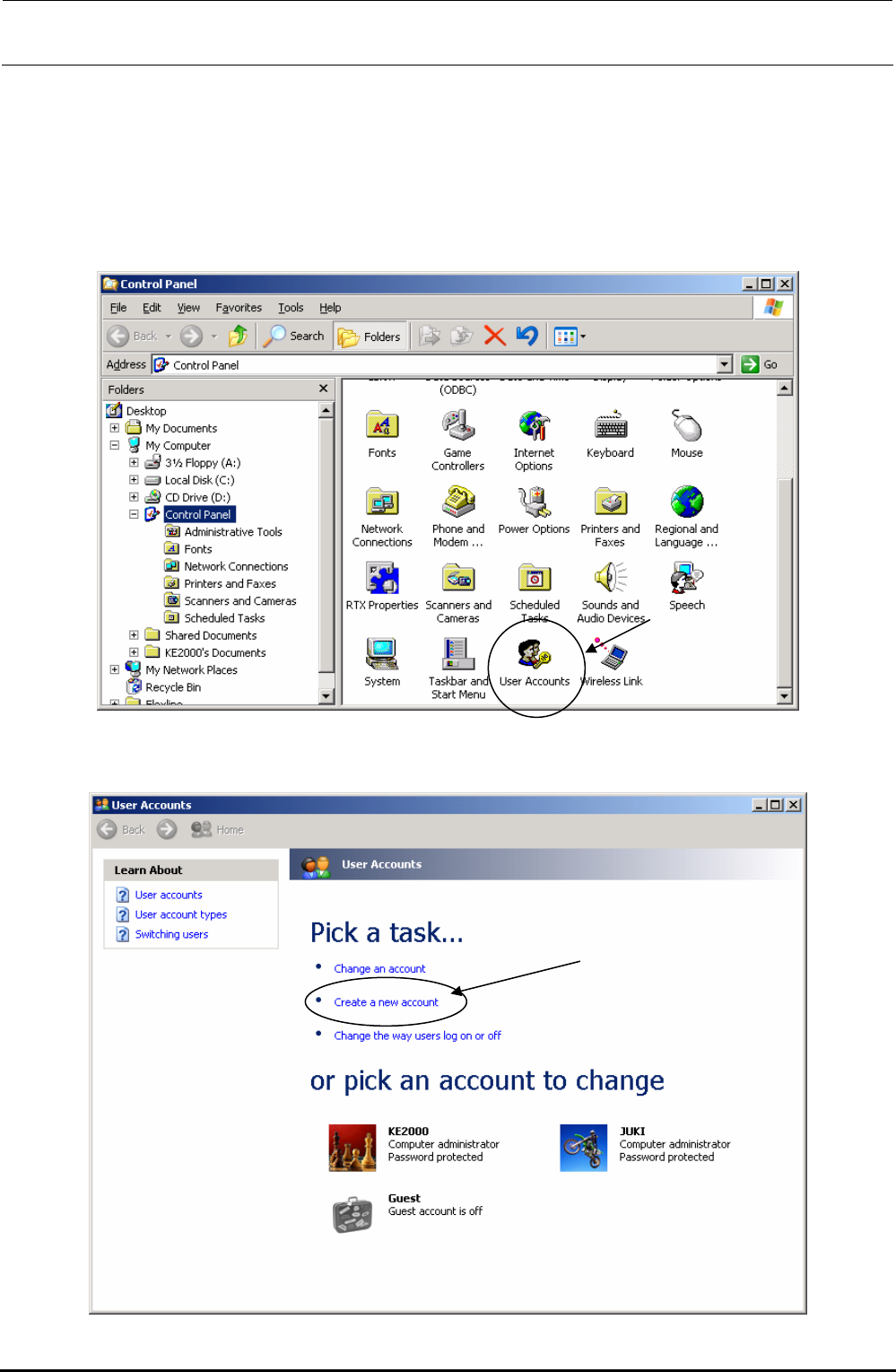
1) Check the user name and password, which are used to start up the PC on the IS.
2) Select the “User accounts” icon form the control panel.
3) The “User accounts” dialog box appears on the screen. Select “Create a new account” from
the menu.
Rev. 1.00
FX-3R Maintenance Guide
12-18
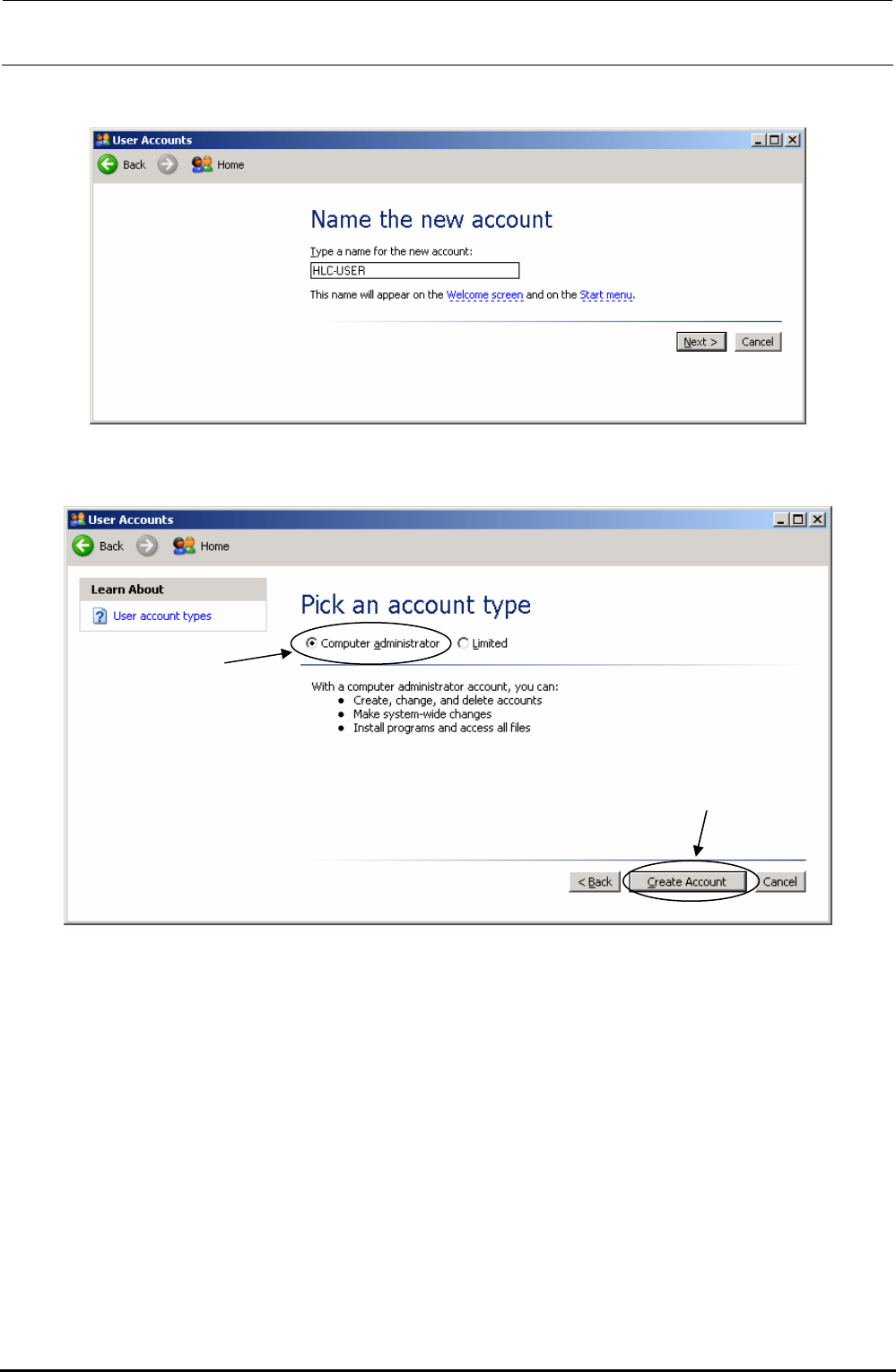
4) When you select “Create a new account,” the screen that allows you to set a user name
appears on the screen. Enter a user name, and click the [Next] button.
5) The screen that allows you to set the user type appears on the screen. Select the “Computer
administrator” radio button, and click the [Create account] button.
Rev. 1.00