KE2010.Instruction Manual.Ver.2.01,Rev.08.pdf - 第531页
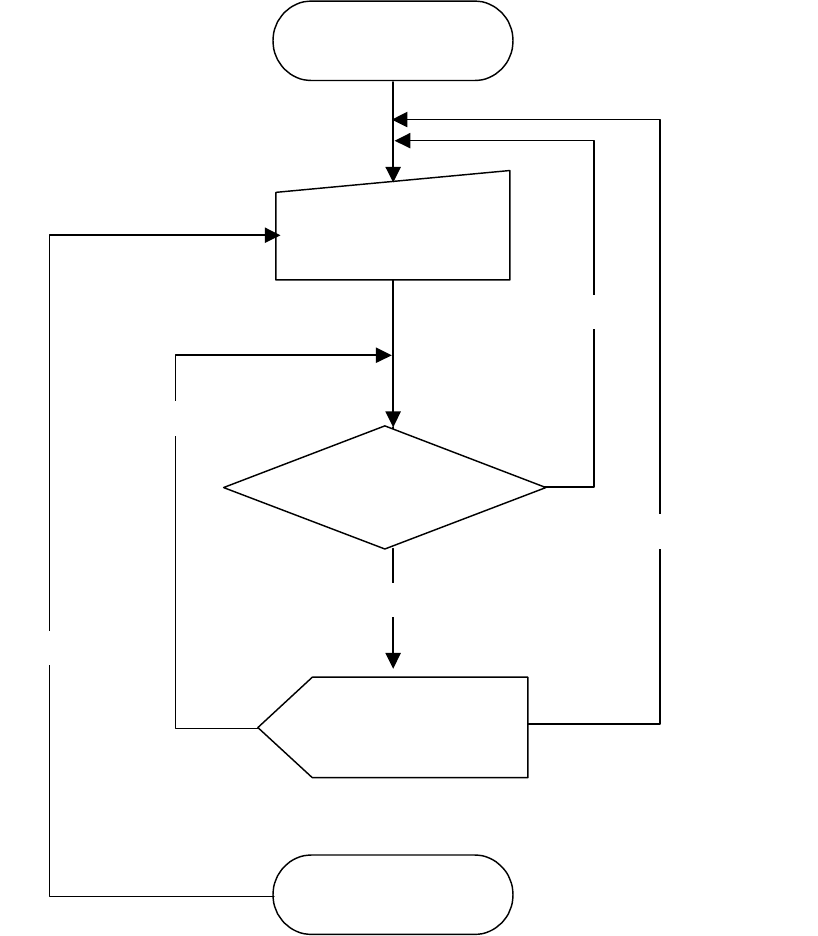
6 − 155 Figure 6.7. 3.4.2 SOT direct ion continuous inspecti on sequence START Select a com ponent to be check ed (on the dialog box). END Display a dialog box during indicting execution of inspection No Check the nex t …
6 − 154
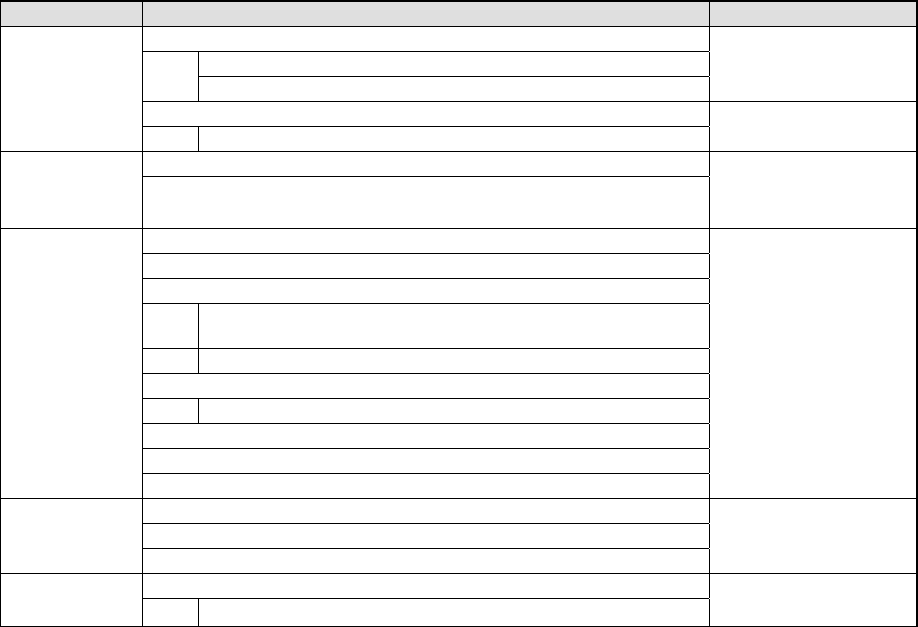
6.7.3.4.2 Continuous inspection sequence
The SOT continuous inspection function is described below.
Table 6.7.3.4.2 SOT direction continuous inspection function
Operation Remarks
1. Check to see if an SOT direction inspection is available or not.
Checks to see if the specified feeder is available or not..
Checks to see if a production program is created completely or not
Displays an error when
a check error occurs.
2. Initialization
Start of an
independent
inspection
Initializes a driver and other devices.
1. Selects a component to be checked.
Selection of a
component
2. Displays the component information.
Displays a dialog box or
an error if there is no
component to be
checked.
1. Displays the component information.
2. Displays a component pick-up position.
3. Makes a trivial adjustment of a component pick-up position.
Makes a trivial adjustment of a component pick-up position by
teaching or manual input of data.
Checks to see if the adjusted value is stored onto Pick data or not.
4. Selects a component to be picked up.
Changes a feeder to the alternate feeder.
5. Controls a knocking operation of a feeder.
6. Displays a check result.
Execution of an
inspection
7. Checks the direction of an SOT component.
Displays a dialog box.
1. Controls picking-up of a component.
2. Controls execution of the SOT direction inspection.
Check of the
SOT direction
3. Controls returning of a component.
1. Quit process
End of an
independent
inspection
Finishes operating a driver or other devices.
The continuous inspection sequence is shown in Figure 6.7.3.4.2.
6 − 155
Figure 6.7.3.4.2 SOT direction continuous inspection sequence
START
Select a component to
be checked
(on the dialog box).
END
Display a dialog box
during indicting
execution of inspection
No
Check the next component
.
Suspending of a check
Check to see if there
is a component to be
checked.
Yes
End
6 − 156
6.7.3.5 Operations
6.7.3.5.1 SOT direction independent inspection operation
6.7.3.5.2 SOT direction independent inspection component selecting dialog box
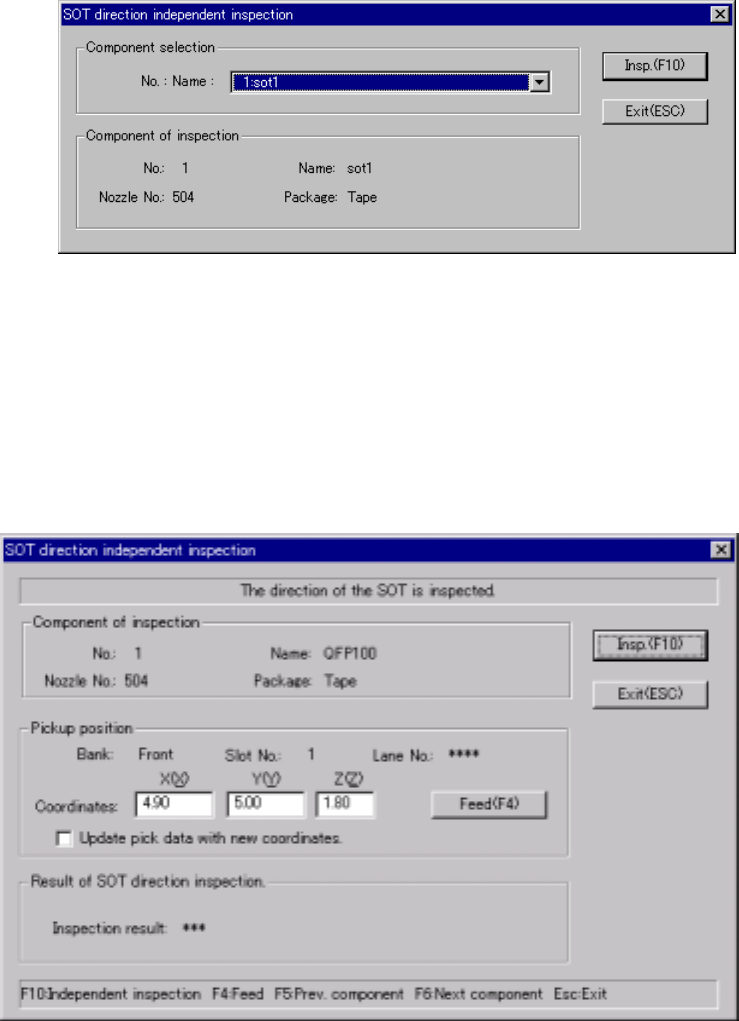
When you select the [Tool] command from the menu bar, the [Check] command o
the “Tool” menu, and the [SOT direction independent inspection] command on the
Production menu, the following dialog box appears on the screen. In the “No.:
Name” combo box, 3-terminal SOT components are listed so that you can select
any one to be checked.
Figure 6.7.3.5.1 SOT direction independent inspection component selecting
dialog box
6.7.3.5.3 SOT direction independent inspection dialog box
When you click the <Insp.> button on the dialog box shown in Figure 6.7.3.5.1, the
following dialog box appears on the screen.
Figure 6.7.3.5.2 SOT direction independent inspection dialog box