00191099-01.pdf - 第50页
Retrofitting I nstructions SIPLACE 80 / S-23 (HM) / HS-50 Component Bar-Code Scanner (Optional) 2.9 Retrofitti ng Sequence on SIPLACE HS-50 Issue 06/00 50 5HWURILWWLQJ6HTXHQFHRQ6,3/$&(+ 6 +DUGZ DU H…
Component Bar-Code Scanner (Optional) Retrofitting Instructions SIPLACE 80 / S-23 (HM) / HS-50
Issue 06/00 2.8 Component Bar-Code Scanner on SIPLACE 80 S-15/F3
49
7HVWLQJWKH+DUGZDUHDQG6RIWZDUH
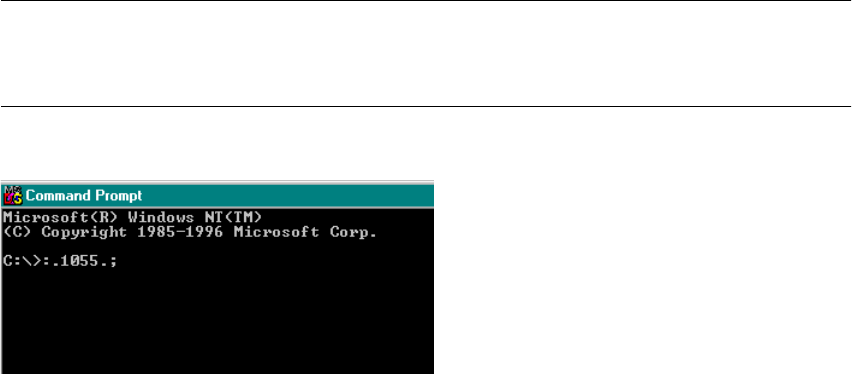
You can check the setting by importing a bar-code.
To do so, access the DOS level / the DOS input window as follows:
Å Boot DOS until C:\ appears or
select "Start" -> "Programs" -> DOS input request
on the NT main screen.
Å Hold the hand-held scanner vertical about 5 to 10 cm away from the bar-code strip on the
safety door of the component feeding area (so that it can read the entire bar-code).
Å Press the green button on the hand-held scanner.
NOTE:
The hand-held scanner acknowledges each input by sounding a signal. The bar-code text ap-
pears on the screen.
Fig. 2.8.2 DOS Windows (Section): Checking the Imported Bar-Code
Å Check: The two initial characters (header ":.") and the two final characters (terminator ".;") and
the bar-code characters must appear correctly, as shown above.
If the keyboard configuration is incorrect (which can be ascertained via a test input at the key-
board) the character "ß": appears instead of "-".
Å For more detailed information, refer to the enclosed User Manual.
Retrofitting Instructions SIPLACE 80 / S-23 (HM) / HS-50 Component Bar-Code Scanner (Optional)
2.9 Retrofitting Sequence on SIPLACE HS-50 Issue 06/00
50
5HWURILWWLQJ6HTXHQFHRQ6,3/$&(+6
+DUGZ DU H,QVWDOODWLRQ
Å Turn the machine OFF, isolate the machine from the mains and turn OFF the flow of com-
pressed air at the compressed air unit (see DANGER text in Section 2.2).
Å Wait until the voltage decays.
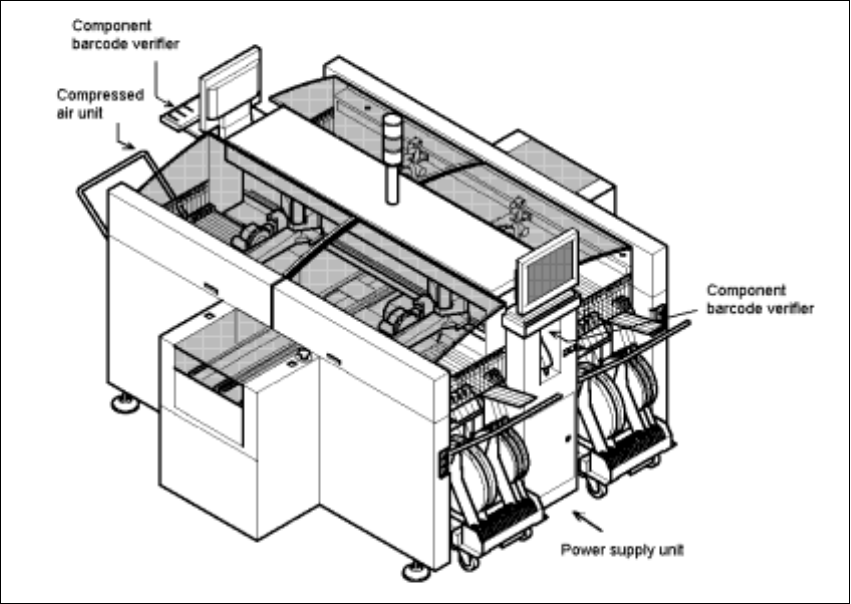
Fig. 2.9.1 Overall View of the SIPLACE HS-50: Orientation, Retrofit the Comp.Bar-Code Scanner
Å Open the machine frame doors on the plug-in power supply component and on the com-
pressed air unit.
Å For the work inside the machine frame, comply with the stricter safety regulations DIN EN
60204, Part 1 (see Section 2.2).
Component Bar-Code Scanner (Optional) Retrofitting Instructions SIPLACE 80 / S-23 (HM) / HS-50
Issue 06/00 2.9 Retrofitting Sequence on SIPLACE HS-50
51
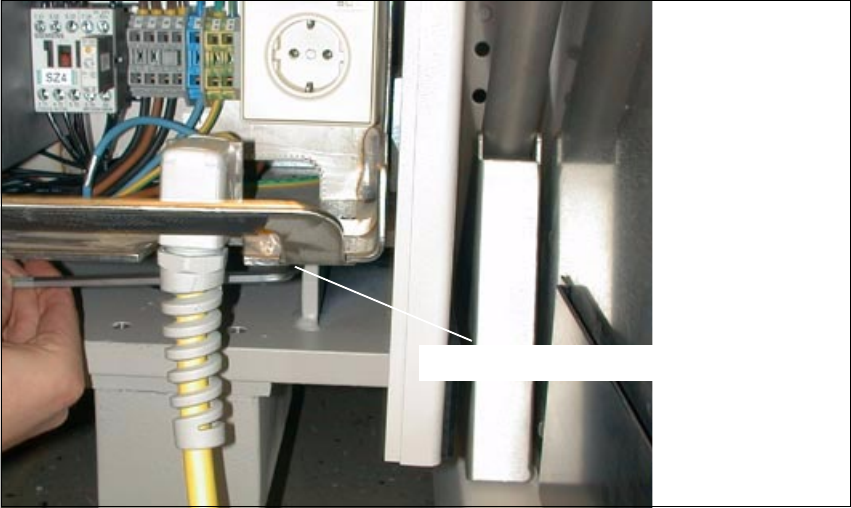
Fig. 2.9.2 Plug-In Power Supply Module for HS-50: Detaching the Plug-In Module
Å At the Bottom Right, loosen the screw fastening the plug-in power supply module (socket hex
head cap screw M8 / size 6).
6RFNHWKH[KHDGVFUHZ0