4OM-1842-005_G5S_Vol4.pdf - 第136页
4OM-1842 3-2 1701-005 2. Codici degli errori e Aree controllate Sistema di base dei codici degli errori Un codice di errore è espresso con 6 cifre (esadecimali), come segue. Classicazione principale di "Asse operat…
4OM-1842
3-11701-005
1. Codici degli errori e Descrizione
Error ID
Error Name, Description, Cause, and Remedy
400101
400102
Load Power Shutoff
The [emergency stop] switch was pressed.
(Please confirm the nozzle has not fallen when you push the beam by the hand.)
Load Power Shutoff
An emergency stop switch is pushed.
Please switch on a power supply after canceling an emergency stop switch and
screen return to normal display.
Please switch on a power supply after canceling an emergency stop switch and
screen return to normal display.
-----
Zeroing Error.
Abnormality was found in processing zeroing operation.
Please perform zeroing.
Lightning Surge Warning
Lightning Surge Protector worked (L201,L202,L203). Please turn on the load
power supply after resetting error.
400301
400501
[1]
[3]
[2]
T4C1
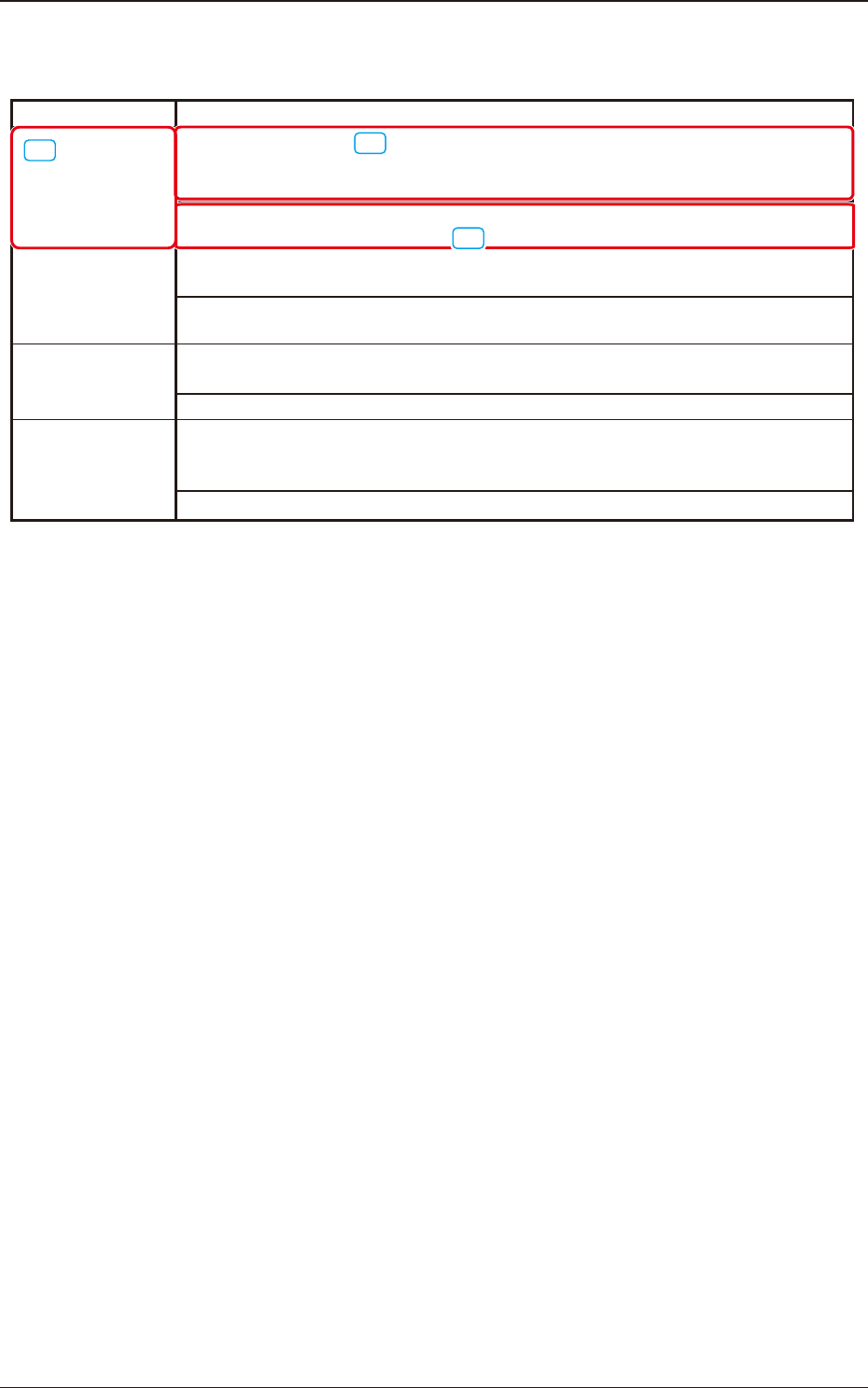
[1] I codici di errore (ID visualizzati nella schermata "ERROR") sono descritti
in ordine numerico.
[2] Sono descritti il nome dell'errore e la descrizione nella schermata "ERROR".
[3] Sono descritte le cause e le procedure per la soluzione del problema di
ciascuno degli elementi di "Nome errore e Descrizione".
1. Codici degli errori e Descrizione
4OM-1842
3-21701-005
2. Codici degli errori e Aree controllate
Sistema di base dei codici degli errori
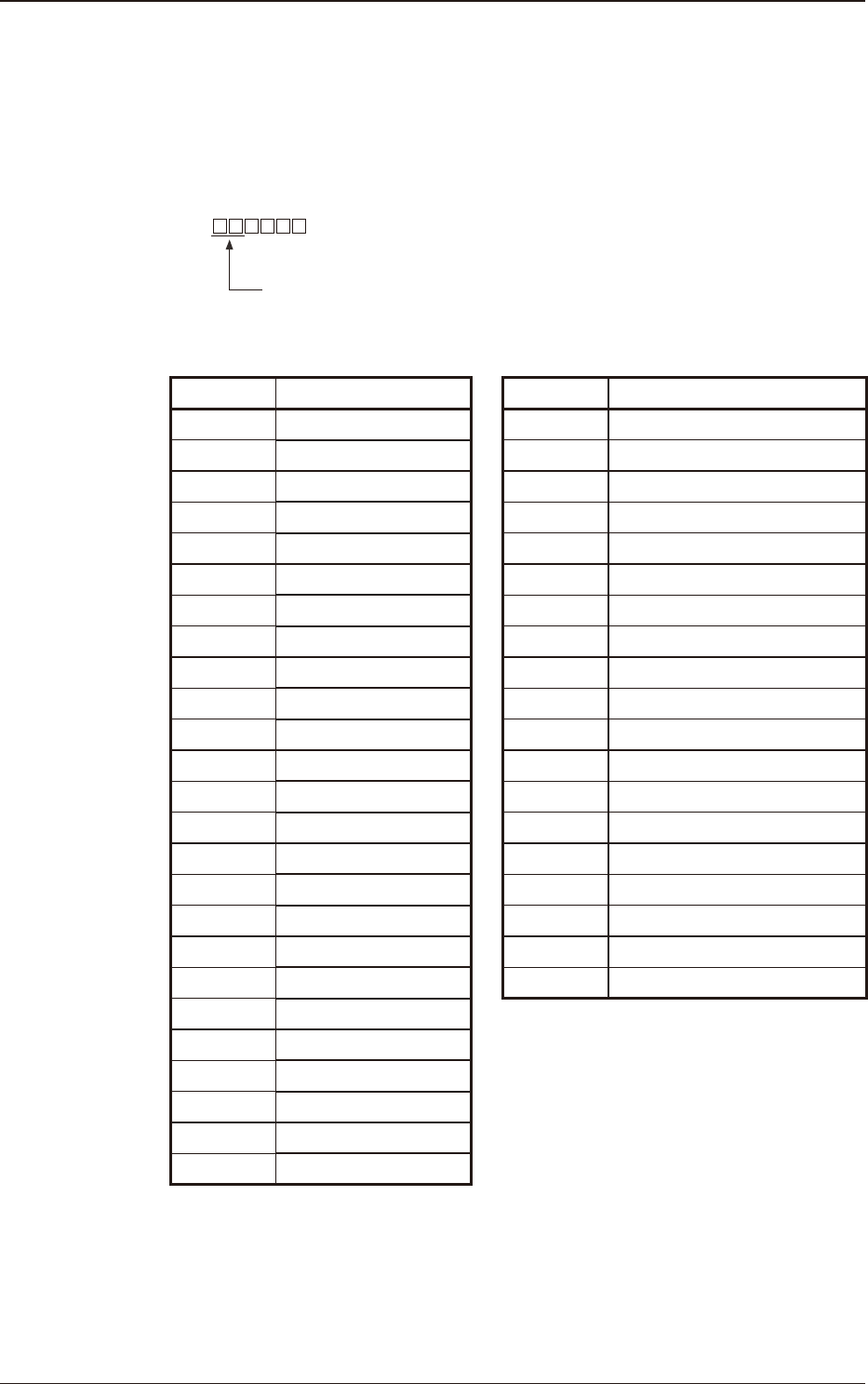
Un codice di errore è espresso con 6 cifre (esadecimali), come segue.
Classicazione principale di "Asse operativo", "Errore di
procedura" e "Apprendimento".
Codici degli errori e Aree controllate
Error ID Operation Axis Error ID Operation Axis
02 40 Safety Device
03 41 Data
04 42 Conveyor
05 43 Tray Feeder (Rear)
06 44 Tray Feeder (Front)
07 45
Recognition Communication
08 46 PEC Recognition
09 48 Component Recognition
0a 49 Automatic Adjustment
0b 4a Head Relation
0c 4b Others
0d 50 Handling Error
0e 51 Automatic Operation Error
0f 60 Auto Teaching
10 61 Test
11 6b Coplanarity
12 70 Barcode Detection
13 74 ACV
14 FE System Error
15
16
17
18
19
20
T4C2
2. Codici degli errori e Aree controllate
4OM-1842
3-31701-005
3.
Codici degli errori e Procedure per la soluzione del problema
3.1 Dispositivo di sicurezza
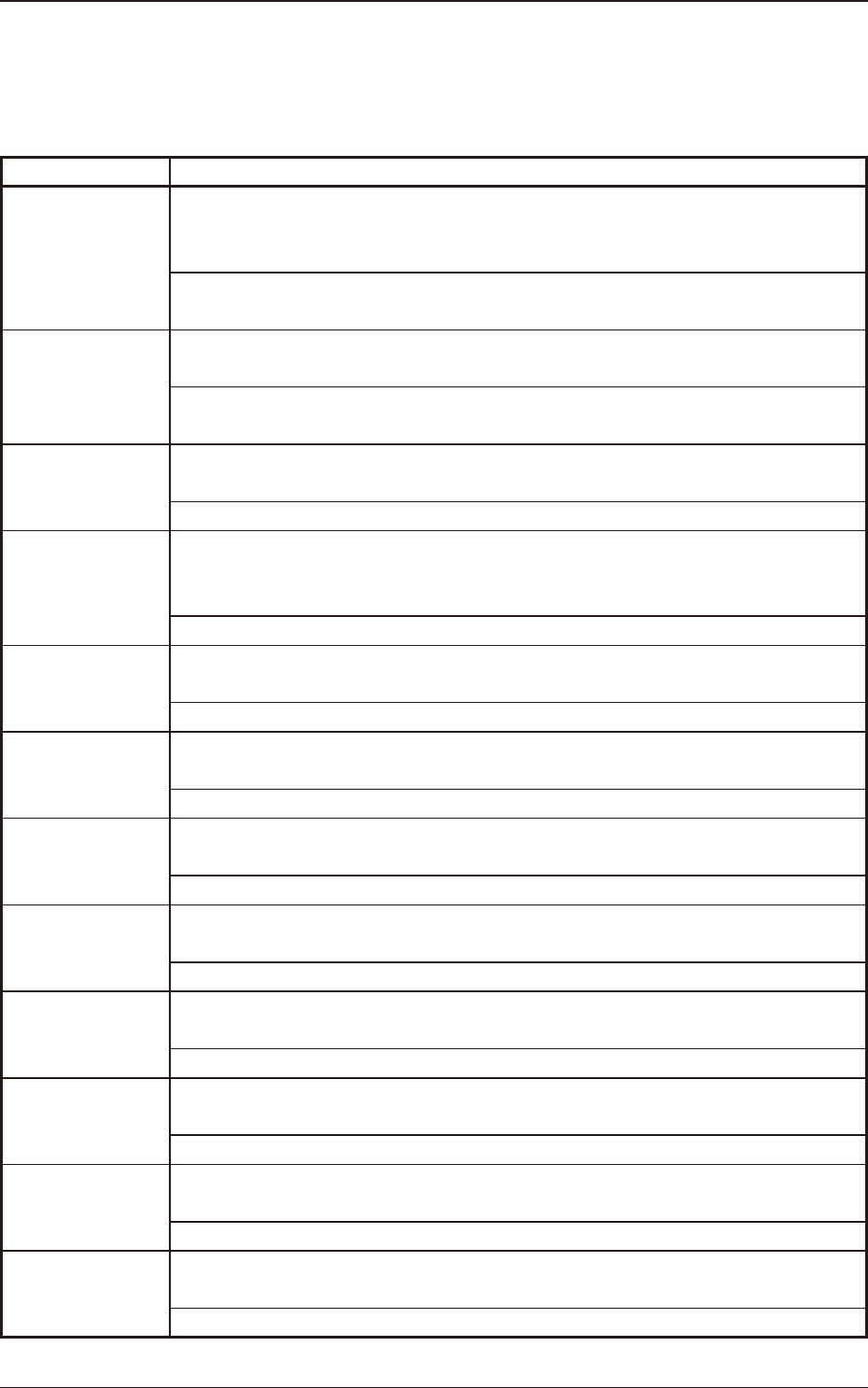
Error ID Error Name, Description, Cause, and Remedy
400101 Load Power Shutoff
The [emergency stop] switch was pressed.
(Please conrm the nozzle has not fallen when you push the beam by the hand.)
Please switch on a power supply after canceling an emergency stop switch and
screen return to normal display.
400102 Load Power Shutoff
An emergency stop switch is pushed.
Please switch on a power supply after canceling an emergency stop switch and
screen return to normal display.
400301 Zeroing Error.
Abnormality was found in processing zeroing operation.
Please perform zeroing.
400501 Lightning Surge Warning
Lightning Surge Protector worked (L201,L202,L203). Please turn on the load
power supply after resetting error.
-----
400601 Servo Alarm
Servo Alarm Detected
-----
400602 Servo Alarm
All Beam alarm resetting API Error
-----
400710 Operation Alarm
Stop command
Interlock inputted. Remove the factor of it.
400712 Operation Alarm
Emergency stop
Emergency stop inputted. Remove the factor of it.
400713 Operation Alarm
on interlock
Software interlock inputted. Remove the factor of it.
400716 Operation Alarm
Group Error
Alarming on the group axis. Please cancel the alarm.
40071A Operation Alarm
on Test mode
Test mode is set. Conrm the Amplier setting.
400720 Operation Alarm
Disable Operating mode
Please set the drive mode correctly.
3. Codici degli errori e Procedure per la soluzione del problema