88181945-01-06 Technical Reference Manual ( Production Iss 06 December 2020).pdf - 第10页
10 Issue 06 , December 2020 Indicator Beacon Remove the indicator beacon from its protective p ackaging. Pass the beacon loom conne ct or through the plenum base into the ele ct rical compartment (FIG 3) and se c ure the…
9 Issue 06, December 2020
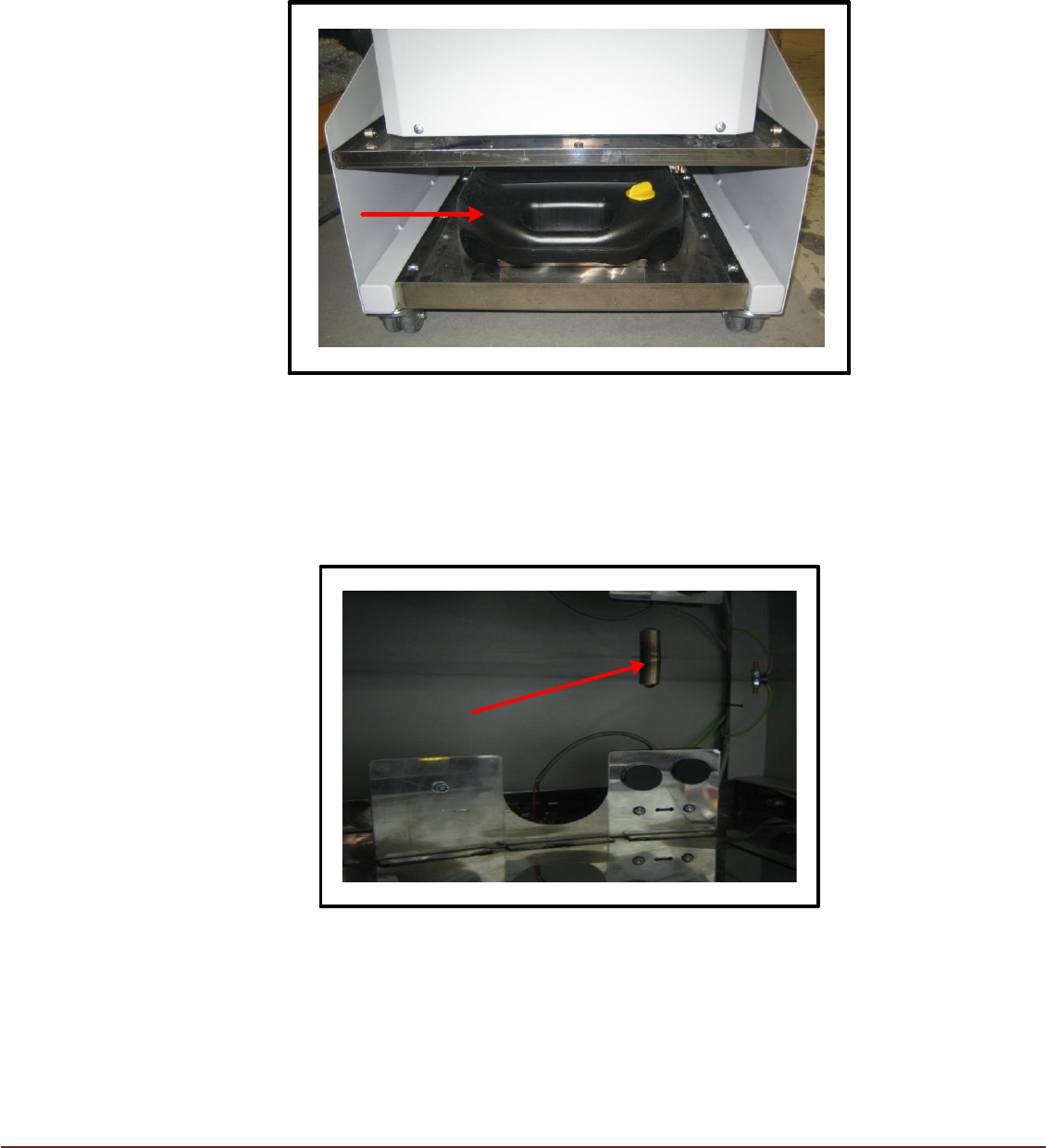
Condensate Collection
Condensate is collected in the plastic container at the base of the machine and is
accessed from the rear (FIG 1).
FIG 1
Alternatively, condensate can be diverted directly to a drain via pipe work (not included)
connected to the spout on the underside of the condensate tray (FIG 2 – Condensate
Collector removed).
FIG 2
10 Issue 06, December 2020
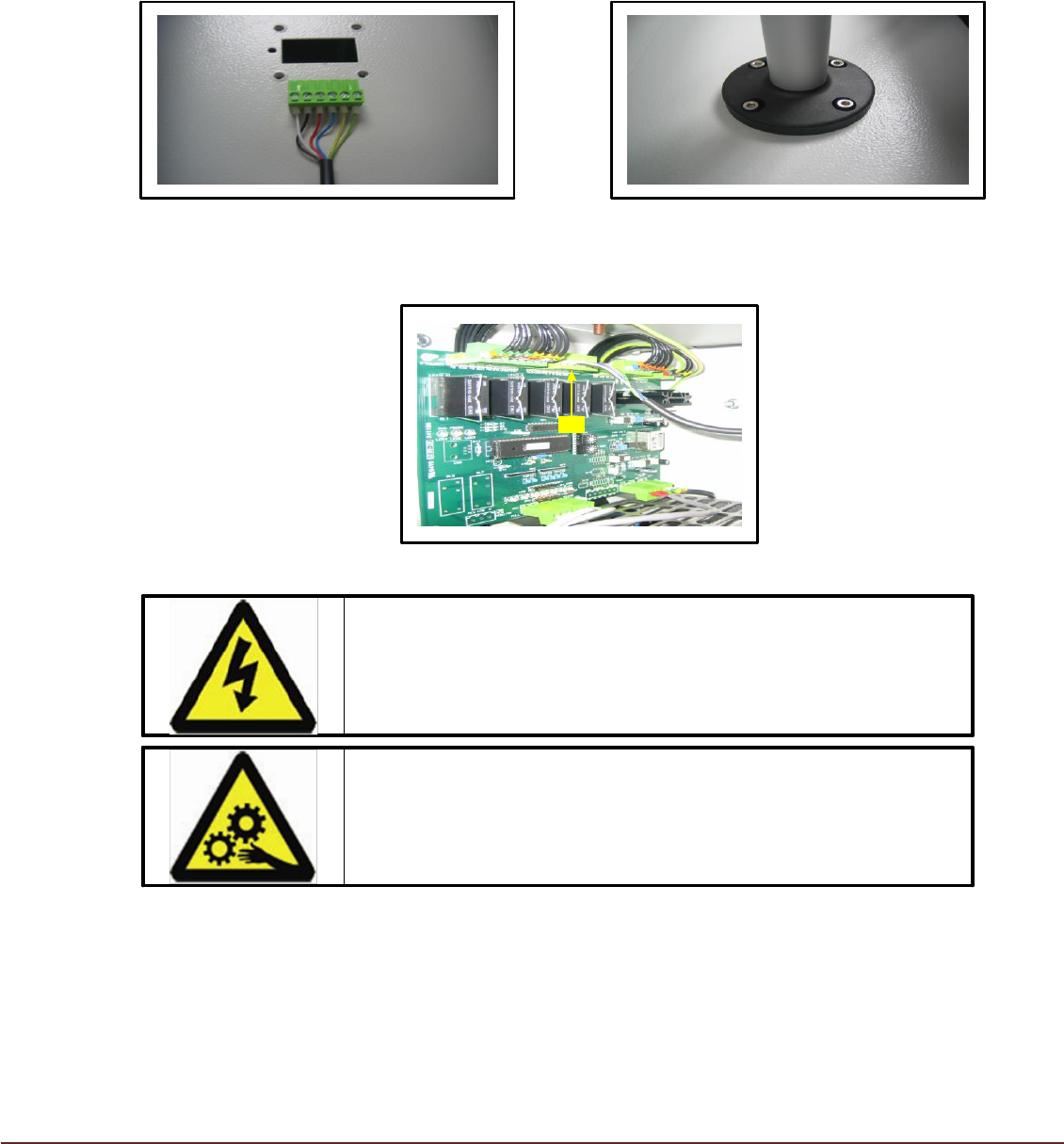
Indicator Beacon
Remove the indicator beacon from its protective packaging. Pass the beacon loom
connector through the plenum base into the electrical compartment (FIG 3) and secure
the beacon with the supplied fasteners (FIG 4).
FIG 3 FIG 4
Connect the beacon loom to the Control PCB connector CN2.
CN2
FIG 5
WARNING
ELECTRICAL HAZARD. Ensure Isolator is in the OFF
position before opening access door.
WARNING
BEWARE OF MOVING PARTS. Allow time for fan rotation to
cease before opening access door.
11 Issue 06, December 2020
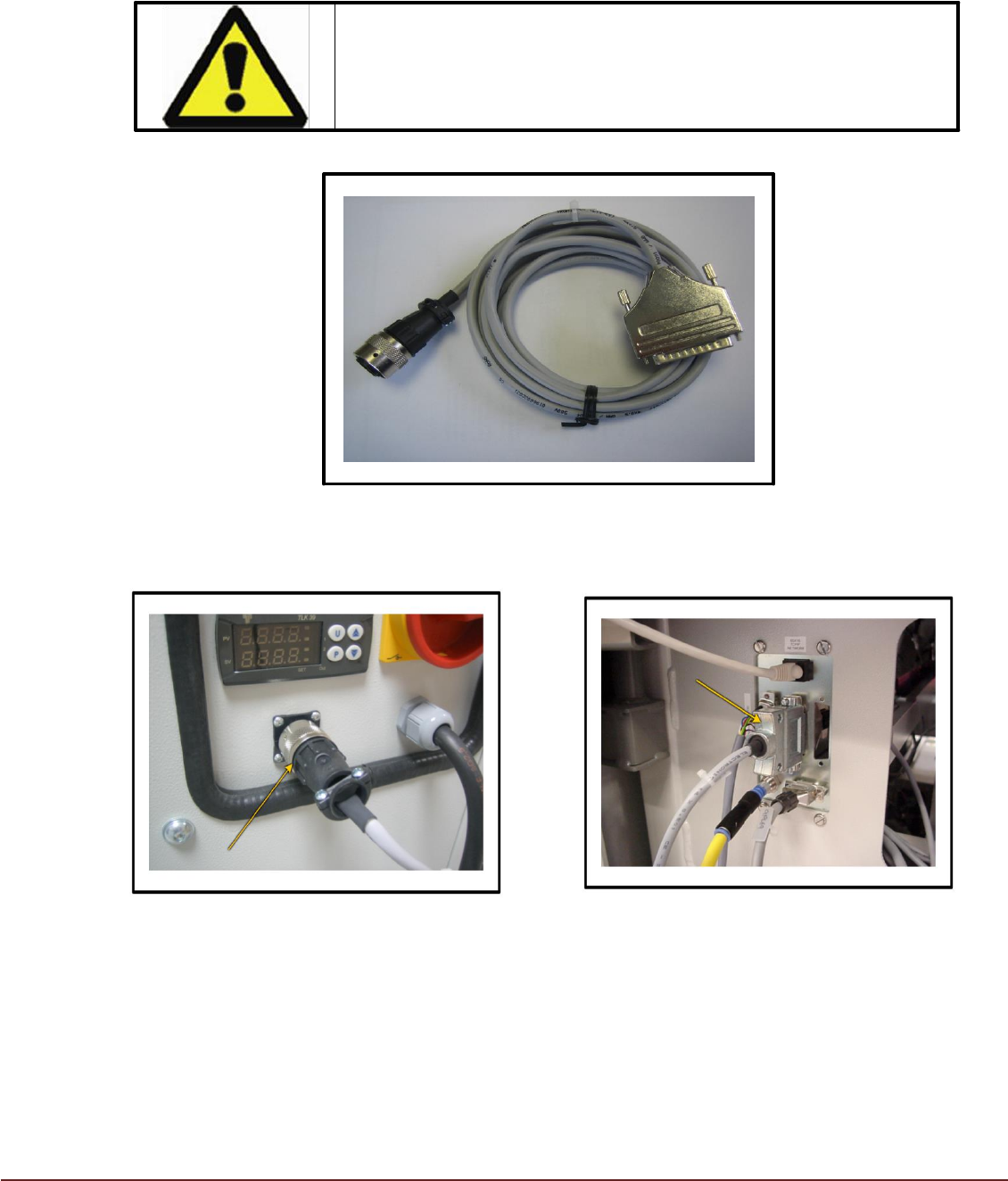
Temperature Sensor loom
WARNING
Temperature Input Signal Voltage = 0 – 10Vdc.
Under no circumstances must voltages exceeding 10Vdc be
applied to the input connection.
FIG 6
Connect the Temperature Sensor Loom between the TCM and the Printer Service Plate
FIG 7 FIG 8