88181945-01-06 Technical Reference Manual ( Production Iss 06 December 2020).pdf - 第17页
17 Issue 06 , December 2020 A sticker on the mach i ne, adjacen t to the Con t roller, can be used as a guide for the procedure described (FIG 17). FIG 17 4. The Process Temperature ( PV ) wit h in the Printer should m o…
16 Issue 06, December 2020
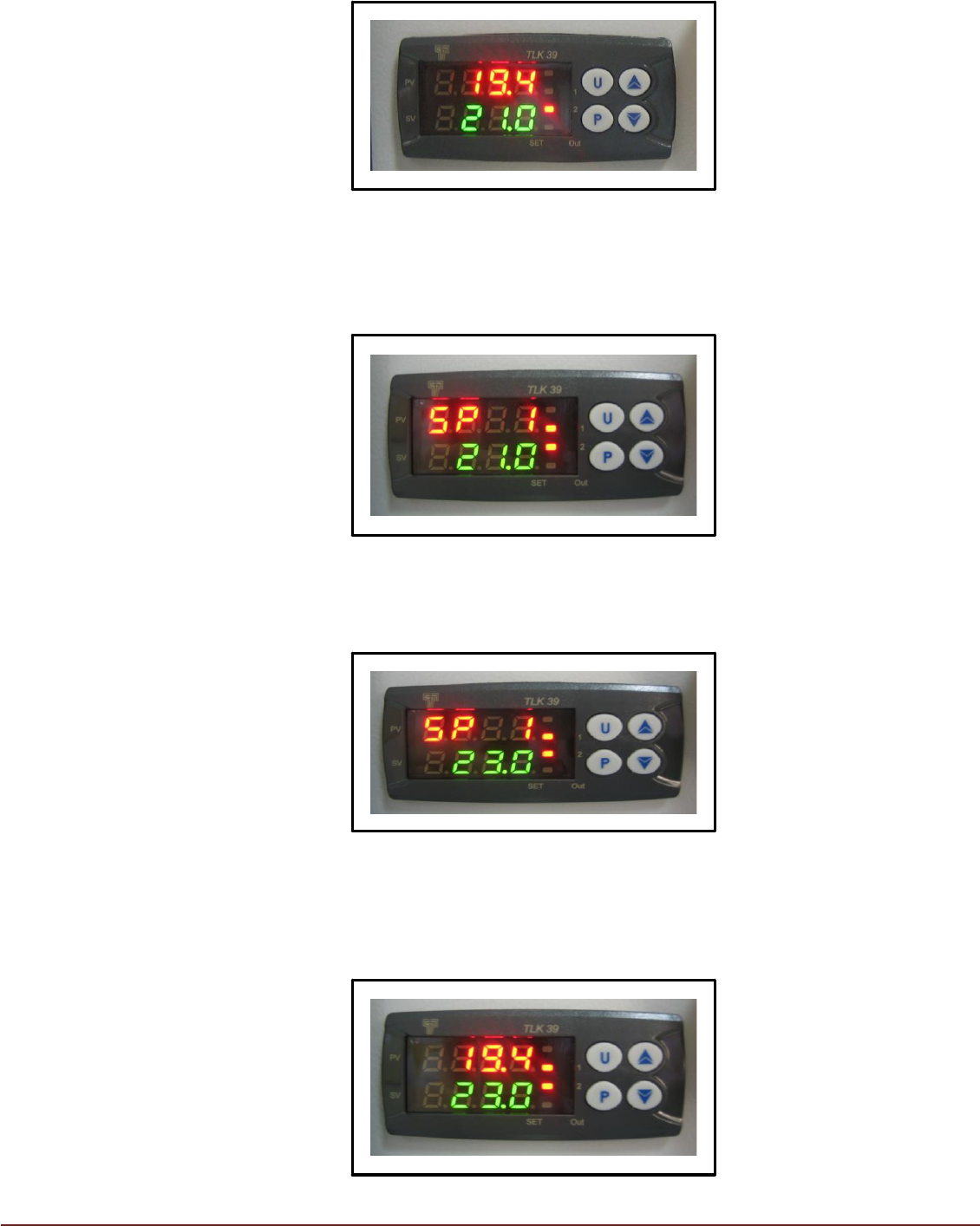
FIG 13
3. The target or desired operating temperature (SV) of the printer can be adjusted to
a value between 19°C and 30°C. To adjust the desired target temperature press
button ‘P’. The display will change with ‘PV’ showing ‘SP 1’ (FIG 14)
FIG 14
The ‘▲’ and ‘▼’ keys can be used to select a target temperature value (SV)
between 19.0°C and 30.0°C.
FIG 15
On reaching the desired target temperature, press key ‘P’. The display will return
to normal showing current printer temperature (PV) and new target temperature
(SV). (FIG 16)
FIG 16
17 Issue 06, December 2020
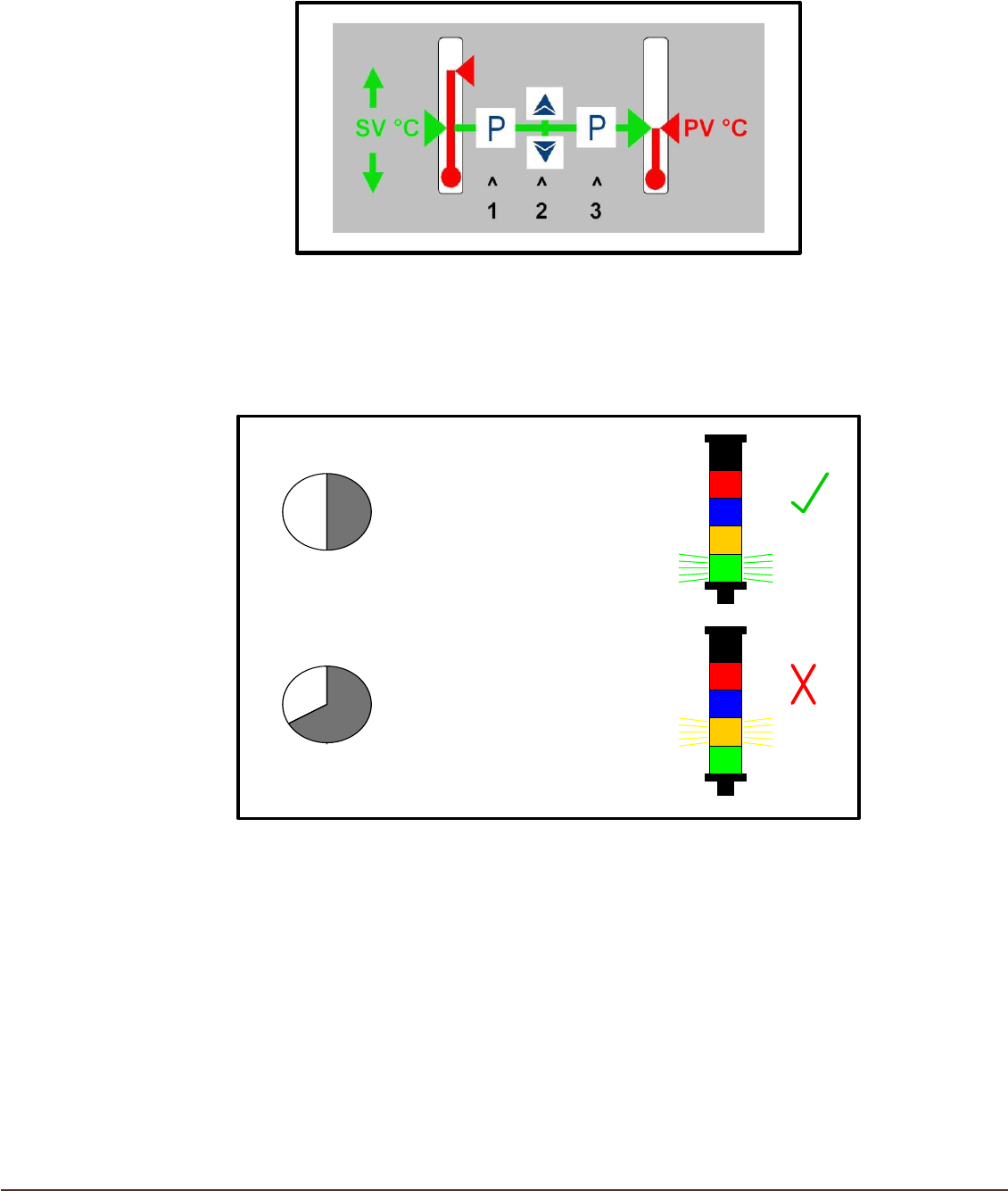
A sticker on the machine, adjacent to the Controller, can be used as a guide for the
procedure described (FIG 17).
FIG 17
4. The Process Temperature (PV) within the Printer should move towards and stabilize
within +/- 1°C of the Set Value Temperature (SV) in approximately 30 minutes (FIG18).
>40 min
<30 min
PV = SV +/- 1°C
PV ≠ SV +/- 1°C
ESCALATE
FIG 18
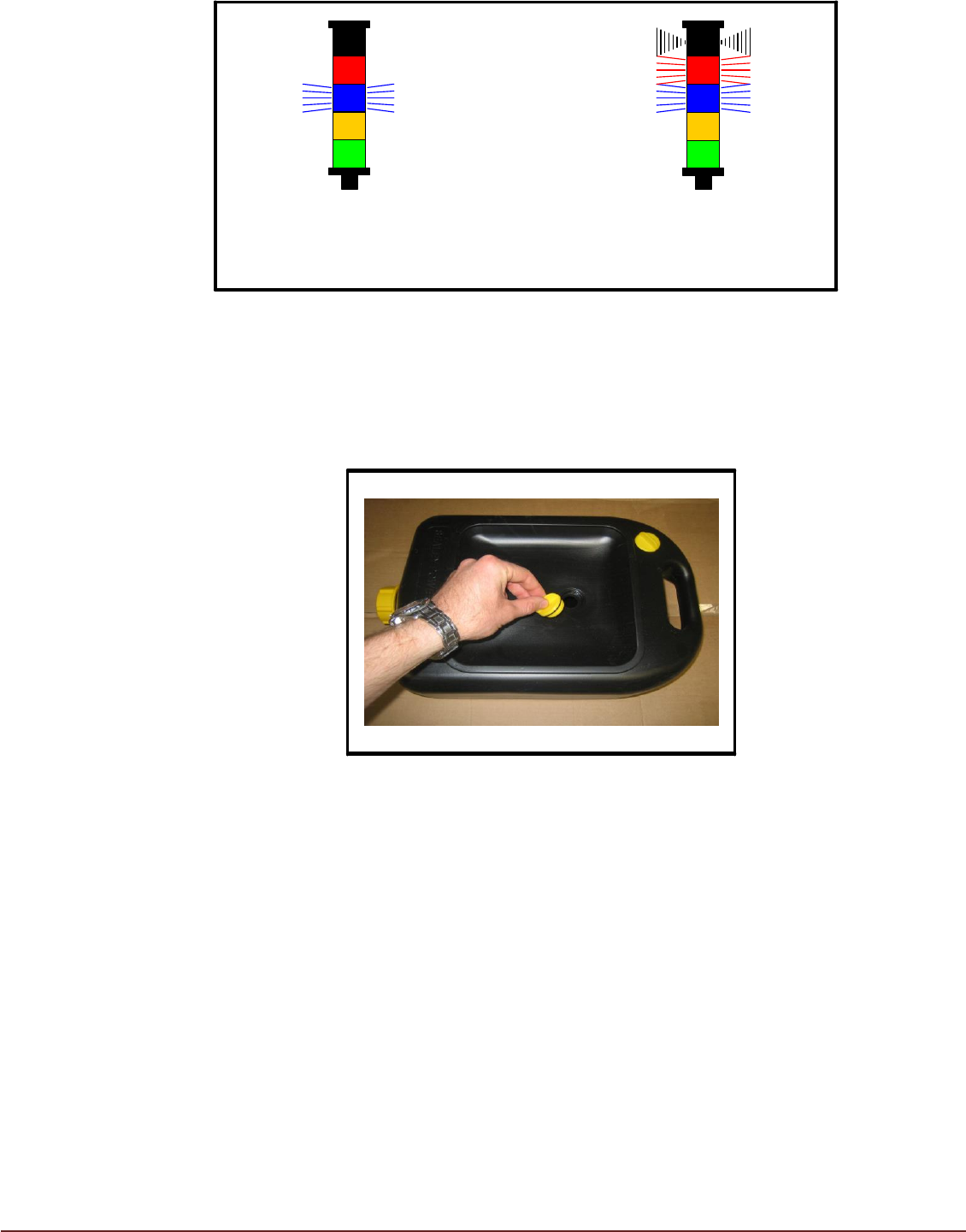
5. During TCM operation condensate will be produced by the Air Conditioning Unit (ACU).
Condensate will be collected in the Condensate Container. The beacon will indicate the
state of the Condensate Container. Failure to empty the Condensate Container will
result in automatic TCM shutdown to prevent further condensate being produced (FIG
19).
Monitor Condensate Level Regularly to Prevent Machine Shutdown.
18 Issue 06, December 2020
Empty Condensate
Collector
Condensate Collector
Full
(TCM Shut down)
FIG 19
6. Fit drip tray plug to Condensate Container to prevent spillage and allow Condensate
Container to be carried using the handle. Remove drip tray plug when replacing
container (FIG 20).
FIG 20