88181945-01-06 Technical Reference Manual ( Production Iss 06 December 2020).pdf - 第13页
13 Issue 06, December 2 020 Remov e Blanki ng Plate WARNI NG If TCM or ducting is removed fit supplied bl an king plate (Part No. 181702) before operating printer. WARNING BEWARE OF MOVIN G PART S. Do not operate printer…
12
Issue 06, December 2020
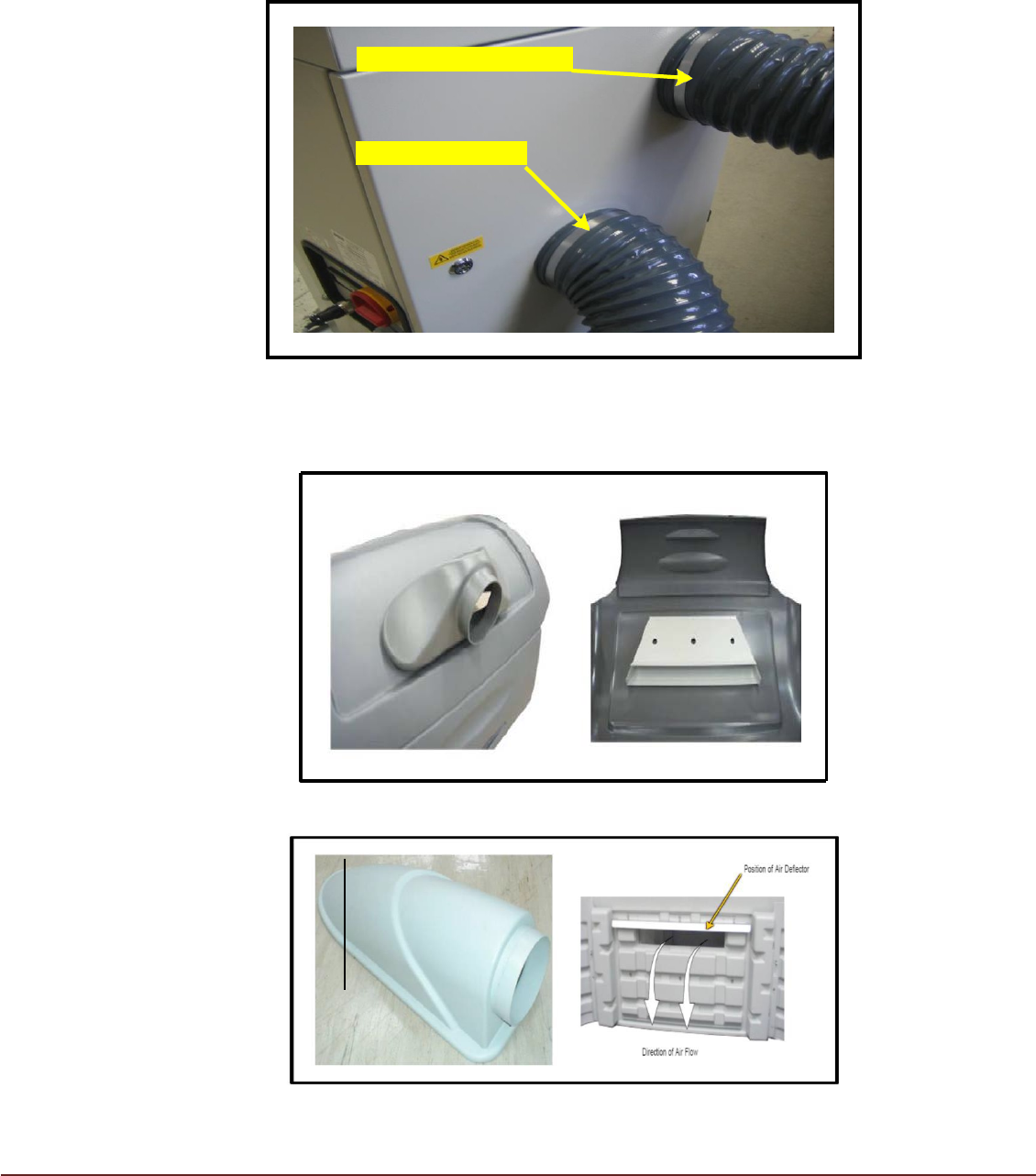
Conditioned Air Outlet
Printer Air Return
Air Ducting Hose
Connect Air Ducting Hoses to the TCM using the supplied hose clips. The upper port is
the conditioned air outlet. The lower port is for air returning from the Printer.
FIG 9
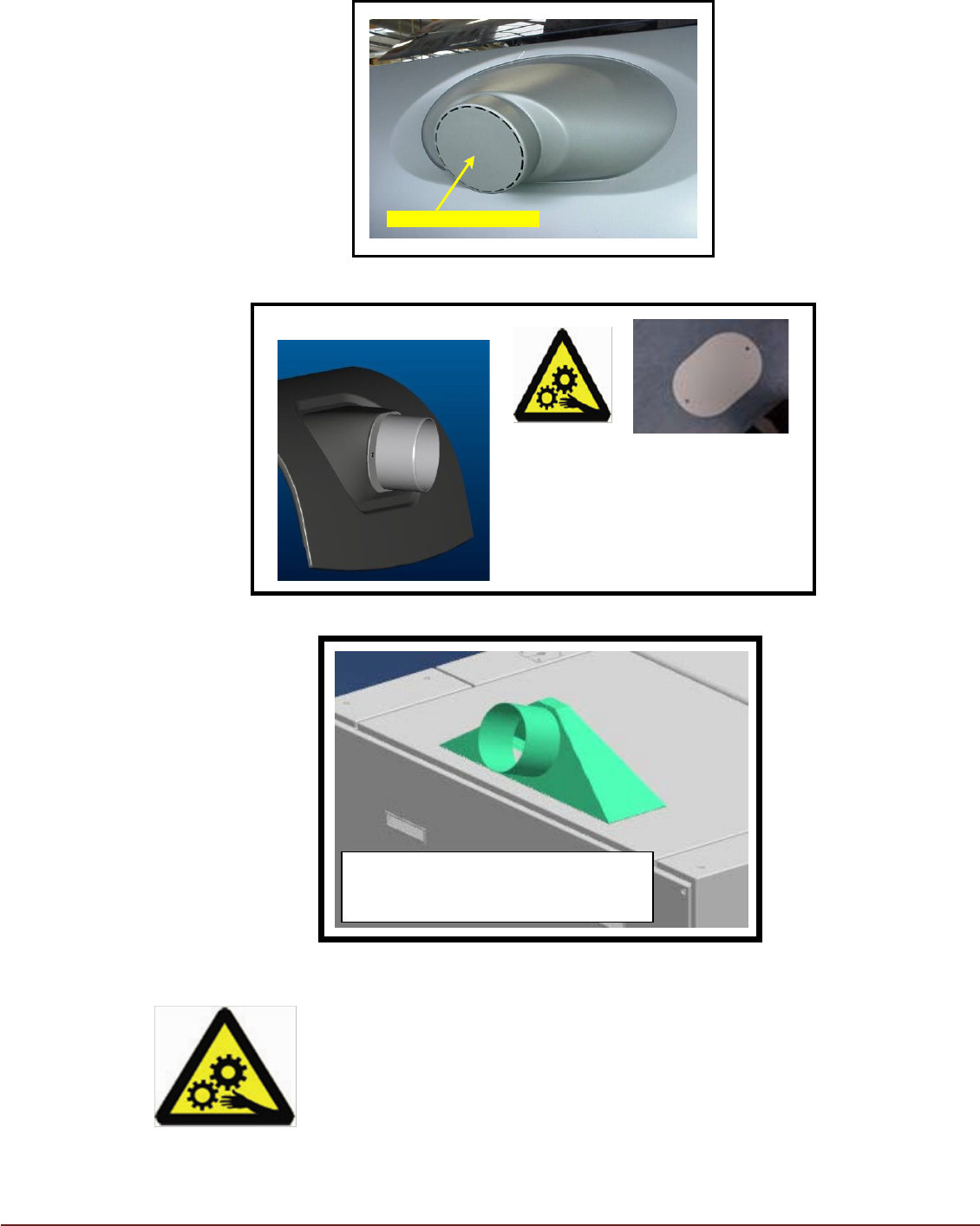
Connect TCM Conditioned Air Outlet ducting to the Printer Air Inlet duct using the
photographs below for reference.
Air Duct A – Outer and Inner
Air Duct B – Outer and Inner
13
Issue 06, December 2020
Remove Blanking Plate
WARNING
If TCM or ducting is removed
fit supplied blanking plate
(Part No. 181702) before
operating printer.
WARNING
BEWARE OF MOVING PARTS. Do not operate printer with
blanking plate removed and TCM ducting not fitted.
Air Duct C
Air Duct D
Remove blanking plate and fit Air
In duct and internal air deflector.
Air In Duct E NeoHoz
14
Issue 06, December 2020
Installation
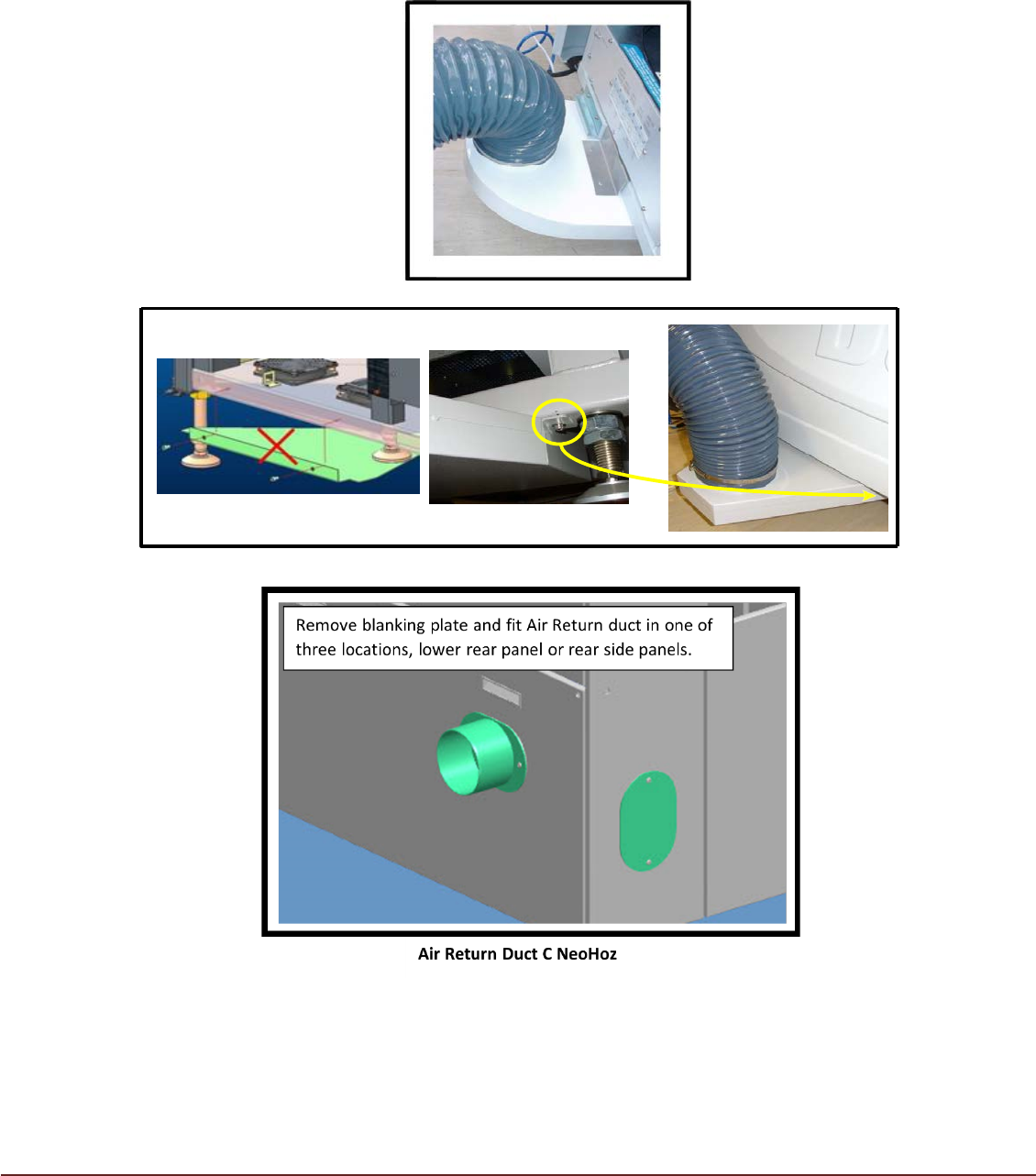
Fit the supplied air return duct to the printer using the appropriate photograph below. Fit
the filter to the duct (where applicable).
Air Return Duct A
Air Return Duct B
Position the TCM adjacent to the printer, allowing sufficient access to the condensate
container, with consideration given to TCM and Printer access covers. Connect the TCM
flexible ducting to the relevant printer port.
Note:
Hose lengths may be reduced as required to improve the look of the installation and
help improve airflow and cooling performance.