88181945-01-06 Technical Reference Manual ( Production Iss 06 December 2020).pdf - 第16页
16 Issue 06 , December 2020 FIG 13 3. The target or desi r ed operating temperature ( SV ) of the printer can be adjusted to a value between 19°C and 30°C. To a dju st the desired target tempera tur e press button ‘ P ’.…
15 Issue 06, December 2020
OPERATION
Initializing the Machine
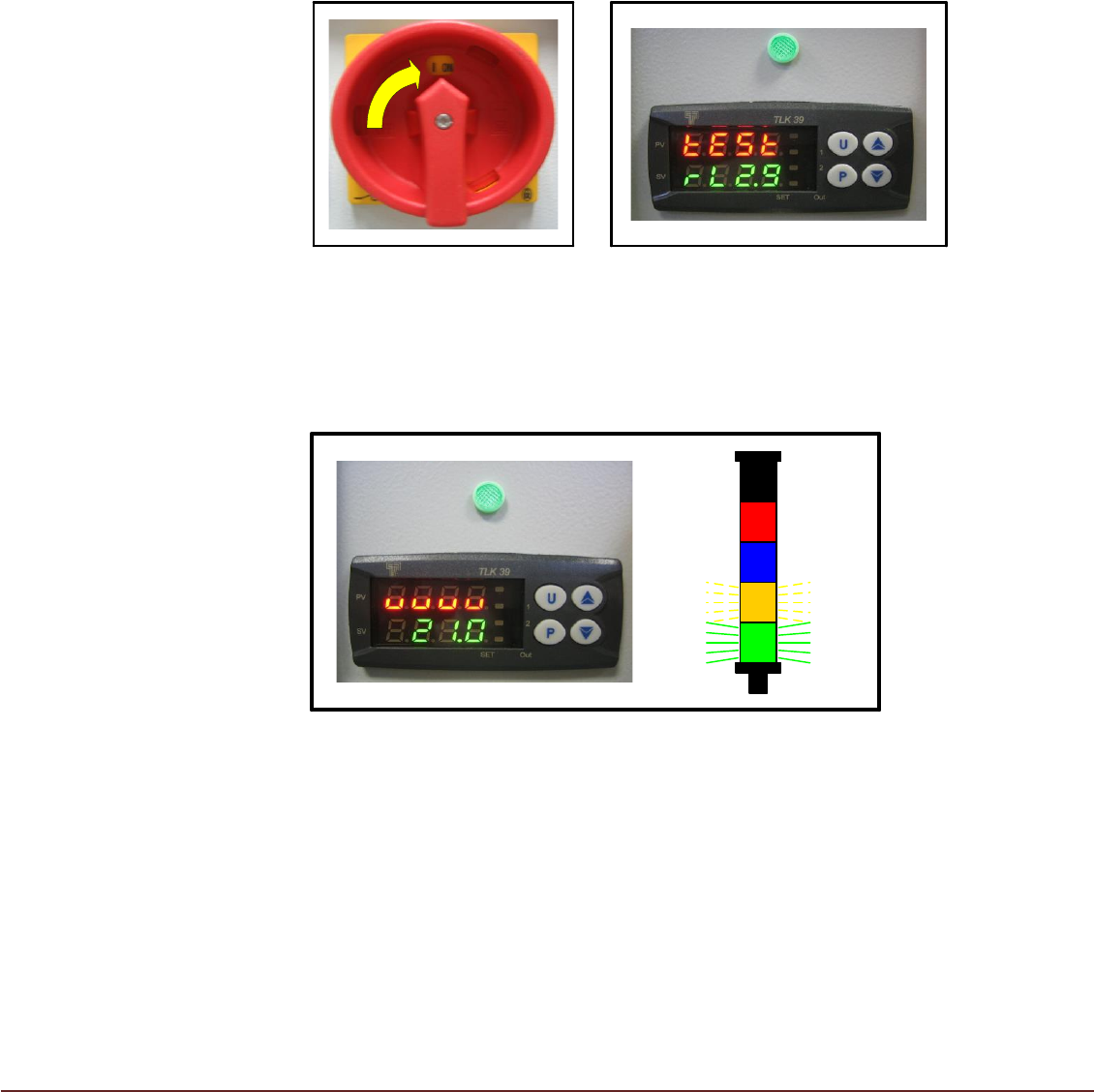
1. On completion of the Printer/TCM installation turn the TCM Isolator to the ON position
(FIG 10). The Green lamp should illuminate indicating that the TCM is energized and the
Controller display will initially show as (FIG 11) with ‘tESt’ flashing.
FIG 10 FIG 11
2a. After approximately 5 seconds, the Controller display will change. If no output
temperature signal is available from the printer, the controller will display ‘UUUU’
and the Orange beacon segment flash quickly. The TCM will not start (FIG 12).
FIG 12
Note:
The printer does not output temperature signal to the TCM until the initialization
sequence has completed. If after 1 min a temperature signal is still not present the
Orange beacon flashes at a slower rate. After a further 1 min without signal the Amber
beacon is continuously lit. These periods are determined by the ‘Disconnect’ and
‘Shutdown’ settings on the control PCB.
2b.) When an output temperature signal is available from the printer, the Controller
shows the actual printer temperature (PV) in Red, with the target temperature
(SV) displayed in Green (FIG 13). The TCM will start and begin working to
achieve the target temperature.
16 Issue 06, December 2020
FIG 13
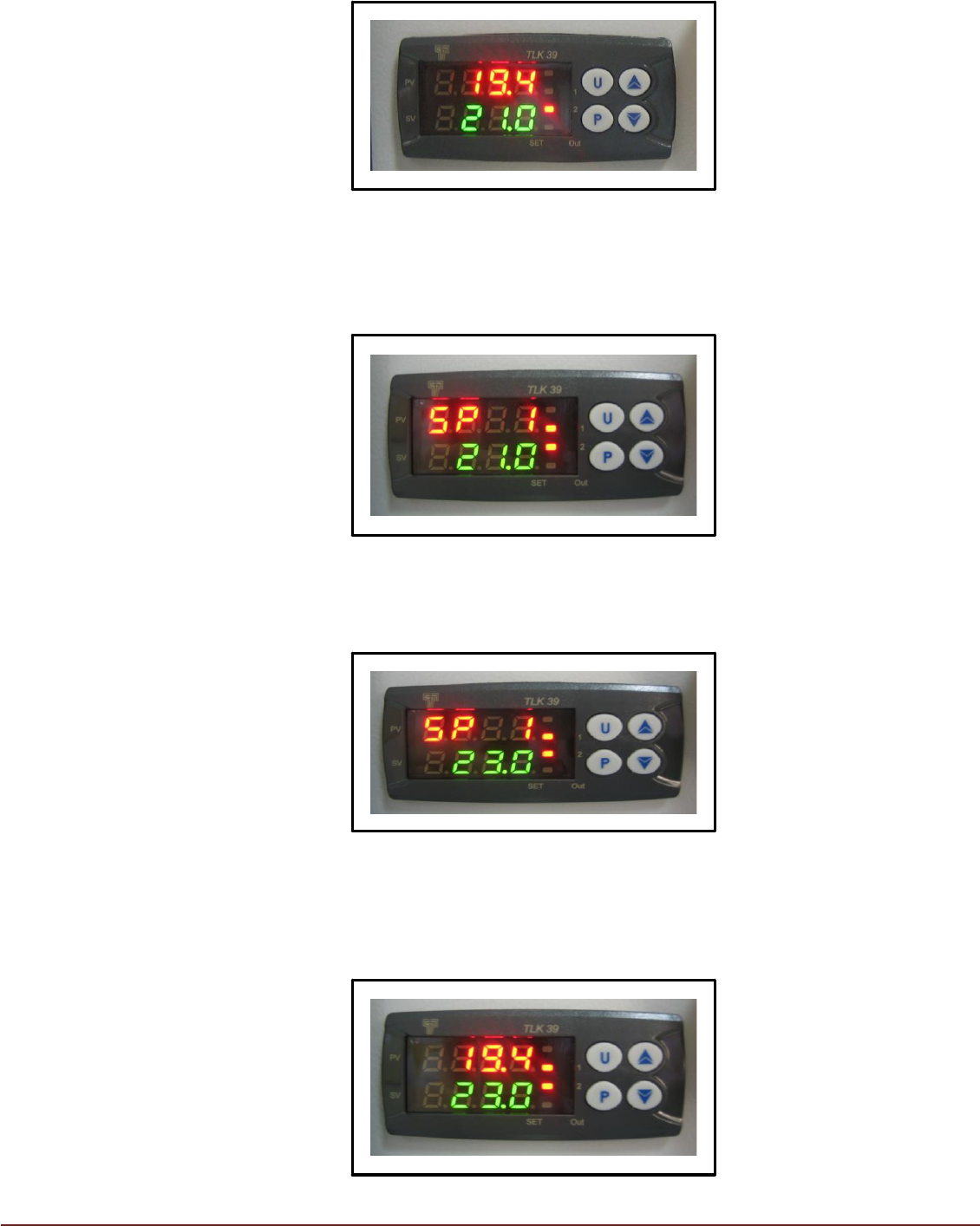
3. The target or desired operating temperature (SV) of the printer can be adjusted to
a value between 19°C and 30°C. To adjust the desired target temperature press
button ‘P’. The display will change with ‘PV’ showing ‘SP 1’ (FIG 14)
FIG 14
The ‘▲’ and ‘▼’ keys can be used to select a target temperature value (SV)
between 19.0°C and 30.0°C.
FIG 15
On reaching the desired target temperature, press key ‘P’. The display will return
to normal showing current printer temperature (PV) and new target temperature
(SV). (FIG 16)
FIG 16
17 Issue 06, December 2020
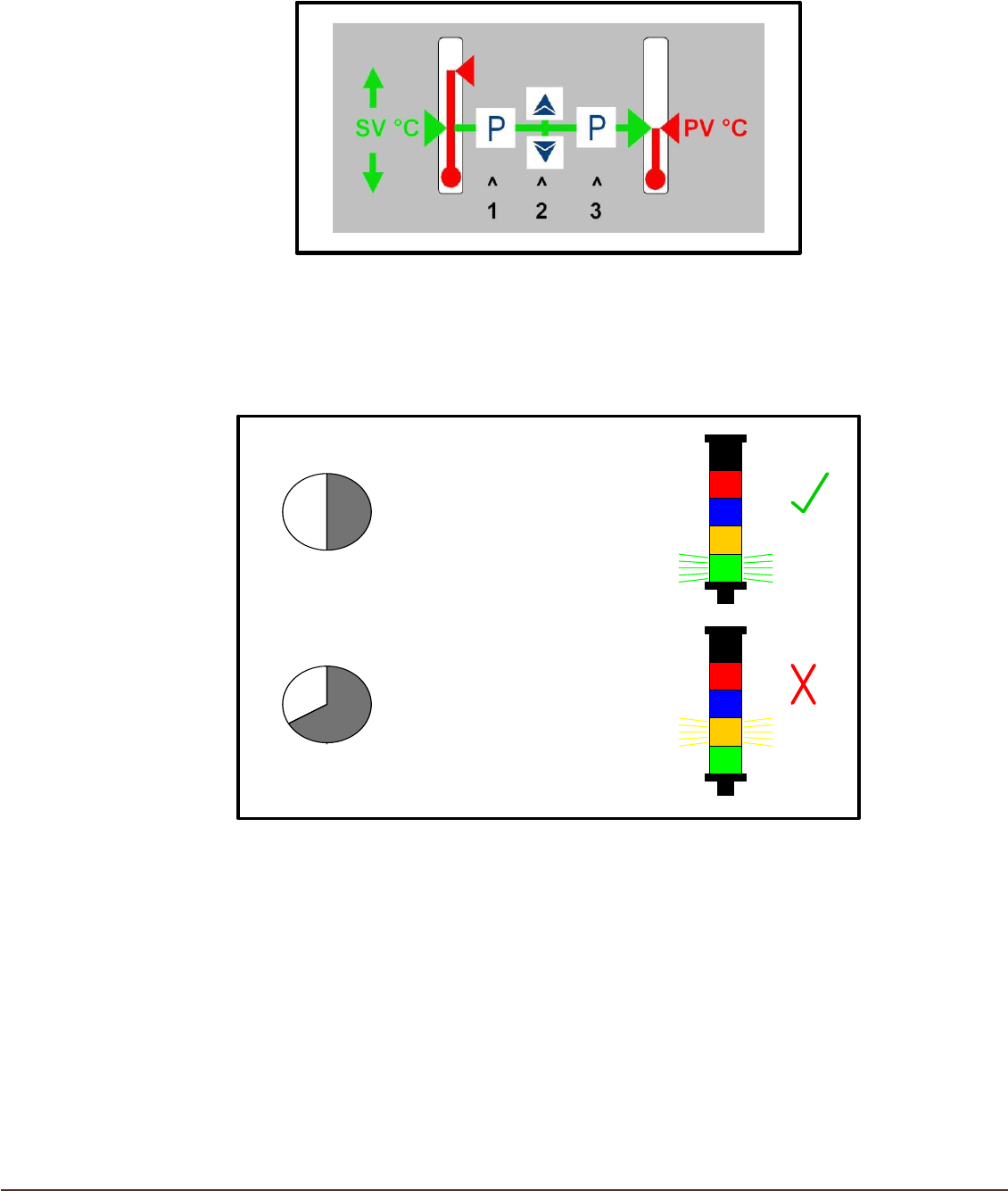
A sticker on the machine, adjacent to the Controller, can be used as a guide for the
procedure described (FIG 17).
FIG 17
4. The Process Temperature (PV) within the Printer should move towards and stabilize
within +/- 1°C of the Set Value Temperature (SV) in approximately 30 minutes (FIG18).
>40 min
<30 min
PV = SV +/- 1°C
PV ≠ SV +/- 1°C
ESCALATE
FIG 18
5. During TCM operation condensate will be produced by the Air Conditioning Unit (ACU).
Condensate will be collected in the Condensate Container. The beacon will indicate the
state of the Condensate Container. Failure to empty the Condensate Container will
result in automatic TCM shutdown to prevent further condensate being produced (FIG
19).
Monitor Condensate Level Regularly to Prevent Machine Shutdown.