TR7600 SIII_Series_Installation_en_v_2_0_2.pdf - 第31页
Test Research, Inc . 21 TR7600 SIII Ser ies User G uide – Ins tallation 6) Connect the barcode sca nner c able s COM 3 is at left side, COM 4 is at right side, user only need to c onnect the cable t o the left blue port.…
Test Research, Inc.
TR7600 SIII Series User Guide – Installation 20
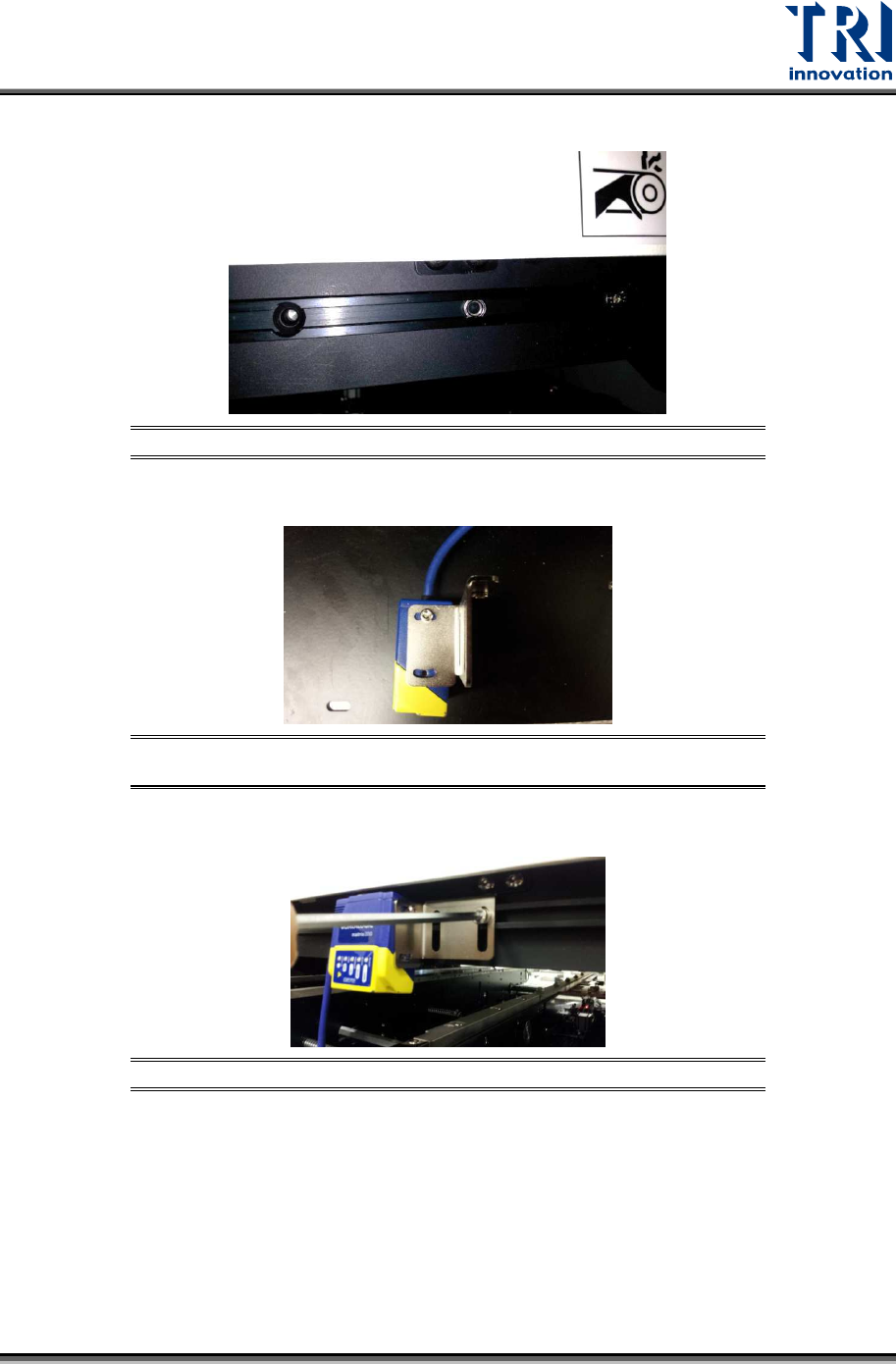
3) Put bolts into aluminum track.
Figure 36: Putting Bolts into the Track
4) Set barcode scanner on the position adjustment sheet.
Figure 37: Tightening the Screws between Position Adjustment Sheet
and Extension Mechanism
5) Fix position adjustment sheet on the slider by M5 screws.
Figure 38: Fixing Position Adjustment Sheet on the Slider
Test Research, Inc.
21 TR7600 SIII Series User Guide – Installation
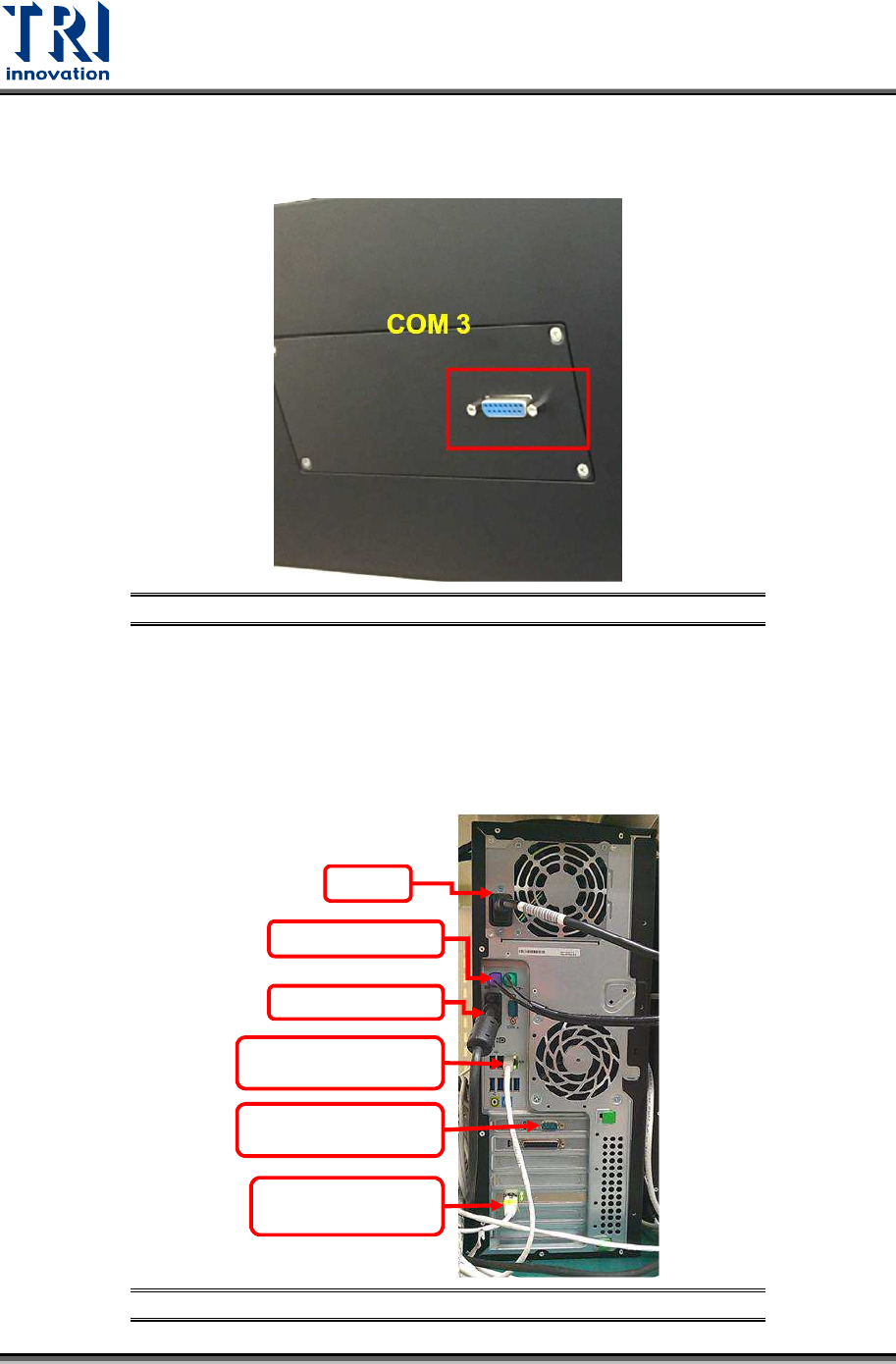
6) Connect the barcode scanner cables COM 3 is at left side, COM 4 is at right side, user
only need to connect the cable to the left blue port. This com port integrates both signal
cable and power cable.
Figure 39: Connecting All the Barcode Scanner Cables
2.10 Repair Station Installation
Repair station system includes a main PC, LCD monitor keyboard, mouse, hand-held
barcode scanner and cross over internet cables.
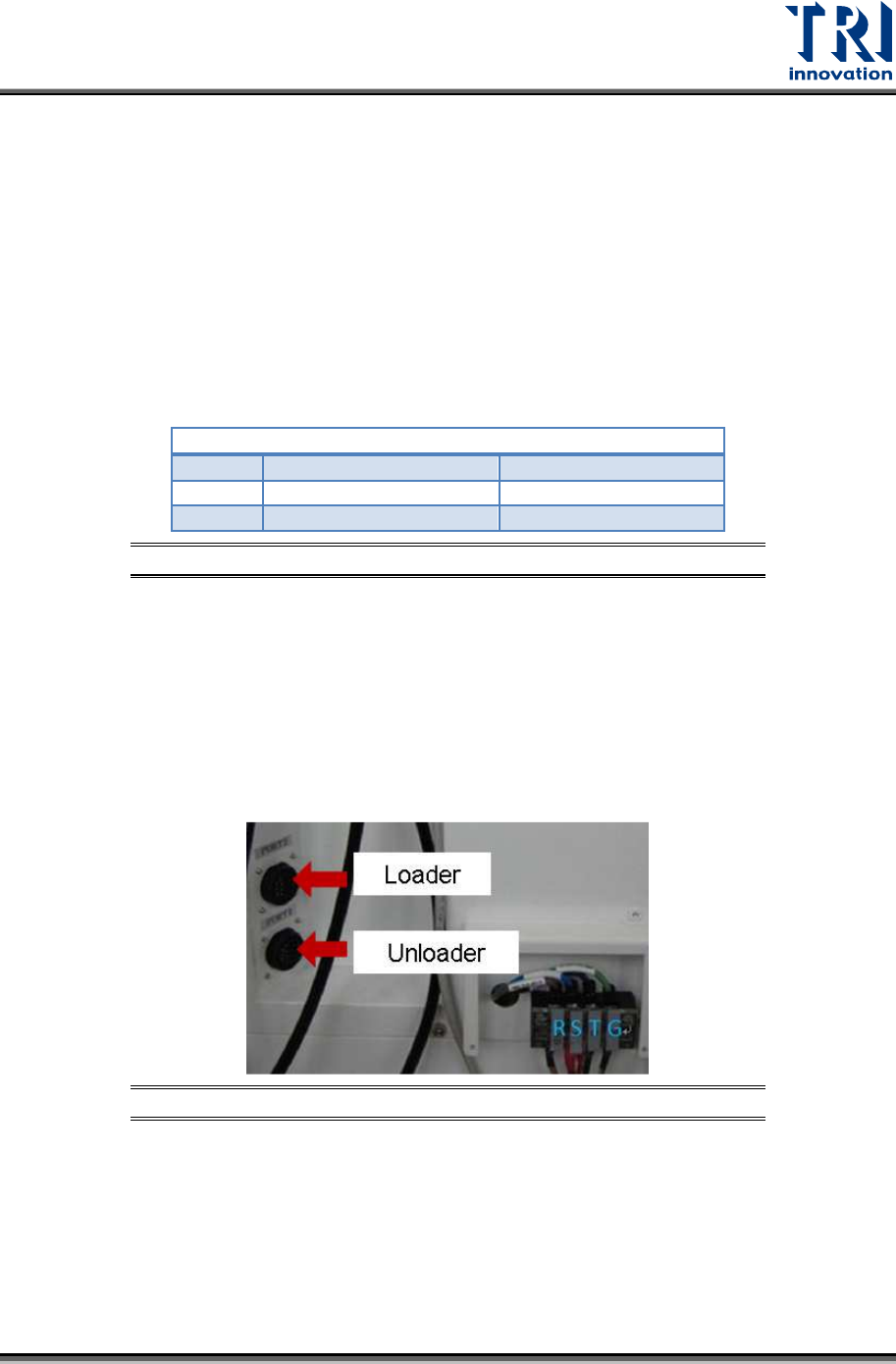
3) Install repair station system.
Figure 40: The Connection of Repair Station
Power
Keyboard/Mouse
Monitor Cable
The 1st Internet Port
(Connect to Main PC)
RS232 Hand-held Barcode
Scanner
The 2nd Internet Port,
(Connect to Internet)
Test Research, Inc.
TR7600 SIII Series User Guide – Installation 22
4) Install hand-held barcode scanner. Please connect the signal cable to the
communication port in repair station PC and connect the power supply cable to the plug
with 110 / 220V.
5) Connect AXI system and repair station PC by internet cable.
2.11 Input/Output Signal Port (SMEMA)
2.11.1 Linking with Loader
SMEMA Connections:
PORT1
–
UP LINE
Y104
Black (1) / Green (2) Ready
X
2
A
Red (3) / Blue (4) Board Available
X
2
B
Yellow (5) / White (6) Spare
Figure 41: Loader Socket Position
Located below the power supply socket in the back of the equipment is I/O PORT1. Connect
the connector, and match three sets of different colored wire pairs at the other end of the
cable with the Loader according to its specifications. The three wire pairs are: Black-Green
(Y104) for requesting board from Loader, Red-Blue (X2A) reserved INPUT connector and the
Yellow-White (X2B) reserved INPUT connector. Connect the Black-Green connector to the
Loader Board Request connection. (We use the standard SMEMA signal. If this is different
due to differences in manufacturer, contact the front stage manufacturer to acquire the
connection data.)
Figure 42: Loader and Unloader Socket Position