TR7600 SIII_Series_Installation_en_v_2_0_2.pdf - 第36页
Test Research, Inc . TR7600 SII I Series U ser Guide – I nstallatio n 26 Figure 47: Phase Terminals Never connec t the grounding wire to any of the live wires(R-S-T) or the neutral wire. It is very dangerous. Additionall…
Test Research, Inc.
25 TR7600 SIII Series User Guide – Installation
2.13 Power Installation
Machine Power: 200~240V 3-Phase, 50/60 Hz 7 kVA.
Please confirm the power used at the customer facility.
Please confirm whether the optional 3-phase transformer is necessary or not with TRI
sales representative or FAE.
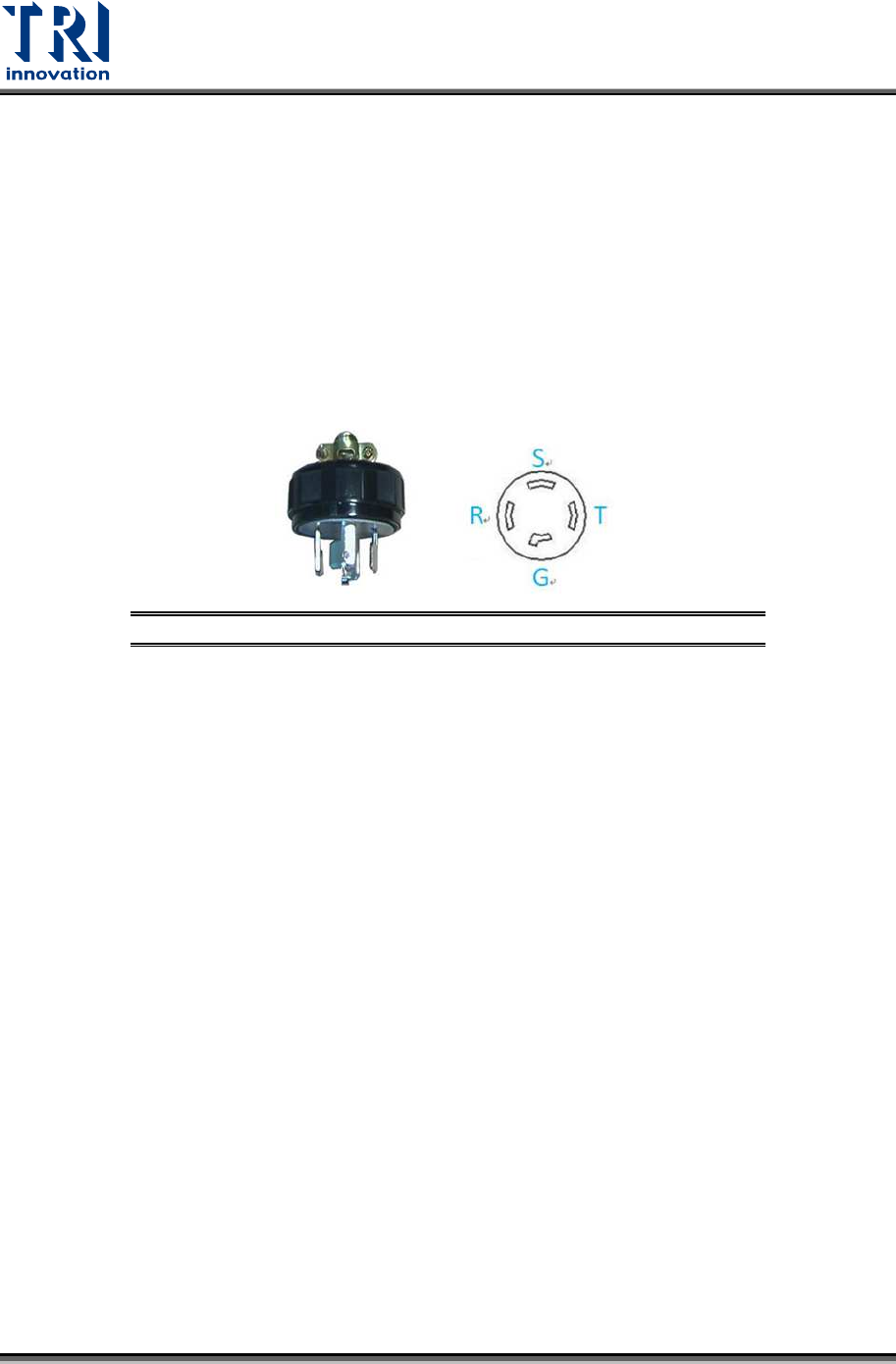
The machine will be shipped with a 4-prong plug although the power is a 3-wire
connection. The extra pin is connected to the grounding wire.
The plug type is LK6420.
Figure 46: Plug Type
Grounding
In order to use the machine safely, the power source must have a grounding wire
to protect the equipment. If the equipment is damaged due to missing grounding,
the damage will not be covered by the warranty. Users will be responsible for the
damage.
3-phase wires
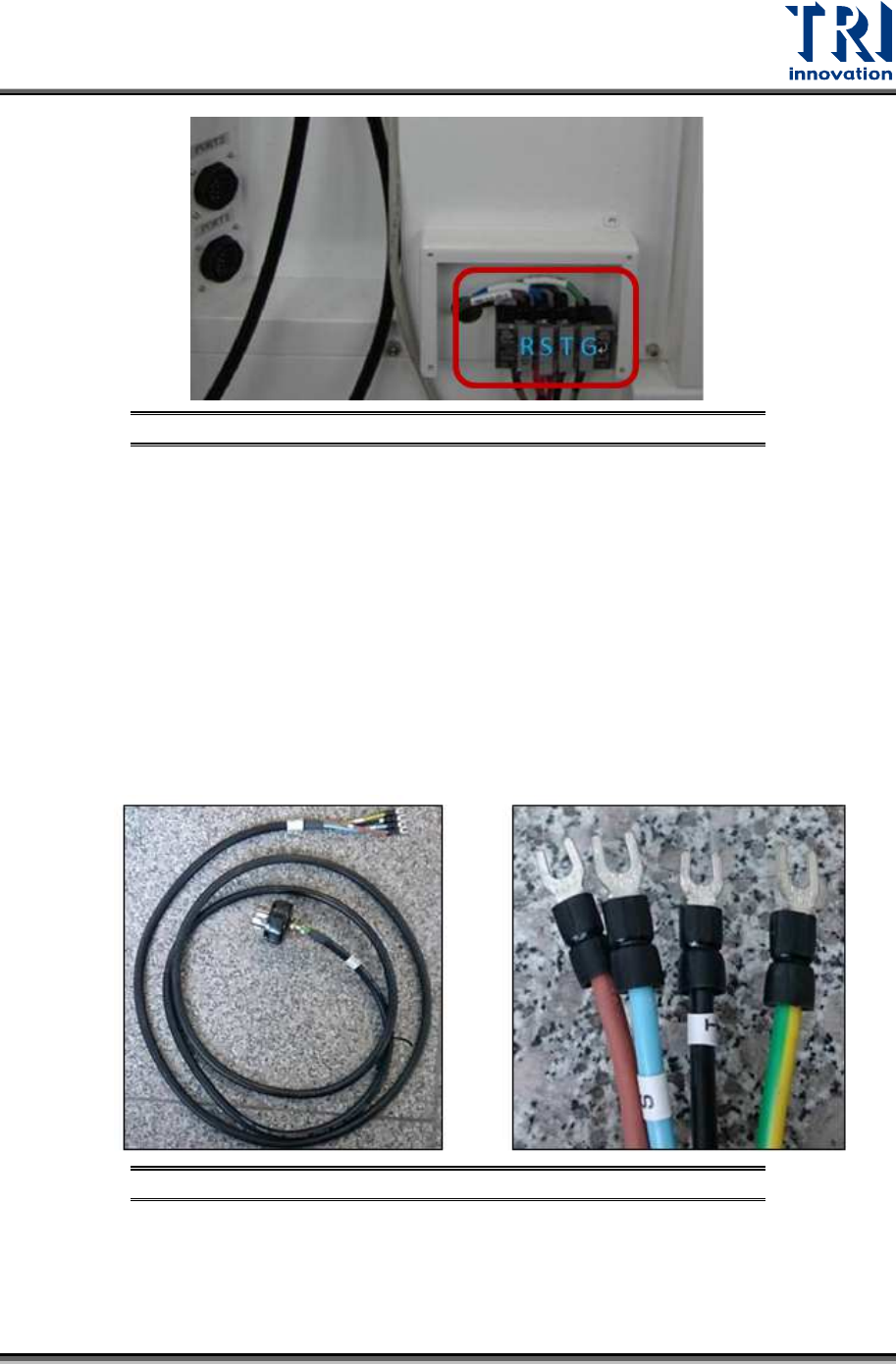
The system coming from the factory will have an approximately 6 foot long 4-wire
cable. The cable is connected to the designated phase terminal like R-S-T, L1-L2-
L3, or X-Y-Z on the connector. This 3-phase system doesn’t define a phase
sequence, so phase rotation will make no difference at all. The phase difference
of R-S-T is 120V. Different countries may use different colors to present R-S-T
wires. However, a green wire or yellow-green wire is often used to represent the
grounding wire.
Test Research, Inc.
TR7600 SIII Series User Guide – Installation 26
Figure 47: Phase Terminals
Never connect the grounding wire to any of the live wires(R-S-T) or the neutral wire. It is
very dangerous. Additionally, if you don’t want to use a plug, you can use your factory
cables and connect them to the designated terminals.
2.14 Switching on the System
If the power at customer site is 220V 3-phase
In this case, you can follow the steps below to turn on the power.
1) Take TRI cable from the accessory box and connect the brown, blue, black, and
yellow-green wires to the terminals in sequence.
Figure 48: TRI 3-phase Cable Wiring
2) Insert the plug into the factory wall socket.
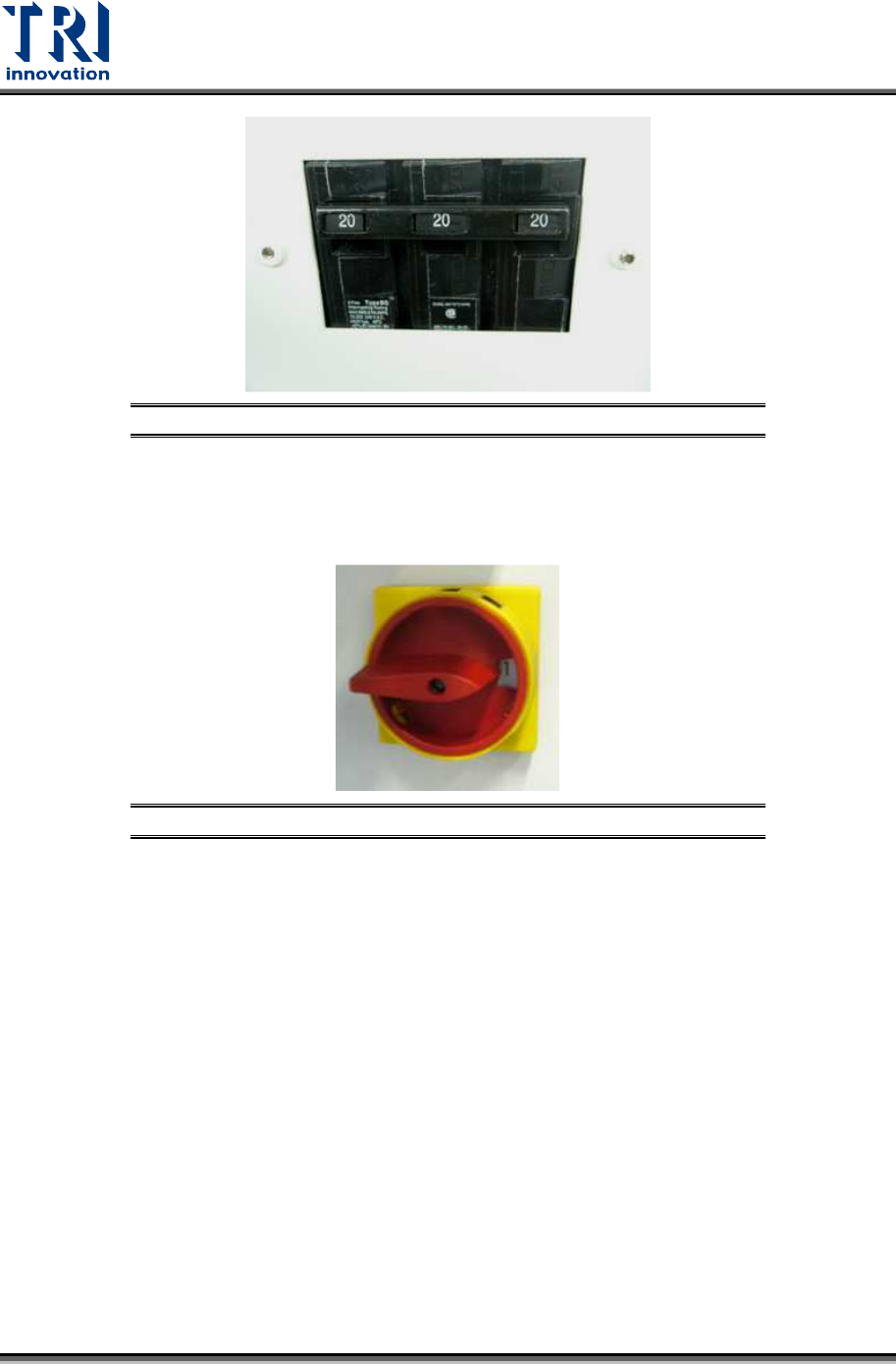
3) Turn on the no fuse power switch. You can pull up the switch lever to turn on the
mains power, or push the lever down to cut the mains power.
Test Research, Inc.
27 TR7600 SIII Series User Guide – Installation
Figure 49: No Fuse Power Switch
4) Turn the power switch shown below clockwise to see the number 1 and then the
power of the machine will be turned on. If you want to turn off the power, you can turn
this power switch counterclockwise to see the number 0 and then the power of the
machine will be turned off.
Figure 50: Turn the Power Switch Clockwise to Turn Power On
If the power at customer site is NOT 220V 3-phase (ex. 380V 3-phase or 480V 3-
phase)
1) You must use a transformer.
2) Please discuss the transformer setup with a TRI sales representative or FAE.