00198565- 01_Operation_Manual_DEK_Micron_EN.pdf - 第12页
Safety - PRINTHEAD COVER 12 www.dek.com 1.6 PRINTHEAD COVER Raising the printhead cover suspends operation of the machine to allow the operator safe access to the tooling area. 1.7 SAFETY INTERLOCKS The safety features d…
Safety - E STOP OPERATION
11
www.dek.com
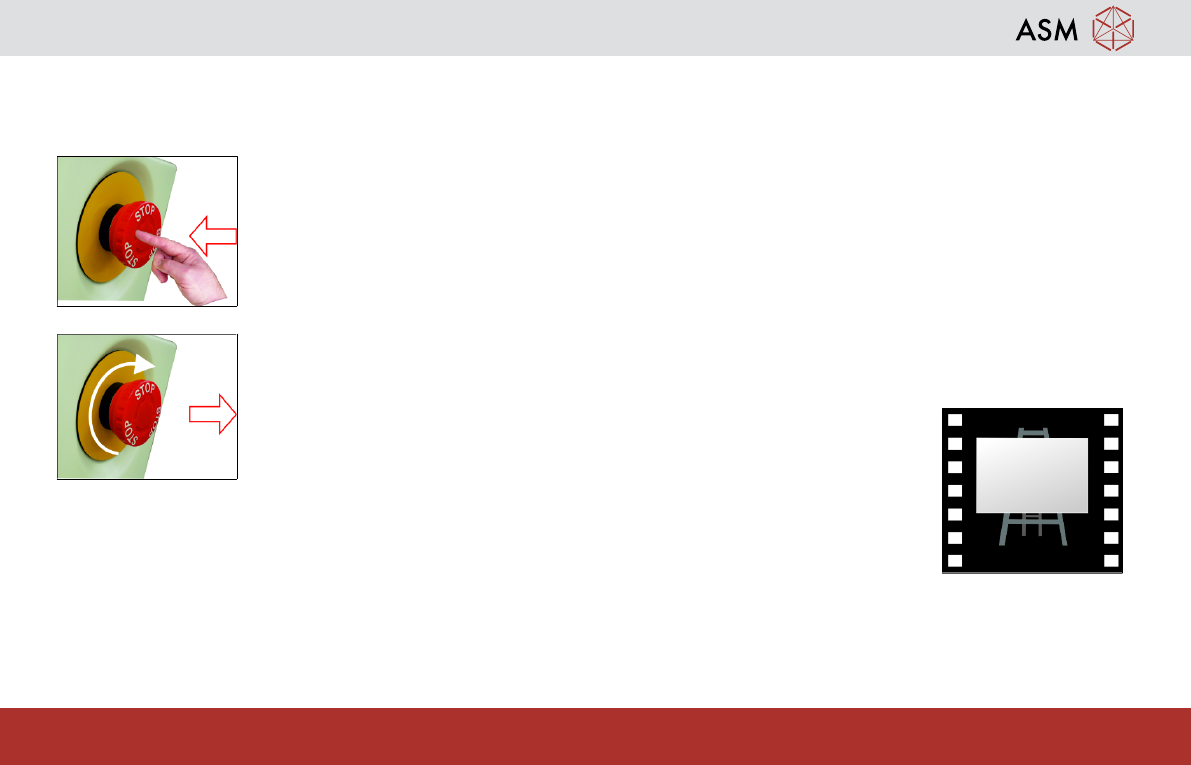
1.5 E STOP OPERATION
With the machine powered up, activating the red Emergency Stop button (E Stop)causes the machine to stop in a
controlled manner.
To activate:
press the E Stop button, electrical power to the machine is suspended.
To reset:
turn the E Stop button clockwise until it unlatches.
Safety - PRINTHEAD COVER
12
www.dek.com
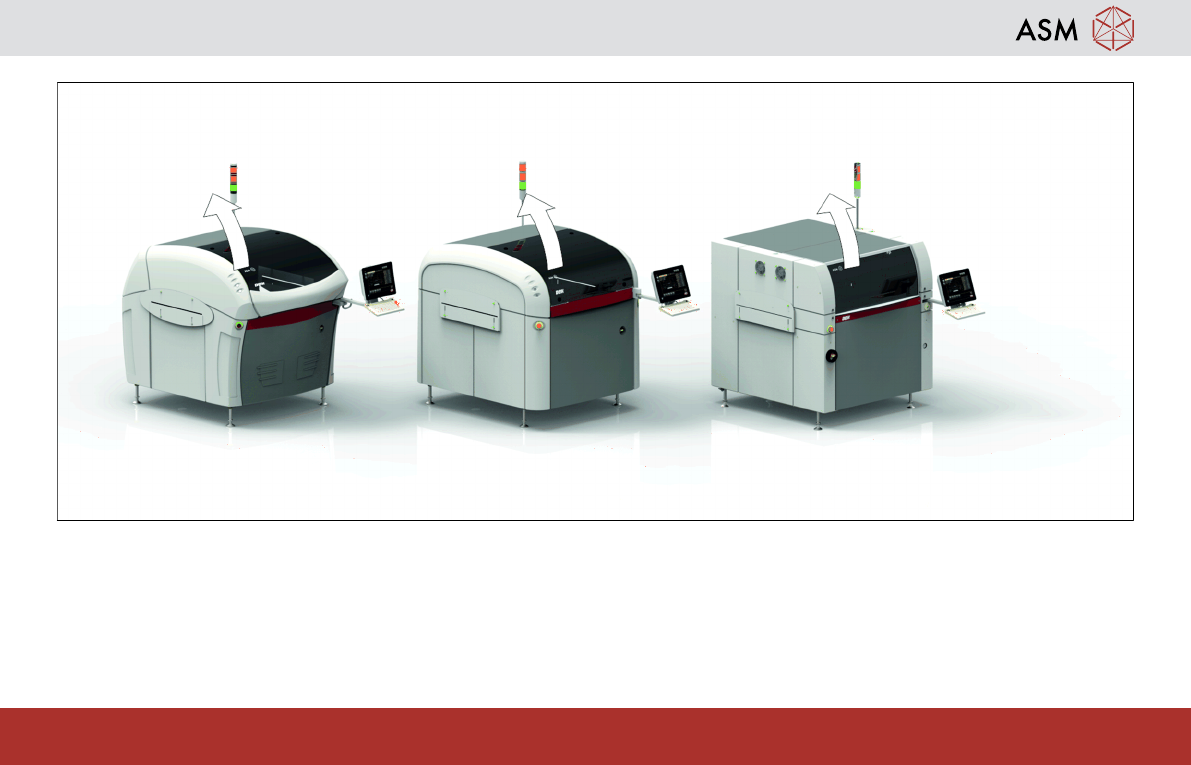
1.6 PRINTHEAD COVER
Raising the printhead cover suspends operation of the machine to allow the operator safe access to the tooling area.
1.7 SAFETY INTERLOCKS
The safety features designed into the printer are for the protection of all operators and maintenance personnel. ASM
strongly recommend safety devices are never overridden.
Safety - TRI COLOUR BEACON
13
www.dek.com
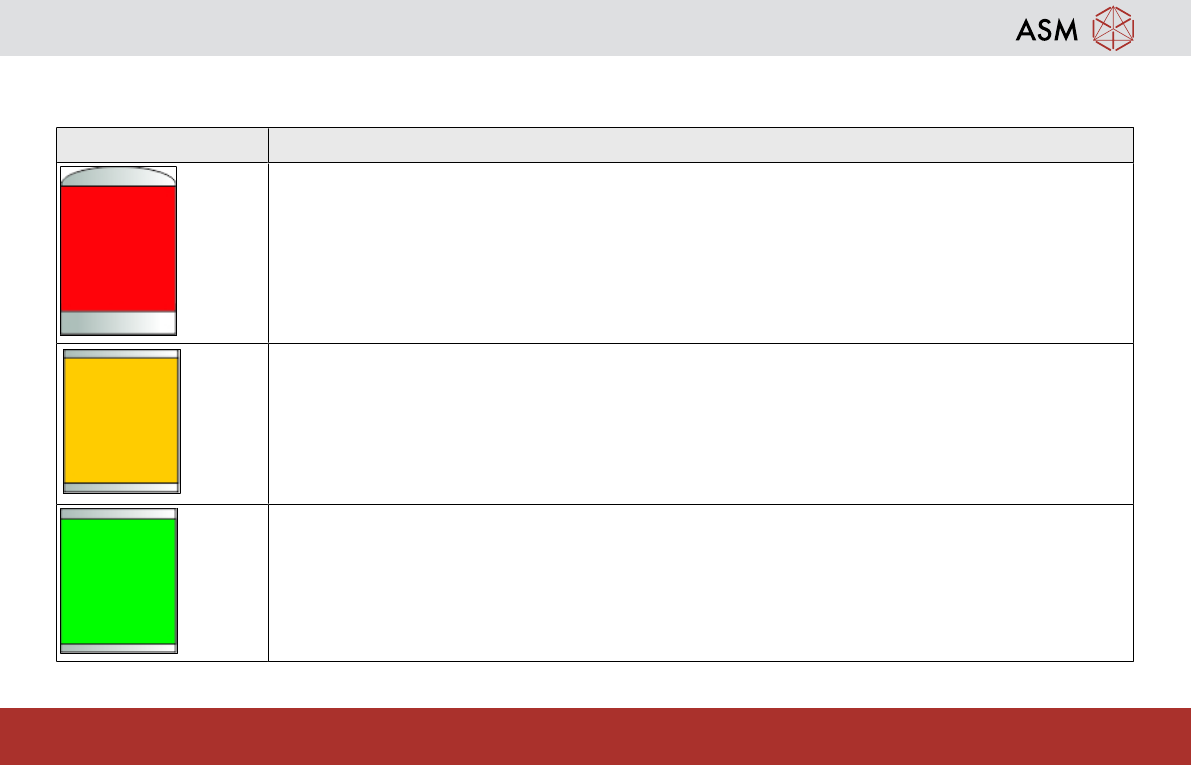
1.8 TRI COLOUR BEACON
The default settings for the beacon indicates the operational status of the machine:
Beacon Colour Operational Status
Machine is not operational
System power is down
Error message displayed
Machine is not in a ready state
Machine is initializing
Machine is in set up
Machine is in maintenance
Machine is operational
Machine is waiting in a ready state
Machine is operational