00198565- 01_Operation_Manual_DEK_Micron_EN.pdf - 第14页
Safety - TRI COLOUR BEACON 14 www.dek.com
Safety - TRI COLOUR BEACON
13
www.dek.com
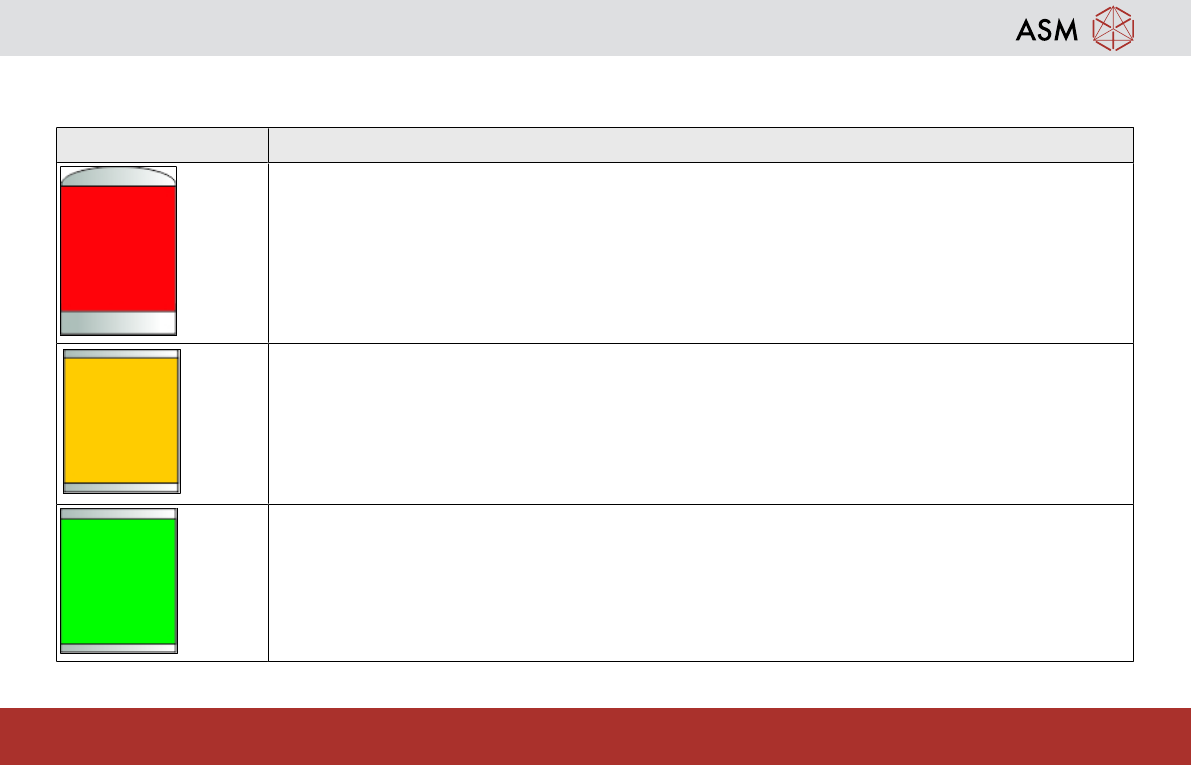
1.8 TRI COLOUR BEACON
The default settings for the beacon indicates the operational status of the machine:
Beacon Colour Operational Status
Machine is not operational
System power is down
Error message displayed
Machine is not in a ready state
Machine is initializing
Machine is in set up
Machine is in maintenance
Machine is operational
Machine is waiting in a ready state
Machine is operational

Safety - TRI COLOUR BEACON
14
www.dek.com

Machine Overview
15
www.dek.com
2 Machine Overview
Reference: Machine Operator manual
A familiarity with the main components of the printer will help understand how it functions. This will help understand the
machine Operation as well as allowing you to describe and escalate problems effectively.
Preparation
Review the machine overview section of your machines operator manual. Your instructor will help locate each item
identified in the manual.
Demonstration
⃞ Tick off each sub-assembly as your instructor identifies it to you:
⃞ Front and rear safety covers (observe location of cam safe switches)
⃞ Monitor Assembly/User interface/Keyboard/Mouse (as applicable)
⃞ System button and Jog buttons
⃞ Tri-Colour beacon
⃞ Printhead (If applicable)
⃞ Print carriage
⃞ Squeegee assembly / ProFlow
⃞ Paste dispenser (optional)
⃞ Rail system (moving rail and fixed rail)