00198565- 01_Operation_Manual_DEK_Micron_EN.pdf - 第41页
Identify common print defects - 41 www.dek.com 11 Identify common print defects Reference: Fast track process recovery guide, part no. 158546 Although following the procedures in the operator manual carefully will preven…

Recover from common error messages
40
www.dek.com
Message Cause Remedy
Fiducial not found
Screen cleaner out of position
Rail lifted error
System power down
Board transfer fault

Identify common print defects -
41
www.dek.com
11 Identify common print defects
Reference: Fast track process recovery guide, part no. 158546
Although following the procedures in the operator manual carefully will prevent most print defects there will be occasions
during production when print defects occur.
It is important that the operator understands which areas under their control can have a direct influence over the print
quality and how to identify a defect and quickly rectify the problem.
Preparation
Tick off each of the following items as you complete them:
⃞ Discuss with you instructor the specifications of an acceptable quality print (refer to your companies guidelines if
available)
⃞ Your instructor will discuss a series of common print defects and identify the likely operational causes as detailed in
the recovery guide
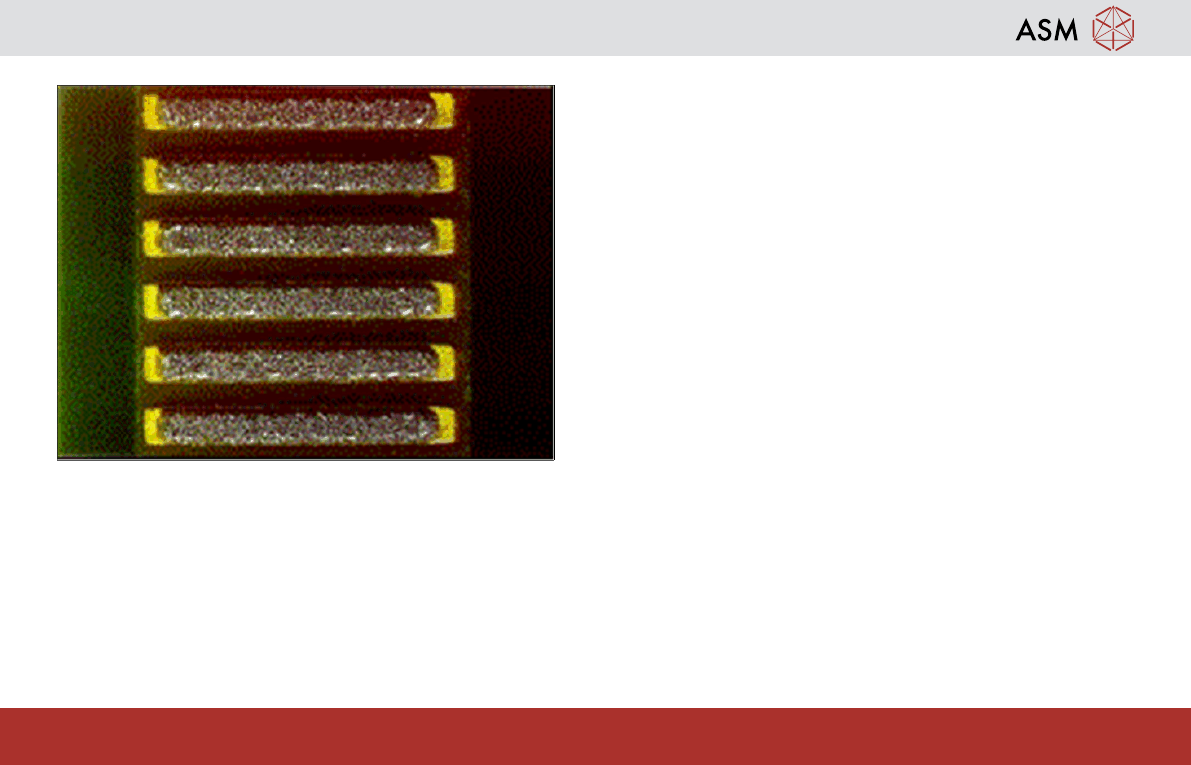
The Perfect Solder Print Causes
Identify common print defects -
42
www.dek.com
Good alignment
No gaps between board and stencil
Good board support
Good stencil support (Proflow)
Good stencil (good design, undamaged, clean)
Good material (condition, temp, etc)
Correct parameter settings (match process design)