00197185-01_IM_Required_Steps_before_using_Support_Media_EN.pdf - 第18页
Required Steps before using Suppo rt Media 10/2011 Edition 6 (Re-)set created Accounts and Passwords Since Operating System Setups differ depending on the OS versi on and also on the vendor which provides the setup, it i…
Required Steps before using Support Media 10/2011 Edition
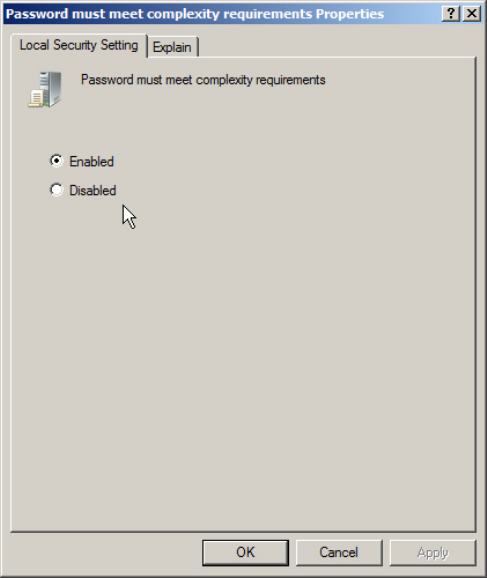
Figure 5-3: Password Complexity Policy setting
► Now, you can verify/change the setting as needed. Enabled means only complex passwords
being allowed, whereas Disabled also allows simple passwords.
► If you are done, click the OK button.
17
Required Steps before using Support Media 10/2011 Edition
6 (Re-)set created Accounts and Passwords
Since Operating System Setups differ depending on the OS version and also on the vendor which
provides the setup, it is not always ensured the passwords for created accounts being set correctly.
Therefore we strongly recommend to re-set the passwords for created accounts and to create
missing accounts.
The following chapters describe this for the built-in Administrator account (which always exists but
may be disabled) and the SIPLACEAdmin account, which is the default administrative account
provided for SIPLACE service technicians.
6.1 Resetting Password of Administrator Account
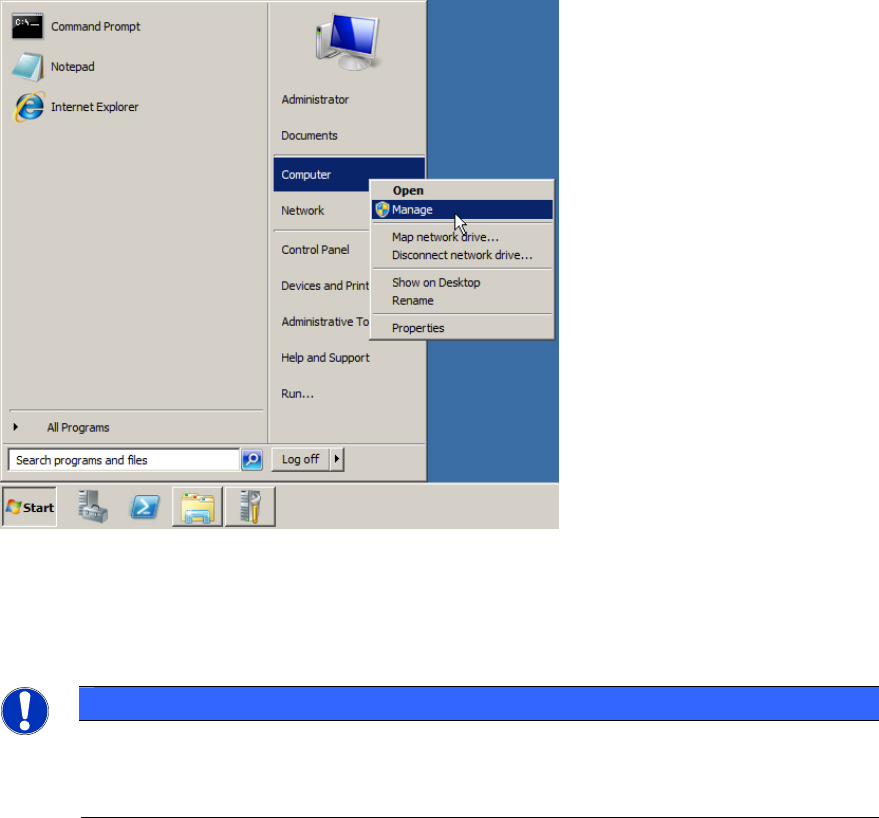
Figure 6-1: Starting Computer Management
► Click on Start.
► Right-click on Computer and select Manage.
NOTICE
Computer Management on older Operating Systems
If you can’t find the Computer entry in the start menu, you may use the Icon My
Computer on the Desktop instead.
18
Required Steps before using Support Media 10/2011 Edition
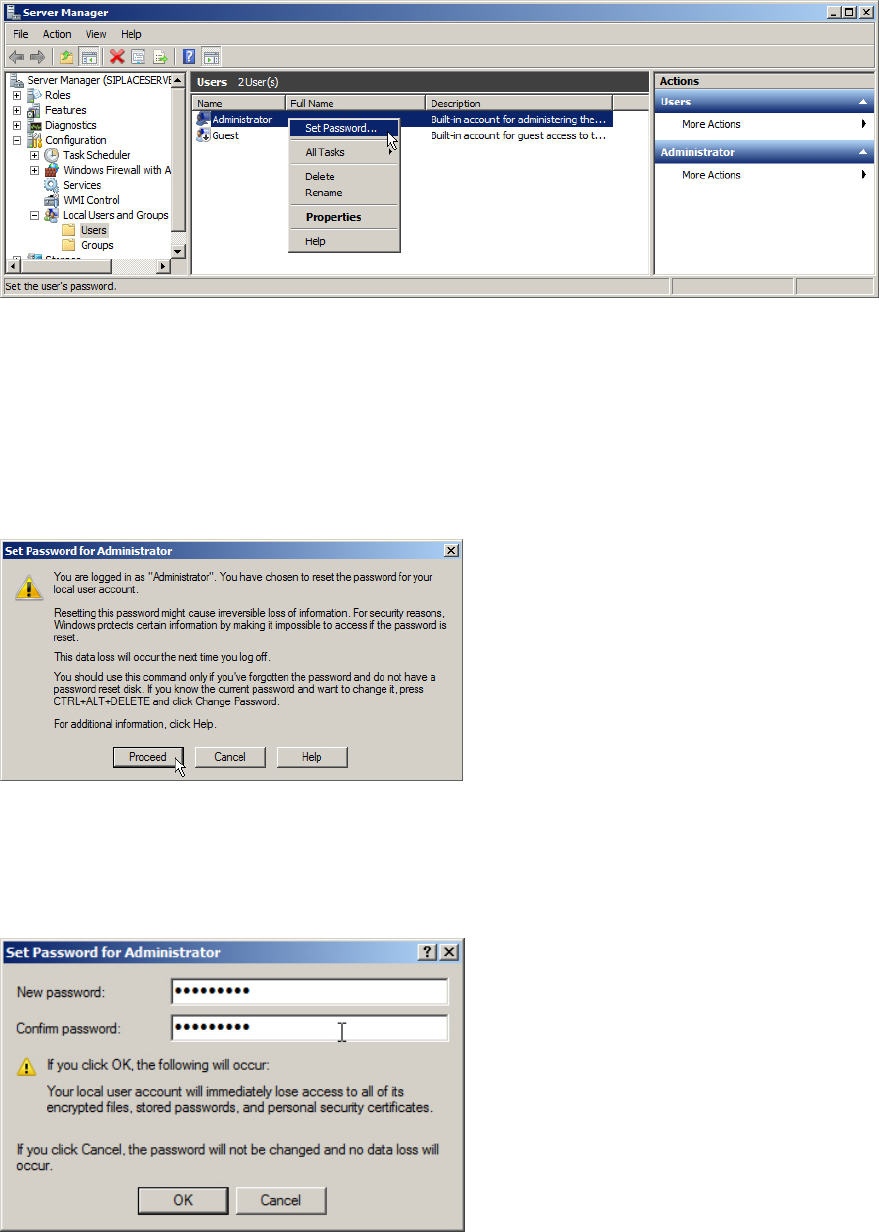
The Computer Management / Server Manager window opens.
Figure 6-2: Server Manager – resetting Administrator password
► Navigate through Configuration (or System) – Local Users and Groups – Users.
► Select the Administrator account.
► Right-click on it and select Set Password….
A warning message will appear.
Figure 6-3: Reset password warning
This message warns you for the case you have files encrypted with that account. These files won’t
be readable anymore if you reset the password.
► Click the Proceed button.
Figure 6-4: Set Password window
► Enter the proper password for the Administrator account. It depends on the password
complexity being set (see the chapter before). Please refer to the technical information TI2008-
04V08 for service technicians to determine the password to be set for the Administrator
account.
19