00197185-01_IM_Required_Steps_before_using_Support_Media_EN.pdf - 第27页
Required Steps before using Suppo rt Media 10/2011 Edition Figure 7-4: Adapter Properties ► Select the entry Internet Protocol Version 4 (TCP/IPv4) (don’t un check the checkbox!) ► Click on Properties . Figure 7-5: TCP/I…
Required Steps before using Support Media 10/2011 Edition
On newer operating systems, the following window appears.
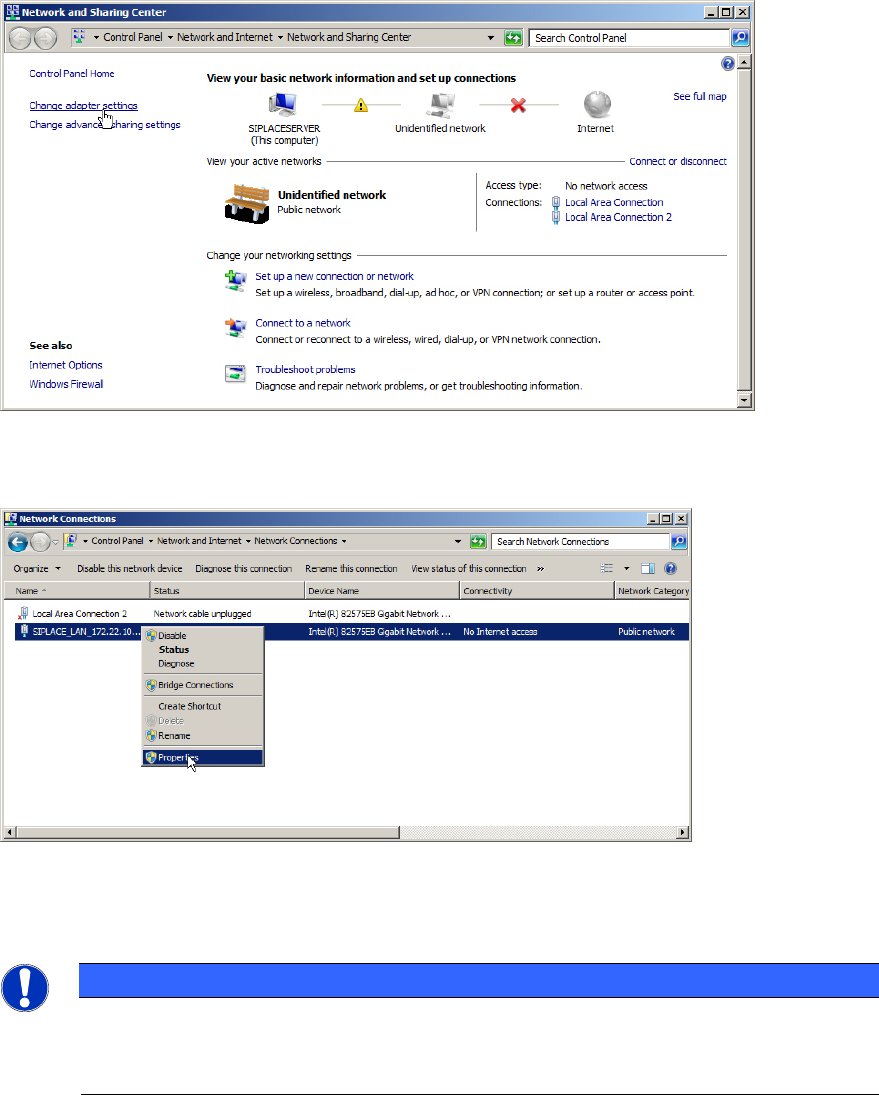
Figure 7-2: Network and Sharing Center – clicking Change adapter settings
► Click on Change adapter settings to view the network adapters.
Figure 7-3: Selecting Adapter Properties
► Select the appropriate adapter, right- click on it and select Properties.
NOTICE
Network Adapter Identification by Connection Name
If you already performed the previous chapters, your network adapter(s) should already
contain a custom Connection Name indicating its usage.
26
Required Steps before using Support Media 10/2011 Edition
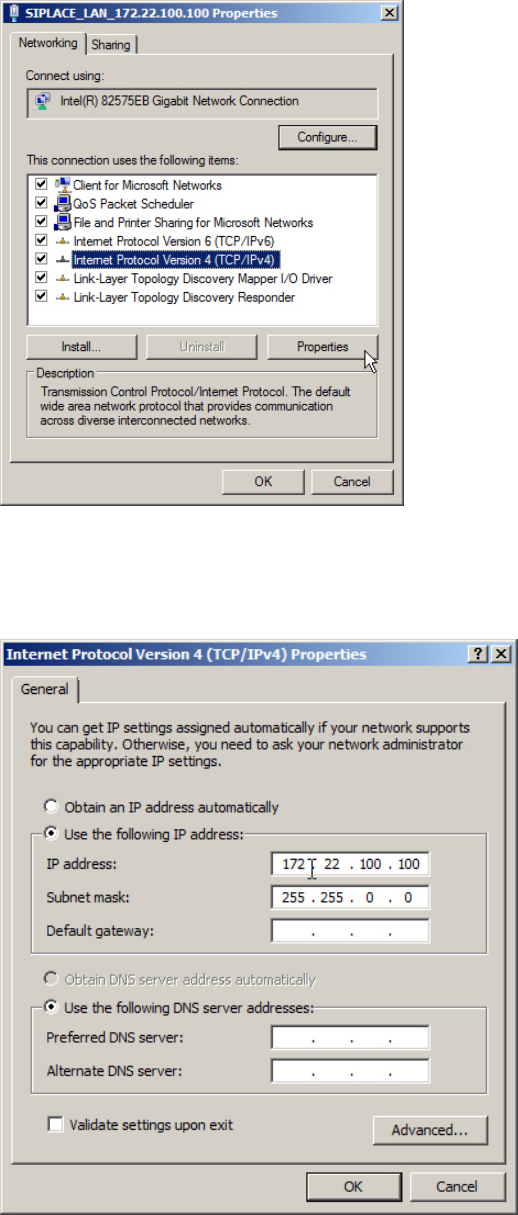
Figure 7-4: Adapter Properties
► Select the entry Internet Protocol Version 4 (TCP/IPv4) (don’t uncheck the checkbox!)
► Click on Properties.
Figure 7-5: TCP/IP Properties
► Verify your TCP/IP settings. If you don’t have a valid default gateway, don’t enter one!!
► Click OK when you’re done.
27
Required Steps before using Support Media 10/2011 Edition
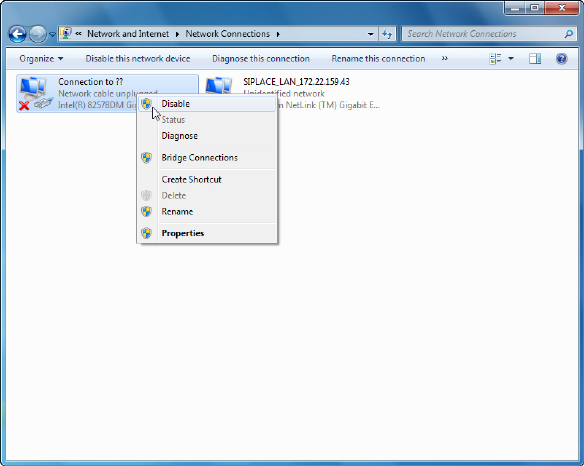
You should also disable not used network adapters to avoid conflicts. To do this:
Figure 7-6: Disabling a network adapter
► Right-click on the appropriate (not used) network adapter and select Disable.
28