00197185-01_IM_Required_Steps_before_using_Support_Media_EN.pdf - 第9页
Required Steps before using Suppo rt Media 10/2011 Edition The following window ap pears. Figure 3-4: Computer Name/Domain Changes win dow ► First, verify/change the Computer nam e . ► Second, ensure the Workgroup radio …
Required Steps before using Support Media 10/2011 Edition
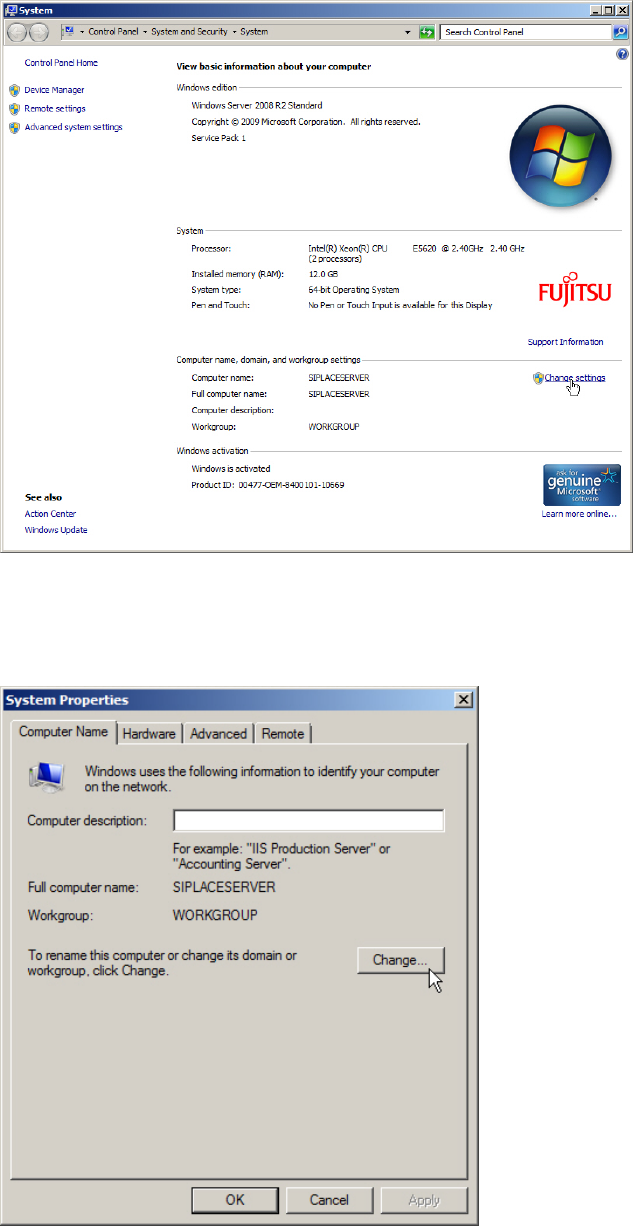
On newer Operating Systems, the following window appears.
Figure 3-2: System Settings Window on newer Operating Systems
► Click the Change settings link besides the Computer name.
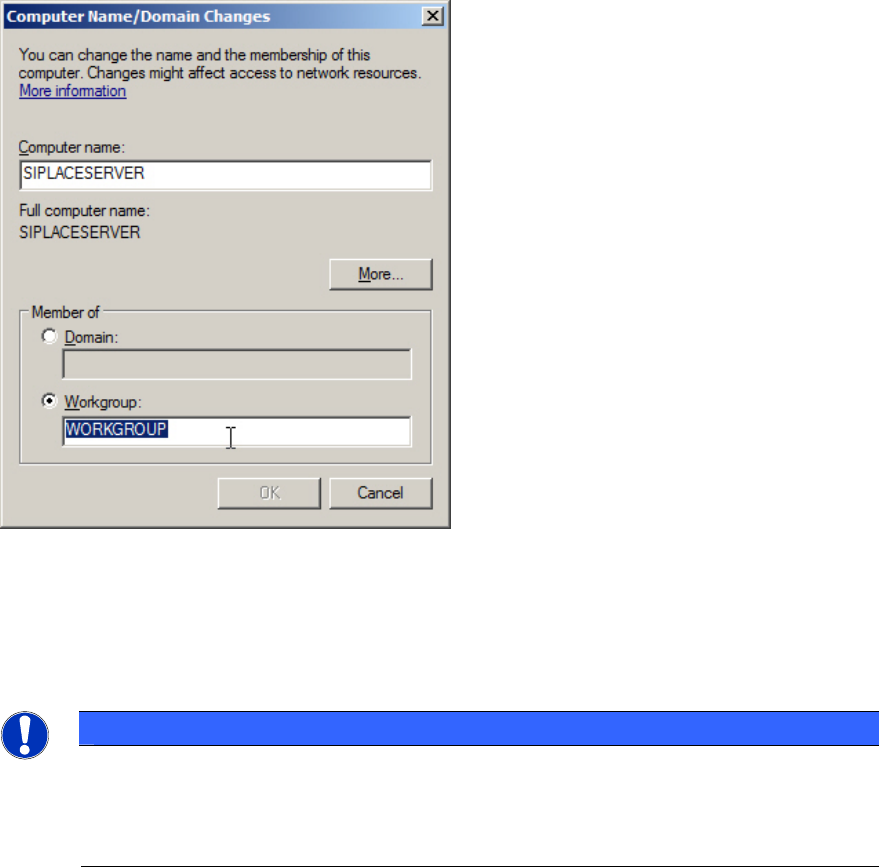
The following window appears.
Figure 3-3: System Properties – Computer Name
► Ensure the Computer Name tab is selected.
► Click on Change….
8
Required Steps before using Support Media 10/2011 Edition
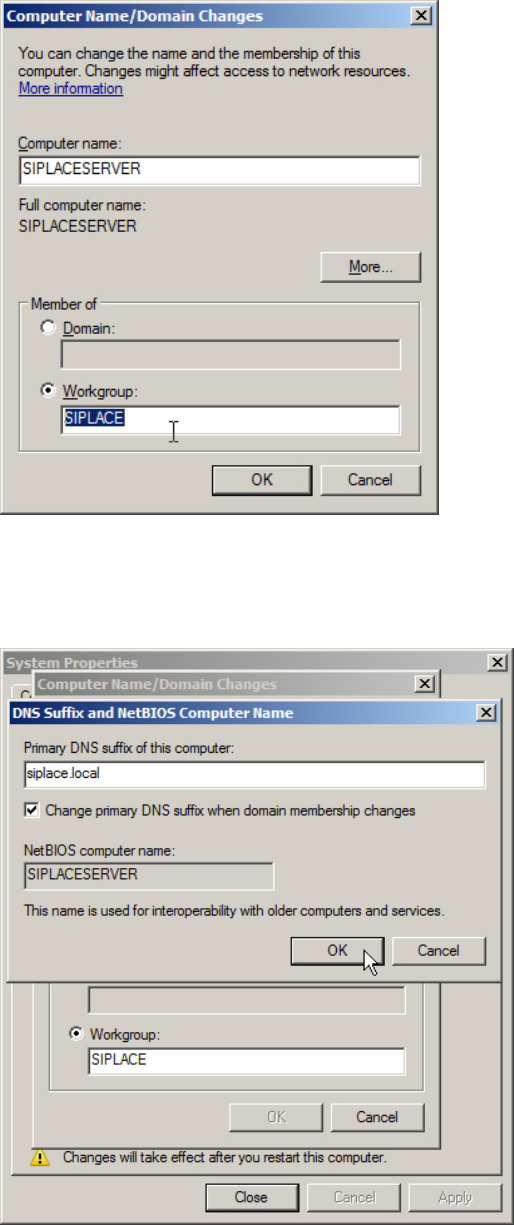
The following window appears.
Figure 3-4: Computer Name/Domain Changes window
► First, verify/change the Computer name.
► Second, ensure the Workgroup radio button is selected and enter the correct Workgroup name.
For SIPLACE computers the Workgroup is SIPLACE.
NOTICE
Different Workgroup Names complicate Network Browsing
Although it shouldn’t make a functional difference if you choose different workgroup
names for the SIPLACE computers in your network, it would complicate finding your
computers in network environment.
9
Required Steps before using Support Media 10/2011 Edition
Figure 3-5: Workgroup changed to SIPLACE
► Click the More… button.
Now you have the possibility to verify/change the DNS suffix.
Figure 3-6: Changing the DNS suffix
► Ensure you have the correct DNS suffix. For SIPLACE computers, the suffix is siplace.local.
► Click the OK button in both open windows to apply the changes.
10