00197185-01_IM_Required_Steps_before_using_Support_Media_EN.pdf - 第22页
Required Steps before using Suppo rt Media 10/2011 Edition ► Enter the appropriate password for the account meeting the define d complexity. Please refer to the technical information TI2008-04V 08 for service technicians…
Required Steps before using Support Media 10/2011 Edition
NOTICE
Computer Management on older Operating Systems
If you can’t find the Computer entry in the start menu, you may use the Icon My
Computer on the Desktop instead.
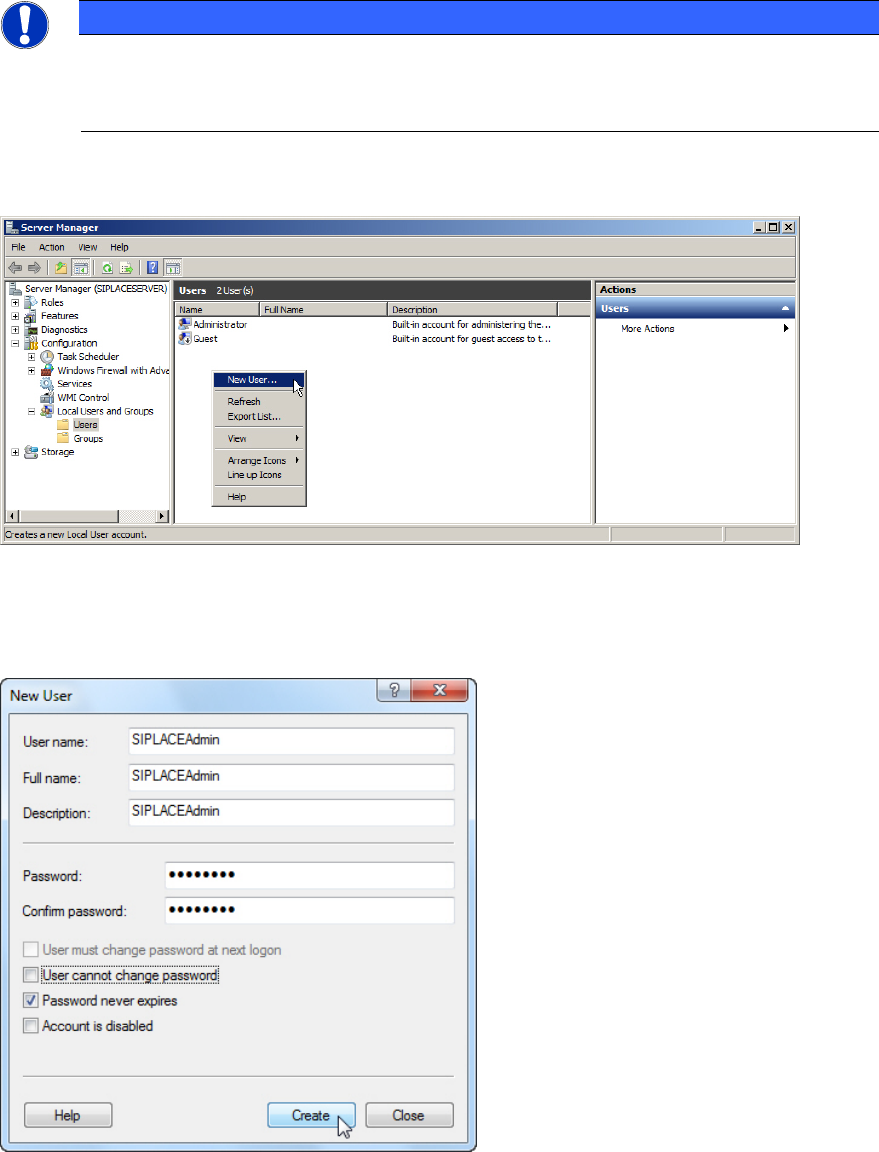
The Computer Management / Server Manager window opens.
Figure 6-7: Creating SIPLACEAdmin account
► Navigate through Configuration (or System) – Local Users and Groups – Users.
► Right-click on an empty space in the list of accounts and select New User…
Figure 6-8: Creating SIPLACEAdmin account
► Enter SIPLACEAdmin for the User name, Full name and Description.
► Uncheck the checkbox besides User must change password at next logon.
► Ensure that the checkbox besides Password never expires is selected.
21
Required Steps before using Support Media 10/2011 Edition
► Enter the appropriate password for the account meeting the defined complexity. Please refer to
the technical information TI2008-04V08 for service technicians to determine the password to be
set for the SIPLACEAdmin account.
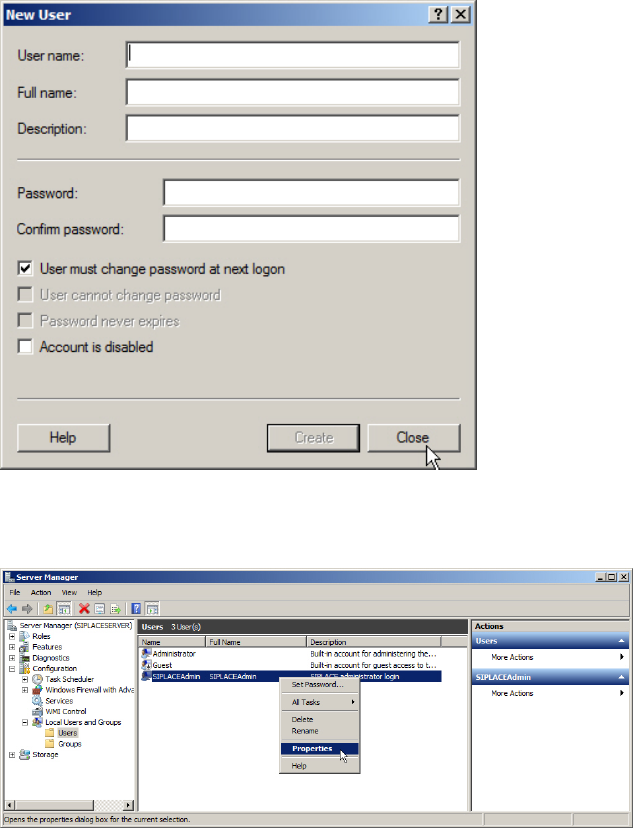
► Click on Create.
Figure 6-9: New window for account creation
► Close the account creation window by clicking on Close.
Figure 6-10: Server Manager – Selecting Properties of SIPLACEAdmin account
► In the Server Manager / Computer Management, select the SIPLACEAdmin account, right-
click on it and select Properties.
22
Required Steps before using Support Media 10/2011 Edition
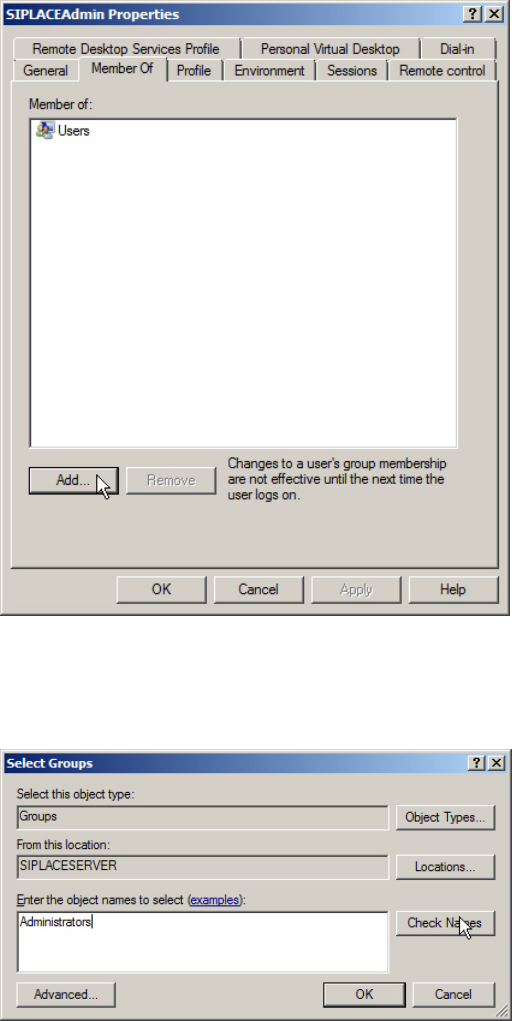
Figure 6-11: SIPLACEAdmin account properties – Member Of tab
► Switch to the Member Of tab.
► Click Add….
Figure 6-12: Adding Administrators group
► In the Select Groups window, enter the name of the Administrators group and click Check
Names.
23