00197185-01_IM_Required_Steps_before_using_Support_Media_EN.pdf - 第35页
Required Steps before using Suppo rt Media 10/2011 Edition On newer Operating Systems, the following win dow appears. Figure 8-8: Network and Sharing Cent er – clicking Change ad apter settings ► Click on Change adapter …
Required Steps before using Support Media 10/2011 Edition
To change the order of network connections:
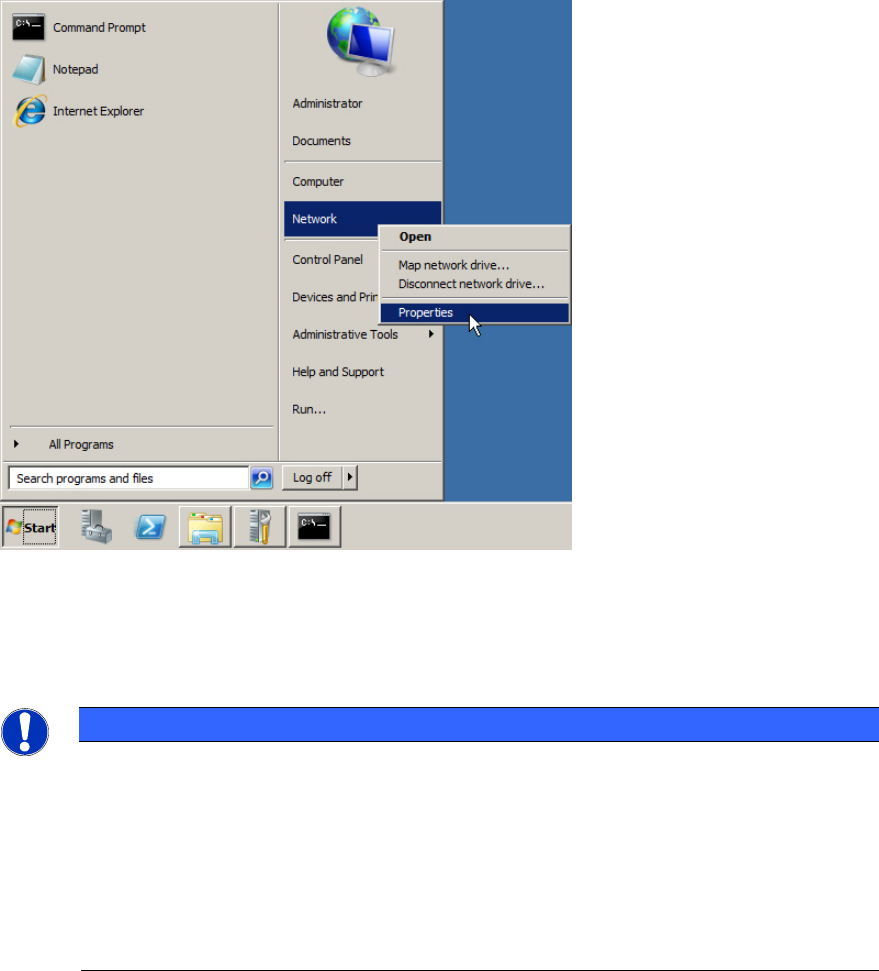
Figure 8-7: Opening Network Settings
► Click on Start.
► Right-click on Network and select Properties.
NOTICE
Alternative Ways to Network Settings
If you don’t have such an entry:
a) Search for the My Network Places icon on the Desktop, right-click on it and select
Properties (Windows XP and Windows Server 2003).
b) Open Control Panel – Network and Internet – Network and Sharing Center
(Windows 7)
34
Required Steps before using Support Media 10/2011 Edition
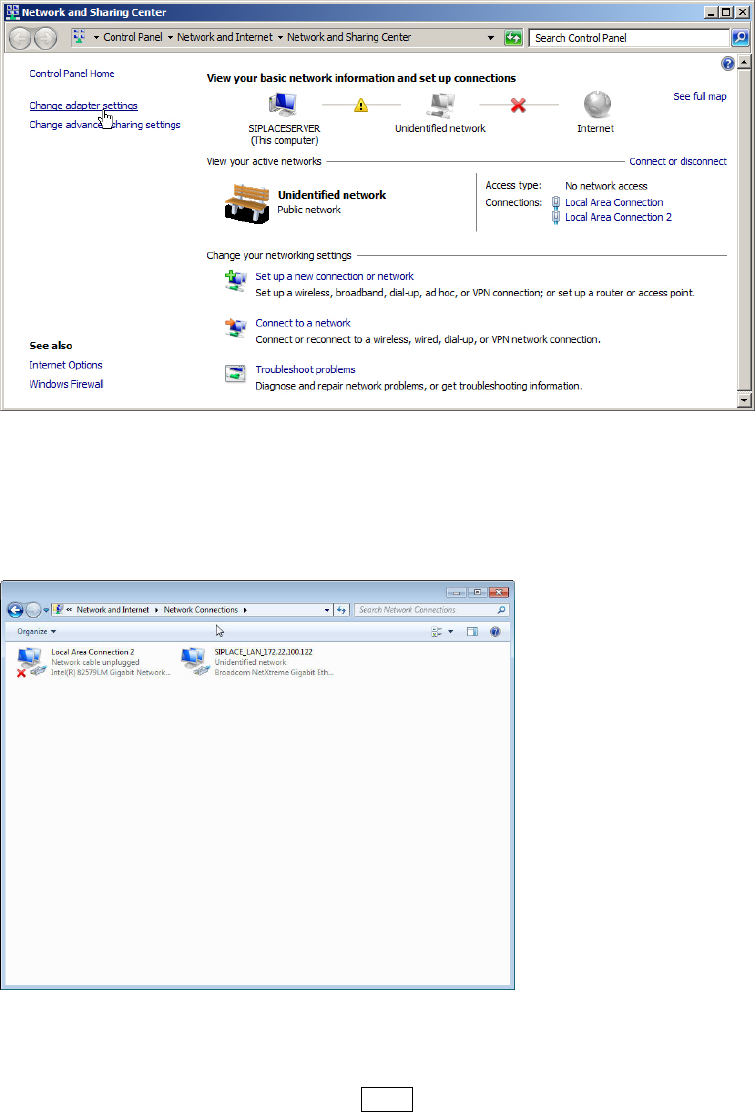
On newer Operating Systems, the following window appears.
Figure 8-8: Network and Sharing Center – clicking Change adapter settings
► Click on Change adapter settings to view the network adapters.
The following window appears.
Figure 8-9: Network Connections window
On newer Operating Systems, the menu bar with options like File, Edit, etc. is missing.
► If the menu bar is missing, press the ALT key to display it again.
35
Required Steps before using Support Media 10/2011 Edition
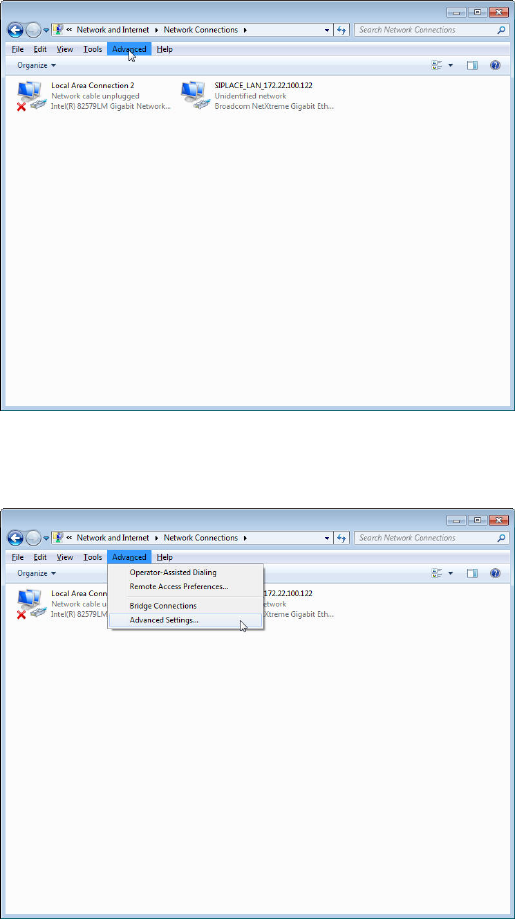
The window should look like the following.
Figure 8-10: Network Connections window with ALT key pressed and “Advanced” selected
► Click the item Advanced in the menu bar.
Figure 8-11: Selecting Advanced Settings from Network Connections
► Click the Advanced Settings… option.
36