00197185-01_IM_Required_Steps_before_using_Support_Media_EN.pdf - 第23页
Required Steps before using Suppo rt Media 10/2011 Edition Figure 6-11: SIPLACEAdmin account properties – Member Of tab ► Switch to the Member Of tab. ► Click Add… . Figure 6-12: Adding Administrators group ► In the Sele…
Required Steps before using Support Media 10/2011 Edition
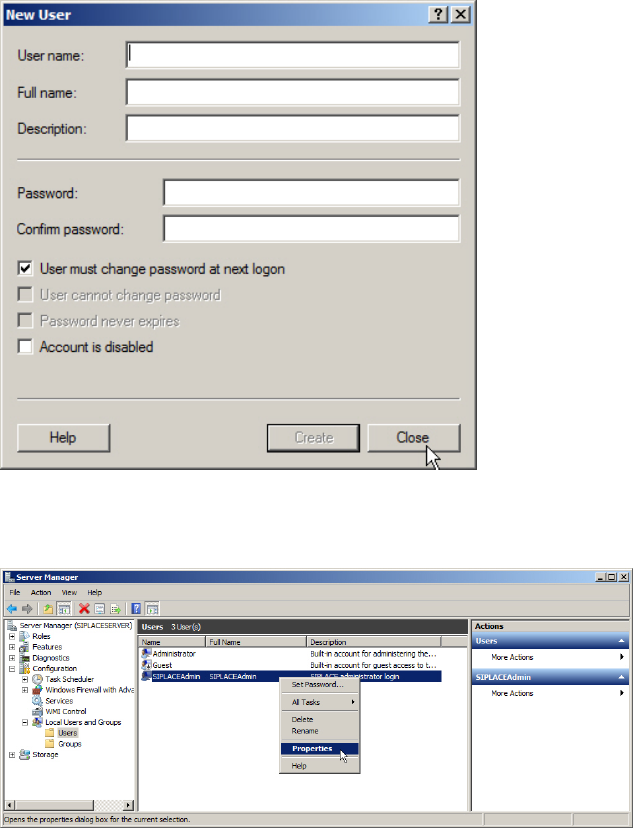
► Enter the appropriate password for the account meeting the defined complexity. Please refer to
the technical information TI2008-04V08 for service technicians to determine the password to be
set for the SIPLACEAdmin account.
► Click on Create.
Figure 6-9: New window for account creation
► Close the account creation window by clicking on Close.
Figure 6-10: Server Manager – Selecting Properties of SIPLACEAdmin account
► In the Server Manager / Computer Management, select the SIPLACEAdmin account, right-
click on it and select Properties.
22
Required Steps before using Support Media 10/2011 Edition
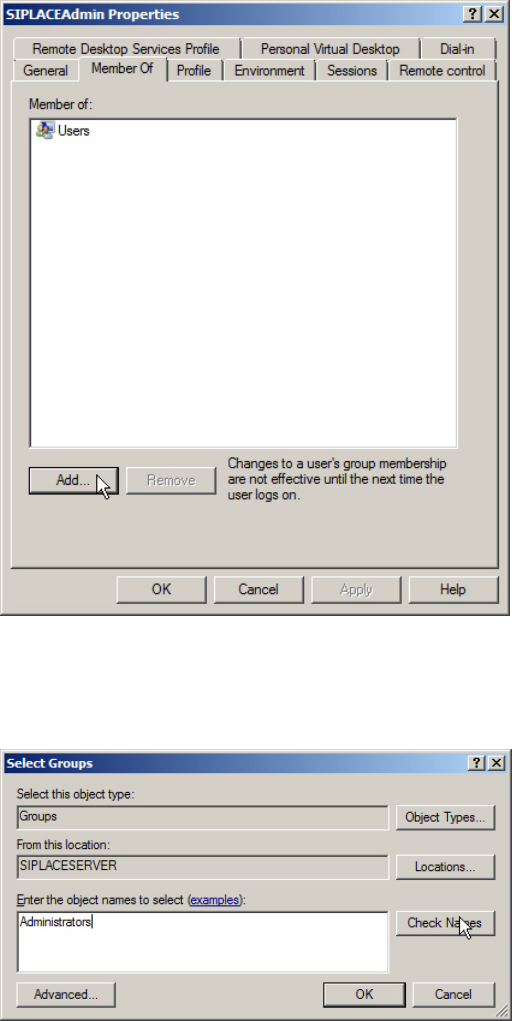
Figure 6-11: SIPLACEAdmin account properties – Member Of tab
► Switch to the Member Of tab.
► Click Add….
Figure 6-12: Adding Administrators group
► In the Select Groups window, enter the name of the Administrators group and click Check
Names.
23
Required Steps before using Support Media 10/2011 Edition
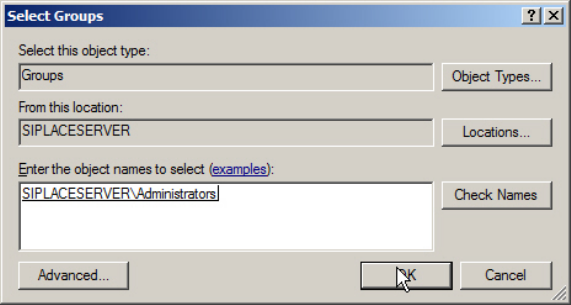
Figure 6-13: Adding Administrators group – after Checking Names
► Click the OK button to apply the setting.
24