00197185-01_IM_Required_Steps_before_using_Support_Media_EN.pdf - 第8页
Required Steps before using Suppo rt Media 10/2011 Edition On newer Operating Systems, the following win dow appears. Figure 3-2: System Settings Window on newer Op erating Systems ► Click the Change settings link beside…
Required Steps before using Support Media 10/2011 Edition
3 Verify/Change Computer Name and Workgroup
Before installation of any additional products, it is required to check the Computer name and the
Workgroup setting of the Line Computer.
CAUTION
Renaming Computer Name causes Errors
Some products, like Microsoft SQL Server, depend strictly on the Computer Name.
Renaming the Computer Name after installation of SQL Server causes it to stop working
correctly if you don’t fix the dependent entries. Therefore, we recommend deciding for
the final Computer Name before installing SQL Server and other products.
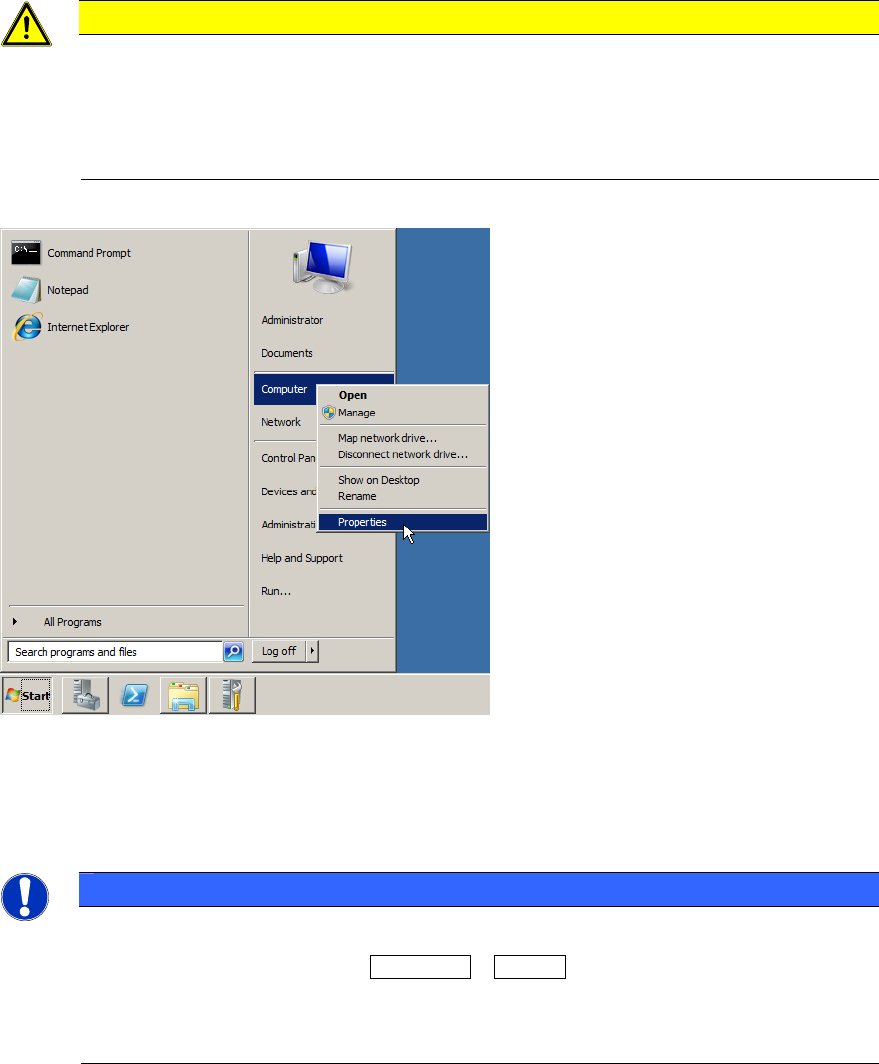
Figure 3-1: Starting System Settings
► Click on Start.
► Right-click on Computer and select Properties.
NOTICE
Alternative Ways to System Settings
As alternative, you may use the Windows + Pause key combination to call the same
dialog. This works on all currently known Windows versions.
If you don’t have a keyboard with the Windows key and can’t find the Computer entry in
the start menu, have a look for the My Computer icon on the Desktop instead.
7
Required Steps before using Support Media 10/2011 Edition
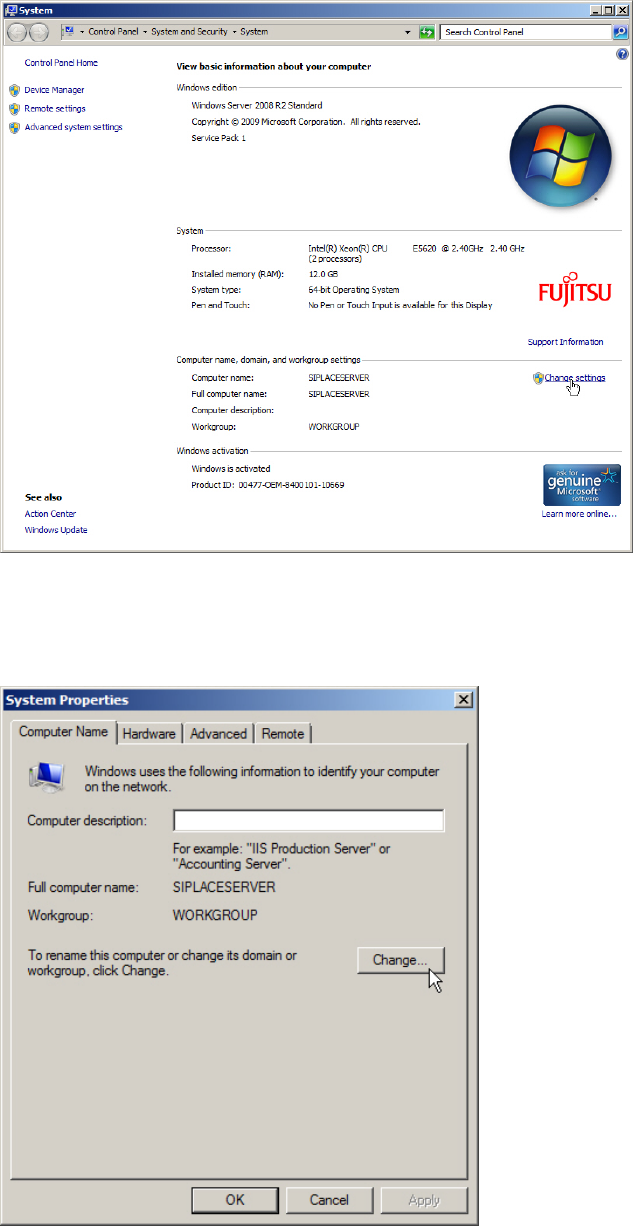
On newer Operating Systems, the following window appears.
Figure 3-2: System Settings Window on newer Operating Systems
► Click the Change settings link besides the Computer name.
The following window appears.
Figure 3-3: System Properties – Computer Name
► Ensure the Computer Name tab is selected.
► Click on Change….
8
Required Steps before using Support Media 10/2011 Edition
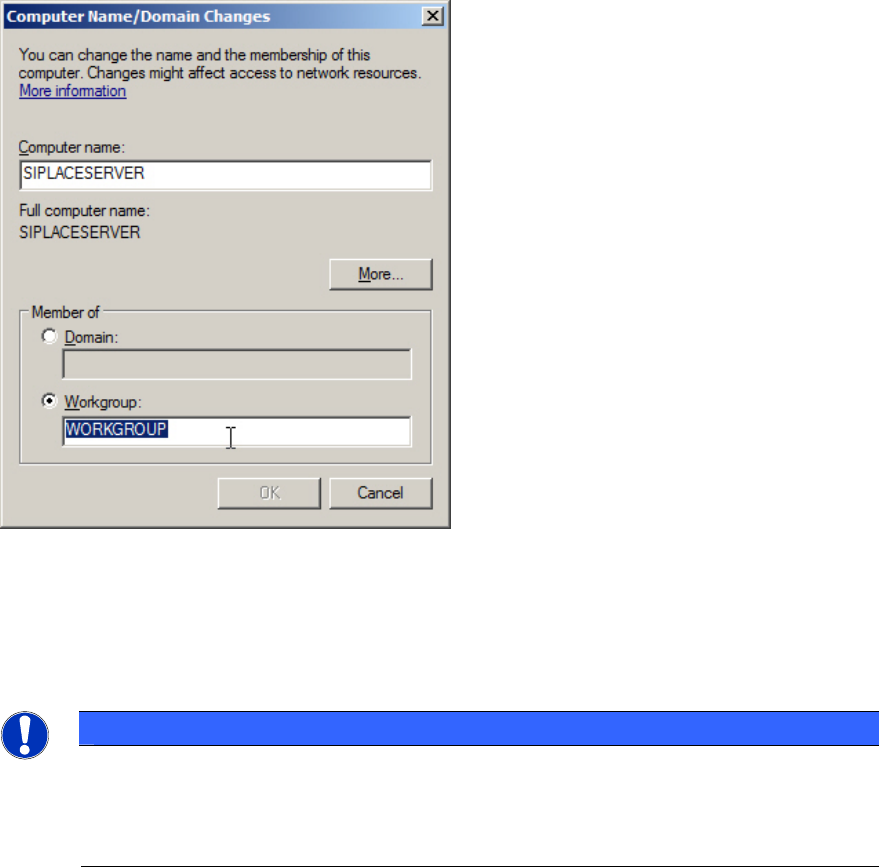
The following window appears.
Figure 3-4: Computer Name/Domain Changes window
► First, verify/change the Computer name.
► Second, ensure the Workgroup radio button is selected and enter the correct Workgroup name.
For SIPLACE computers the Workgroup is SIPLACE.
NOTICE
Different Workgroup Names complicate Network Browsing
Although it shouldn’t make a functional difference if you choose different workgroup
names for the SIPLACE computers in your network, it would complicate finding your
computers in network environment.
9