SOM-1651-002.pdf - 第11页
10 Tg0754-PM-SO 0206-001 5. Preparation before Operation 5. Preparation before Operation 5.1 Component Library Data When the [Carrier Data] tab is pressed at the "Component Library" Edit window , the following …
9 Tg0754-PM-SO0206-001
4. Scope of Actions
4. Scope of Actions
(1) When a component recognition error, etc., occurs and the
picked up component is unplaceable, the component discharge
operation starts.
(2) According to the component library data, the placement head is
moved on the recycle conveyor or component storage box
(small), and it releases the picked up component. After that, the
placement head returns to normal placement operation.
(3) The component discharge operation is started at the specified
component discharge position.
• When the component is discharged on the recycle conveyor,
proceed to step (4).
• When the component is discharged in the component storage
box (small), the component discharge operation is completed.
(4) The recycle conveyor moves by 1 pitch so that the component
discharged on the conveyor is not piled on top of the previously
discharged component.
(a) The discharge position varies according to the instruc-
tion in "Component Discharge Position" in the compo-
nent library.
When [Recycle Conveyor] is selected, all components
are discharged on the recycle conveyor.
When [Auto] is selected, only components of 10 × 10
mm or less are discharged in the component storage
box (small), and other components are discharged on
the recycle conveyor.
(b) A single pitch of the recycle conveyor for transferring
the component automatically varies, depending on the
component size X, Y, in component library.
Note
10 Tg0754-PM-SO0206-001
5. Preparation before Operation
5. Preparation before Operation
5.1 Component Library Data
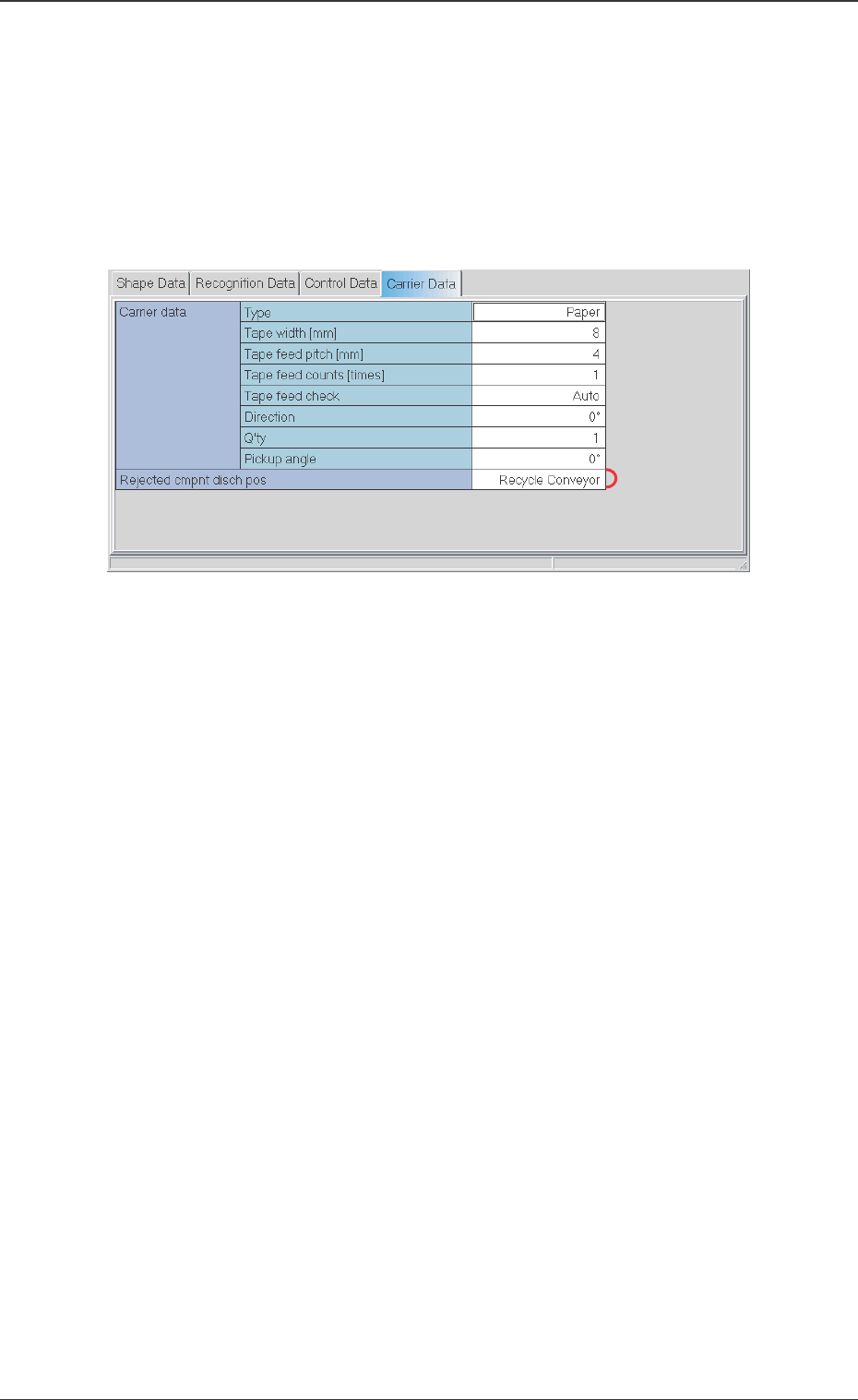
When the [Carrier Data] tab is pressed at the "Component Library"
Edit window, the following tab sheet appears.
*1 Rejected Component Discharge Position [Rejected cmpnt
disch pos]
Set the component discharge position to Recycle Conveyor.
Fig. 3
11 Tg0754-PM-SO0206-001
5.2 Performance Check
5.2 Performance Check
(1) Set the component library data.
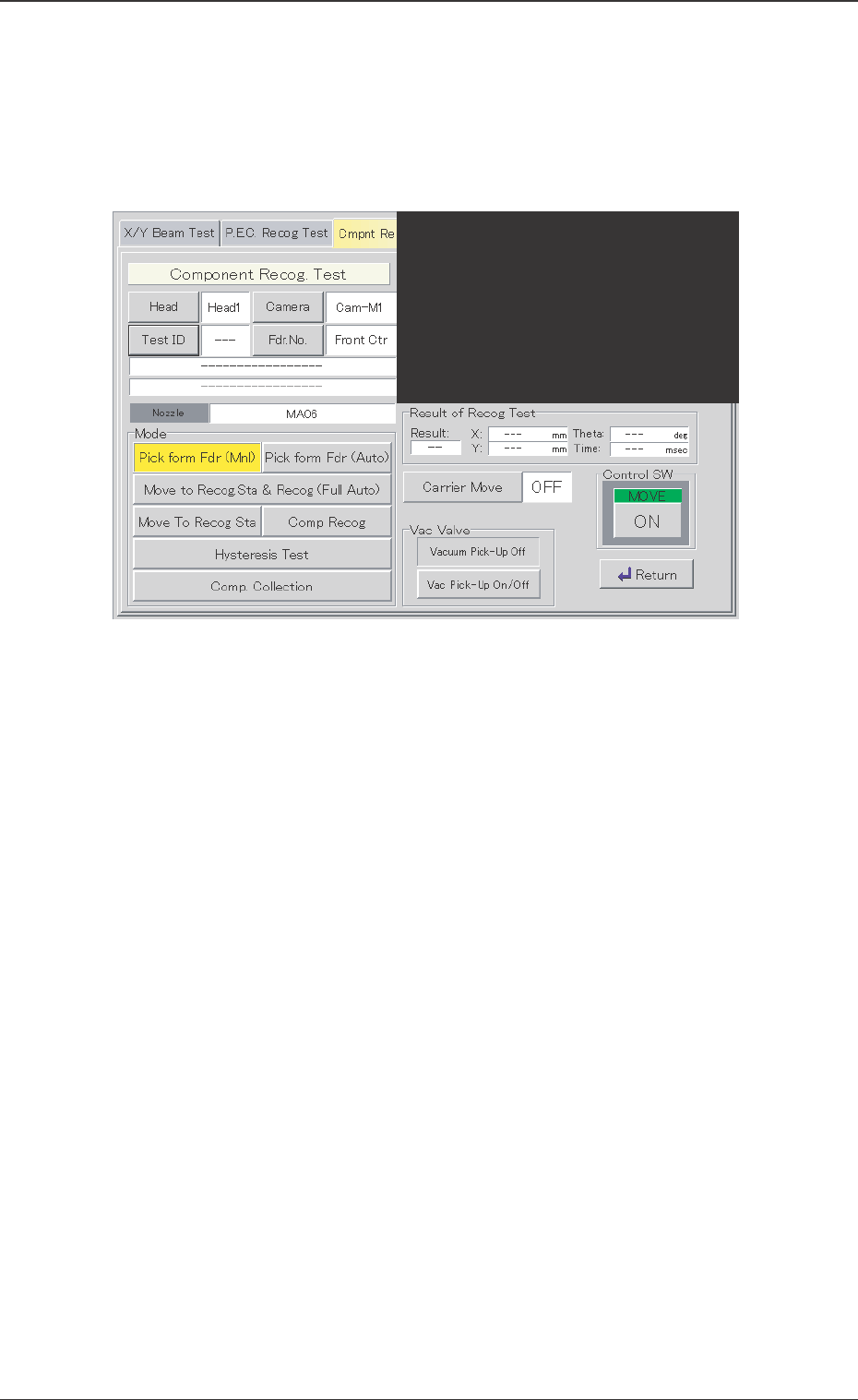
(2) Display the "Component Recognition Test" operation window.
Fig. 4 "Component Recognition Test" Operation Window
(3) Set the test ID, etc.
(4) Select [Pick From Fdr (Mnl)] or [Pick From Fdr (Auto)].
(5) Select [Comp. Collection].
The placement head reduces the automatic operation speed by
95% and discharges the component.
The stop time of the head during the component discharge is the
same as that of the component placement in the automatic
operation.
• When [Rejected Component Discharge Position] is set to
"AUTO", the component is discharged on the recycle conveyor
or in the component storage box (small).
• When [Rejected Component Discharge Position] is set to
"Recycle Conveyor", the component is discharged onto the
recycle conveyor. In that case, proceed to step (4).