SOM-1651-002.pdf - 第12页
11 Tg0754-PM-SO 0206-001 5.2 Performance Check 5.2 Performance Check (1) Set the component library data. (2) Display the "Component Recognition T est" operation window . Fig. 4 "Component Recognition T est…
10 Tg0754-PM-SO0206-001
5. Preparation before Operation
5. Preparation before Operation
5.1 Component Library Data
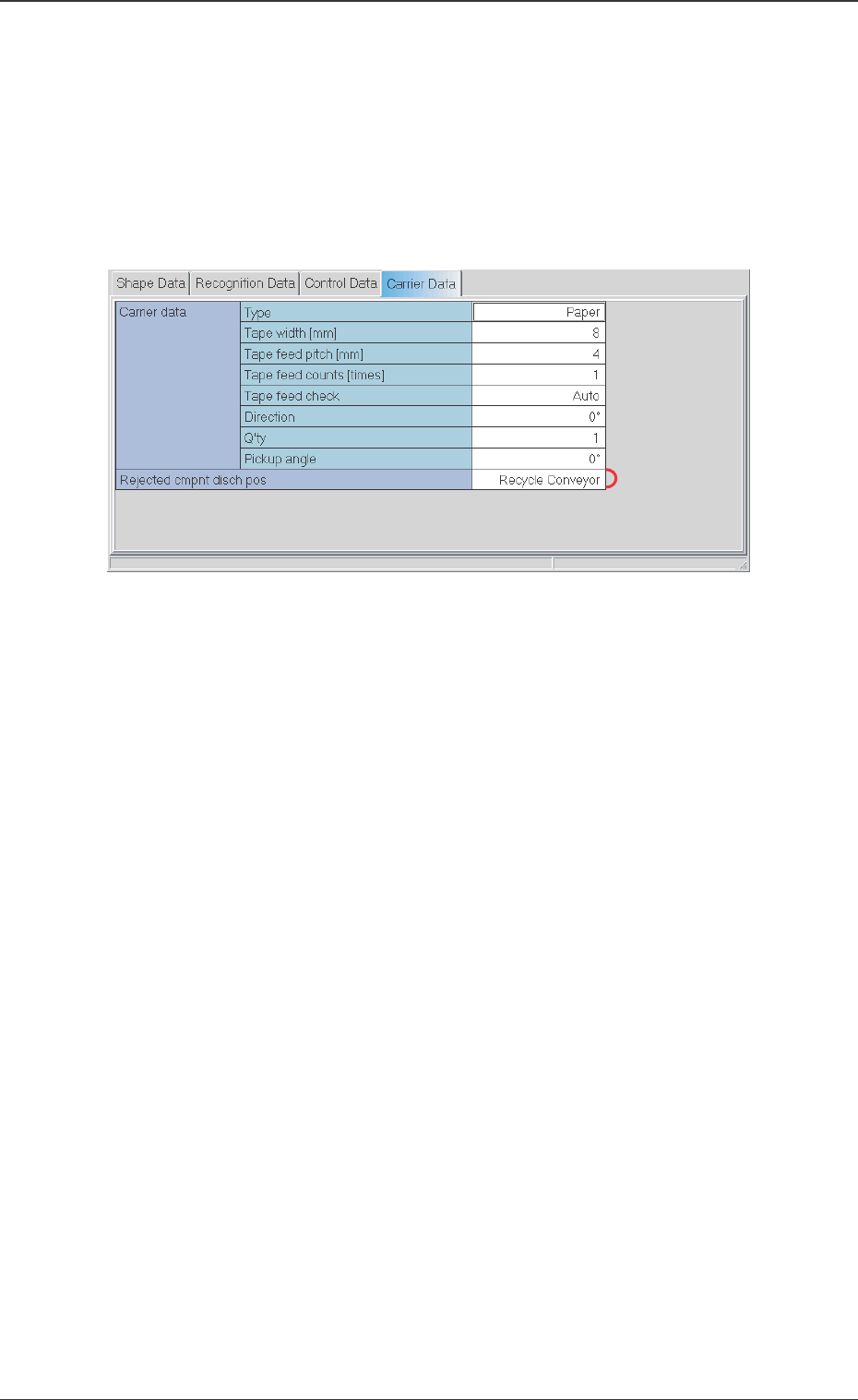
When the [Carrier Data] tab is pressed at the "Component Library"
Edit window, the following tab sheet appears.
*1 Rejected Component Discharge Position [Rejected cmpnt
disch pos]
Set the component discharge position to Recycle Conveyor.
Fig. 3
11 Tg0754-PM-SO0206-001
5.2 Performance Check
5.2 Performance Check
(1) Set the component library data.
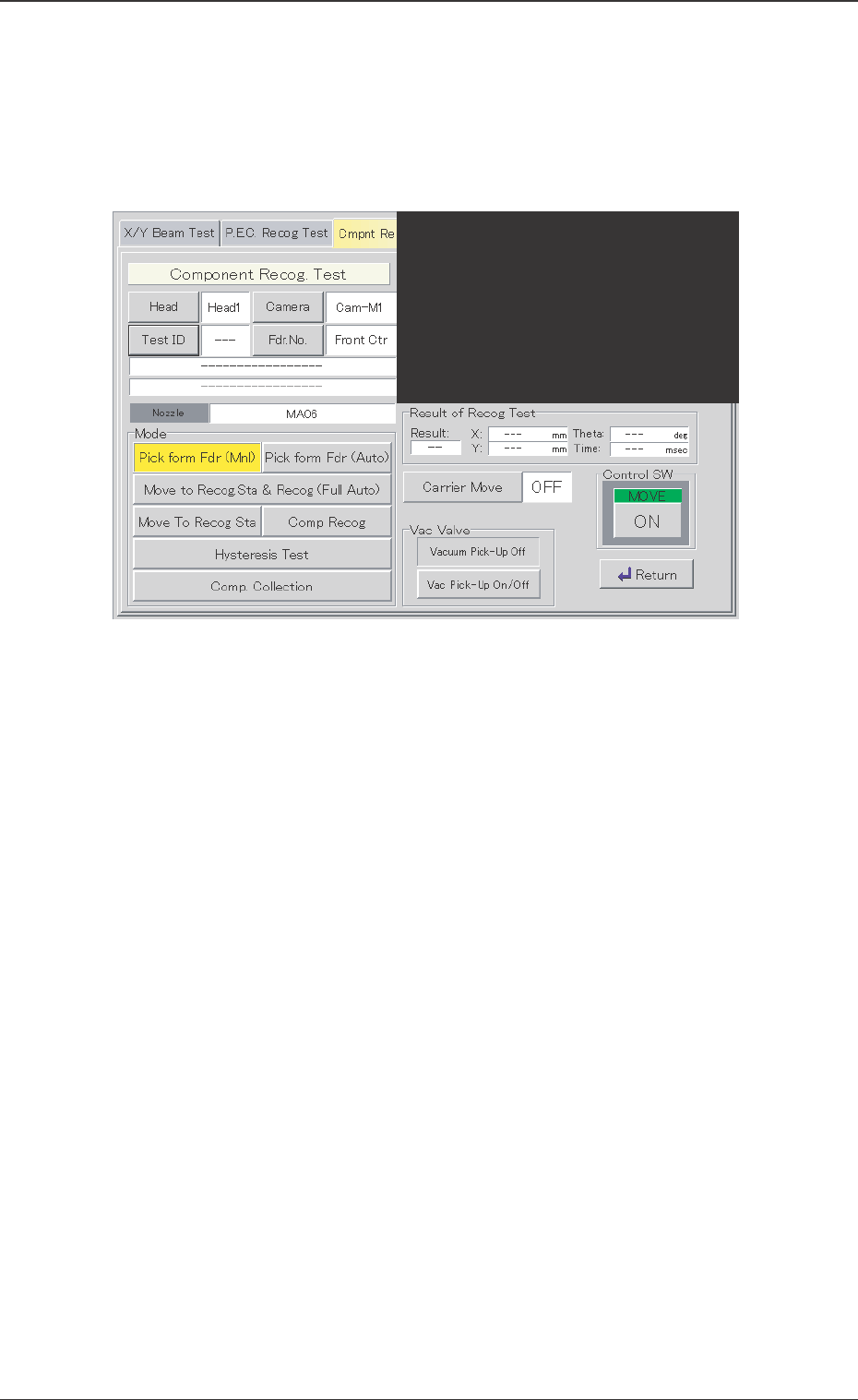
(2) Display the "Component Recognition Test" operation window.
Fig. 4 "Component Recognition Test" Operation Window
(3) Set the test ID, etc.
(4) Select [Pick From Fdr (Mnl)] or [Pick From Fdr (Auto)].
(5) Select [Comp. Collection].
The placement head reduces the automatic operation speed by
95% and discharges the component.
The stop time of the head during the component discharge is the
same as that of the component placement in the automatic
operation.
• When [Rejected Component Discharge Position] is set to
"AUTO", the component is discharged on the recycle conveyor
or in the component storage box (small).
• When [Rejected Component Discharge Position] is set to
"Recycle Conveyor", the component is discharged onto the
recycle conveyor. In that case, proceed to step (4).

12 Tg0754-PM-SO
(6) The recycle conveyor is automatically moved, pitch by pitch, so
that the discharged component is not piled on the previously
discharged component.
(7) Press the [MANUAL] switch to check the driving of the recycle
conveyor, if required.
Refer to "Section 6, 3.2 "Component Recognition Test"
Tab" in Volume 2 : Operation (Supervisor) in the Instruc-
tion Manual for the main machine.
Note
0206-001
5.2 Performance Check