SOM-1651-002.pdf - 第16页
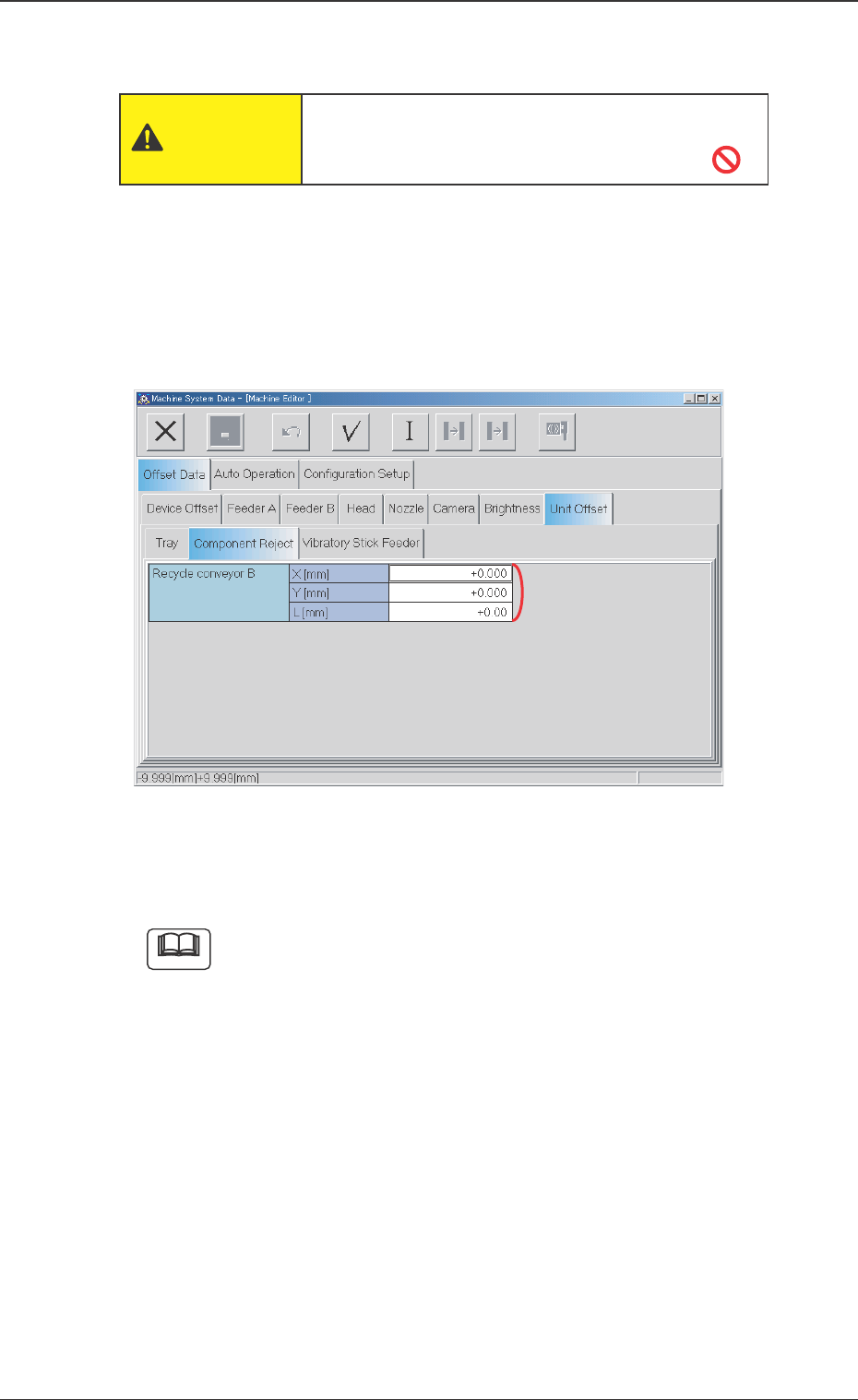
15 Tg0754-PM-SO 0206-001 7. Rejected Component Discharge Offset 7. Rejected Component Discharge Offset Fig. 5 "Component Reject" T ab Sheet (Provided with Recycle Conveyor B) The tab sheet may look different, d…

14 Tg0754-PM-SO0206-001
6.2 Rejected Components in Component Storage Box
6.2 Rejected Components in Component Storage Box
• Periodically remove components from the storage box so that the
box is not filled with components.
Operation Procedure
(1) Press the [READY] button.
The LED on the [READY] button is turned OFF and the safety
door is unlocked.
(2) Open the safety door and take out the component storage box.
(3) Remove all components from the component storage box and
return box to specified position.
(4) Close the safety door and press the [READY] button.
The safety door is locked.
(5) Press the [ENABLE] button on the operation panel within 2
seconds after pressing the [Zero (All-Axis)] button.
All devices indicated in origin information window are zeroed.
(6) During automatic operation, the operation is restarted automati-
cally.
When in pause mode, press the [START] button to restart the
operation.
15 Tg0754-PM-SO0206-001
7. Rejected Component Discharge Offset
7. Rejected Component Discharge Offset
Fig. 5 "Component Reject" Tab Sheet
(Provided with Recycle Conveyor B)
The tab sheet may look different, depending on which
options are selected.
• Sheet Composition
*1 Recycle Conveyor B X [mm] (Horizontal), Y [mm] (Vertical),
and L [mm] (Height)
Set the offsets to adjust the positional and vertical (height direc-
tion) deviations, compared with the design dimensions (position)
of the Recycle Conveyor located. The values based on the PL-XY
coordinate system must be entered in each text box.
Note
However, if the offset data is deleted for some reason, reset the data.
••
••
• Sheet Layout
Press the [Unit Offset] tab on the "Offset Data" tab sheet and [Com-
ponent Reject] tab, the following tab sheet appears.
As the machine is adjusted or set when delivered,
do not change carelessly.
CAUTION
16 Tg0754-PM-SO0206-001
7. Rejected Component Discharge Offset
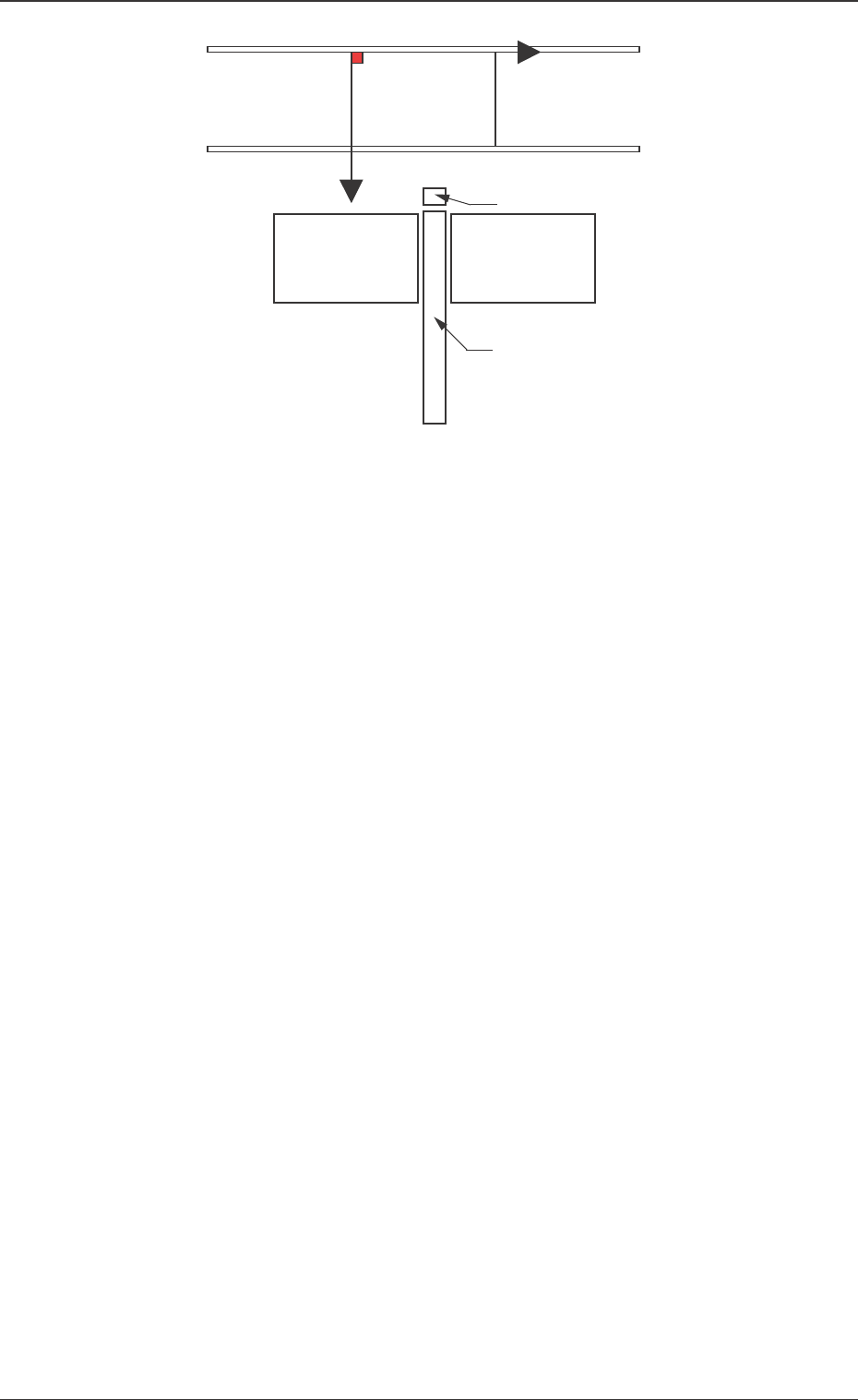
When the Recycle Conveyor B is shifted toward the lower right
directiion (viewed from the top), plus values must be enterd in the
"X [mm] (horizontal)" and "Y [mm] (vertical)" text boxes.
When the level (height) of the box is set lower than the design
value, a plus value must be entered in the "L [mm]" text box.
Fig. 6
Recycle Conveyor B
Component Storage Box B (Small)
Feeder Base 4
Feeder Base 3
PL-XY Coordinate
System
X(+)
PO
Y(+)