SOM-1756-001.pdf - 第16页
8 . 3 "ACV Check Status" T ab Sheet This tab sheet is used to monitor the ACV check status and the read data, and set the parameters for manual checking. • Sheet Layout When the "ACV Check Status" tab…
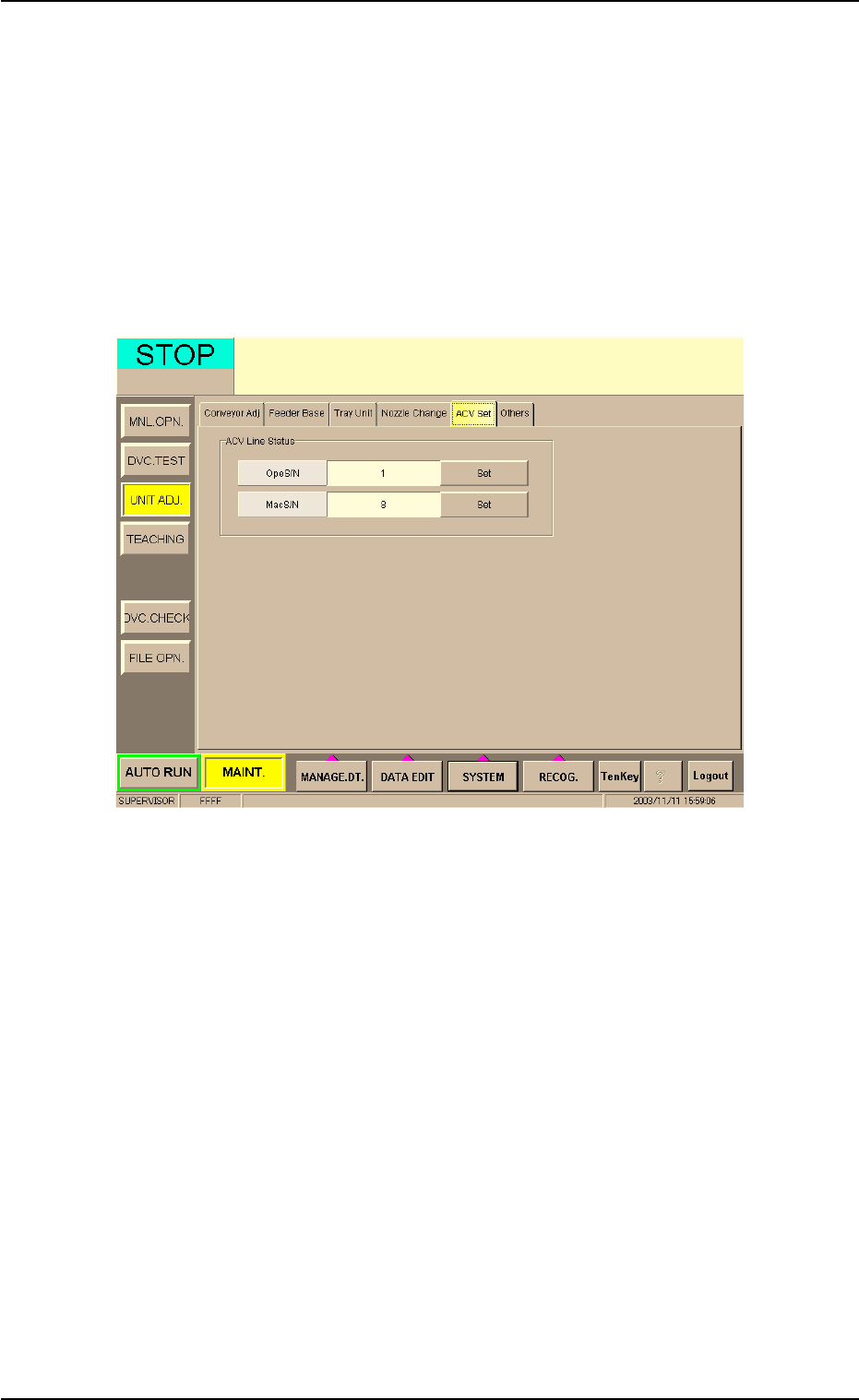
8.2 "ACV Set" Tab Sheet
This tab sheet enables the operator to check how the machine and the
ACV system are connected or reset the connection.
Do not use this function in normal cases.
• Sheet Layout
When the "ACV Set" tab is pressed in the "UNIT ADJ." window
(submenu), the following tab sheet appears.
Fig. 5
• Operation Procedure
(1) Check if the parameters in the "OpeS/N" and "MacS/N" text boxes
are correct or not.
(2) When a wrong number is used, press the [Set] button to communi-
cate with the ACV system.
8.2 "ACV Set" Tab Sheet
0311-001 14 AIT01EGP
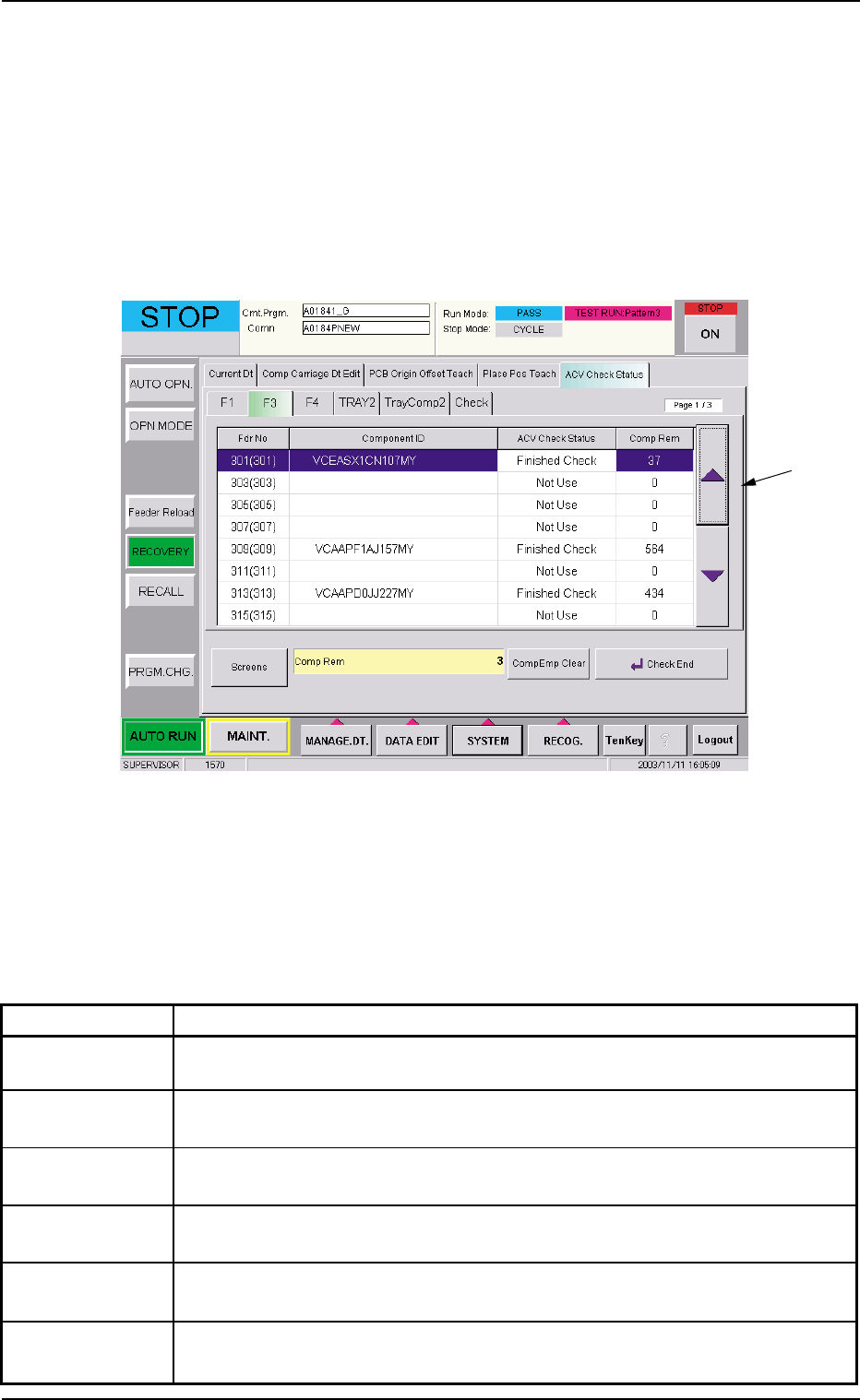
8.3 "ACV Check Status" Tab Sheet
This tab sheet is used to monitor the ACV check status and the read
data, and set the parameters for manual checking.
• Sheet Layout
When the "ACV Check Status" tab is pressed in the "RECOVERY"
window (submenu), the following tab sheet appears inside the win-
dow.
Fig. 6
• Sheet Composition
*1 Tabs and Tab Sheets
The "ACV Check Status" tab sheet is provided with the following
tabs. When a tab is pressed, the corresponding tab sheet appears.
Table 5
Tabs Description
F1 This enables the operator to confirm the ACV check status for Feeder Base
#1.
F3 This enables the operator to confirm the ACV check status for Feeder Base
#3.
F4 This enables the operator to confirm the ACV check status for Feeder Base
#4.
TRAY2 This enables the operator to confirm the ACV check status for each indi-
vidual steps of Multi-Layer Tray Feeder #2.
TrayComp2 This enables the operator to confirm the ACV check status for each indi-
vidual blocks of Multi-Layer Tray Feeder #2.
Check This enables the operator to view the check status of the data read from
the bar code or the tag memory.
8.3 "ACV Check Status" Tab Sheet
*1
0311-001 15 AIT01EGP
8.3.1 "F1", "F3", and "F4" Tab Sheets
These tab sheets enable the operator to confirm the ACV check status
for Feeder Bases #1, #2, and #3.
The ACV checking means that the system of the machine works
to check if the data in the ACV line server matches the data in
the memory of the main body (the main machine) or not.
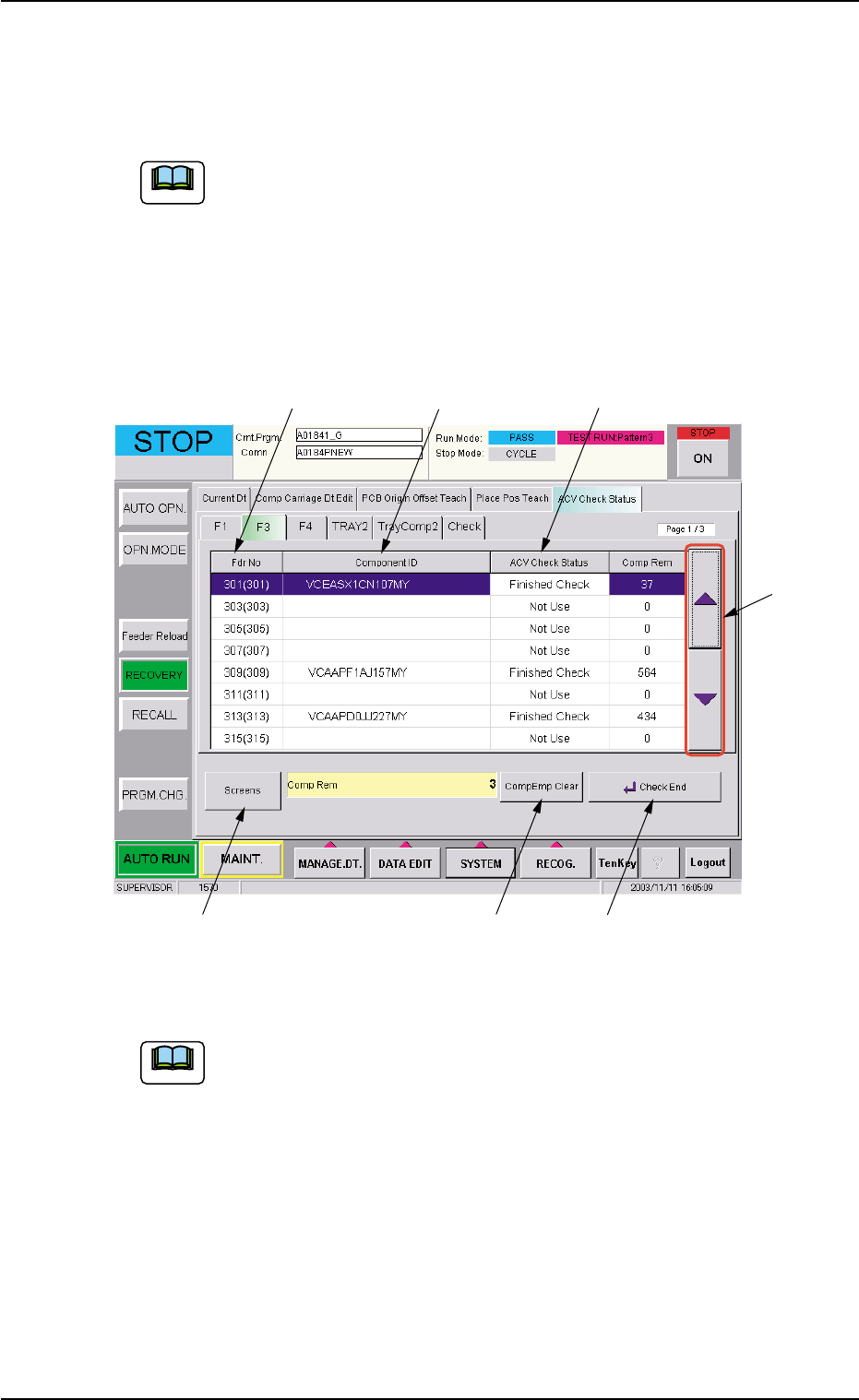
• Sheet Layout
When the "F3" tab is pressed in the "RECOVERY" window (submenu),
the following tab sheet appears.
Fig. 7 "F3" Tab Sheet
When the "F1" and "F4" tabs are pressed, the corresponding
tab sheets also appear in the same way.
*1 Fdr. No. (Actual Fdr No.)
Displayed are the feeder Nos. used for the current program and the
actual feeder Nos. in ( ).
*2 Component ID
Displayed are the component IDs of the placement feeder location
data related to the feeder No.
8.3 "ACV Check Status" Tab Sheet
Note
*1 *2 *3
*4
*5 *6 *7
Note
0311-001 16 AIT01EGP