SOM-1756-001.pdf - 第23页
8.3.3 "T rayComp2" T ab Sheet This tab sheet enables the operator to confirm the ACV check status for each type of components used for Multi-Layer T ray Feeder #2. • Sheet Layout When the "T rayComp2"…
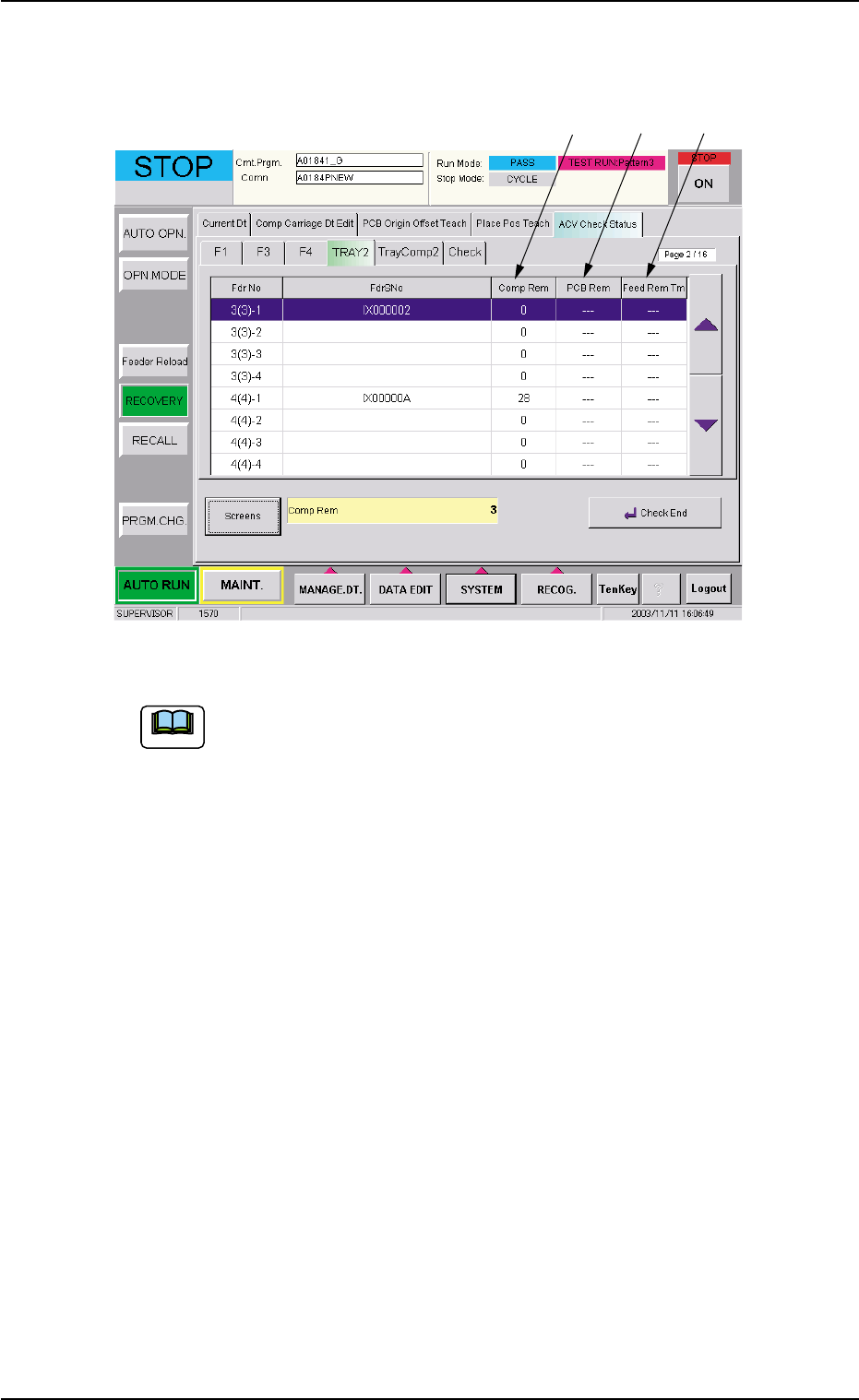
When the [Screens] button (*5) is pressed in the tab sheet (Fig. 9), the
following tab sheet appears.
Fig. 10
Refer to "8.3.1 "F1", "F3", and "F4" Tab Sheets" for the detailed
information on "*1 through *5" and "*7 through *10".
8.3 "ACV Check Status" Tab Sheet
*8 *9 *10
Note
0311-001 21 AIT01EGP
8.3.3 "TrayComp2" Tab Sheet
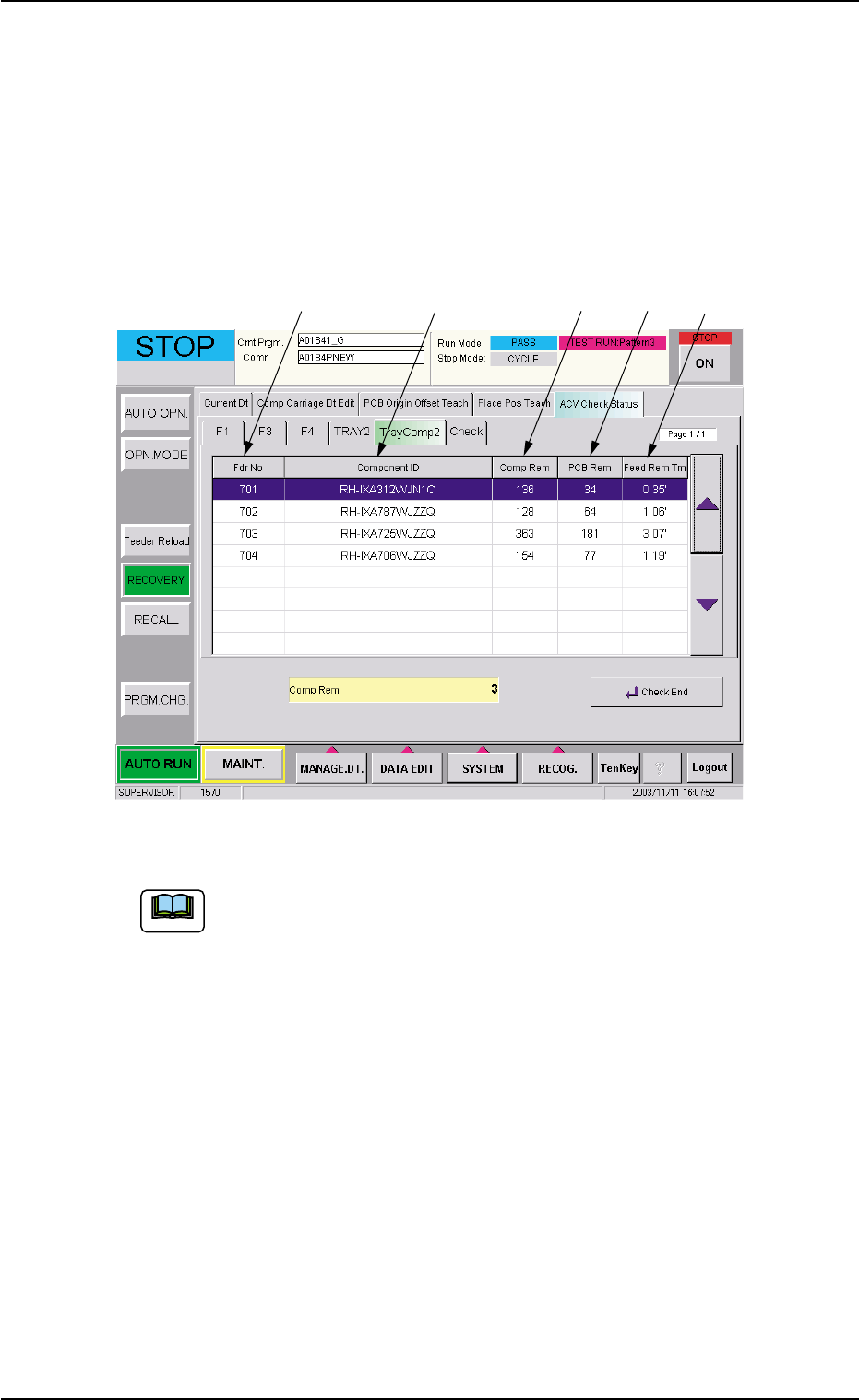
This tab sheet enables the operator to confirm the ACV check status for
each type of components used for Multi-Layer Tray Feeder #2.
• Sheet Layout
When the "TrayComp2" tab is pressed in the "RECOVERY" window
(submenu), the following tab sheet appears.
Fig. 11
Refer to "8.3.1 "F1", "F3", and "F4" Tab Sheets" for the detailed
information on "*1, *2, and *8 through *10".
8.3 "ACV Check Status" Tab Sheet
*1 *2 *10*8 *9
Note
0311-001 22 AIT01EGP
0311-001 23 AIT01EGP
8.3 "ACV Check Status" Tab Sheet
8.3.4 "Check" Tab Sheet
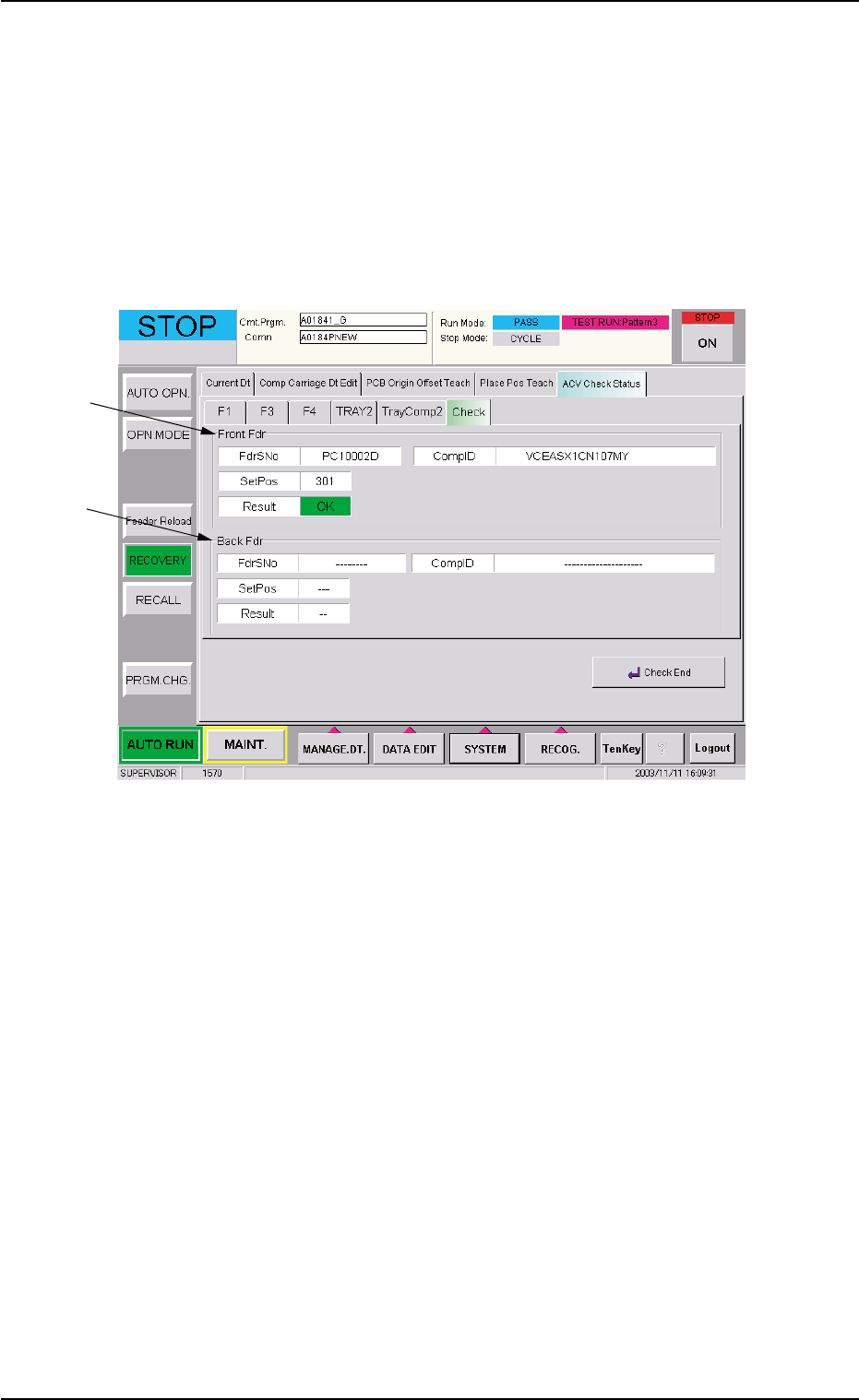
This enables the operator to view the check status of the data read from
the bar code or the tag memory.
• Sheet Layout
When the "Check" tab is pressed in the "RECOVERY" window
(submenu), the following tab sheet appears.
Fig. 12
*1 "Front Fdr" Group Box
When the bar code or the tag memory of a feeder (Feeder Base #1
or Tray Feeder #2) on the Beam B side is read, the read data is
displayed.
*2 "Back Fdr" Group Box
When the bar code or the tag memory of a feeder (Feeder Base #3
or #4) on the Beam A side is read, the read data is displayed.
*1
*2