00196849-02 OG SIPLACE Operation of X and SX-Series without SSC (SW70x).pdf - 第101页
SW 703 Option MTC - Moving to the Refill position : 101 Moving t o the Refil l position 1. Click on ‘Refill position’ 2. Click on ‘Move to refilling position’
SW 703 Option MTC - Filling the MTC :
100
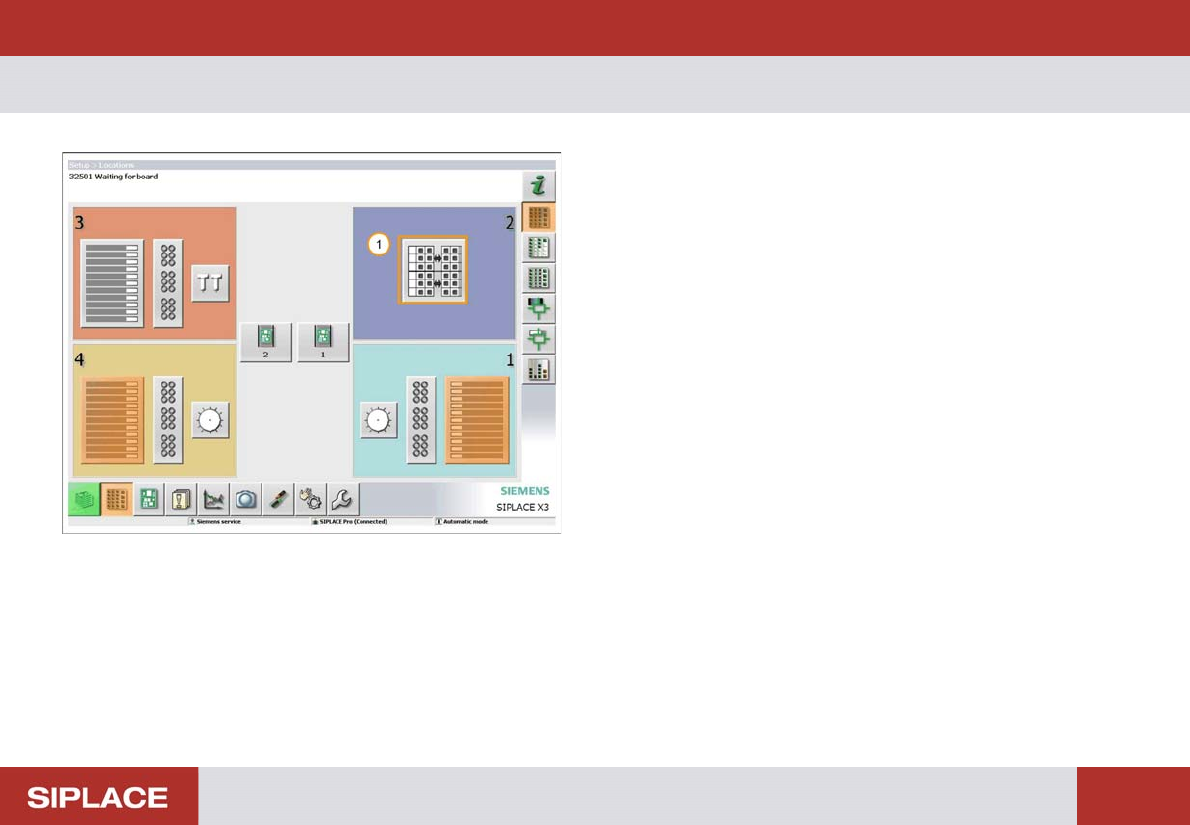
Filling the MTC
1. Click on the MTC graphic.
SW 703 Option MTC - Moving to the Refill position :
101
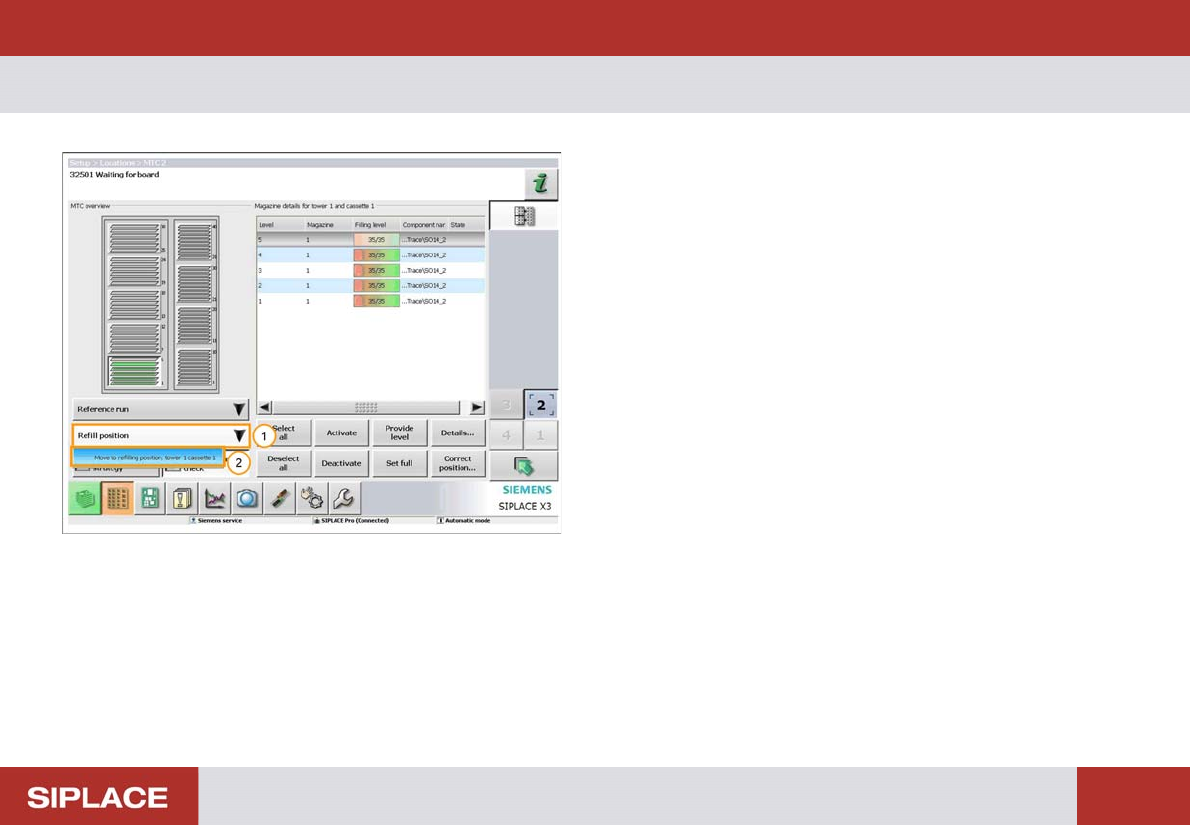
Moving t o the Refil l position
1. Click on ‘Refill position’
2. Click on ‘Move to refilling position’
SW 703 Option MTC - Refilling the Trays :
102
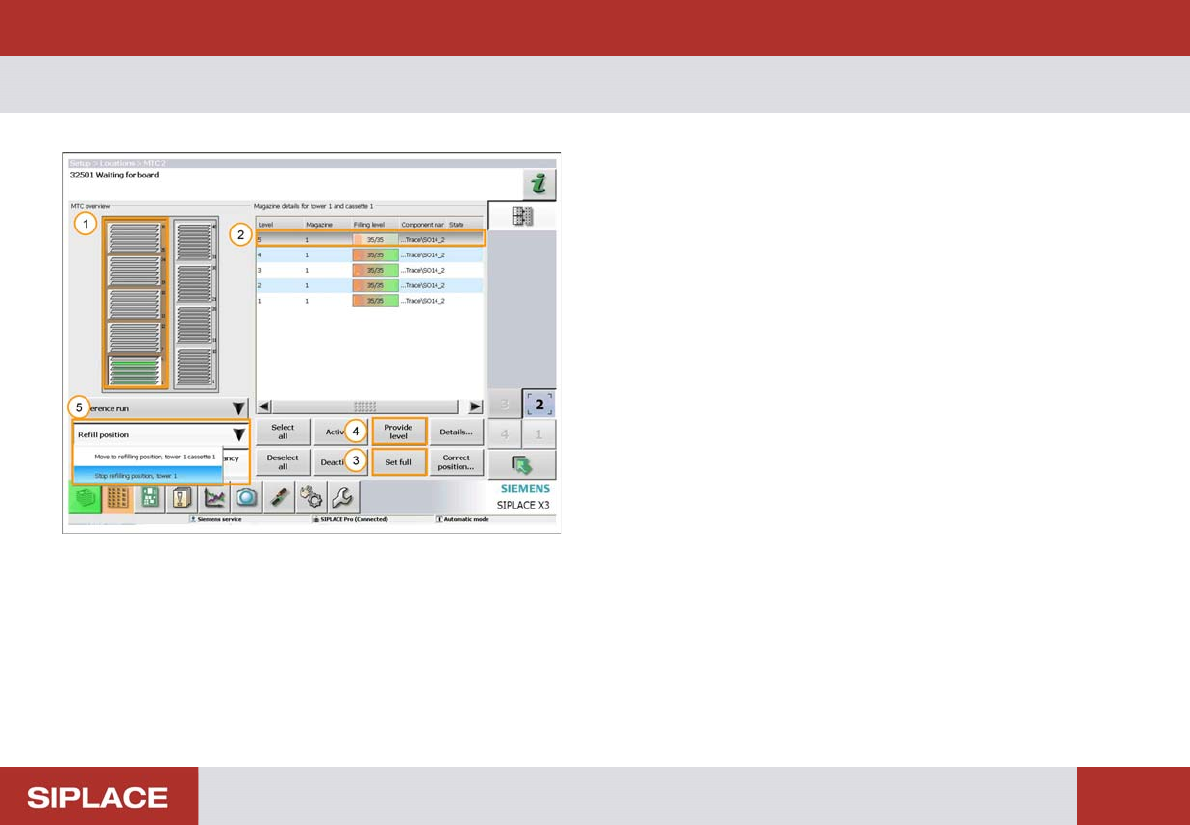
Refilling t he Trays
1. The orange color indicates that the tower is at the
refill position.
2. Click on the tray level that you wish to fill.
3. Click ‘Set full’ for a fully loaded tray.
4. Click ‘Provide level’ for a partially filled tray.
5. Once all the levels are filled click ‘Refill position’ and
then ‘Stop refilling position’.