00196849-02 OG SIPLACE Operation of X and SX-Series without SSC (SW70x).pdf - 第114页
SW 703 Option WPC - Filling the WPC : 114 Filling the WPC 1. Click on the image of the WPC.
SW 703 Option WPC - Filling the WPC :
113
Filling the WPC
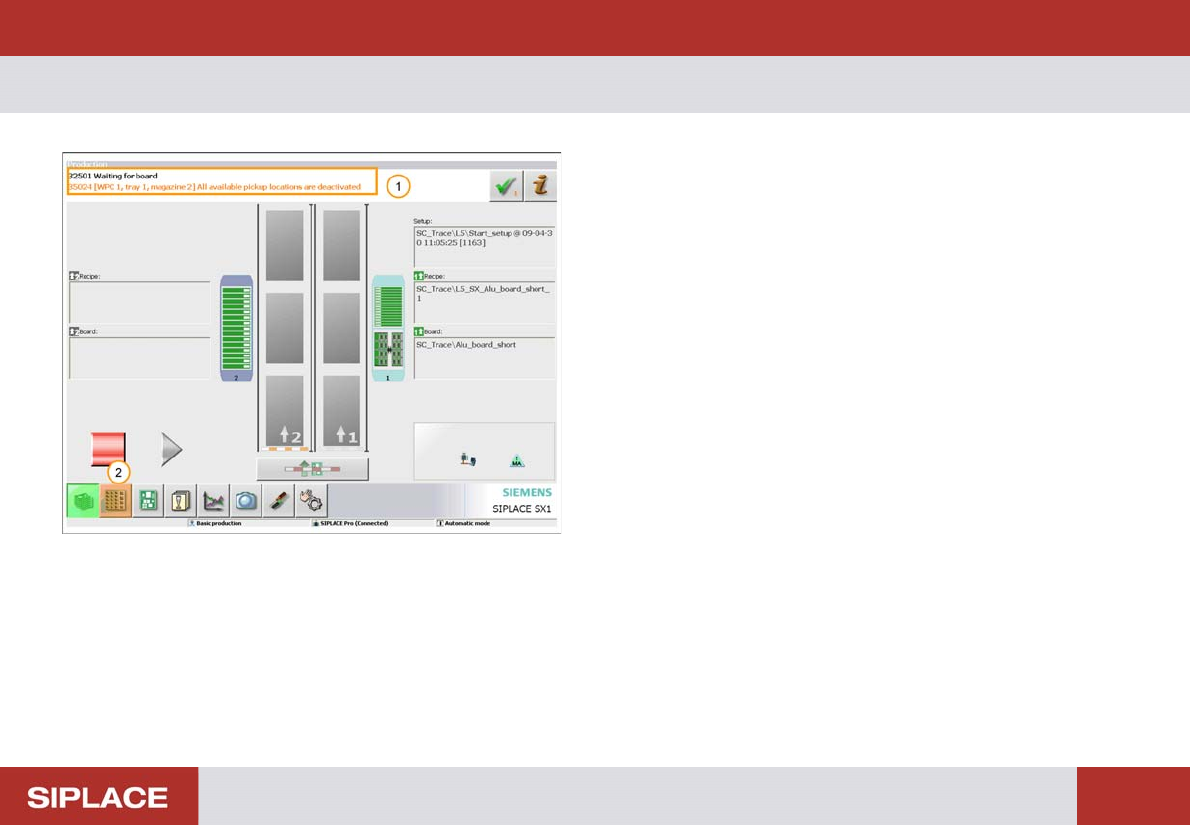
1. Message indicating WPC needs to be filled.
2. Click on ‘Locations’ icon.
SW 703 Option WPC - Filling the WPC :
114
Filling the WPC
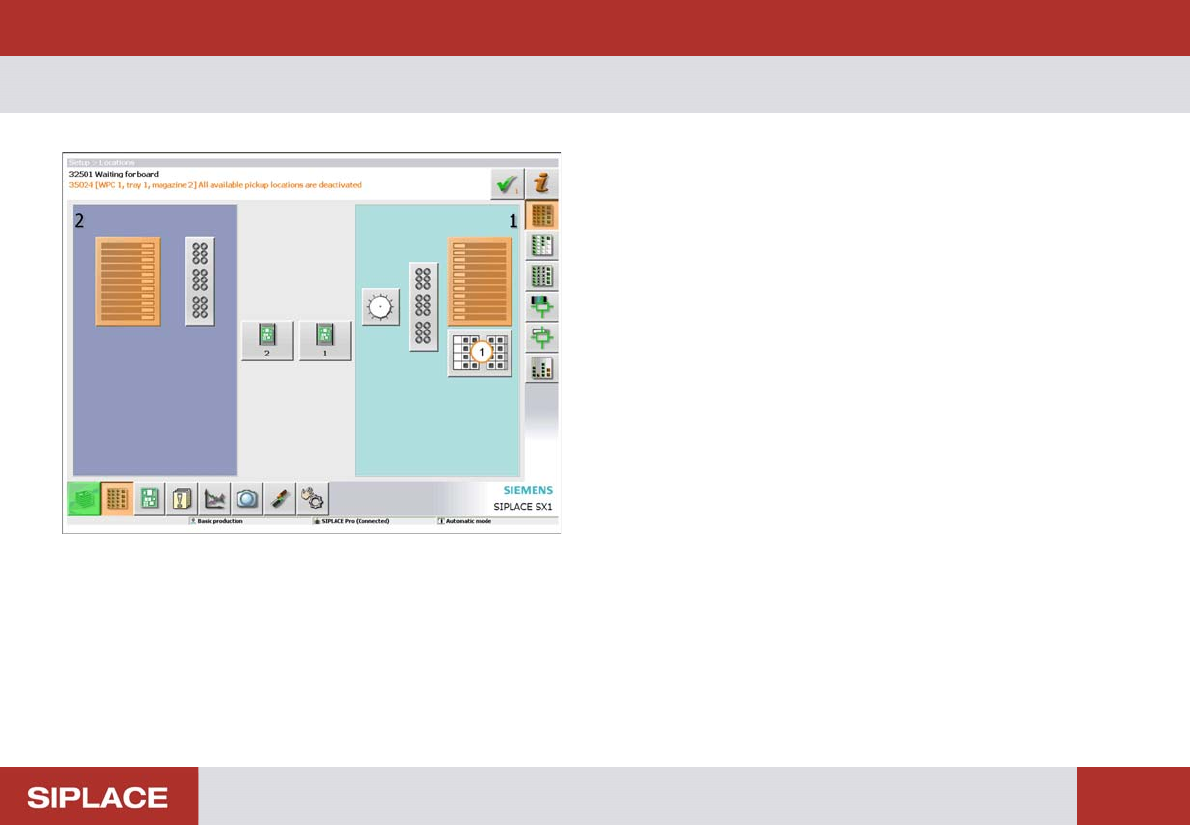
1. Click on the image of the WPC.
SW 703 Option WPC - Filling the WPC :
115
Filling the WPC
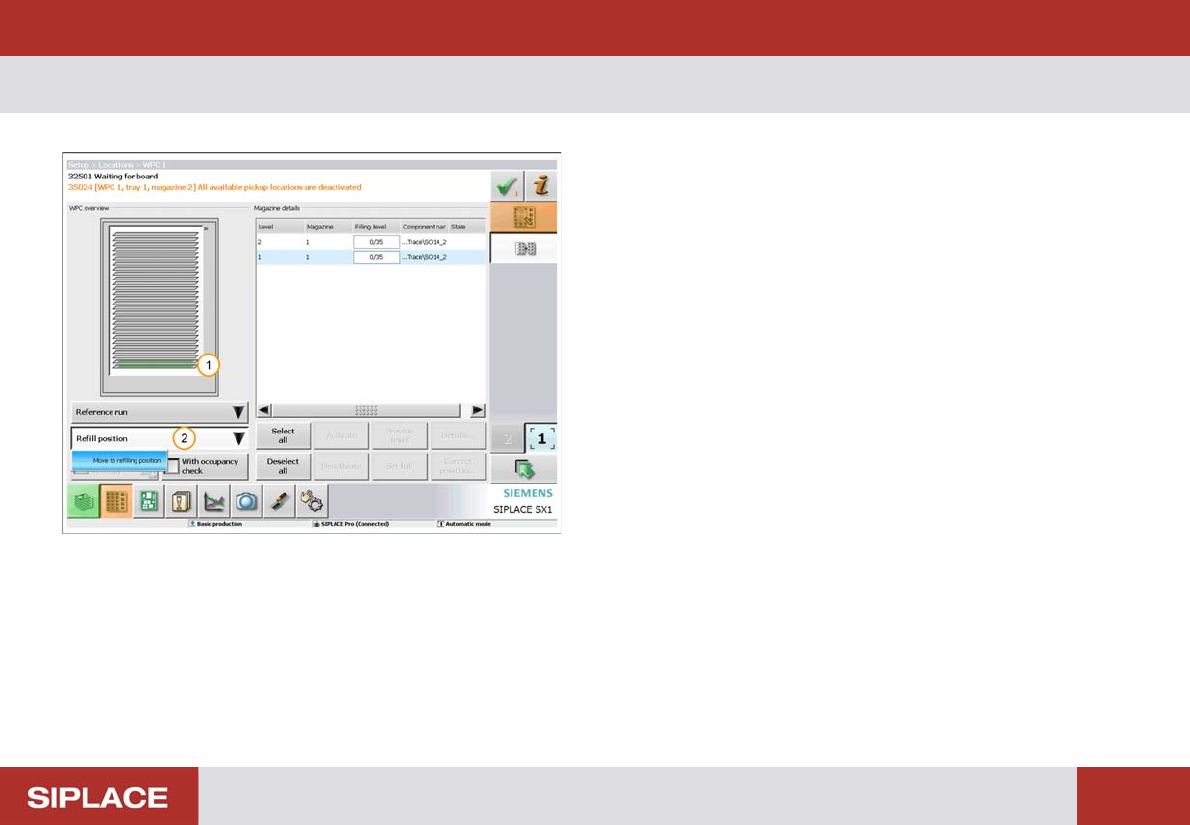
1. The green color indicates trays that need to be filled.
2. Click ‘Refill position’ then ‘Move to refilling position’.
The WPC will now move so that all trays can be
accessed.