00196849-02 OG SIPLACE Operation of X and SX-Series without SSC (SW70x).pdf - 第155页
Option 703 WPC refill - Refilling the WPC : 155 Option 703 WP C refill 1. Em pty tra ck at WP C - indi cators on the ta ble go r ed. 2. Error me ssage. 3. Error info rmation icon ( click for more details). 4. Locations m…
Option 703 MTC Refill - MTC Refill Completed :
154
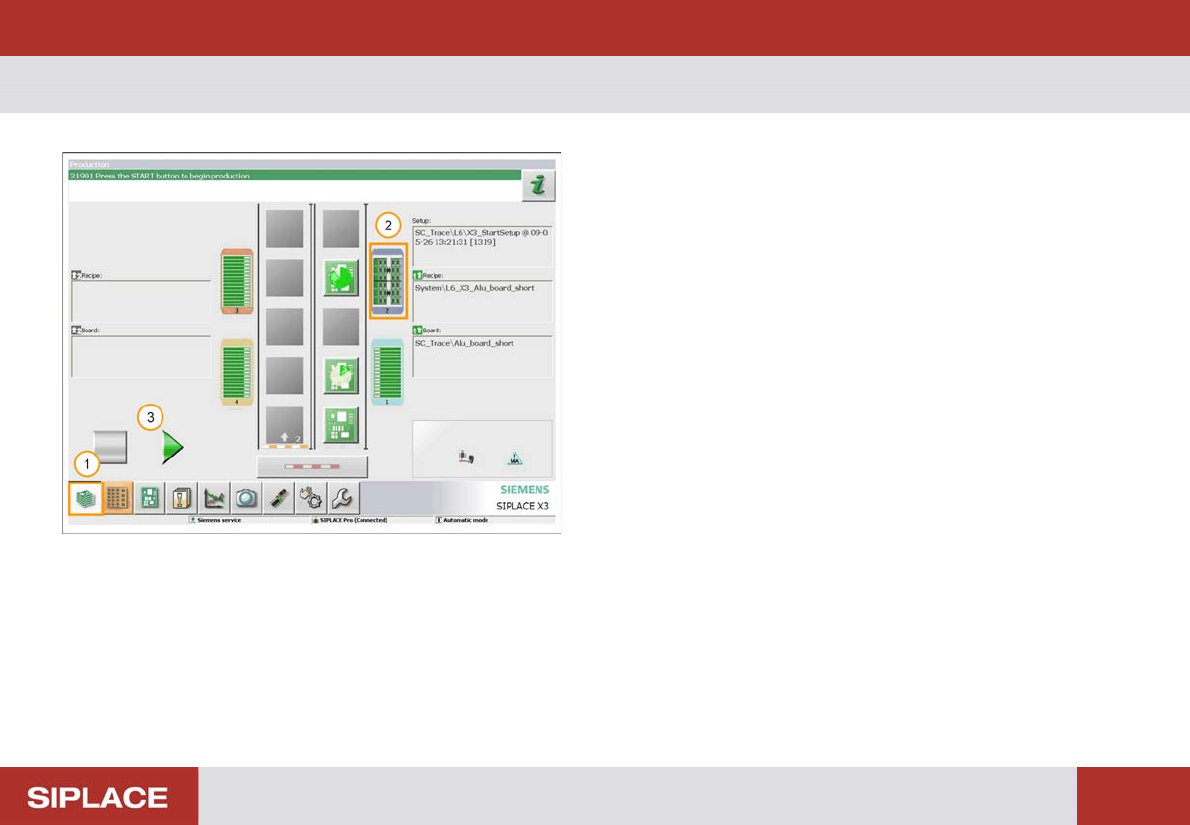
MTC Refill Completed
1. Click on the bottom left icon to return to the main
menu.
2. The indicators to the table should now go green,
showing that the MTC is refilled.
3. Click on the Processing Start / Stop icon or press the
machine start key to start production again.
Option 703 WPC refill - Refilling the WPC :
155
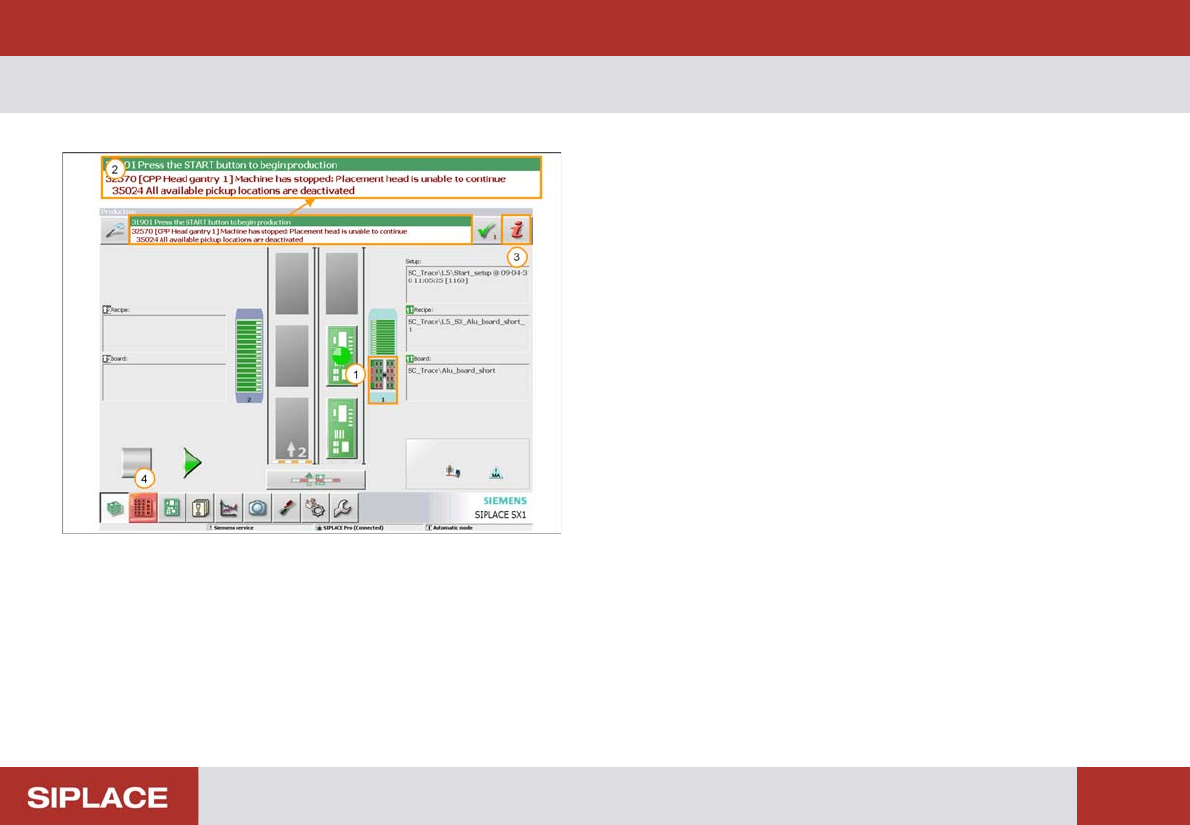
Option 703 WP C refill
1. Empty track at WPC - indicators on the table go red.
2. Error message.
3. Error information icon (click for more details).
4. Locations menu icon – click here to enter the WPC
menu directly.
Option 703 WPC refill - Refilling the WPC :
156
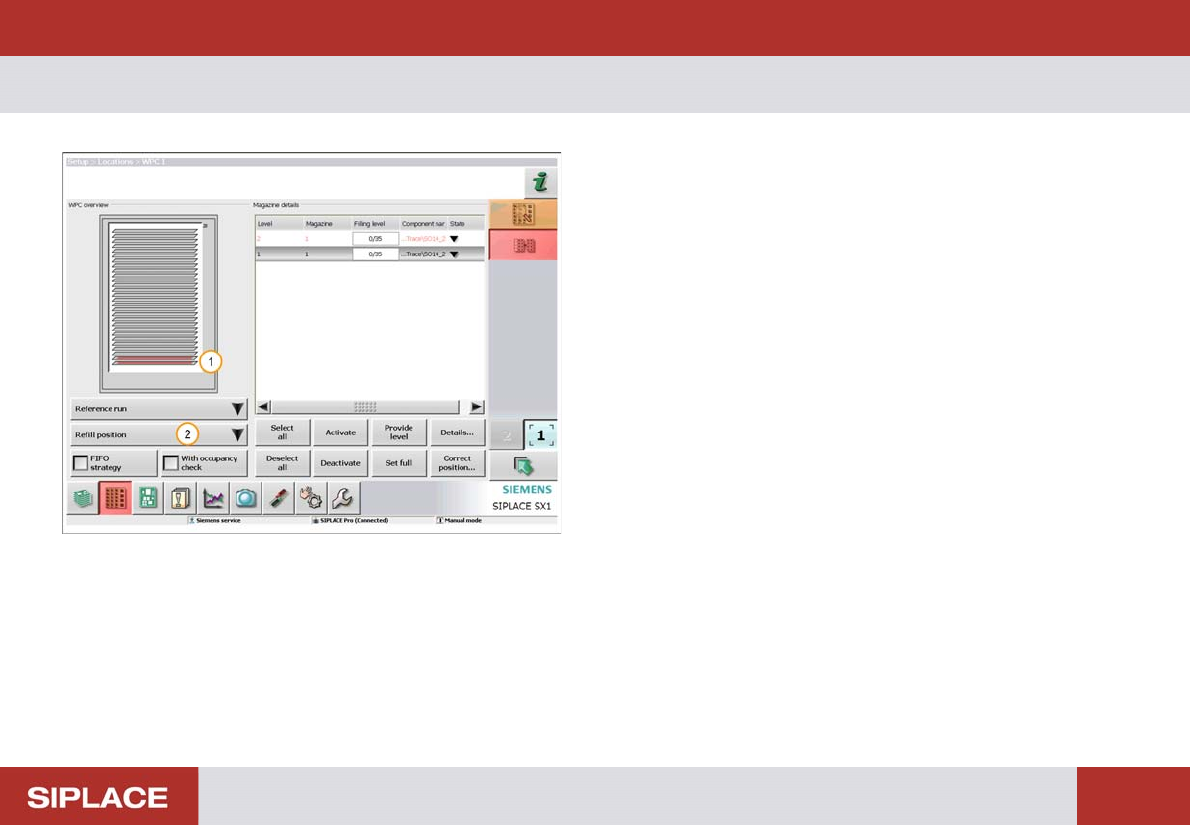
Refilling t he WPC
1. The red color indicates trays that are completely
empty an need to be refilled.
2. Click ‘Refill position’ then ‘Move to refilling position’.
The WPC will now move so that all trays can be
accessed.