00196849-02 OG SIPLACE Operation of X and SX-Series without SSC (SW70x).pdf - 第43页
Preparing the Compo nent Set Up - Prin ting Set Up Report : 43 Printing Set Up Report 1. Click on the SIPLACE Pro Desk icon. 2. Login Your User name and pa ssword 3. Default Us er: Operator P/W: xxxxxxxx Note: Do not rev…
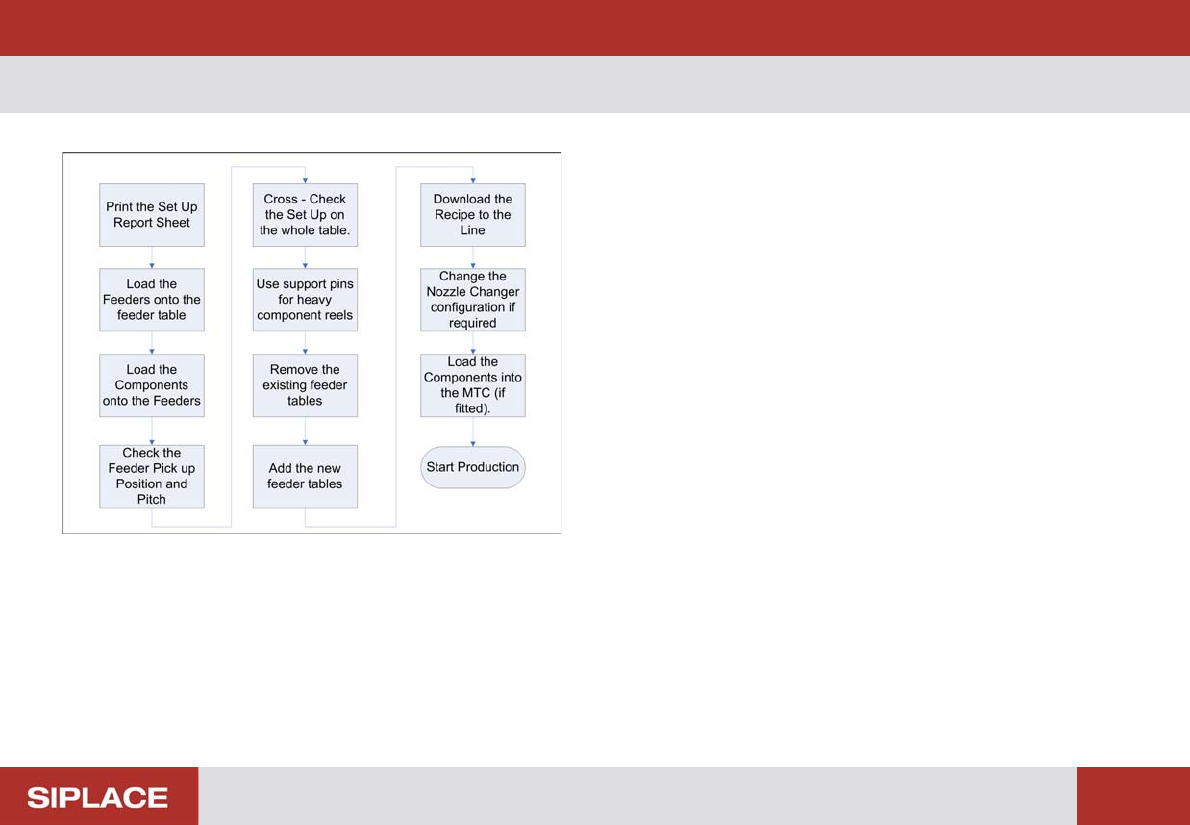
Preparing the Component Set Up - Steps to prepare a product to run at the line :
42
Steps to prepare a product to run at the line
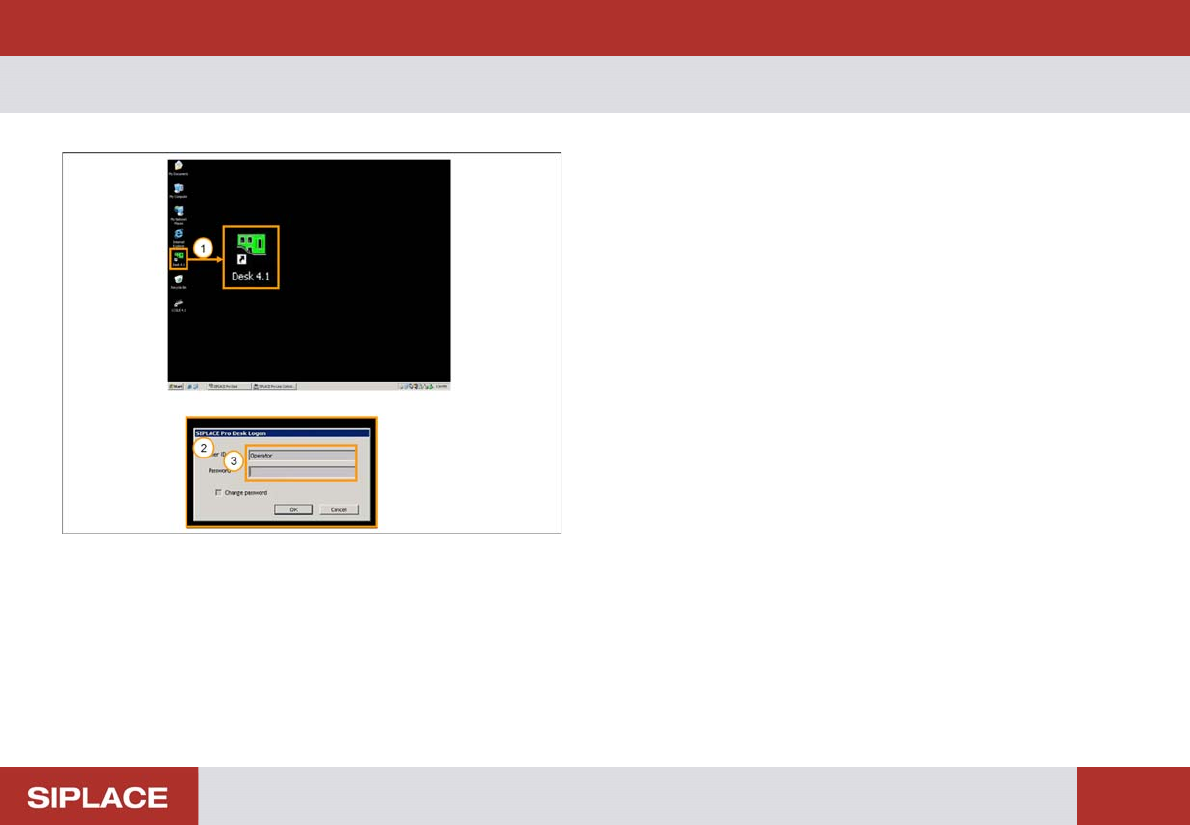
Preparing the Component Set Up - Printing Set Up Report :
43
Printing Set Up Report
1. Click on the SIPLACE Pro Desk icon.
2. Login Your User name and password
3. Default User: Operator
P/W: xxxxxxxx
Note: Do not reveal your password.
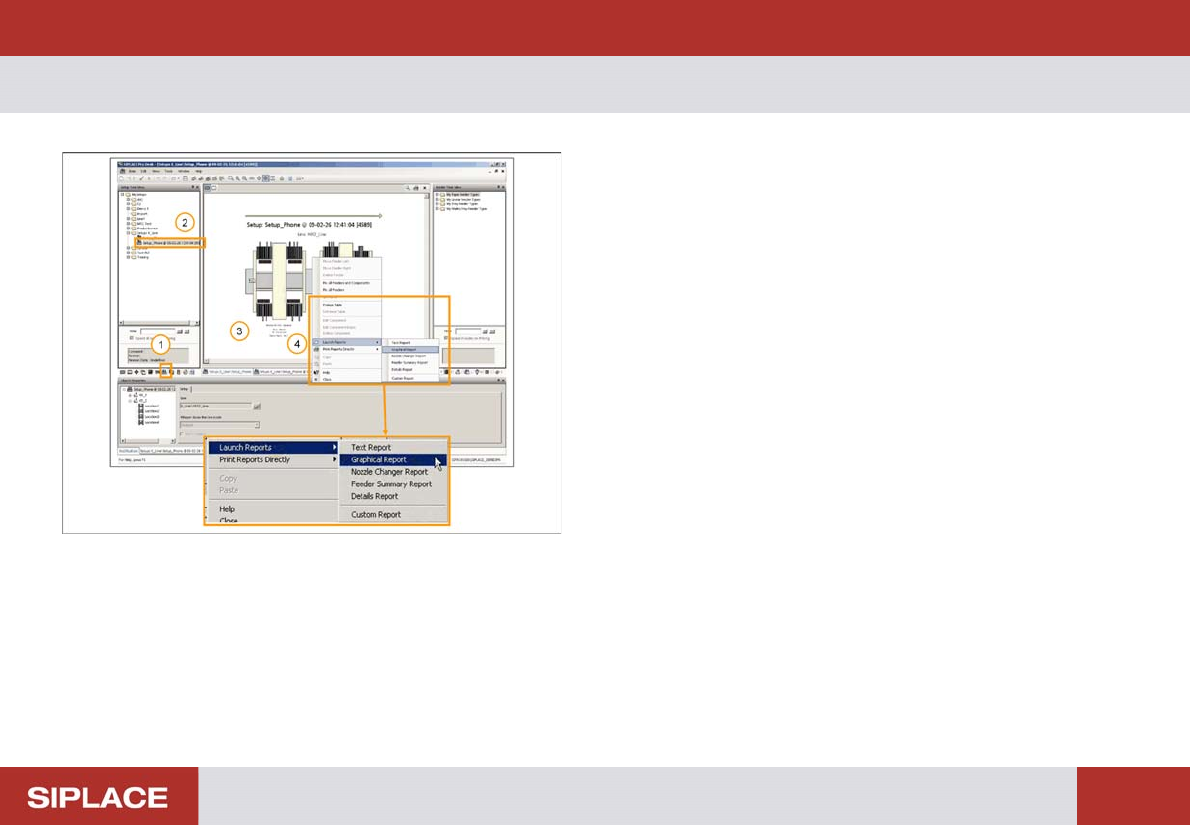
Preparing the Component Set Up - Printing Set Up Report :
44
Printing Set Up Report
In the SIPLACE Pro Desk Interface:
1. Select the Setup Tab
2. Click on the selected setup which you want to print
3. Right Click on the Setup diagram
4. Click on Launch Report and you will see options for
the different kinds of report – select Graphical Report