00196849-02 OG SIPLACE Operation of X and SX-Series without SSC (SW70x).pdf - 第45页
Preparing the Compo nent Set Up - Prin ting Set Up Report : 45 Printing Set Up Report 1. Graphical presentation of th e Line A Setup 2. Contents of X4 Machine Location 3 (B ack Left) 3. Contents of X3 Machine Location 3 …
Preparing the Component Set Up - Printing Set Up Report :
44
Printing Set Up Report
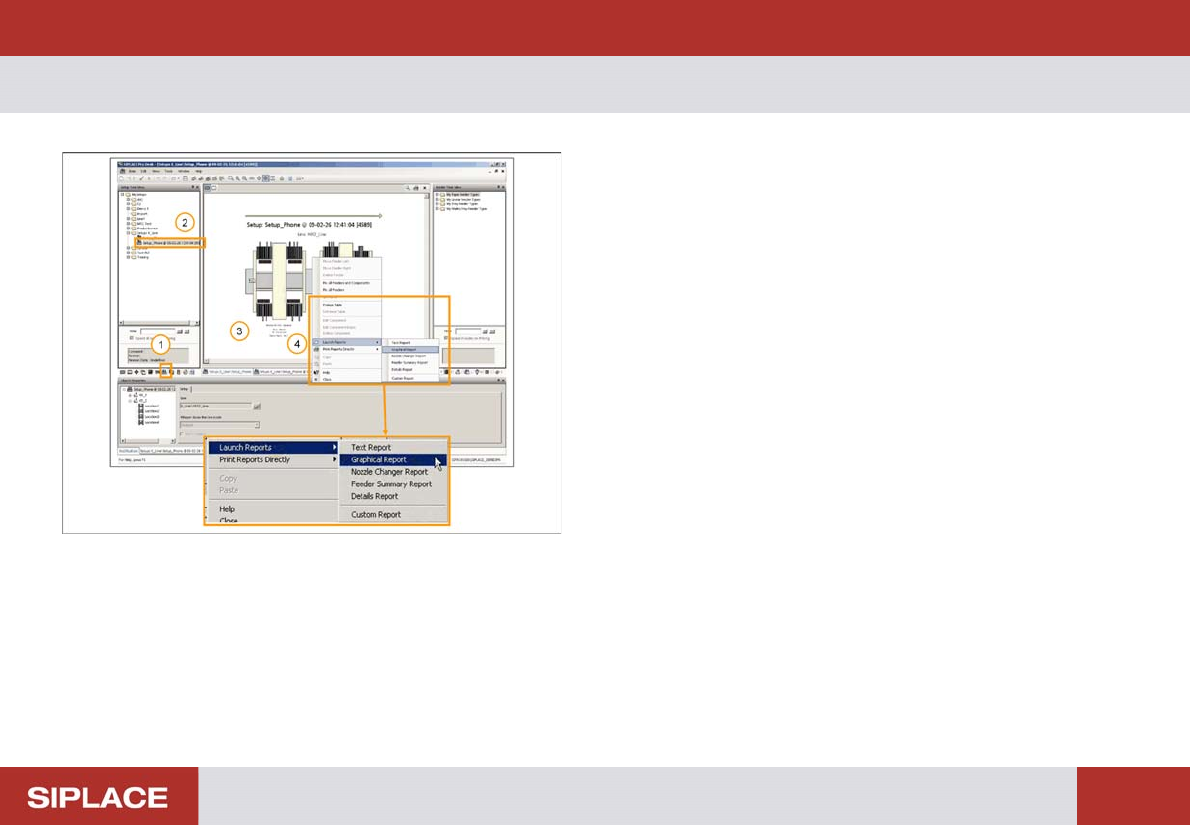
In the SIPLACE Pro Desk Interface:
1. Select the Setup Tab
2. Click on the selected setup which you want to print
3. Right Click on the Setup diagram
4. Click on Launch Report and you will see options for
the different kinds of report – select Graphical Report
Preparing the Component Set Up - Printing Set Up Report :
45
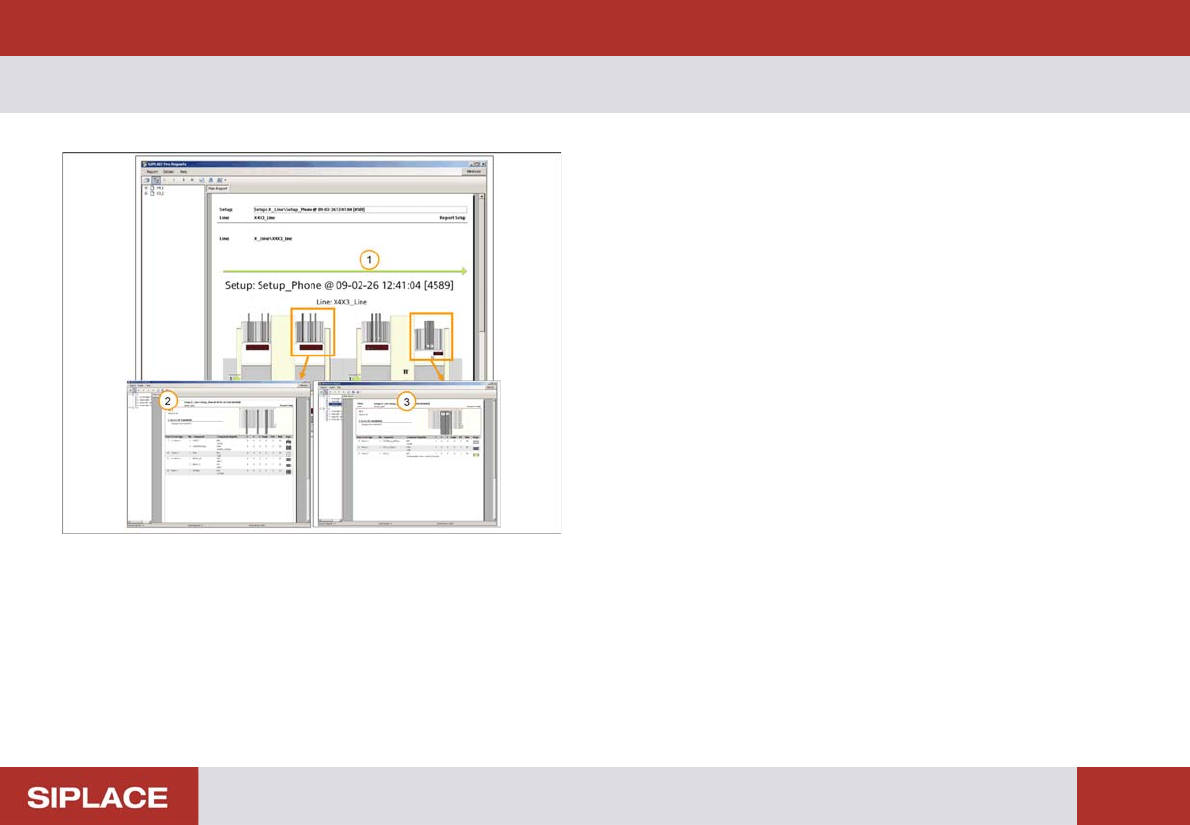
Printing Set Up Report
1. Graphical presentation of the Line A Setup
2. Contents of X4 Machine Location 3 (Back Left)
3. Contents of X3 Machine Location 3 (Back Left)
Preparing the Component Set Up - Printing Set Up Report :
46
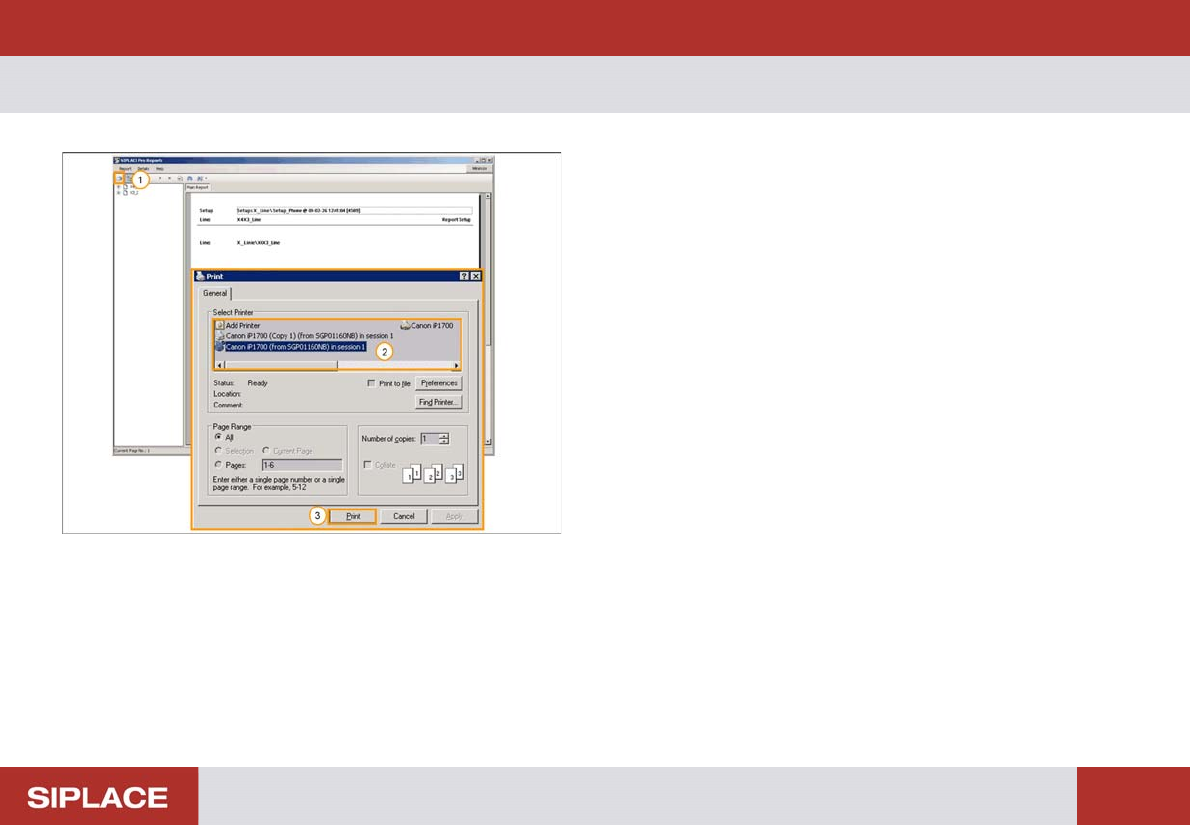
Printing Set Up Report
At the printing report page:
1. Click on the print button
2. Select the printer to print report
3. Click on the “Print” button to start printing the report