00196849-02 OG SIPLACE Operation of X and SX-Series without SSC (SW70x).pdf - 第68页
Setting Up X-Feeders - 8 - 88mm X - Setting the transport speed : 68 8 - 88mm X - Setting the tr ansport sp eed NOTICE! Theses settings are set by the machine automatica lly. 1. Start screen – press the Set button until …
Setting Up X-Feeders - 8 - 88mm X - Setting the pitch :
67
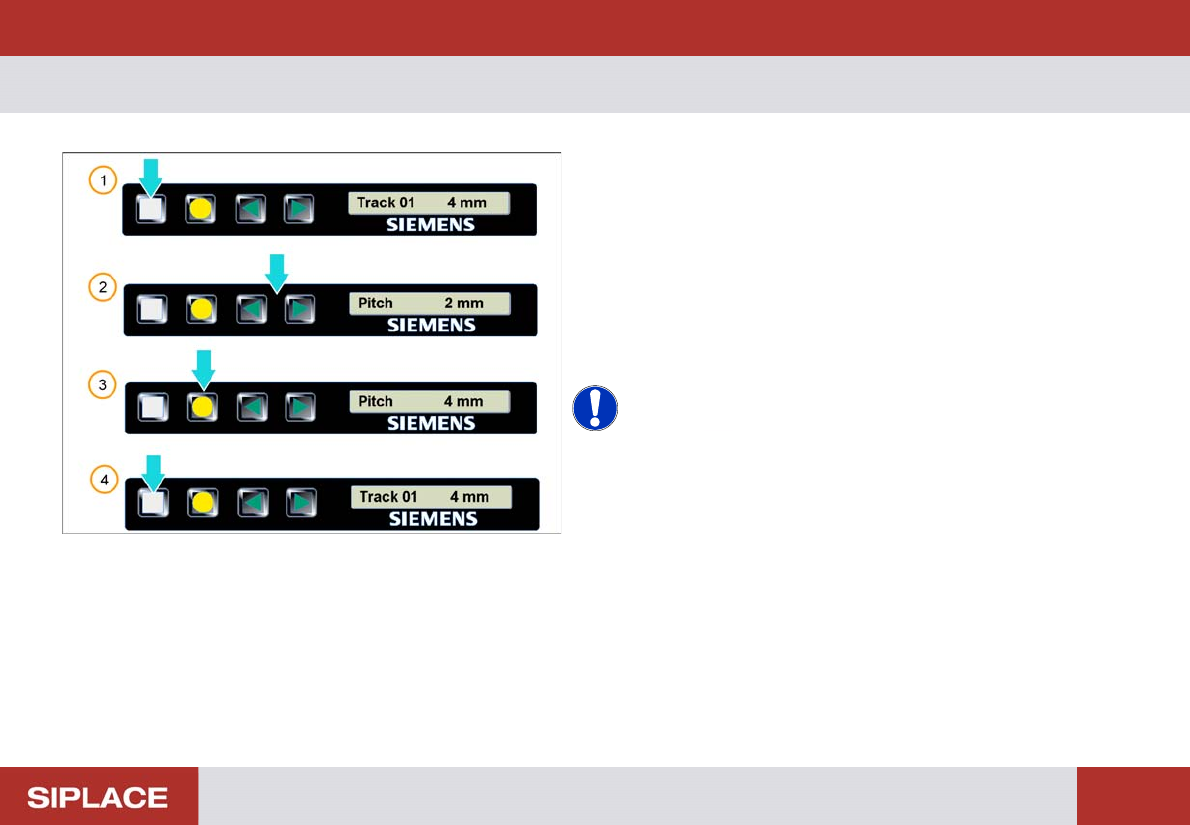
8 - 88mm X - Setting the pitch
1. Start screen – press the Set button until the pitch is
displayed
2. The pitch can be adjusted by pressing the Forwards
or Backwards buttons
3. The press the yellow Foil button to confirm the setting
- required pitch will be displayed
4. Repeatedly press the Set button to return to the start
screen.
NOTICE! The feeder will also return to the start
screen if no button is pressed for 1 minute.
Setting Up X-Feeders - 8 - 88mm X - Setting the transport speed :
68
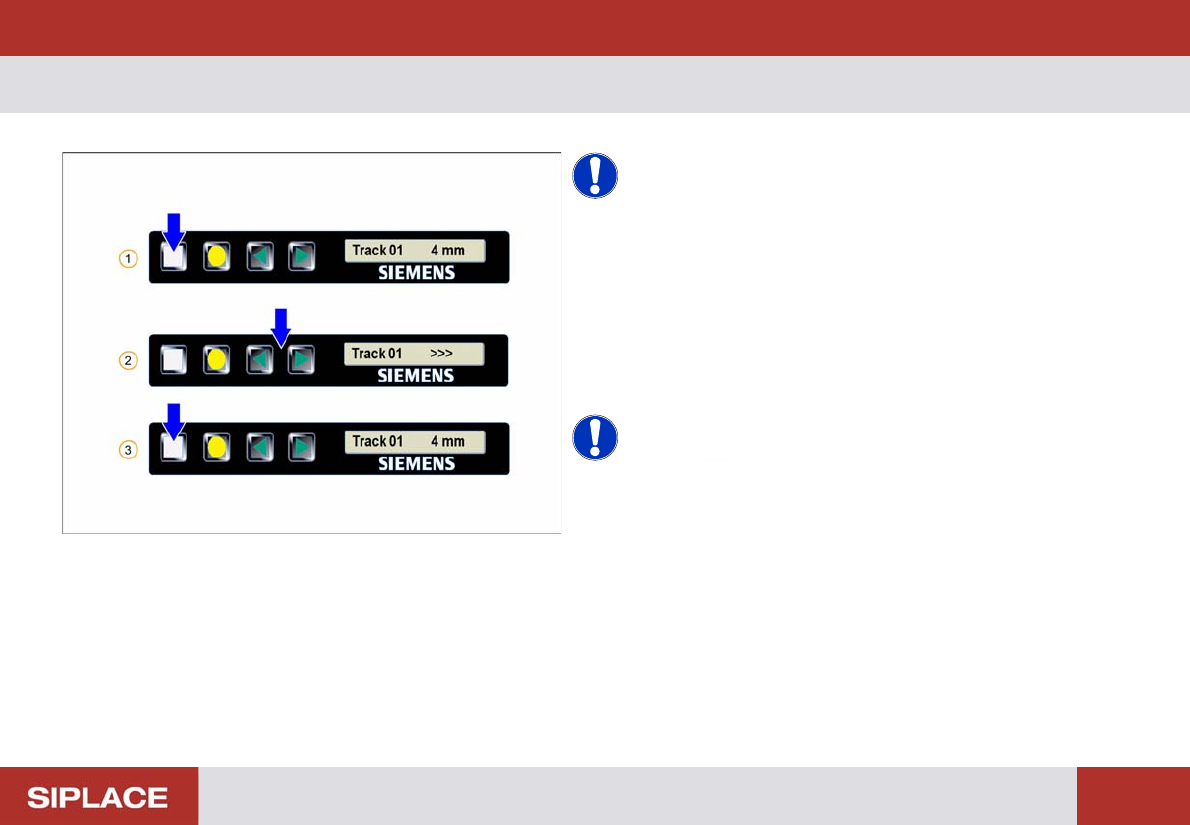
8 - 88mm X - Setting the tr ansport sp eed
NOTICE! Theses settings are set by the
machine automatically.
1. Start screen – press the Set button until the speed is
displayed
2. Set the required speed by pressing the Forwards or
Backwards buttons
3. Repeatedly press the Set button to return to the start
screen
NOTICE! > = very slow
>> = slow
>>> = standard
Setting Up X-Feeders - Checking the Set-Up :
69
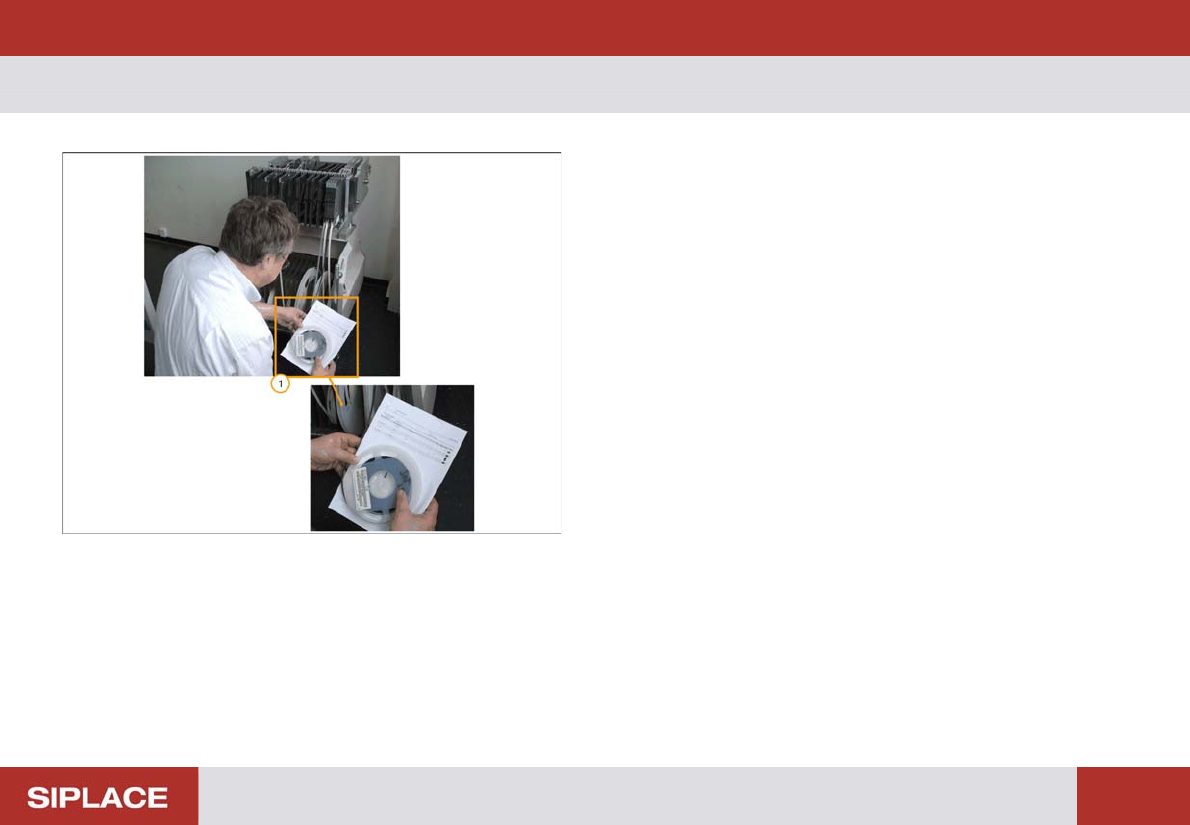
Checking the Set-Up
1. In order to ensure the correct set up on each feeder
table you should refer to the set up sheet and
physically check.
▪ Component shape and number.
▪ Feeder division number.
▪ Component Part Number.
▪ Size and type of feeder.
▪ Orientation of the component at the pick up position.