00196849-02 OG SIPLACE Operation of X and SX-Series without SSC (SW70x).pdf - 第160页
Option 703 WPC refill - WPC fill completed. : 160 WPC fill complete d. 1. Double click on t he WPC table to complete the refill – the indicators on the table should now all g o green. 2. Click on the Start / Stop icon or…
Option 703 WPC refill - WPC fill completed. :
159
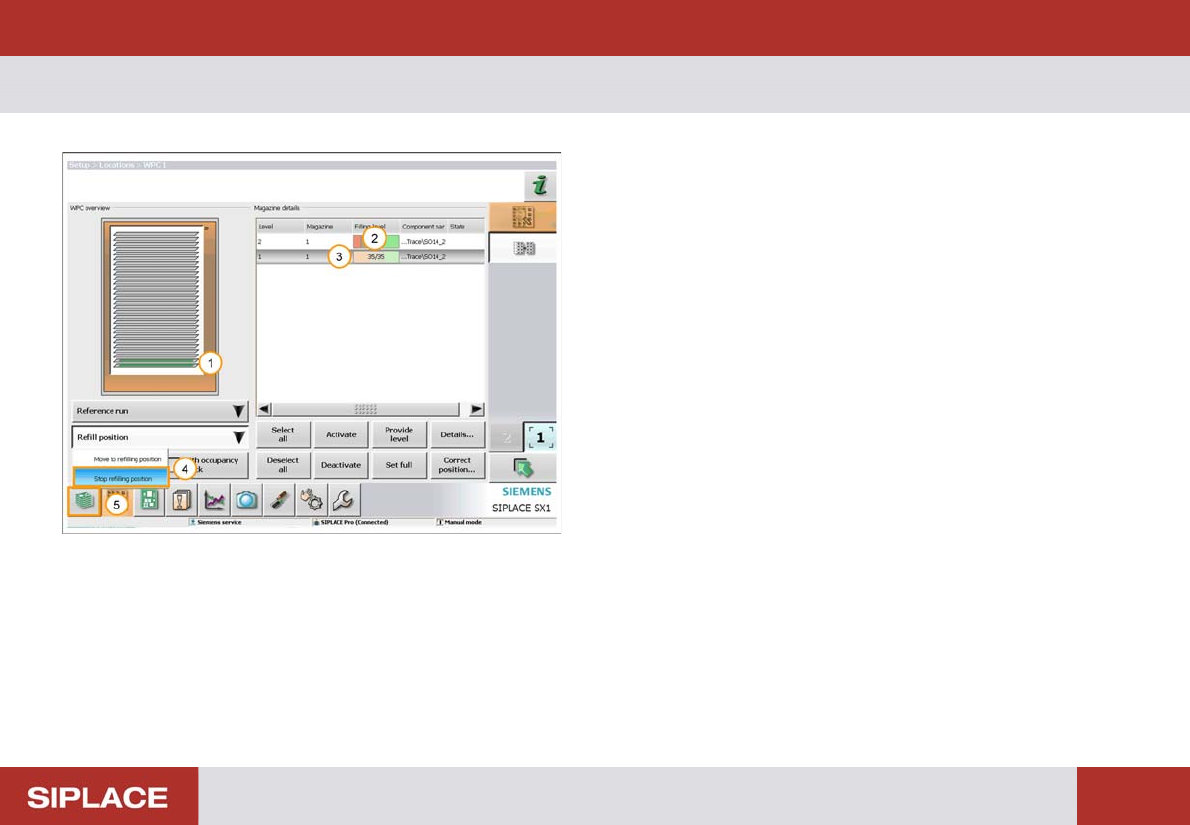
WPC fill completed.
1. The status bar now turns green – the tray is refilled.
2. Refilled Quantity.
3. Level of the tray that has been filled (here the lowest
tray).
4. Select ‘Refill position’ – ‘Stop refilling position’.
The WPC will now move back to the operational position.
5. Click on the return to the Main Menu icon.
Option 703 WPC refill - WPC fill completed. :
160
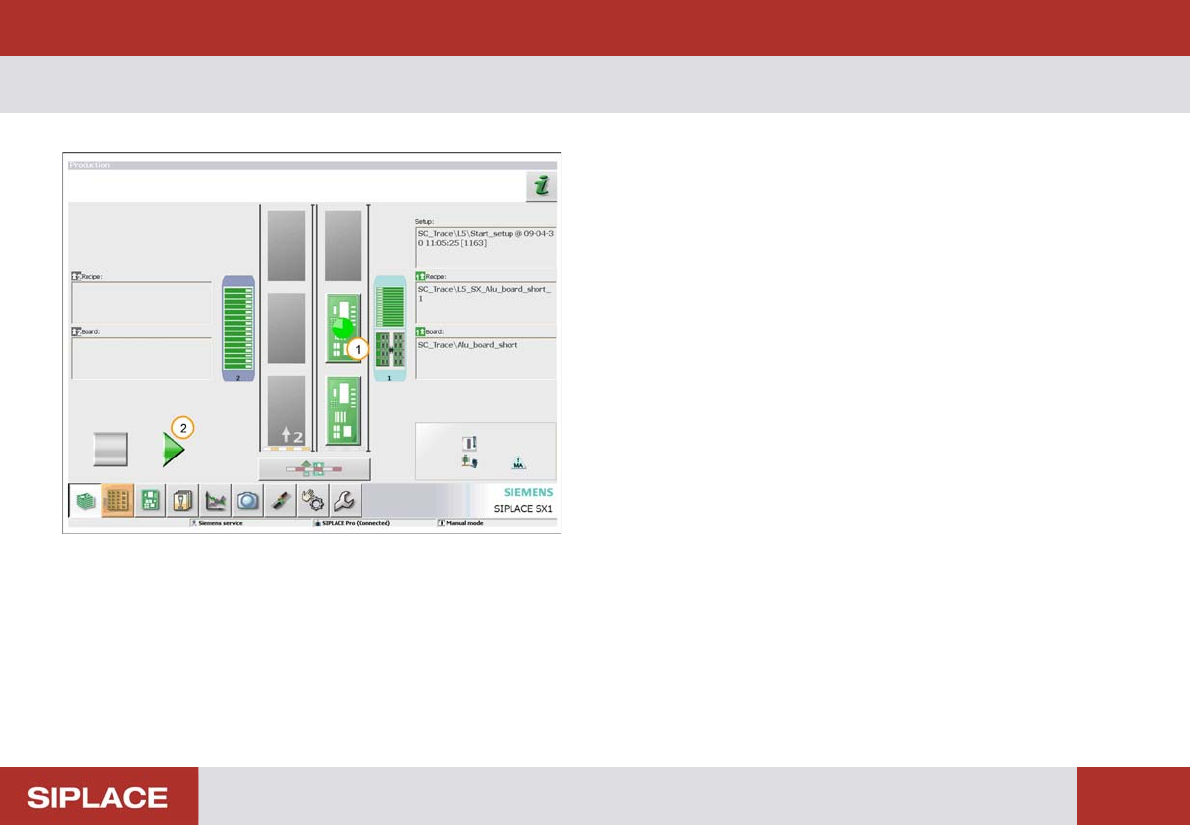
WPC fill completed.
1. Double click on the WPC table to complete the refill –
the indicators on the table should now all go green.
2. Click on the Start / Stop icon or press the machine
start key to start production again.
703-Handling Messages - GUI Messages :
161
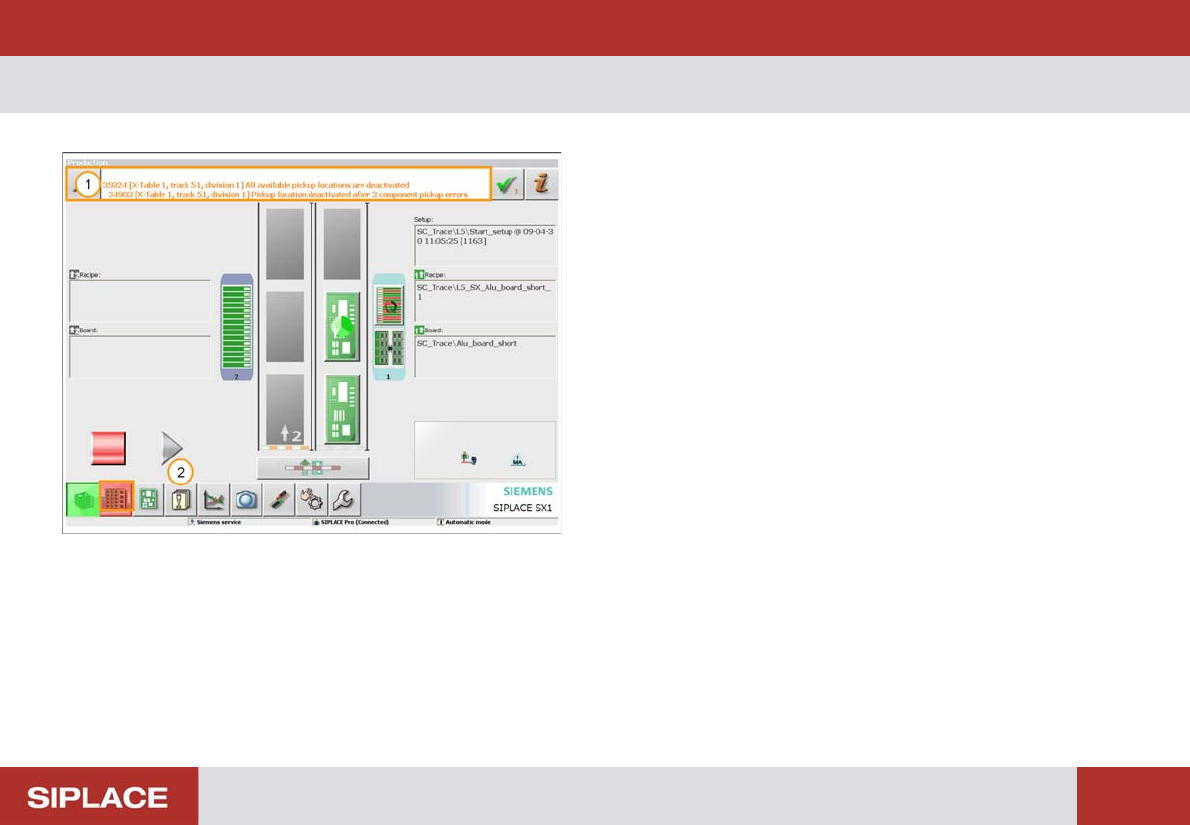
703-Handli ng Messages
1. Message Display.
2. Click on the Messages Icon to see the list of errors.