00197214_IM_SupportMediaV1.15_EN.pdf - 第21页
Support Media V1.15 10/2013 Edition 21 4.4.5 Downloading for multiple configurations If you plan to prepare m ultiple (different) c omputer configurations, you m ay want to download all missing required software packages…
Support Media V1.15 10/2013 Edition
20
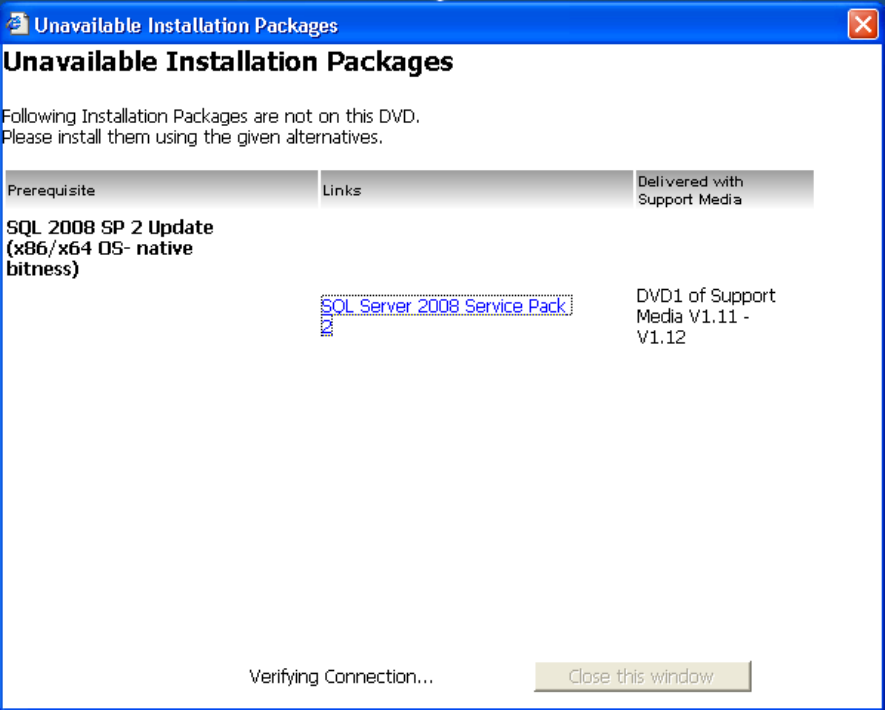
Figure 4-9: Dialog for manual download and installation of missing components
The dialog will display the following information
The description of the required installation package
A link to the manual download of the installation package (if available)
A note, describing where the installation package can be found on a former Support Media
version if it is available.
For some packages, a link to the appropriate installation documentation might be shown
► Use this list to retrieve and install the missing software packages manually
► After you installed the missing packages manually, close and restart Prerequisite Analyzer to
detect the additionally installed software and continue preparing your computer.
Support Media V1.15 10/2013 Edition
21
4.4.5 Downloading for multiple configurations
If you plan to prepare multiple (different) computer configurations, you may want to download all
missing required software packages in advance.
To do this, you have to perform the following steps.
► Insert the Support Media DVD / mount the ISO file of Support Media and execute the file
Autorun.cmd, if no auto run dialog appears.
The Software Launcher application opens.
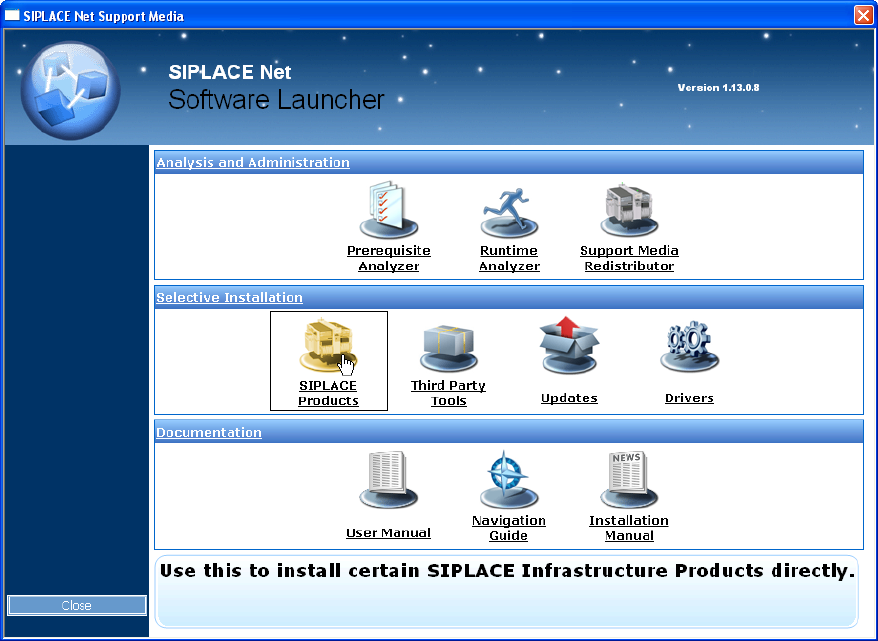
Figure 4-10: Selecting SIPLACE Products in Software Launcher
► In the Software Launcher application, select SIPLACE Products.
The SIPLACE Installer application opens.
Support Media V1.15 10/2013 Edition
22
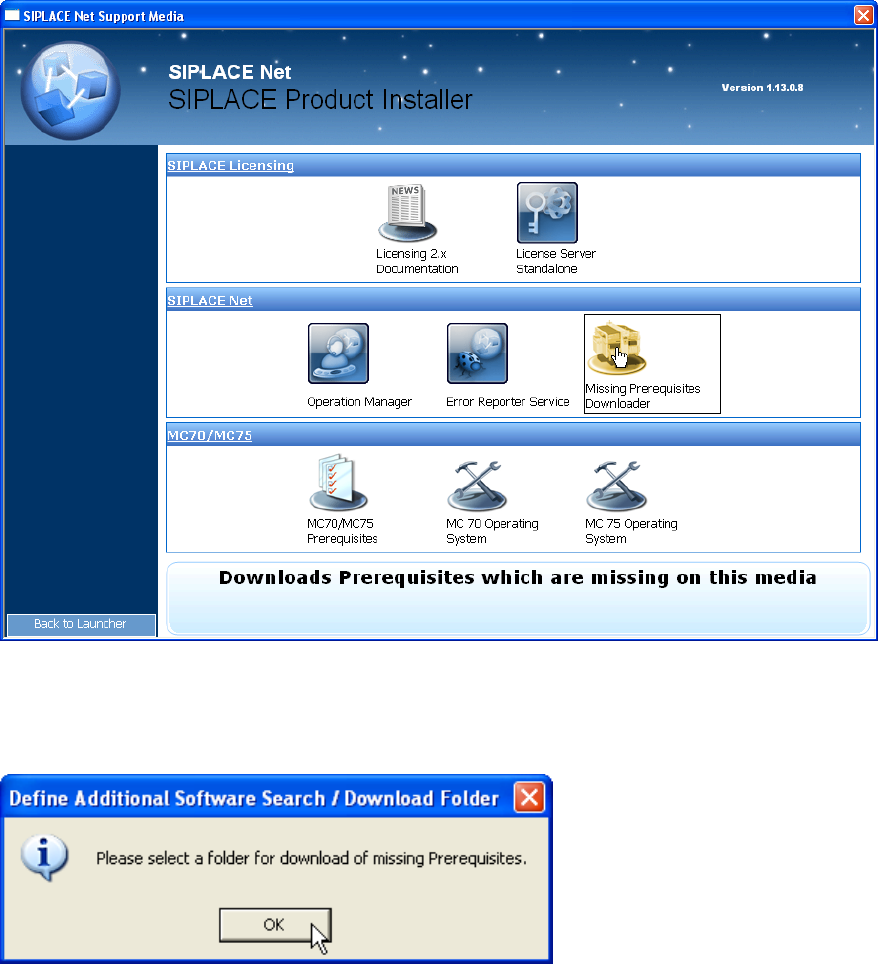
Figure 4-11: Selecting Missing Prerequisites Downloader in SIPLACE Installer application
► Select the option “Missing Prerequisites Downloader”
Figure 4-12: Hint message
► Click OK.