ELA Generic Tooling.pdf - 第23页
MACHI NE PROG RAMMI NG STAGE 5 C - DE DICAT ED TOO LING User Manual 1.37 c. Using the inner p air of keyway slot s locate the adjuster on the chase and slide the adju ster to the rear of the machine to lock in place. 47.…
MACHINE PROGRAMMING
STAGE 5C - DEDICATED TOOLING
1.36 User Manual
graduated scale.
c. Release the push button valve.
d. Repeat the procedure for the right hand chase rail.
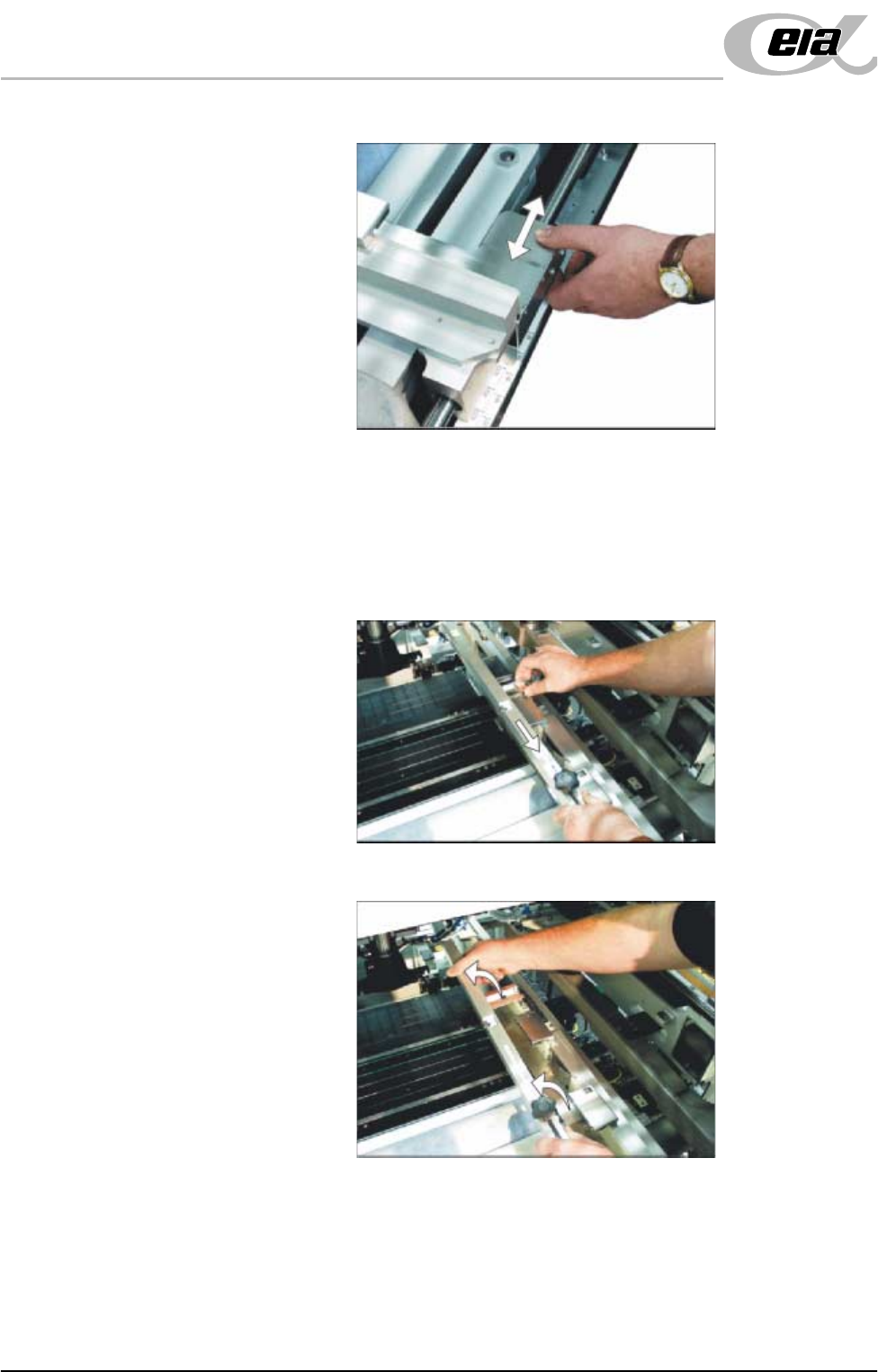
46. If the stencil size is less than 29″ x 29″ the screen depth adjuster position is
to be adjusted as follows (ASM only):
a. Slide the screen depth adjuster towards the front of the machine.
b. Lift the adjuster clear of the two locating screws.
MACHINE PROGRAMMING
STAGE 5C - DEDICATED TOOLING
User Manual 1.37
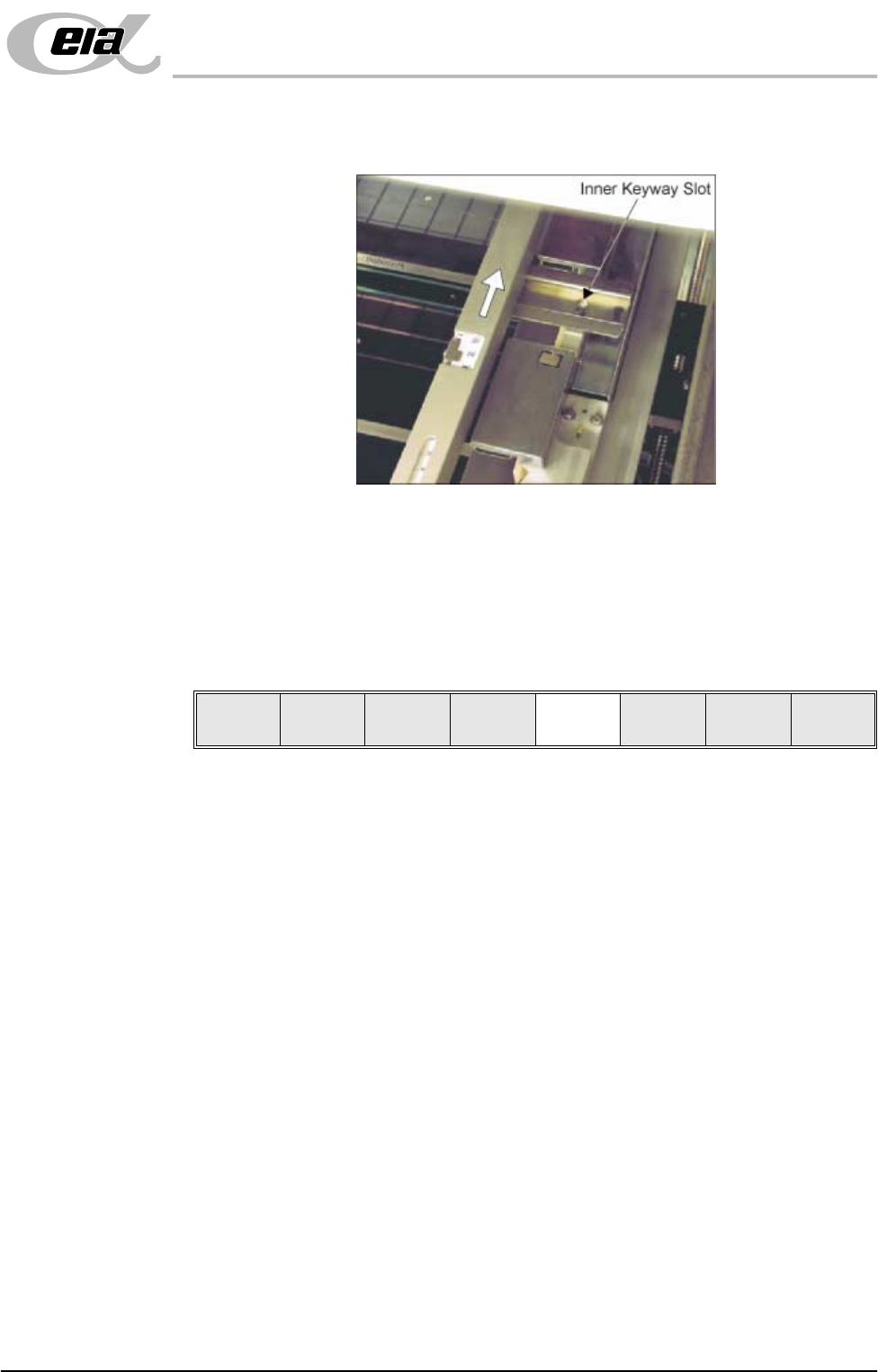
c. Using the inner pair of keyway slots locate the adjuster on the chase and
slide the adjuster to the rear of the machine to lock in place.
47. Ensuring for the correct orientation of the stencil, load the stencil against the
left hand chase rail.
48. Toggle screen clamp switch to down position (On) (fixed width chase only).
49. Raise the drop down panel, lower machine shutter.
50. Press the System button.
51. Select Change Screen (F2).
52. Go to Stage 6.
Mode
Load
Data
Edit
Data
Setup
Squeegee
Change
Screen
Change
Tooling
Change
Language
Exit
MACHINE PROGRAMMING
STAGE 5D - MULTIFLEX TOOLING
1.38 User Manual
STAGE 5D - MULTIFLEX TOOLING
WARNING
BOARD CLAMPS. EXTREME CARE MUST BE EXERCISED WHEN WORKING IN
THE TOOLING AREA OF THE MACHINE TO AVOID INJURY. THE FOILS ON THE
FRONT AND REAR BOARD CLAMPS ARE VERY SHARP.
CAUTION
BOARD CLAMPS.
Care must be taken to ensure that the board clamps are
not damaged when removing or replacing tooling.
NOTE
Setting up the MultiFlex tooling is to be performed off the machine.
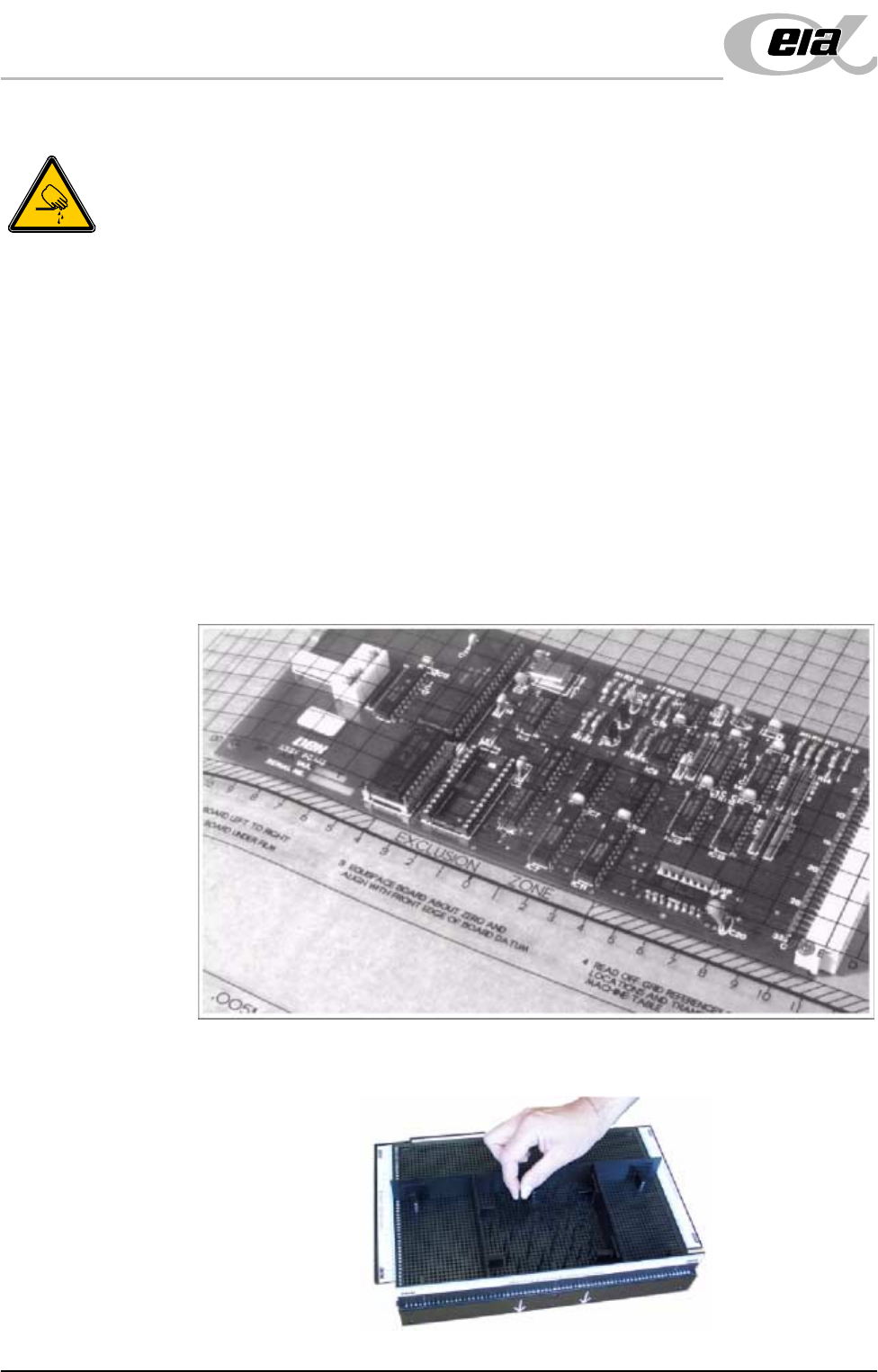
1. Create a box the same size as the board using the side plates.
2. Use the board width and board length dimensions to position the box
correctly.
3. Place the PCB on a flat surface, component side up.
4. Position the acetate template, supplied with the tooling, over the PCB such
that the front edge of the board is aligned with the arrow indicators on the
template. Ensure that the centreline of the board is aligned with the template
zero.
5. Using the grid co-ordinates marked on the template, position pins which
coincide with gaps between the underside board components.