SOM-1929-001_w.pdf - 第15页
12 Tg 1423 -ID-SO 5.4 "Machine Program.Info." Window 0606 - 001 5.4 "Machine Prgm.Info." Window [EB005/Servo Driver/NS100] Button When this button is pressed, the following tab sheet appears. [1] Fig.…
11
Tg1423-ID-SO
5.3 "Input Check" Tab
0606-001
5.3 "Input Check" Tab
When the [Input Check] tab is pressed in the "DVC. CHECK" window
(submenu), the following "Input Check" tab sheet appears inside the
window.
5.3.1 "Motor Cont (EB005)" Tab
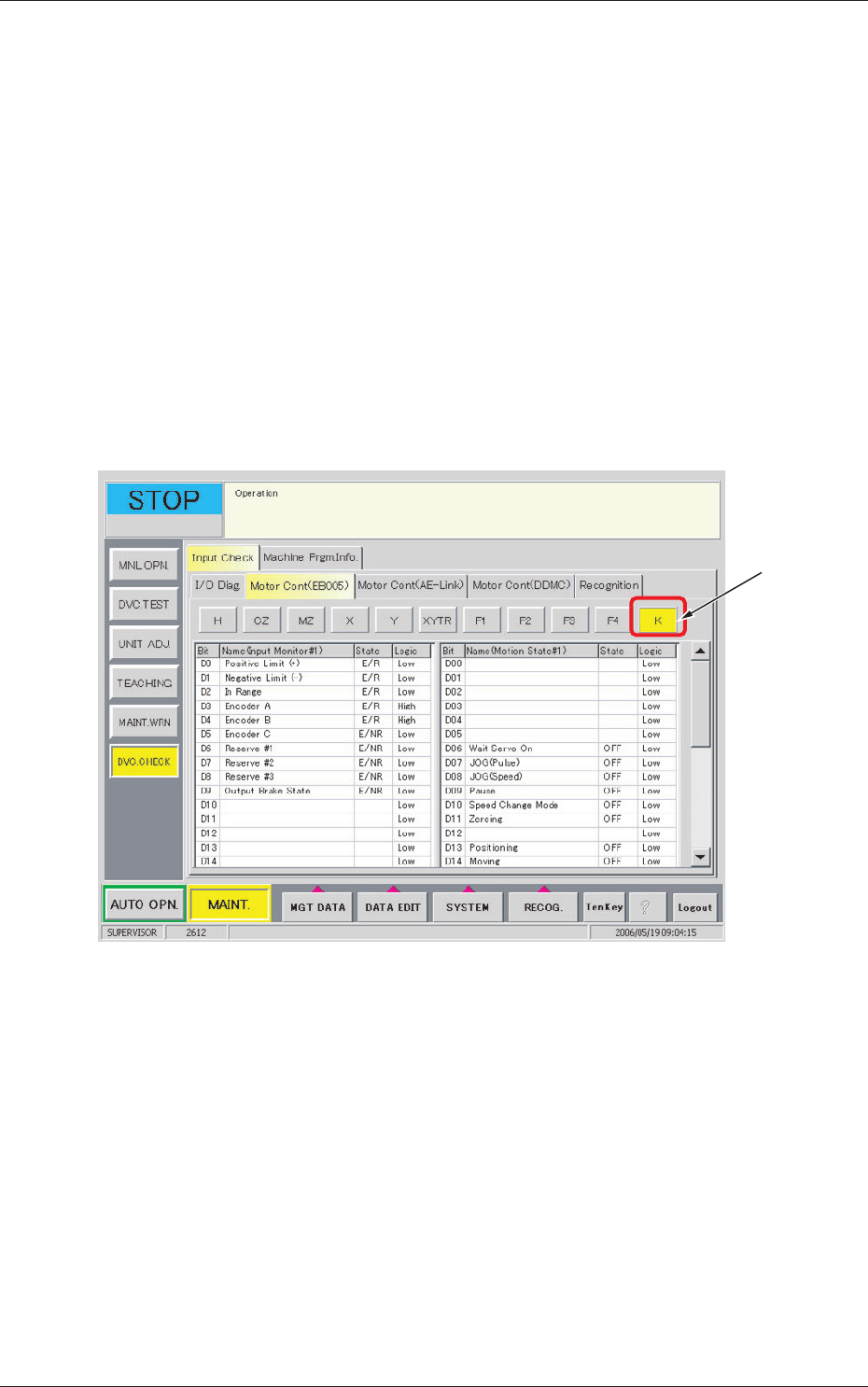
The corresponding tab sheet enables the operator to view the input / output
statuses of the motor control (EB005).
•
Sheet Layout
When the [Motor Cont (EB005)] tab is pressed in the "Input Check" tab
sheet, the following tab sheet appears.
[1]
Fig.5 "Motor Cont (EB005)" Tab Sheet
•
Sheet Composition
[1] Motor Axis Buttons
[K] Button
When this button is pressed, the component scraper status is displayed.
12
Tg1423-ID-SO
5.4 "Machine Program.Info." Window
0606-001
5.4 "Machine Prgm.Info." Window
[EB005/Servo Driver/NS100] Button
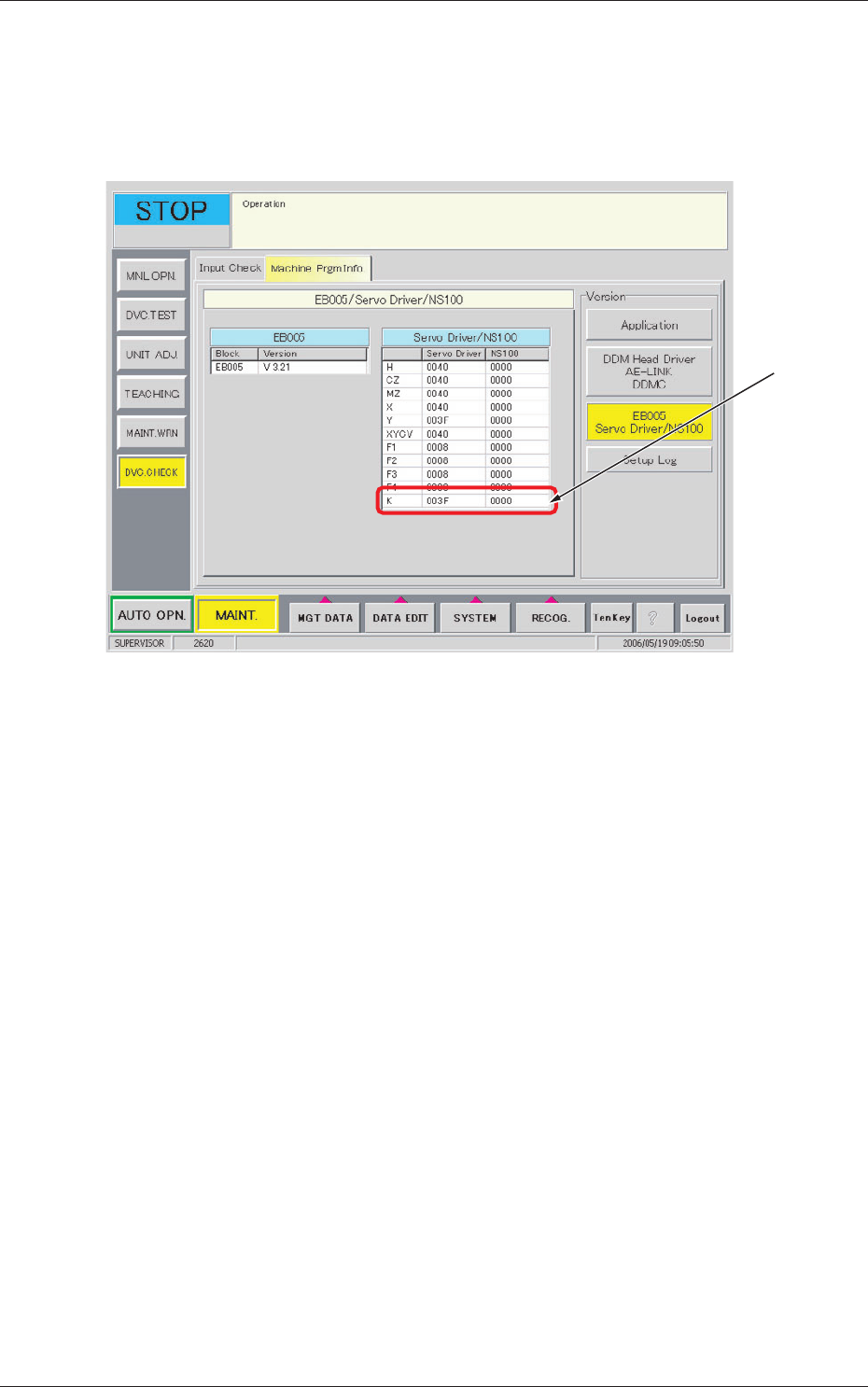
When this button is pressed, the following tab sheet appears.
[1]
Fig.6 "Machine Prgm. Info." Tab Sheet
(EB005/Servo Driver/NS100)
[1] [K]
The servo-shaft version for the component scraper is displayed on the
data boxes for [K].
13
Tg1423-ID-SO
5.5 "Adj Menu" Tab
0606-001
5.5 "Adj Menu" Tab
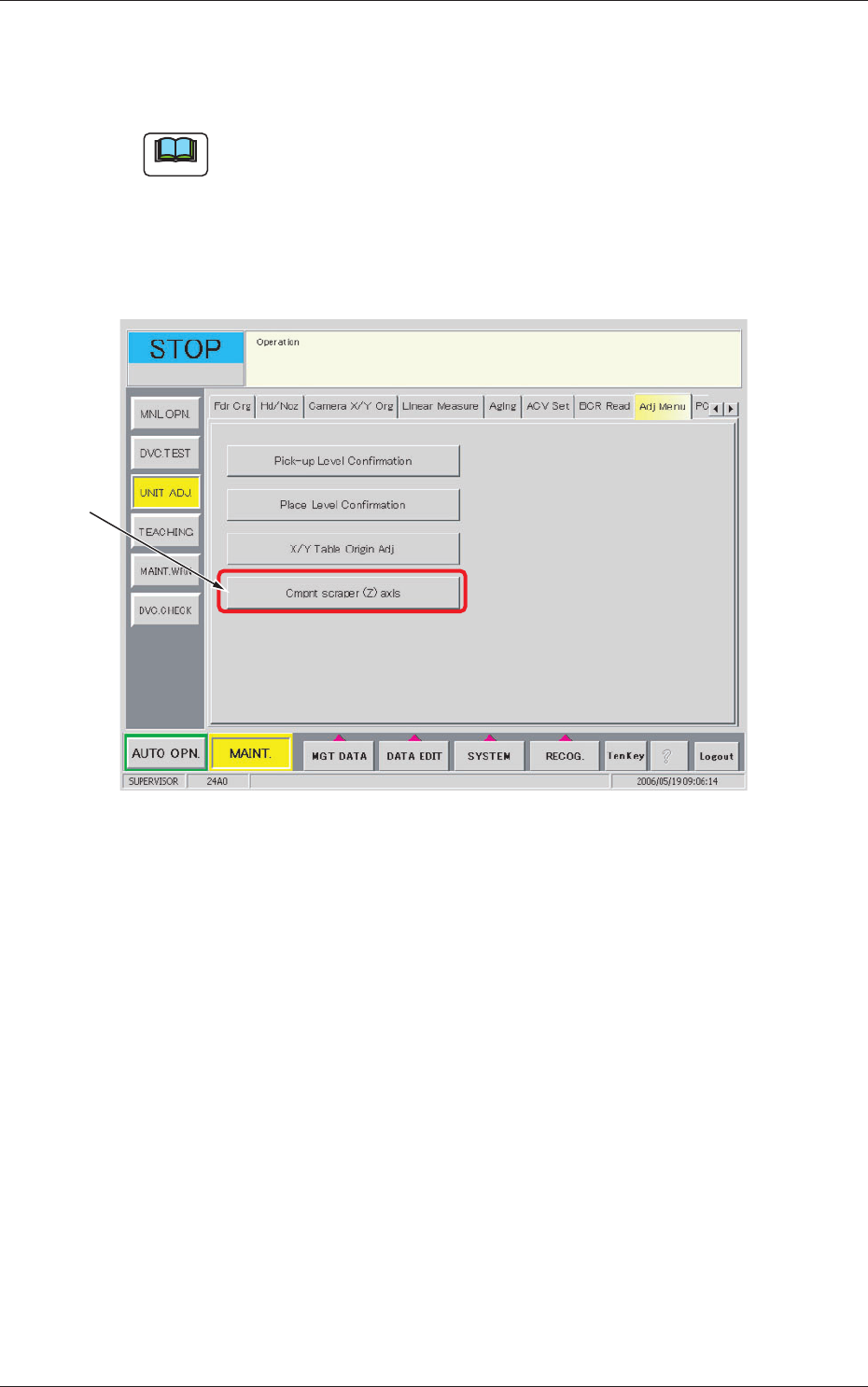
The cmpnt scraper (z) axis is adjusted.
Note
This adjustment should be made only by a service personnel.
Consult our service personnel for details.
•
Sheet Layout
When the [Adj Menu] tab is pressed in the "UNIT ADJ." window (submenu),
the following tab sheet appears.
[1]
Fig.7 "Adj Menu" Tab Sheet
•
Sheet Composition
[1] [Cmpnt scraper (Z) axis] Button
Displays the "Component Scraper (Z) unit Maintenance Menu".
The confirmation and adjustment of the component scraper offset data
are available, using a thickness gauge.