SOM-1929-001_w.pdf - 第20页
17 Tg 1423 -ID-SO 5.7"Device Offset" T ab 0606 - 001 5.7 "Device Offset" T ab This session describes how to set various kinds of offset data for each device position adjustment related to machine oper…
16
Tg1423-ID-SO
5.6 "Servo Alarm" Tab
0606-001
5.6 "Servo Alarm" Tab
•
Sheet Layout
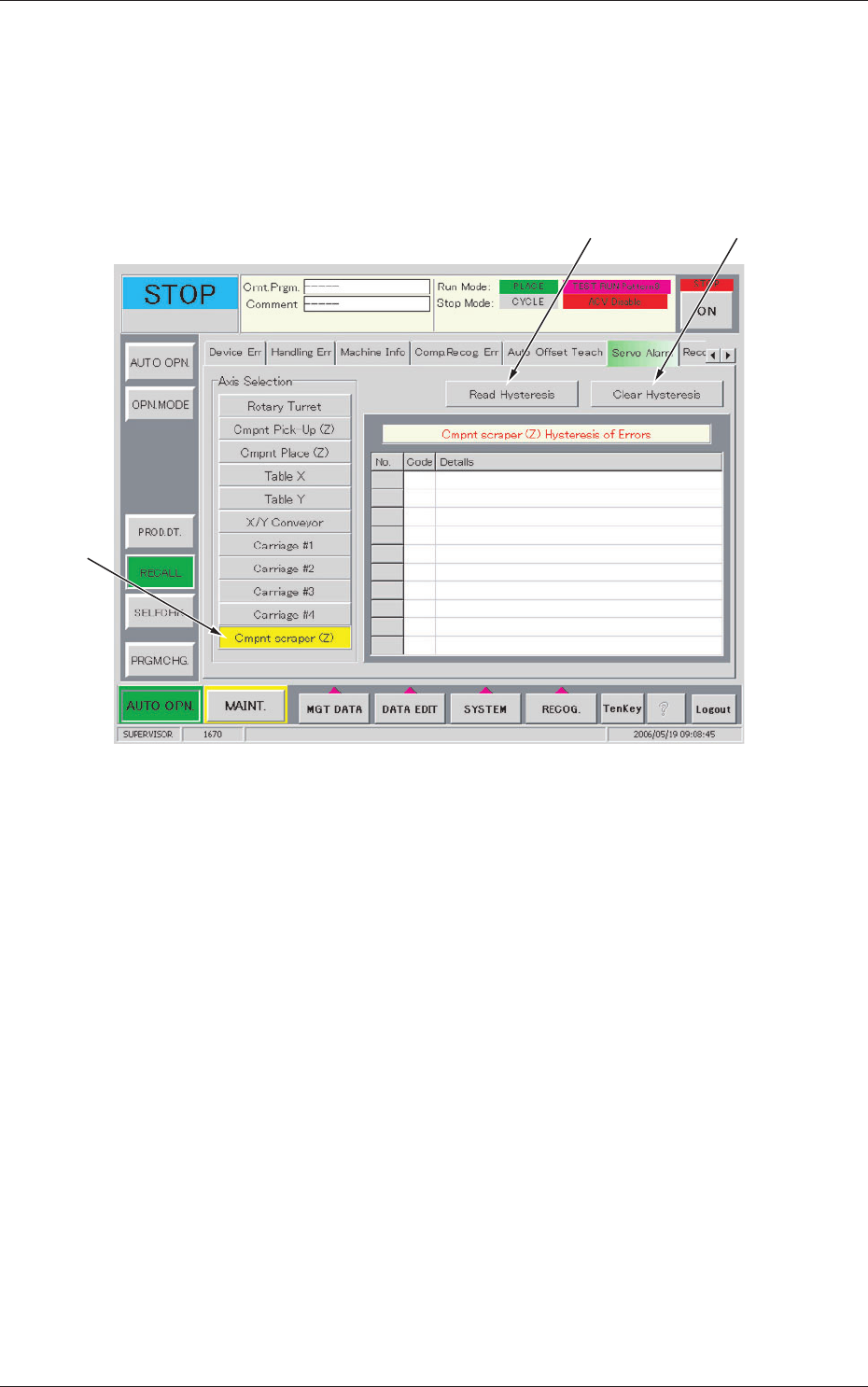
When the [Servo Alarm] tab is pressed in the "RECALL" window (submenu),
the following tab sheet appears inside the window.
[1]
[2] [3]
Fig.9 "Servo Alarm" Tab Sheet
•
Sheet Composition
[1] Axis Selection (Alarm Type Selection)
[Cmpnt scraper (Z)] Button
Displays the "Cmpnt scraper (Z) Hysteresis of Errors".
[2] [Read Hysteresis] Button
When this button is pressed, the last 10 pieces of alarm data is displayed
with respect to the selected axis.
The data before the last 10 pieces is deleted.
[3] [Clear Hysteresis] Button
When this button is pressed, the alarm data of the selected axis is
cleared.
17
Tg1423-ID-SO
5.7"Device Offset" Tab
0606-001
5.7 "Device Offset" Tab
This session describes how to set various kinds of offset data for each device
position adjustment related to machine operation, for the camera system
related to placement accuracy, for the heads, and for the nozzles.
Notice
Do not change the parameters unless necessary. These parameters
are factory-adjusted upon shipment of the machine.
Some parameters are automatically calculated through teaching
operations.
5.7.1 "Device Offset" Tab
•
Sheet Layout
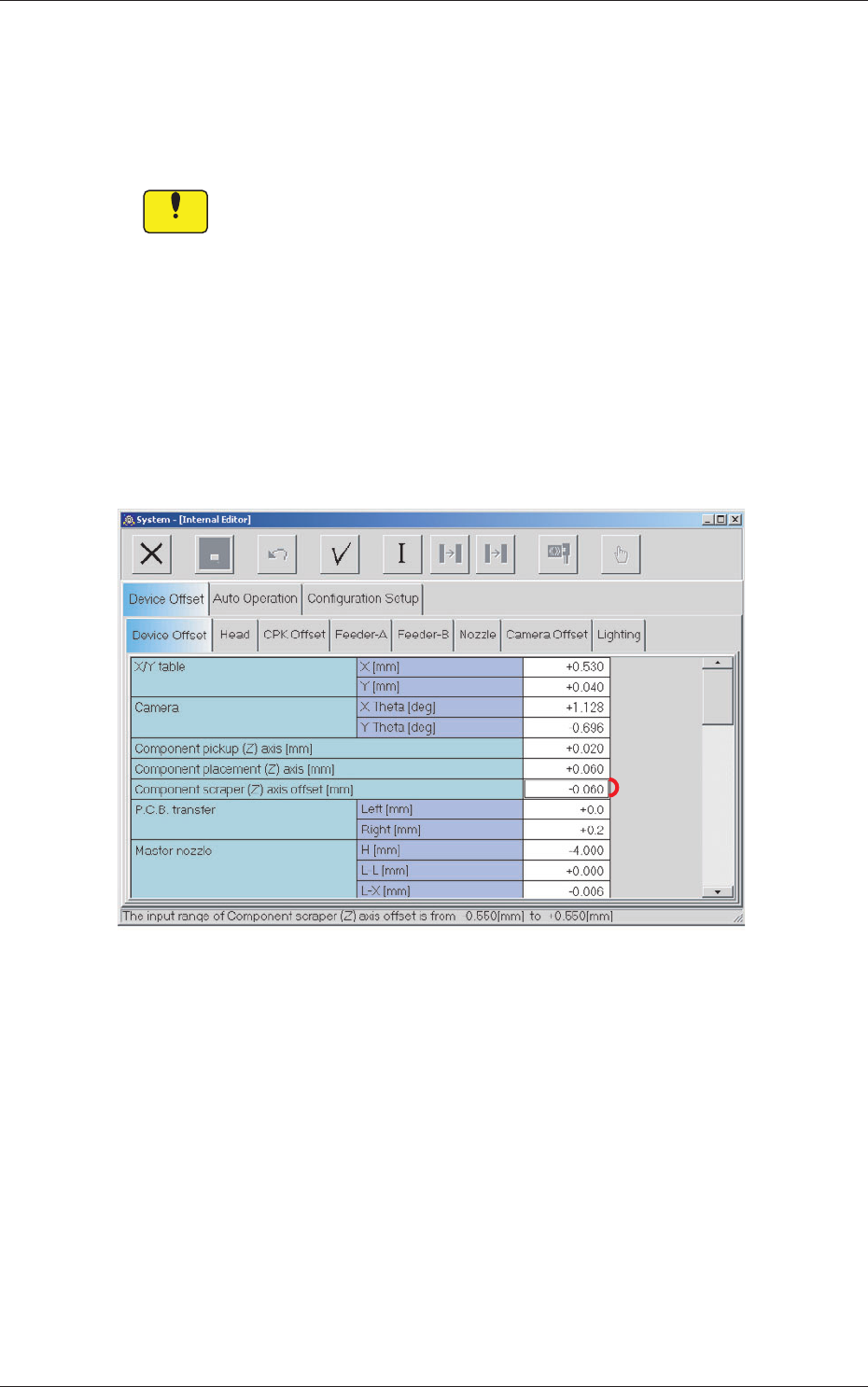
When the [Device Offset] tab is pressed in the "Device Offset" tab sheet,
the following tab sheet appears.
[1]
Fig.10 "Device Offset" Tab Sheet
•
Sheet Composition
[1] Component scraper (Z) axis offset [mm]
Sets the offset for the component scraper.
18
Tg1423-ID-SO
5.8 "Auto Operation" Tab
0606-001
5.8 "Auto Operation" Tab
5.8.1 "Auto Operation Setup" Tab
•
Sheet Layout
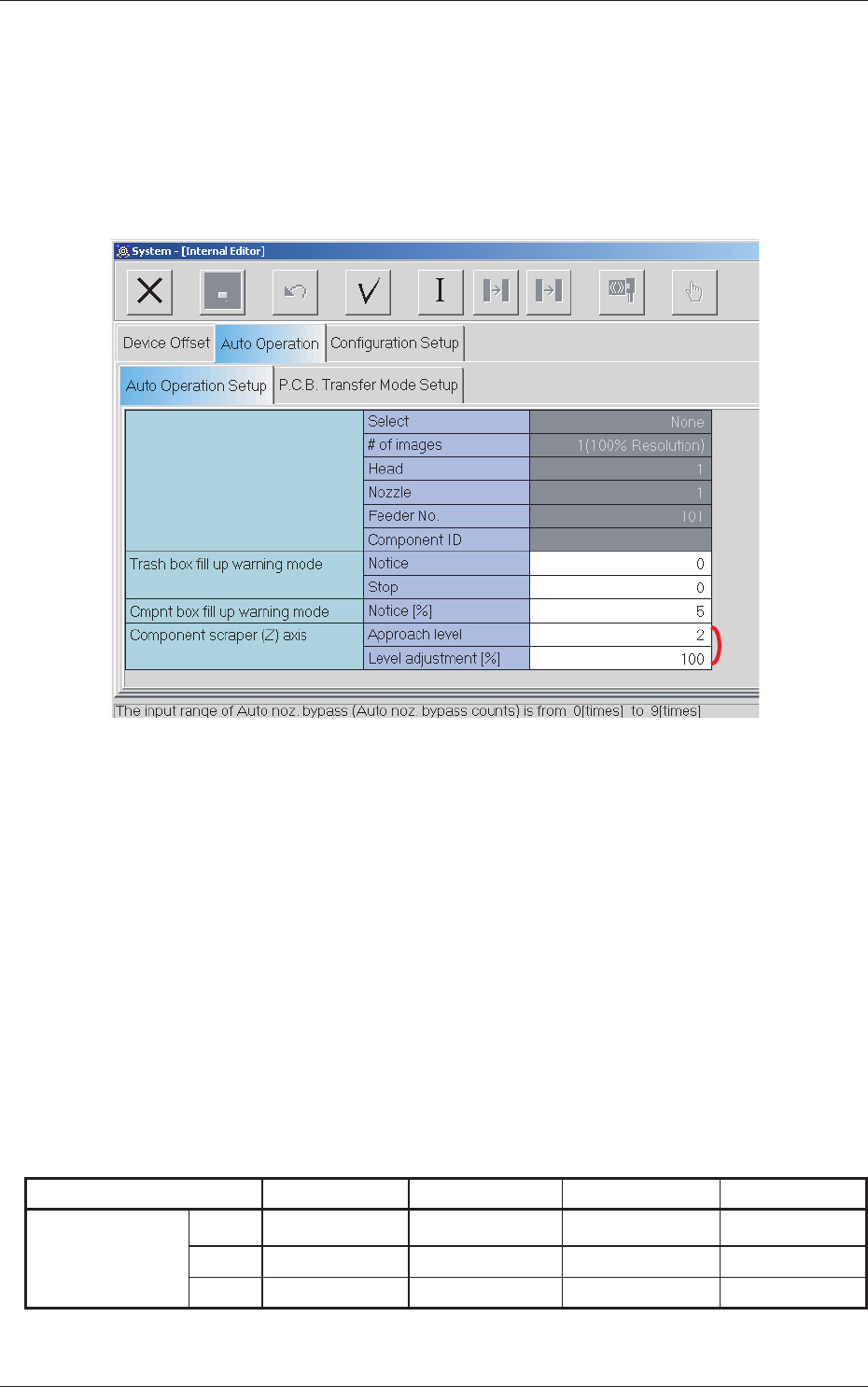
When the [Auto Operation Setup] tab is pressed in the "Auto Operation" tab
sheet, the following tab sheet appears.
[1]
Fig.11 "Auto Operation Setup" Tab Sheet
•
Sheet Composition
[1] Component scraper (Z) axis
Approach level
Enables the setting of the approach level (1 to 3) for the component
scraper.
Level sdjustment [%]
Enables the setting of the level adjustment rate (1 to 100) for the
component scraper.
During automatic operation, the approach distance between the nozzle and
the component scraper is decided on the basis of the following table.
Table 3
Component Thickness 0.00 to 0.20 0.20 to 0.35 0.35 to 0.50 0.50 to 2.50
Approach Level
Lv.1
0.05 0.06 0.08 0.10
Lv.2
0.06 0.08 0.10 0.15
Lv.3
0.08 0.10 0.15 0.20
Unit : [mm]