00197381-04_VB_SetupCenter6.3SP2_DE_EN.pdf - 第52页
New Functions in Setup Center 6.3 Permitted Packaging Units of a Packaging Unit Chain 5.8.1 Adapti ng Threshold Settings for Line or Station 52 SIPLACE Setup Center 6.3 SP2
New Functions in Setup Center 6.3
5.8.1 Adapting Threshold Settings for Line or Station Permitted Packaging Units of a Packaging Unit Chain
SIPLACE Setup Center 6.3 SP2 51
5.9
5.9 Permitted Packaging Units of a Packaging Unit Chain
Permitted Packaging Units of a Packaging Unit Chain
Purpose
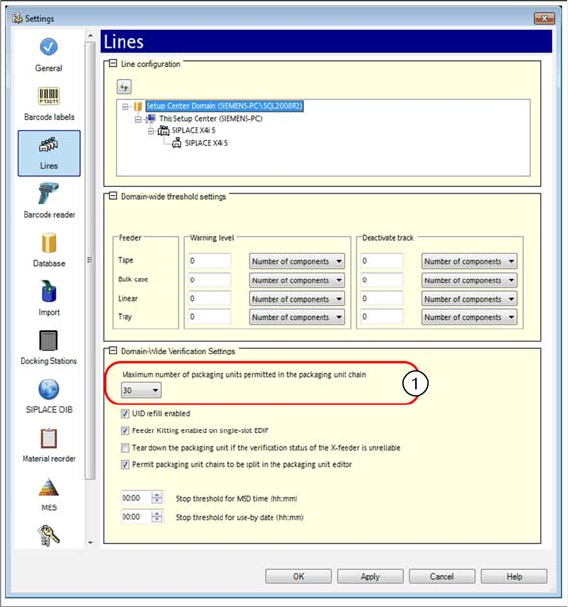
Up to now, the permitted packaging unit was entered for the each line. Now, the permitted packaging
unit for each packaging unit chain is configured for the domain.
Function
► Open with Extras => Settings => Lines.
► Open the Line configuration and mark a domain. The Verification Settings for Domains view is dis-
played.
► Enter a value for the Maximum number of packaging units permitted in the packaging unit chain.
► For detailed information, refer to the user manual "Setup Center 6.3" or the Online Help.
New Functions in Setup Center 6.3
Permitted Packaging Units of a Packaging Unit Chain 5.8.1 Adapting Threshold Settings for Line or Station
52 SIPLACE Setup Center 6.3 SP2
New Functions in Setup Center 6.3 SP2
Datalogic Barcode Scanner M9500 is Supported
SIPLACE Setup Center 6.3 SP2 53
6
6 New Functions in Setup Center 6.3 SP2
New Functions in Setup Center 6.3 SP2
6.1
6.1 Datalogic Barcode Scanner M9500 is Supported
Datalogic Barcode Scanner M9500 is Supported
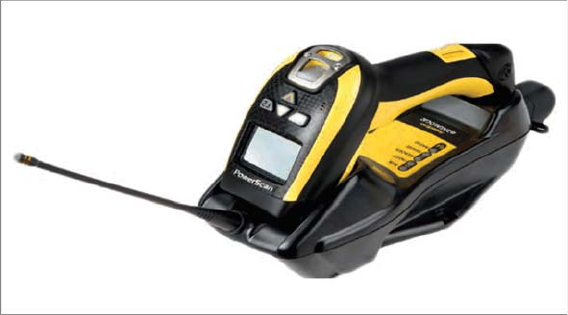
The Datalogic PowerScan® M9500 (1D/2D barcode scanner) barcode scanner is supported.
This scanner has a larger display than the models previously supported, so that additional lines and
more detailed texts can be shown.
► For details about the installation procedure, refer to the Setup Center installation guide.