Printer 710_810 v8 Transport Rails Module.pdf - 第10页
TRAN SPORT R AILS MOD ULE ADJUS TMEN TS AND SETTI NGS 16.10 Technical Reference Manual Chapter Issue 6 Oct 06 8. Place the r ail locatio n jig onto th e rising t able, so that the ali gnment pads abut the rea r of the fr…
TRANSPORT RAILS MODULE
ADJUSTMENTS AND SETTINGS
Chapter Issue 6 Oct 06 Technical Reference Manual 16.9
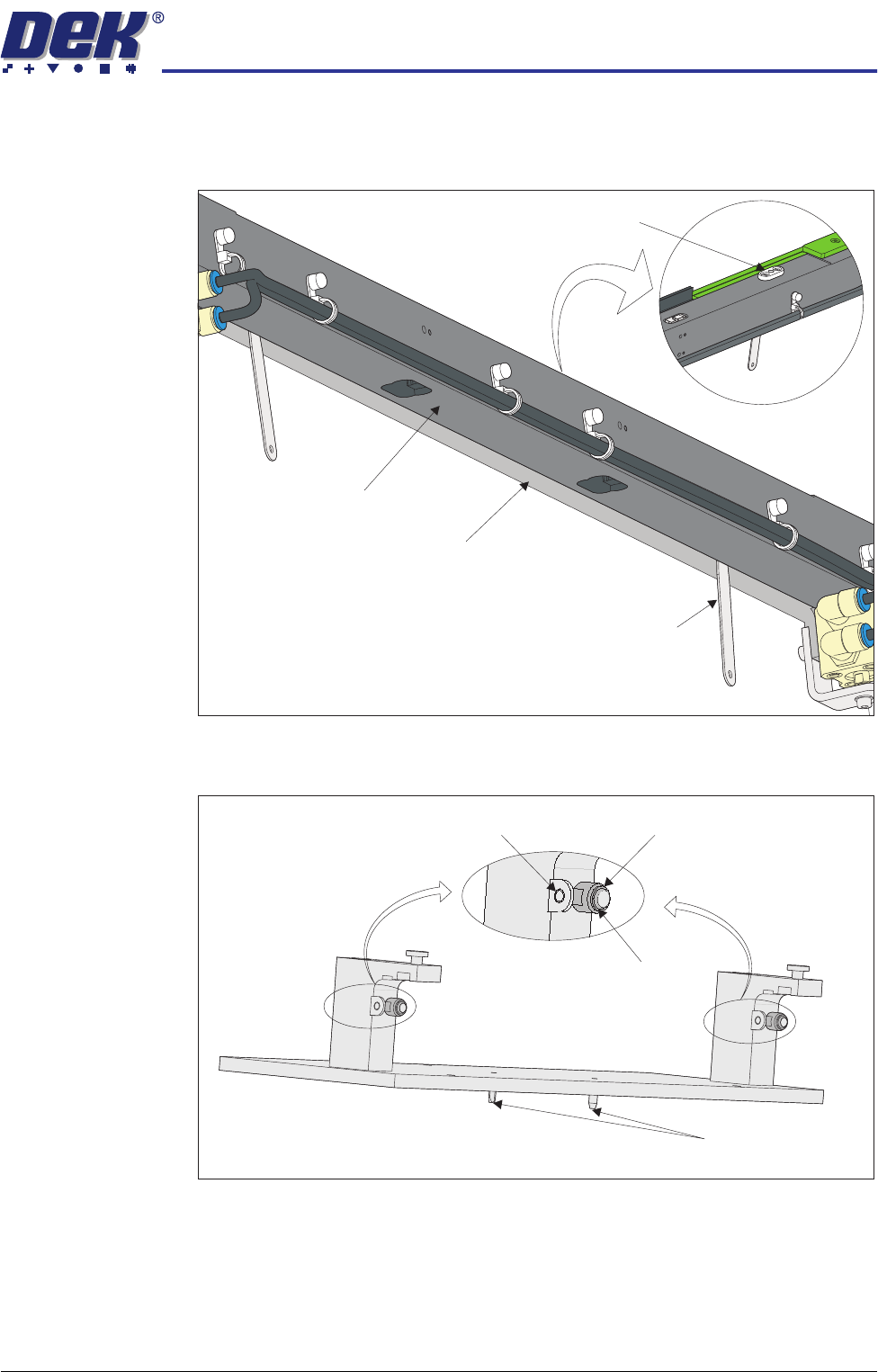
6. Place appropriate feeler gauges (the measured gap) in the gap between the
belt support plate and the main rail as close as possible to the board clamp
locating plates. This prevents any flexing of the belt support plate.
7. On the rail location jig (DEK Pt No 183288) ensure the alignment pads are
fitted in the correct position.
View on Underside of Front Rail
View on Top of Front Rail
Board Clamp Locating Plate
Feeler Gauge
(in 2 positions)
Belt Support Plate
Main Rail
Location Jig
6mm Locating Pins
Alignment Pad
Heavy Board
Rails Position
Standard Rails
Position
TRANSPORT RAILS MODULE
ADJUSTMENTS AND SETTINGS
16.10 Technical Reference Manual Chapter Issue 6 Oct 06
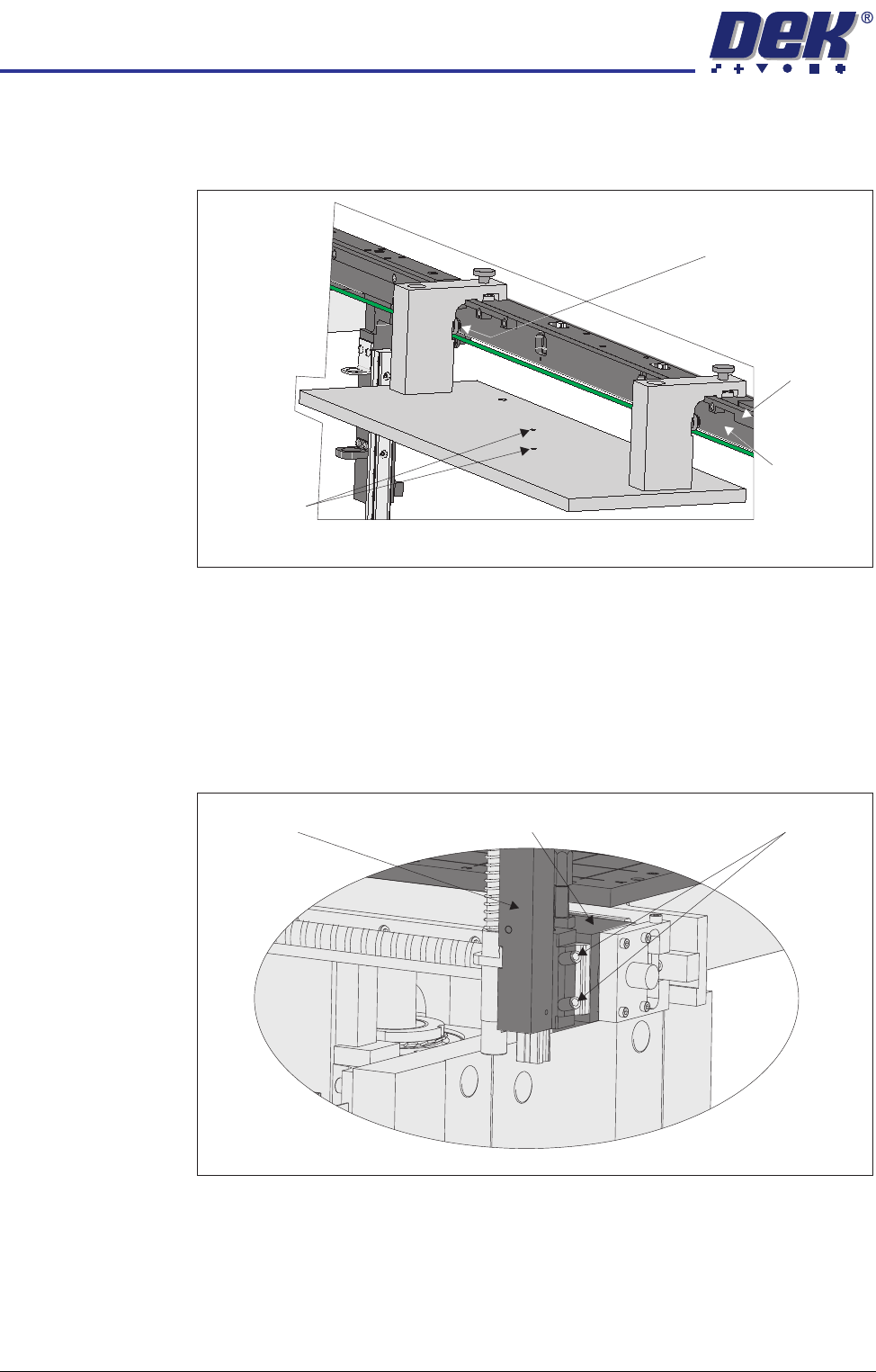
8. Place the rail location jig onto the rising table, so that the alignment pads
abut the rear of the front rail and the two 6mm locating pins fit into the
corresponding holes on the rising table.
9. Secure the location jig to the front rail using the two thumbscrews on the
location jig.
10. Using a feeler gauge check that the gap between the alignment pads and
the front rail is less than 0.05mm.
11. If adjustment is not necessary continue with Step 23.
12. Using a 3mm Allen key slacken the four securing bolts attaching the left
hand transport leg to the carriage nut.
13. Repeat Step 12 on the right hand transport leg.
View on Rear of Front Rail
Locating Pins
Alignment Pad
(2 positions)
Main Rail
Belt Support
Plate
View on Front of Fixed Rail
Carriage Nut Securing BoltsTransport Leg
TRANSPORT RAILS MODULE
ADJUSTMENTS AND SETTINGS
Chapter Issue 6 Oct 06 Technical Reference Manual 16.11
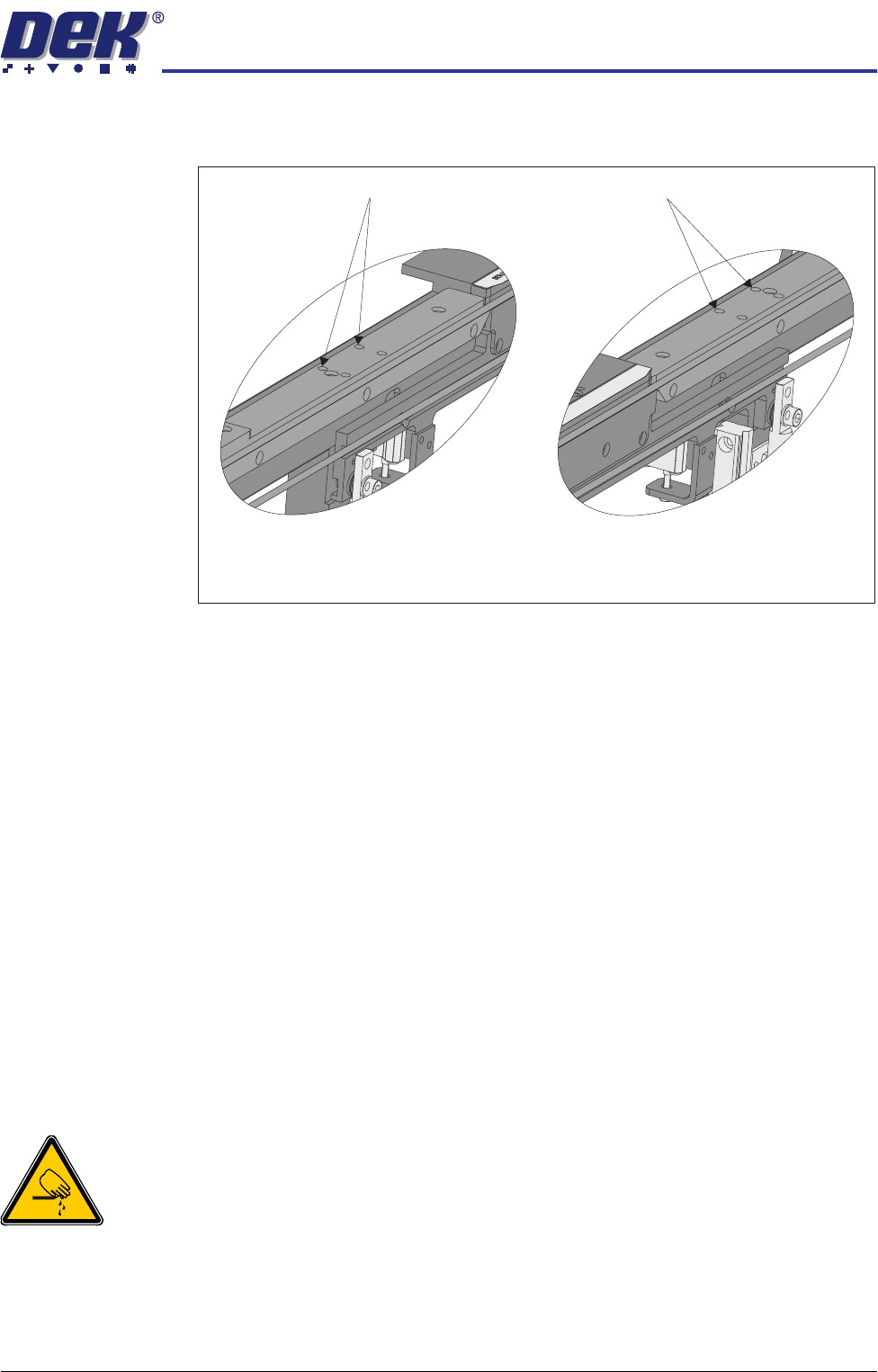
14. Using a 4mm Allen key, through the access holes in the board edge guide,
slacken the four rail securing bolts (two each side).
15. Loosen the two thumbscrews on the location jig.
16. Adjust the front rail position to achieve the settings in Step 10.
17. Tighten the two thumbscrews on the location jig, recheck the parallelism.
18. Tighten the bolts slackened in Steps 12 to 14, recheck the parallelism.
19. When the adjustment is complete, remove the board edge guides from each
end of the rail.
20. Remove each bolt disturbed (one at a time), apply a suitable locking
compound and fully tighten.
21. Refit the board edge guide to each end of the rail.
22. Carry out Camera X Axis Parallelism and Rear Rail Parallelism (Technical
Reference Manual, Camera System Module Chapter and this chapter
refers).
23. Remove all feeler gauges from the front rail.
24. Remove the location jig from the rising table.
25. Fit the board clamp to the front rail.
Rear Rail Parallelism
WARNING
BOARD CLAMPS. EXTREME CARE MUST BE EXERCISED WHEN WORKING IN
THE TOOLING AREA OF THE MACHINE TO AVOID INJURY. THE FOILS ON THE
FRONT AND REAR BOARD CLAMPS ARE VERY SHARP.
NOTE
Ensure Front Rail Parallelism has been carried out prior to commencing this
procedure. It is recommended this procedure is carried out by two persons.
1. Power down the machine and remove the left and right machine side panels.
Access Holes
View on Inside of Front Rail
Left Hand End
View on Inside of Front Rail
Right Hand End
Access Holes