Printer 710_810 v8 Transport Rails Module.pdf - 第29页
TRANSPORT RA ILS MODULE REPLACEMENT PROCEDURES Chapter Issue 6 Oct 06 Technical Reference Manual 16.29 Heavy Board Rai ls Drive Belt 1. Slacken the adjust able idl er pulley securing screw , at the rear of the motor bra …
TRANSPORT RAILS MODULE
REPLACEMENT PROCEDURES
16.28 Technical Reference Manual Chapter Issue 6 Oct 06
19. Repeat Step 18 for the front foil-less clamp.
20. Remove the board from the printer.
NOTE
The Board Clamp Setting procedure is not required after snugger to board
clamp/foil-less clamp replacement.
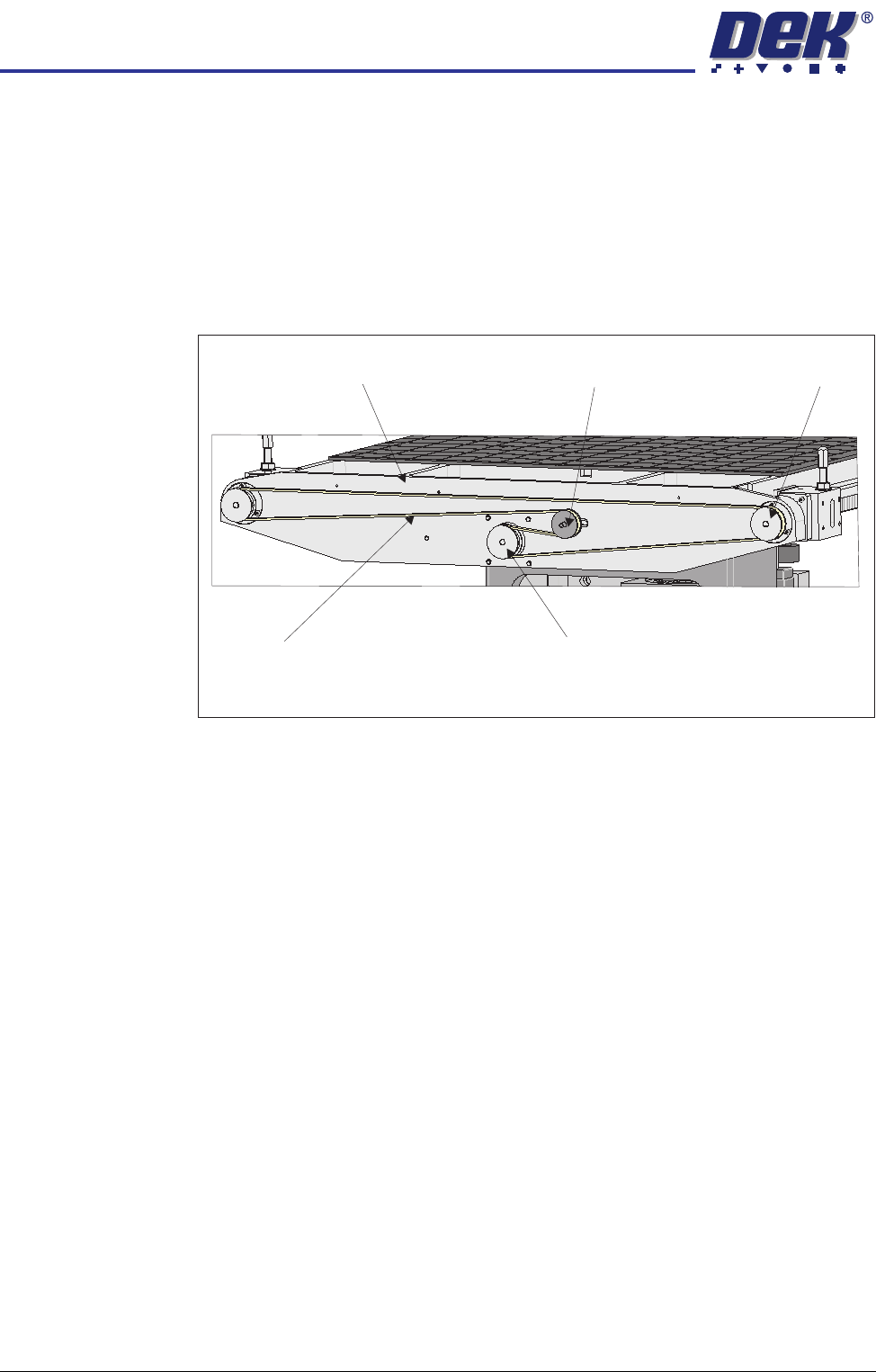
Rear Rail Drive Belt 1. At the rear of the rising table, slacken the adjustable idler pulley by means
of the nut at the front face of the rail drive plate.
2. Slide the adjustable idler pulley to slacken the drive belt.
3. Remove the drive belt and discard.
4. Fit the replacement drive belt.
5. Using a suitable cable tie, engage a forcemeter with the adjustable idler
pulley. Apply a horizontal force of 6kg.
6. Maintaining this force, tighten the adjustable idler pulley securing nut.
7. Using a tension meter on the top of the drive belt, check the tension is
between 38Hz - 45Hz.
8. Adjust the drive belt tension as necessary to achieve the reading in Step 7.
9. In Diagnostics select Rail System module.
10. Select Drive Rail Width Using Two Button Control.
11. Using the left jog button drive the rear rail to the rear for a few seconds, this
evens out the tension in the belt.
12. Repeat Steps 7 and 8.
13. Select Drive Rail to Board Width.
View on Rear of Rising Table
Adjustable Idler Pulley
Moving Rail Stepper Motor Pulley
Drive Belt
Left Hand Drive Shaft
Rail Drive Plate
TRANSPORT RAILS MODULE
REPLACEMENT PROCEDURES
Chapter Issue 6 Oct 06 Technical Reference Manual 16.29
Heavy Board Rails
Drive Belt
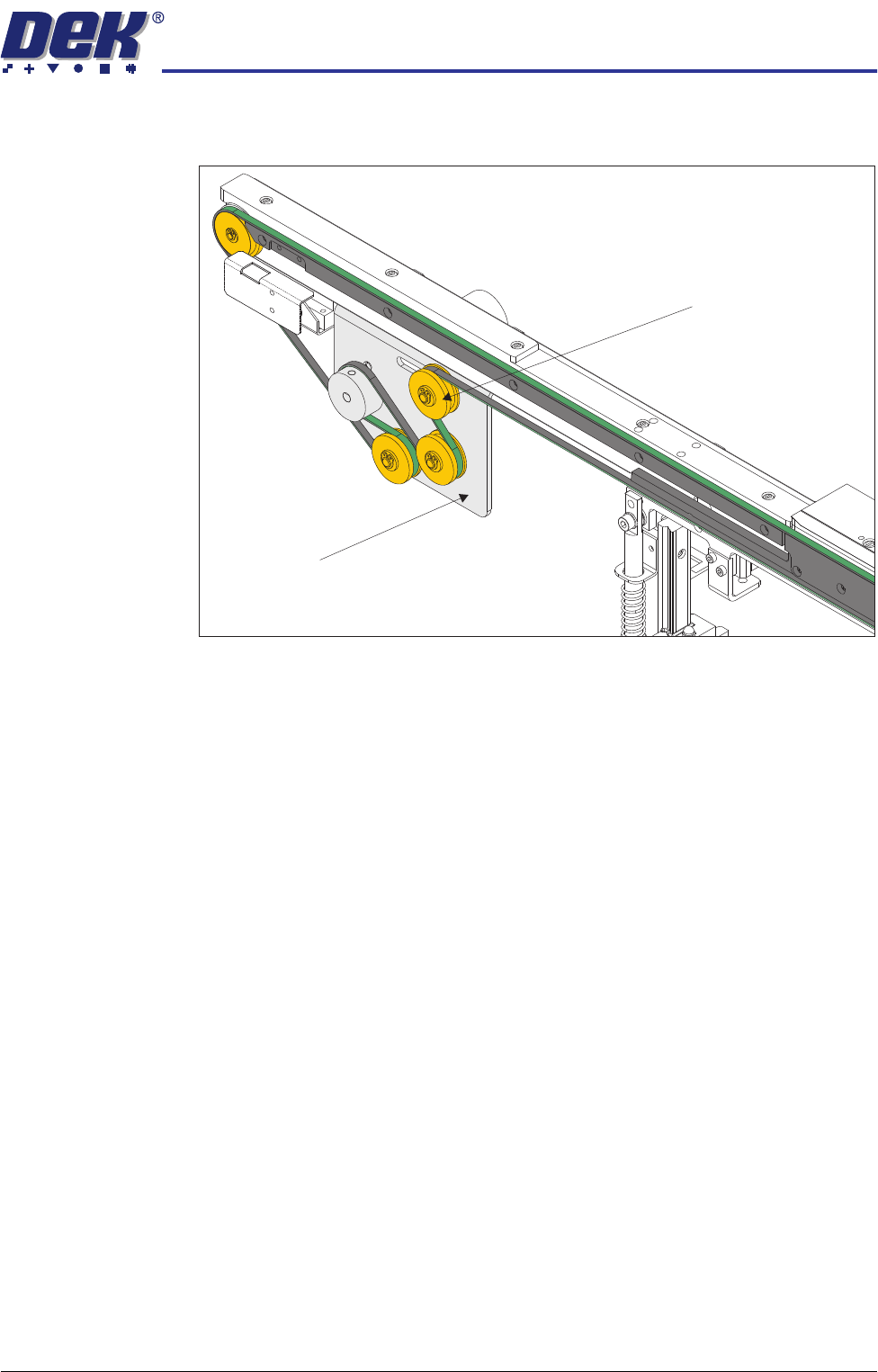
1. Slacken the adjustable idler pulley securing screw, at the rear of the motor
bracket.
2. Slide the adjustable idler pulley to slacken the drive belt.
3. Remove the drive belt and discard.
4. Fit the replacement drive belt.
5. Using a suitable cable tie, engage a forcemeter with the adjustable idler
pulley. Apply a horizontal force of between 5.1kg - 6.1kg.
6. Maintaining this force, tighten the adjustable idler pulley securing screw.
7. In Diagnostics select Rail System module.
8. Select Drive Belts Using Two Button Control.
9. Using either the left or right jog button, drive the belt motors for a few
seconds, this evens out the tension in the belt.
10. Repeat Step 5.
View on Inside of Front Rail
Adjustable Idler Pulley
Motor Bracket
TRANSPORT RAILS MODULE
CALIBRATIONS
16.30 Technical Reference Manual Chapter Issue 6 Oct 06
CALIBRATIONS
Board Transport
Belt Speed
The front and rear board transport belts are driven independently by two
variable speed motors. Inevitably one motor drives faster than the other motor.
It is necessary to calibrate these motors so that they drive at the same speed.
Feeder motor speed is measured using a tachometer on the input or output
pulley and adjusted by a potentiometer control on each motor.
Calibration
Procedure
1. In Diagnostics select Rail System.
2. Select Belt Speed Calibration, the following window is displayed:
NOTE
Belt Speed Calibration figures displayed on this page have no relevance to
the belt speeds on this machine.
3. Select either Incr./Decr. to start the belts.
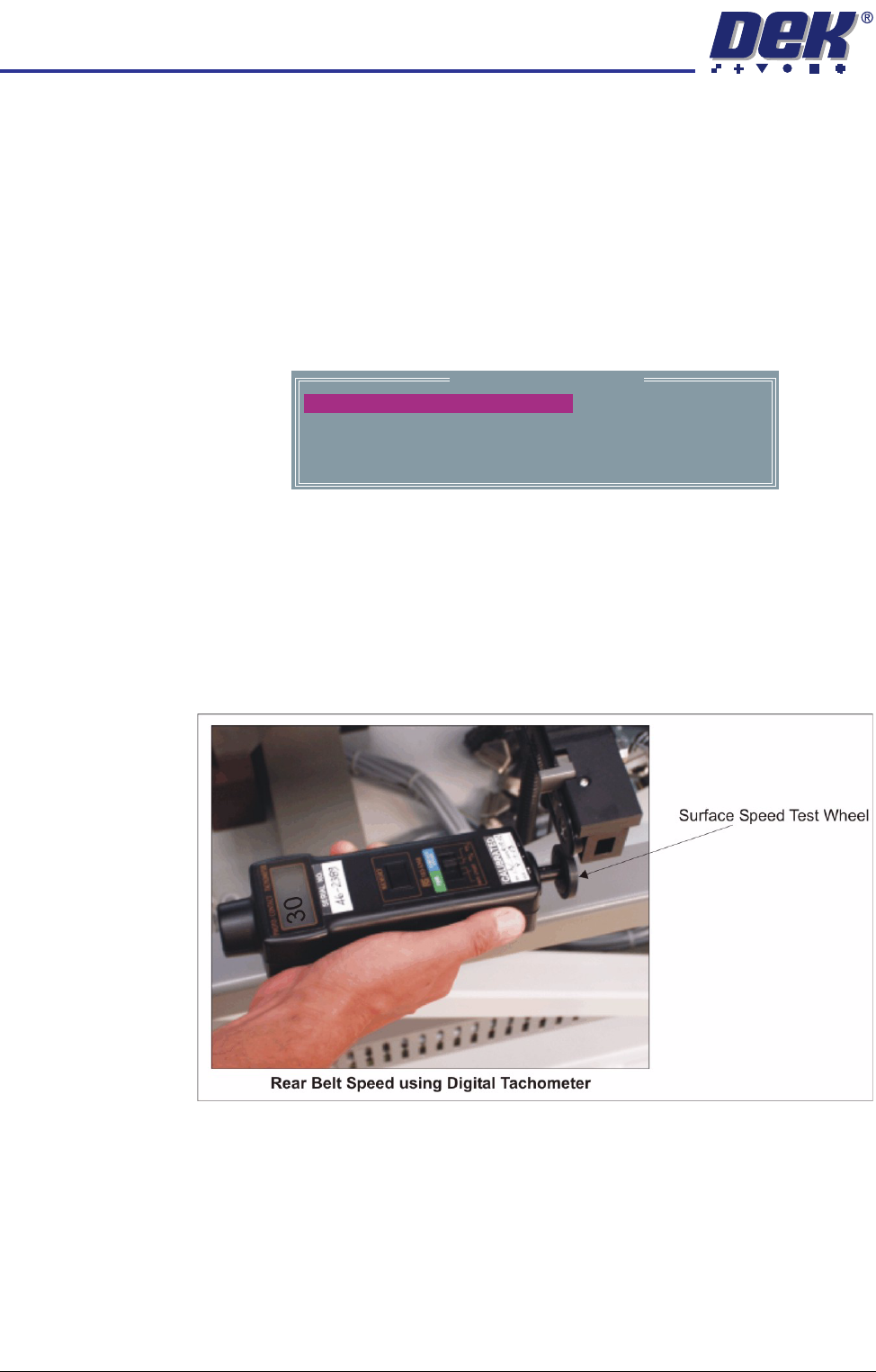
4. Using a tachometer fitted with the surface speed test wheel, positioned on
the input or output pulley of the front belt motor, measure the speed of the
motor right to left.
5. Ensure that one of the following speeds is achieved:
a. 29 - 31 metres/min for standard transport rails.
b. 37 - 39 metres/min for heavy board transport rails.
Belt Speed Calibration
50000
50000
63999
63999
FRONT R TO L SPEED
FRONT L TO R SPEED
REAR L TO R SPEED
REAR R TO L SPEED