Printer 710_810 v8 Transport Rails Module.pdf - 第8页
TRAN SPORT R AILS MOD ULE ADJUS TMEN TS AND SETTI NGS 16.8 Technical Reference Manual Chapter Issue 6 Oct 06 Front Rail Paral lelism WARNING BOARD CLAMPS. EXTREME CAR E MUST BE EXERCISED WHEN W ORKING IN THE TOOLING AREA…
TRANSPORT RAILS MODULE
ADJUSTMENTS AND SETTINGS
Chapter Issue 6 Oct 06 Technical Reference Manual 16.7
3. Re-adjust the sensitivity control clockwise until the amber LED illuminates.
NOTE
If the amber LED is flashing, this indicates a week signal. Re-adjust the
sensitivity control.
4. Remove the board from the rails and confirm that the amber LED extin-
guishes.
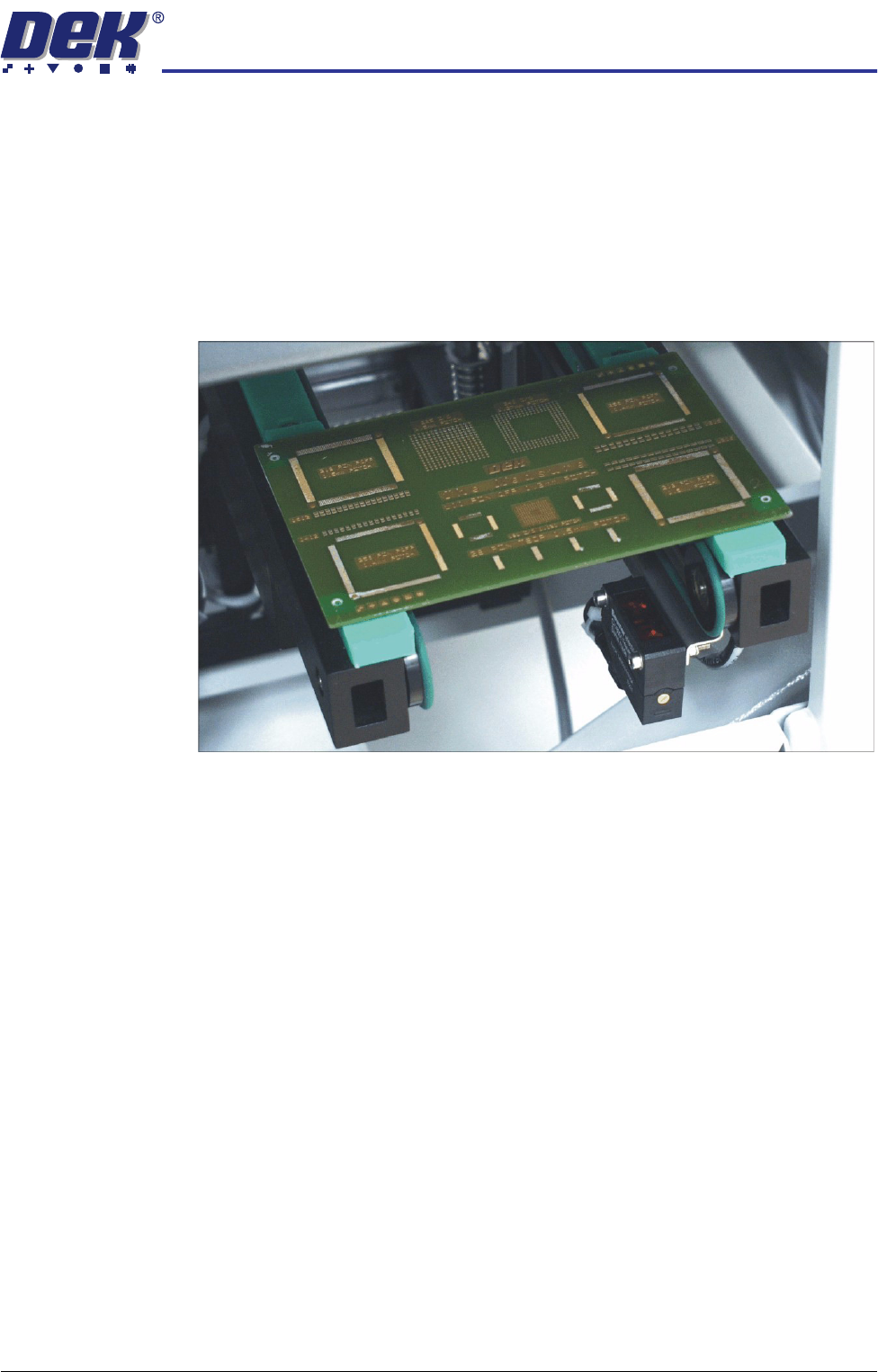
5. Turn the board 90° and position back onto the rail system, (so that the board
lies on top of the rail system as shown in the figure below).
6. Confirm that the amber LED is extinguished. If the amber LED illuminates,
turn the sensitivity control anti-clockwise until the amber LED extinguishes.
7. Remove the board.
8. Position the board back on the rail system, as in Step 1, and confirm that the
amber LED illuminates.
9. Remove the board from the rails and confirm that the amber LED extin-
guishes.
10. This completes the adjustment. If the board has holes or cut-outs, continue
with this procedure.
11. Slide the board backward and forward across the sensor ensuring that the
LED is only triggered by the leading and trailing edges of the board.
12. If the LED flickers when encountering holes or cut-outs, turn the sensitivity
control clockwise a further quarter turn.
13. Repeat Steps 11 and 12 until the correct setting is achieved.
14. Remove the board from the rails and confirm that the amber LED extin-
guishes.
TRANSPORT RAILS MODULE
ADJUSTMENTS AND SETTINGS
16.8 Technical Reference Manual Chapter Issue 6 Oct 06
Front Rail Parallelism
WARNING
BOARD CLAMPS. EXTREME CARE MUST BE EXERCISED WHEN WORKING IN
THE TOOLING AREA OF THE MACHINE TO AVOID INJURY. THE FOILS ON THE
FRONT AND REAR BOARD CLAMPS ARE VERY SHARP.
NOTE
The Front Rail Parallelism is factory set and shouldn’t normally need to be
adjusted.
1. In Rising Table Diagnostics, select Raise Table to Vision Height.
2. In Rail System Diagnostics, select Toggle Board Clamp, to release the
clamps.
3. Open the front printhead cover/shutter.
4. Remove the board clamp from the front transport rail.
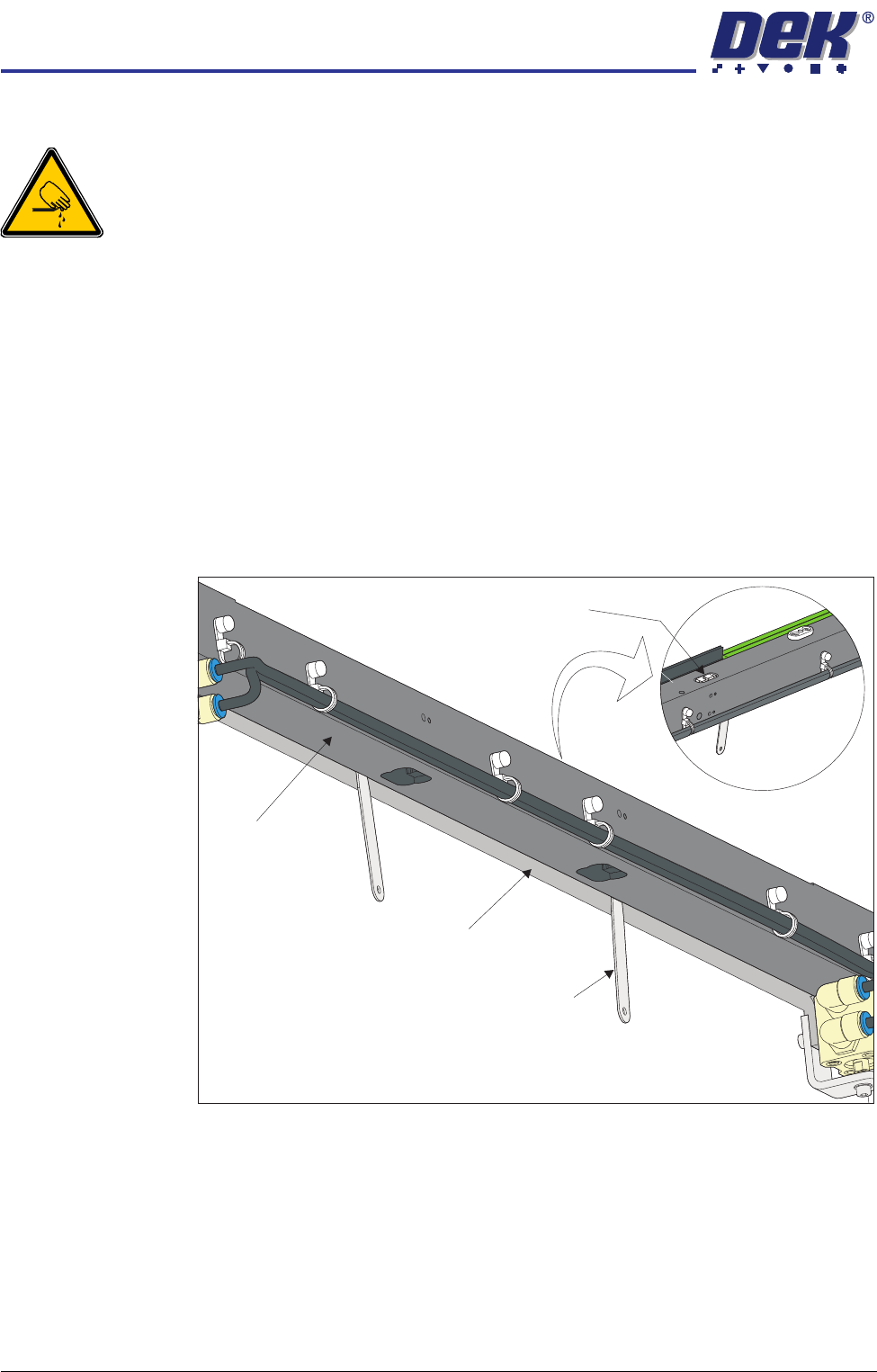
5. Using feeler gauges from the underside of the front rail, check the gap
between the belt support plate and the main rail, as close as possible to both
linear guides. Make a note of the measured gaps (0.65mm ±0.15mm).
View on Top of Front Rail
View on Underside of Front Rail
Linear Guide
Feeler Gauge
(in 2 positions)
Belt Support Plate
Main Rail
TRANSPORT RAILS MODULE
ADJUSTMENTS AND SETTINGS
Chapter Issue 6 Oct 06 Technical Reference Manual 16.9
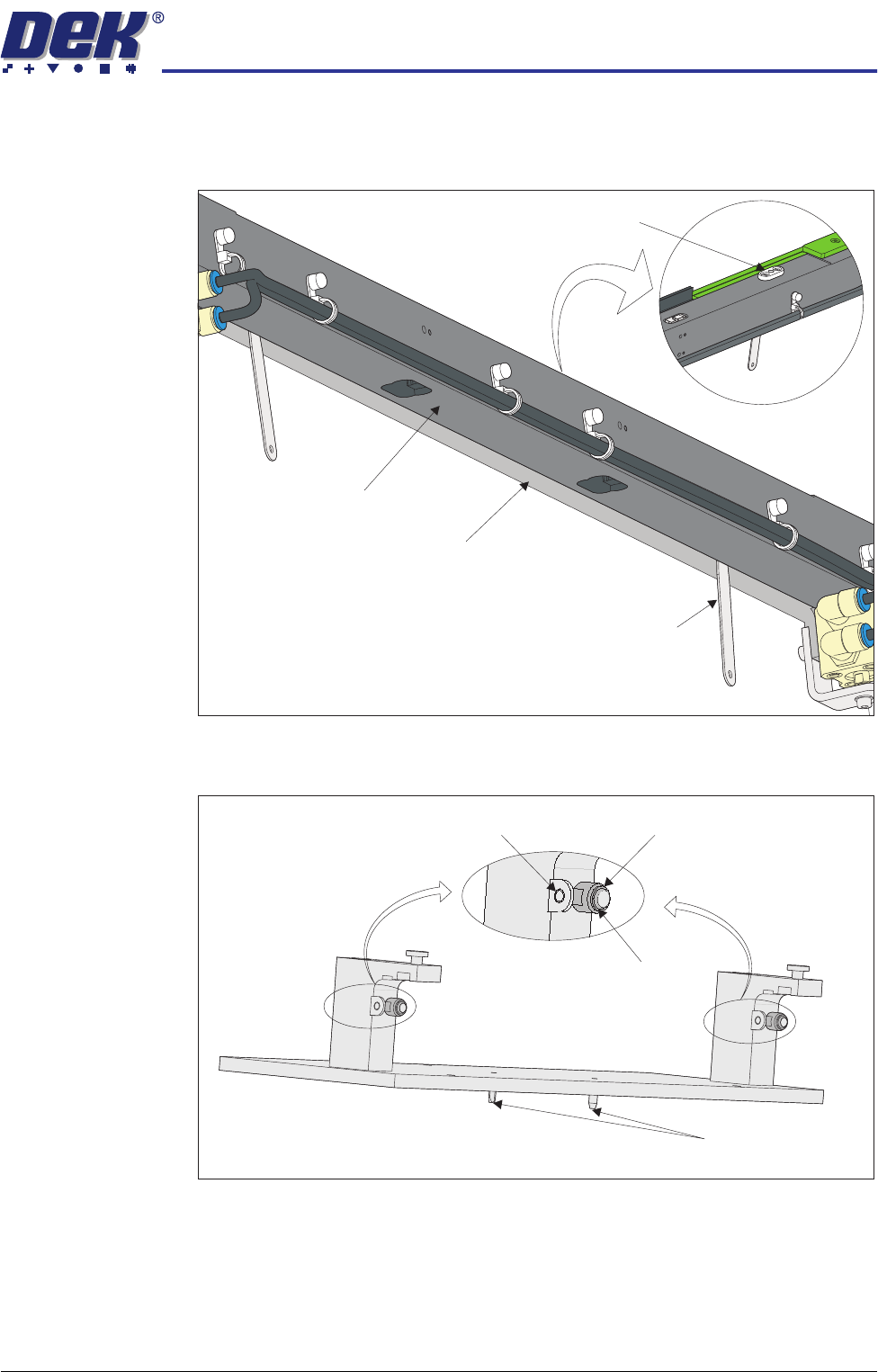
6. Place appropriate feeler gauges (the measured gap) in the gap between the
belt support plate and the main rail as close as possible to the board clamp
locating plates. This prevents any flexing of the belt support plate.
7. On the rail location jig (DEK Pt No 183288) ensure the alignment pads are
fitted in the correct position.
View on Underside of Front Rail
View on Top of Front Rail
Board Clamp Locating Plate
Feeler Gauge
(in 2 positions)
Belt Support Plate
Main Rail
Location Jig
6mm Locating Pins
Alignment Pad
Heavy Board
Rails Position
Standard Rails
Position