Printer 710_810 v8 Transport Rails Module.pdf - 第6页
TRAN SPORT R AILS MOD ULE ADJUS TMEN TS AND SETTI NGS 16.6 Technical Reference Manual Chapter Issue 6 Oct 06 14. Select Adjust , the following window is displayed : 15. Using the Next , Previous , Incr . and Decr . keys,…
TRANSPORT RAILS MODULE
ADJUSTMENTS AND SETTINGS
Chapter Issue 6 Oct 06 Technical Reference Manual 16.5
ADJUSTMENTS AND SETTINGS
Rail Lifted Sensors 1. In Diagnostics, select Rising Table.
2. Select Select Module.
3. Select Home Rising Table.
4. Select Run Diagnost, the table moves to the home position.
5. Select Exit.
6. Select Rail System.
7. Select Select Module.
8. Select Home Rail Width.
9. Select Run Diagnost, the rear rail moves to the home position.
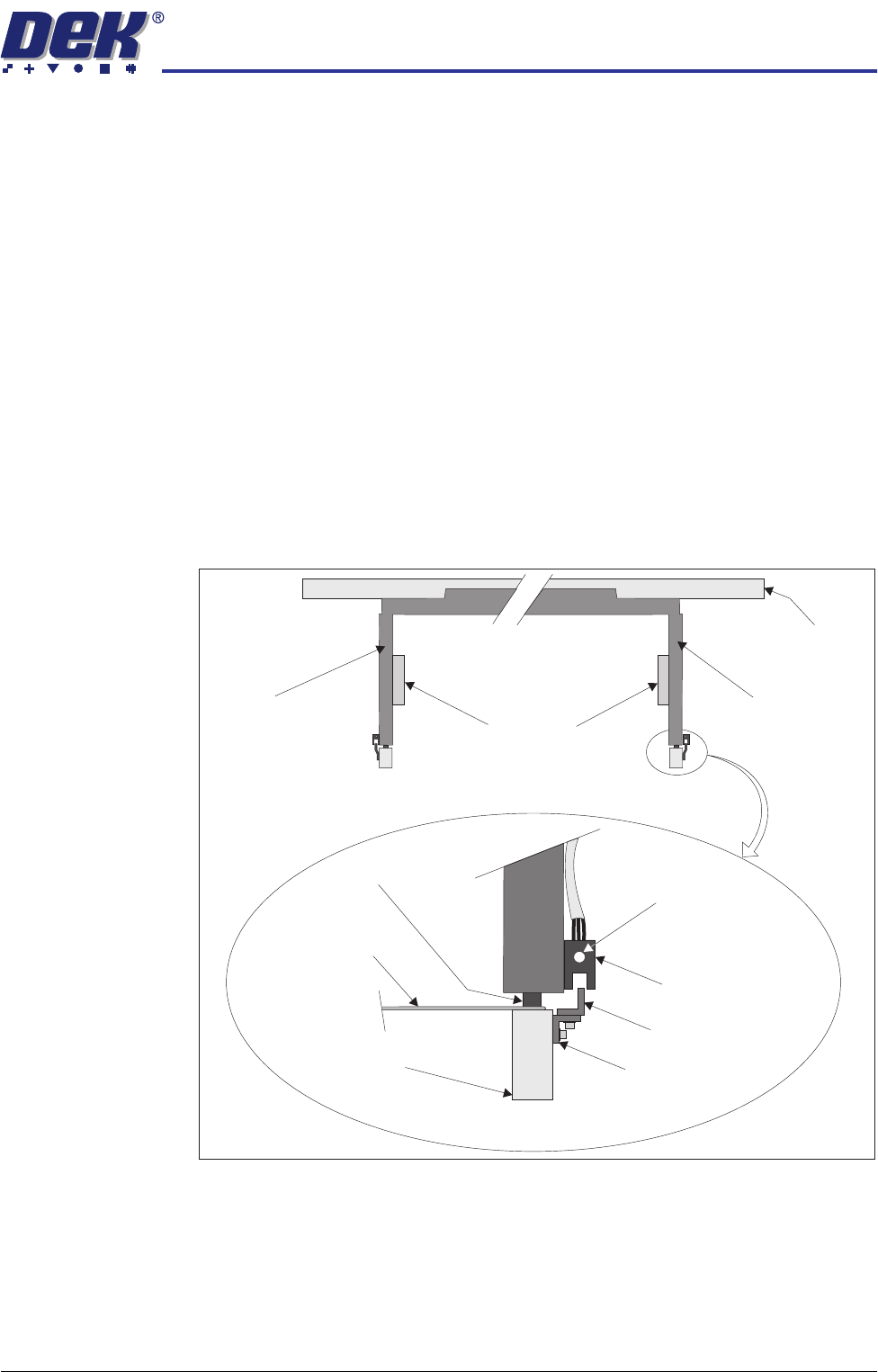
10. Place a 0.5mm feeler gauge between the rail shock absorber on the rear
right rail transport leg and the rail stop bar (clatter bar). Adjust the vane
bracket using a 2.5mm Allen key, so that the sensor LED is On with a 0.5mm
feeler gauge fitted and Off with a 0.7mm feeler gauge fitted. Lock adjusting
screws.
11. Repeat Step 10 for left hand end of the rear rail.
12. Select Drive Rail To Board Width.
13. Select Run Diagnost.
Right Transport Leg
Rear Rail
Front View of Rail System
Left Transport Leg
Linear Bearing
Feeler Gauge
Rail Stop Bar
(Clatter Bar)
Opto Vane
Bracket
Opto Vane
Opto
Shock Absorber
Sensor LED
Enlarged View of Right Rail Opto
TRANSPORT RAILS MODULE
ADJUSTMENTS AND SETTINGS
16.6 Technical Reference Manual Chapter Issue 6 Oct 06
14. Select Adjust, the following window is displayed:
15. Using the Next, Previous, Incr. and Decr. keys, set the Board Width to
50mm.
16. Select Exit.
17. Select Drive Rail To Board Width, the rear rail moves to the new board
width.
18. Repeat Steps 10 and 11 for setting the vane at the 50mm width. Lock the
adjusting screws.
19. Select Home Rail Width.
20. Select Run Diagnost, the rear rail moves to the home position.
21. Repeat Steps 10 and 11 at the home position, adjust vanes if necessary.
22. Select Cycle Rails.
23. Select Run Diagnost, ensure the sensors LED are On over the full travel of
the rail.
Board at Left/Right
Optos
When fitted to the machine rails the diffuse sensors switching threshold can be
adjusted by means of a sensitivity control switch. This ensures that when a
board is fed into the machine (via the transport belts) the sensor output switches
to ON.
To achieve an optimum setting carry out the following procedure:
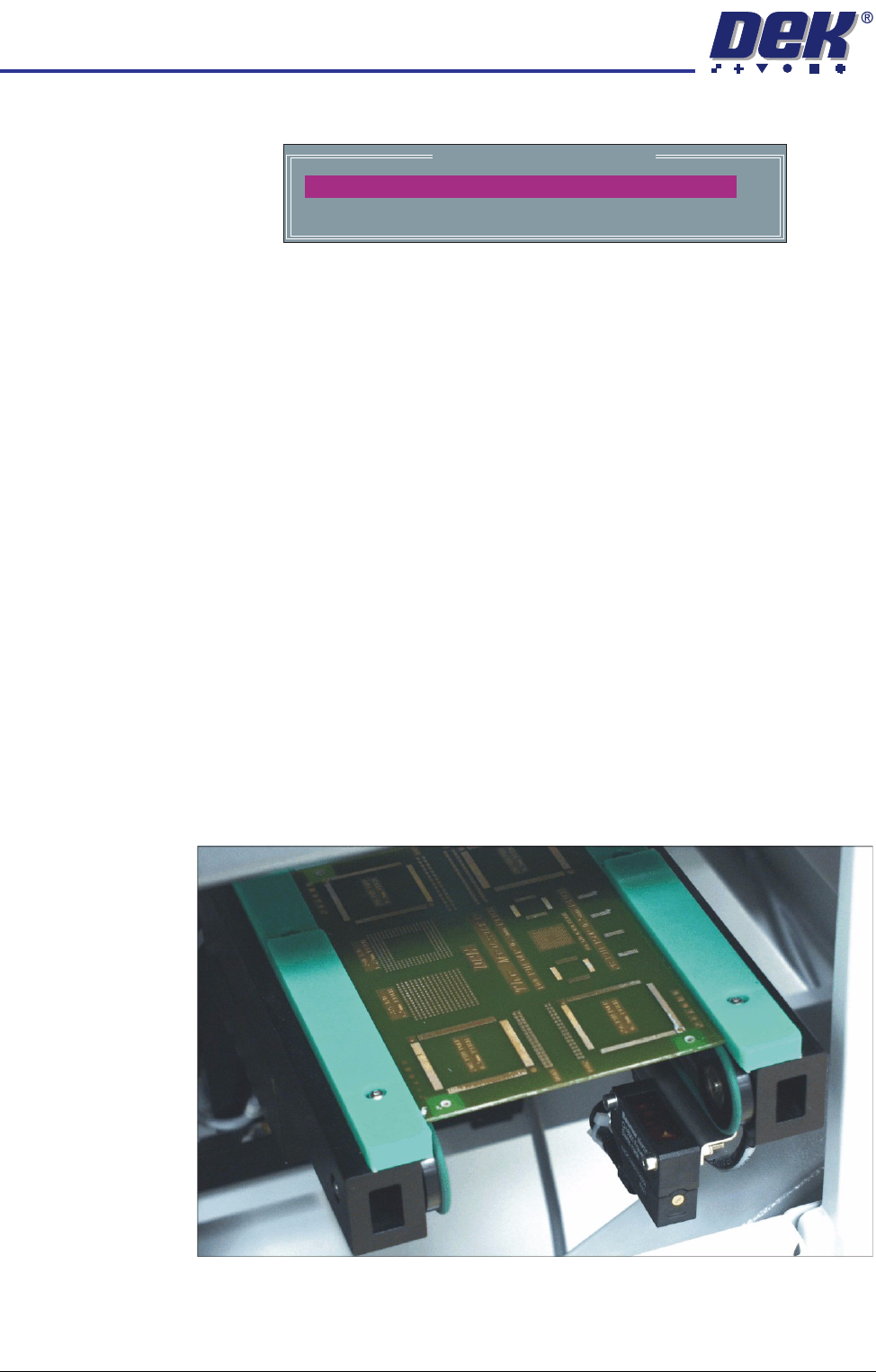
1. Place a board on the rails covering the sensor.
2. Turn the sensitivity control fully anti-clockwise, ensure that the amber LED
is extinguished.
Rail System Test Parameters
BOARD WIDTH
CYCLE COUNT
250.0
50
mm
Cycles
TRANSPORT RAILS MODULE
ADJUSTMENTS AND SETTINGS
Chapter Issue 6 Oct 06 Technical Reference Manual 16.7
3. Re-adjust the sensitivity control clockwise until the amber LED illuminates.
NOTE
If the amber LED is flashing, this indicates a week signal. Re-adjust the
sensitivity control.
4. Remove the board from the rails and confirm that the amber LED extin-
guishes.
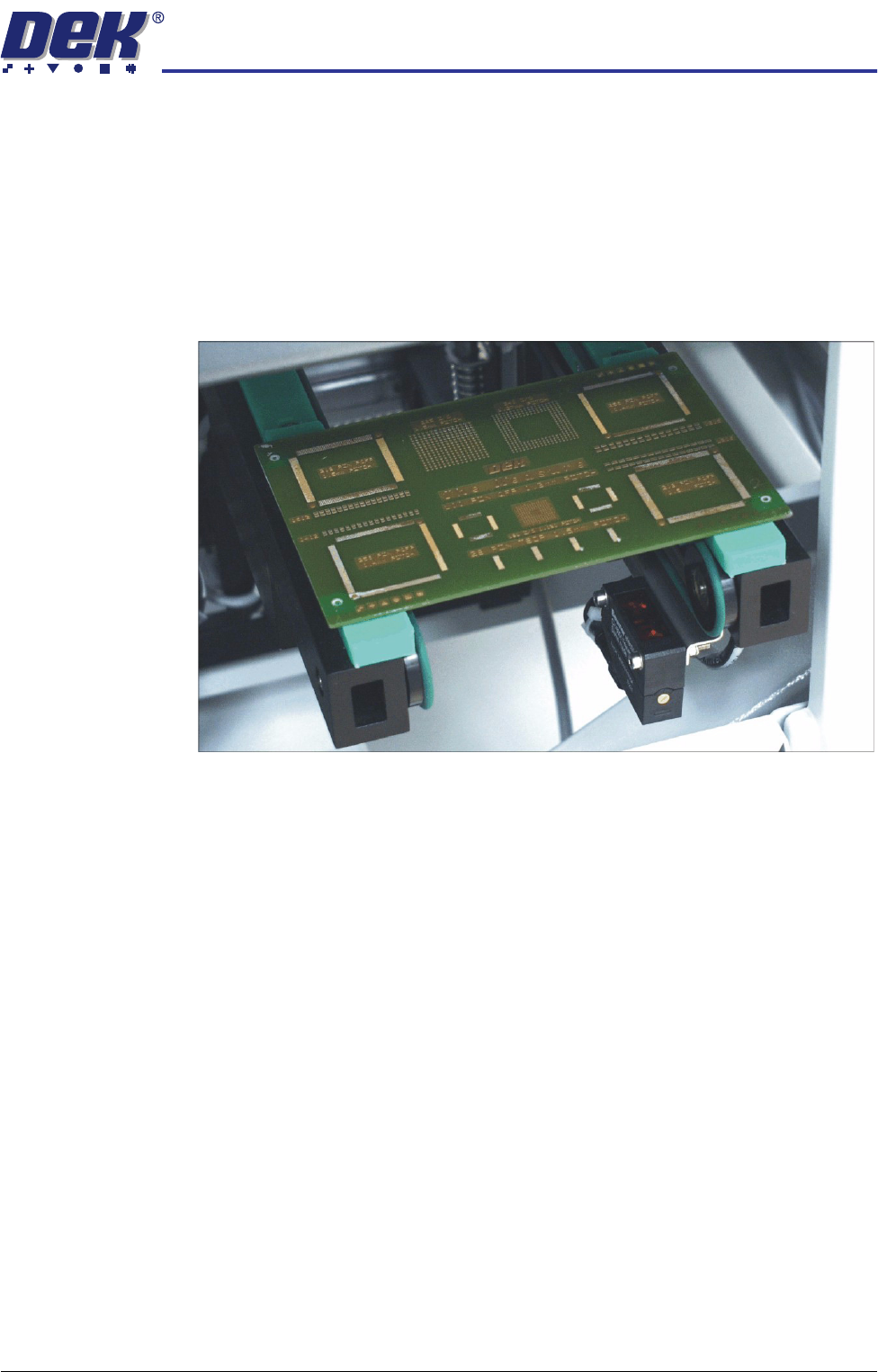
5. Turn the board 90° and position back onto the rail system, (so that the board
lies on top of the rail system as shown in the figure below).
6. Confirm that the amber LED is extinguished. If the amber LED illuminates,
turn the sensitivity control anti-clockwise until the amber LED extinguishes.
7. Remove the board.
8. Position the board back on the rail system, as in Step 1, and confirm that the
amber LED illuminates.
9. Remove the board from the rails and confirm that the amber LED extin-
guishes.
10. This completes the adjustment. If the board has holes or cut-outs, continue
with this procedure.
11. Slide the board backward and forward across the sensor ensuring that the
LED is only triggered by the leading and trailing edges of the board.
12. If the LED flickers when encountering holes or cut-outs, turn the sensitivity
control clockwise a further quarter turn.
13. Repeat Steps 11 and 12 until the correct setting is achieved.
14. Remove the board from the rails and confirm that the amber LED extin-
guishes.