Printer 710_810 v8 Transport Rails Module.pdf - 第9页
TRANSPORT RA ILS MODULE ADJUS TMENT S AND SETT INGS Chapter Issue 6 Oct 06 Technical Reference Manual 16.9 6. Place appropriat e feeler gauges (the measured gap) i n the gap between the belt suppor t plate and the main r…
TRANSPORT RAILS MODULE
ADJUSTMENTS AND SETTINGS
16.8 Technical Reference Manual Chapter Issue 6 Oct 06
Front Rail Parallelism
WARNING
BOARD CLAMPS. EXTREME CARE MUST BE EXERCISED WHEN WORKING IN
THE TOOLING AREA OF THE MACHINE TO AVOID INJURY. THE FOILS ON THE
FRONT AND REAR BOARD CLAMPS ARE VERY SHARP.
NOTE
The Front Rail Parallelism is factory set and shouldn’t normally need to be
adjusted.
1. In Rising Table Diagnostics, select Raise Table to Vision Height.
2. In Rail System Diagnostics, select Toggle Board Clamp, to release the
clamps.
3. Open the front printhead cover/shutter.
4. Remove the board clamp from the front transport rail.
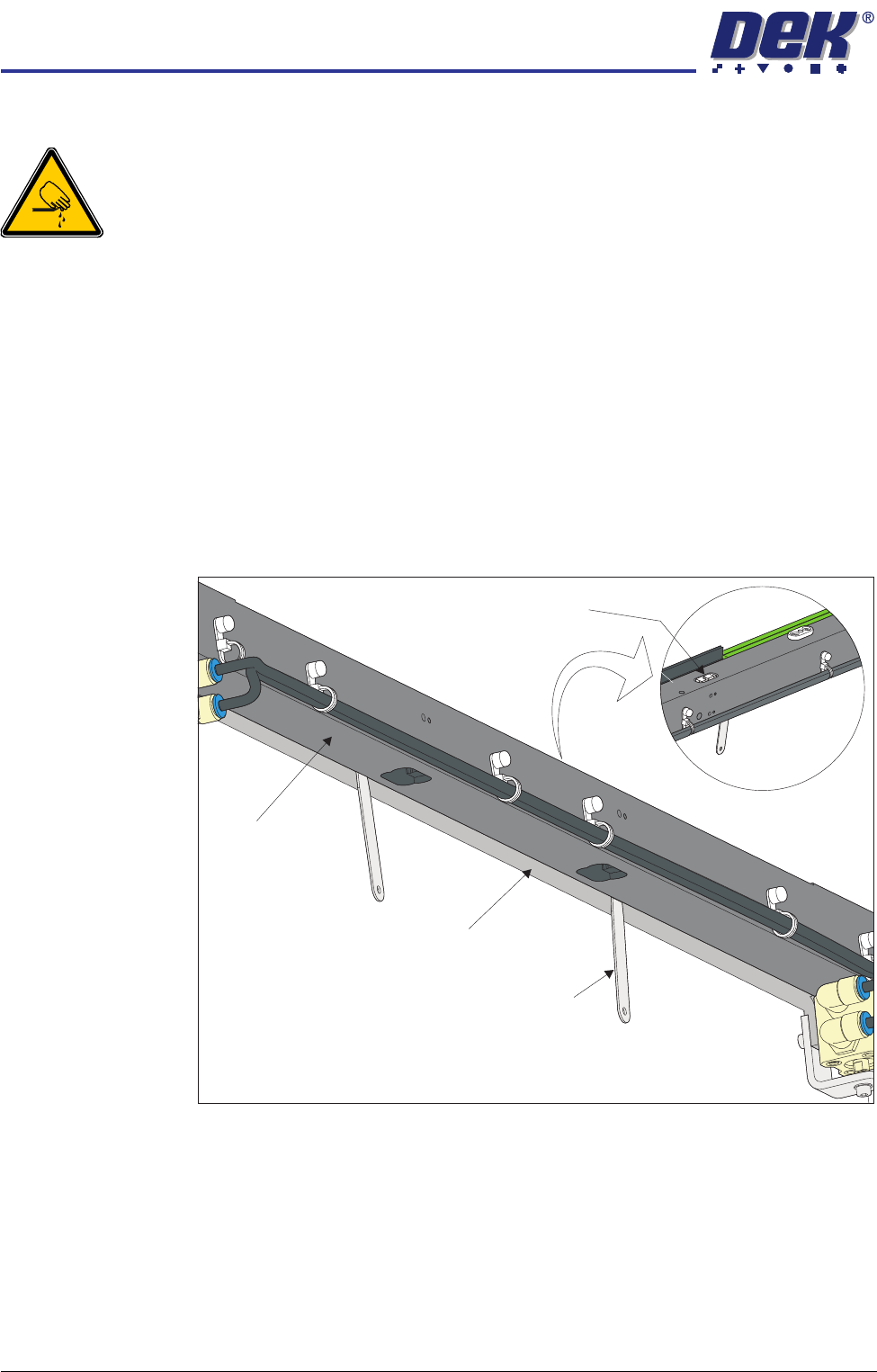
5. Using feeler gauges from the underside of the front rail, check the gap
between the belt support plate and the main rail, as close as possible to both
linear guides. Make a note of the measured gaps (0.65mm ±0.15mm).
View on Top of Front Rail
View on Underside of Front Rail
Linear Guide
Feeler Gauge
(in 2 positions)
Belt Support Plate
Main Rail
TRANSPORT RAILS MODULE
ADJUSTMENTS AND SETTINGS
Chapter Issue 6 Oct 06 Technical Reference Manual 16.9
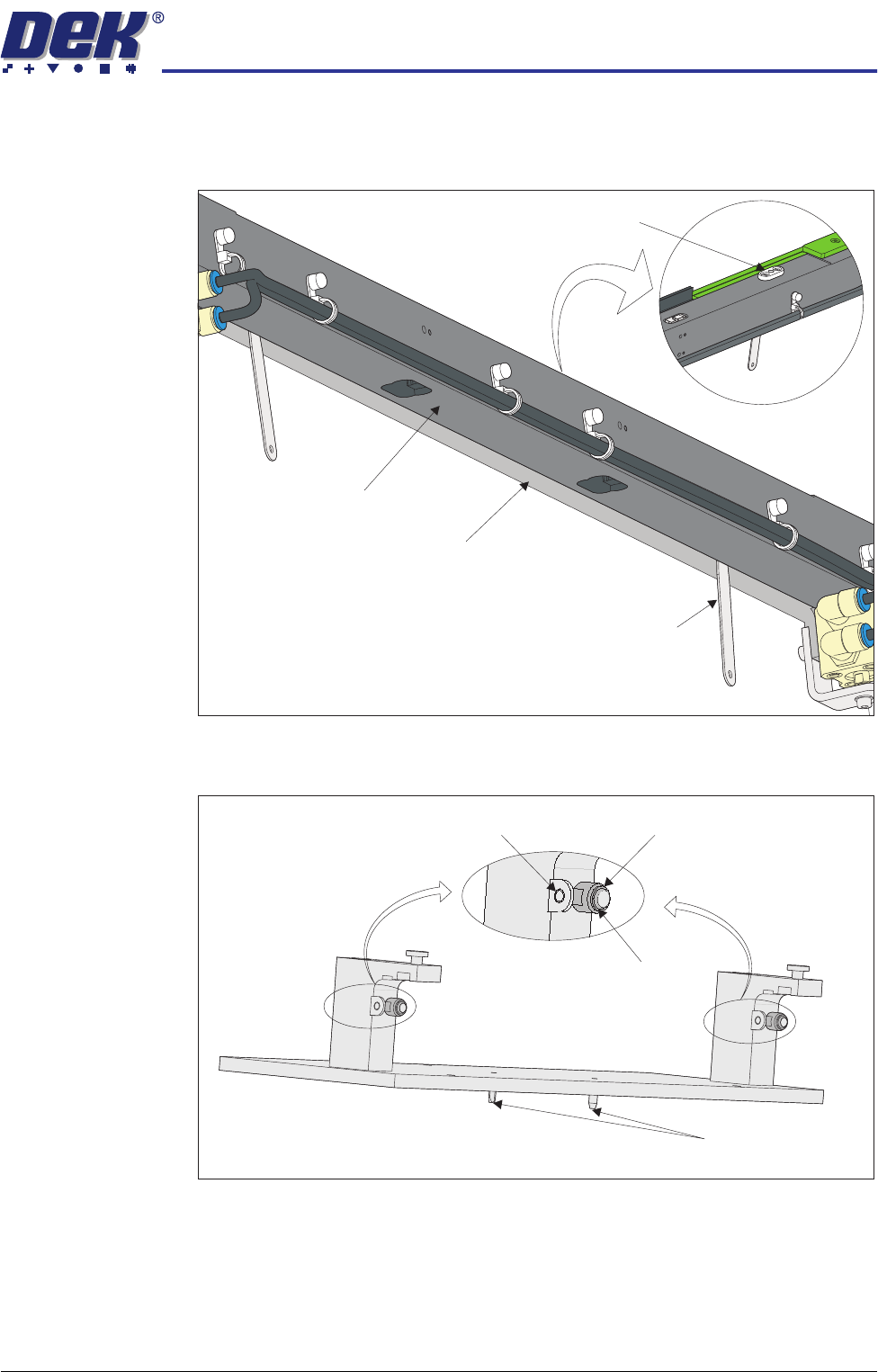
6. Place appropriate feeler gauges (the measured gap) in the gap between the
belt support plate and the main rail as close as possible to the board clamp
locating plates. This prevents any flexing of the belt support plate.
7. On the rail location jig (DEK Pt No 183288) ensure the alignment pads are
fitted in the correct position.
View on Underside of Front Rail
View on Top of Front Rail
Board Clamp Locating Plate
Feeler Gauge
(in 2 positions)
Belt Support Plate
Main Rail
Location Jig
6mm Locating Pins
Alignment Pad
Heavy Board
Rails Position
Standard Rails
Position
TRANSPORT RAILS MODULE
ADJUSTMENTS AND SETTINGS
16.10 Technical Reference Manual Chapter Issue 6 Oct 06
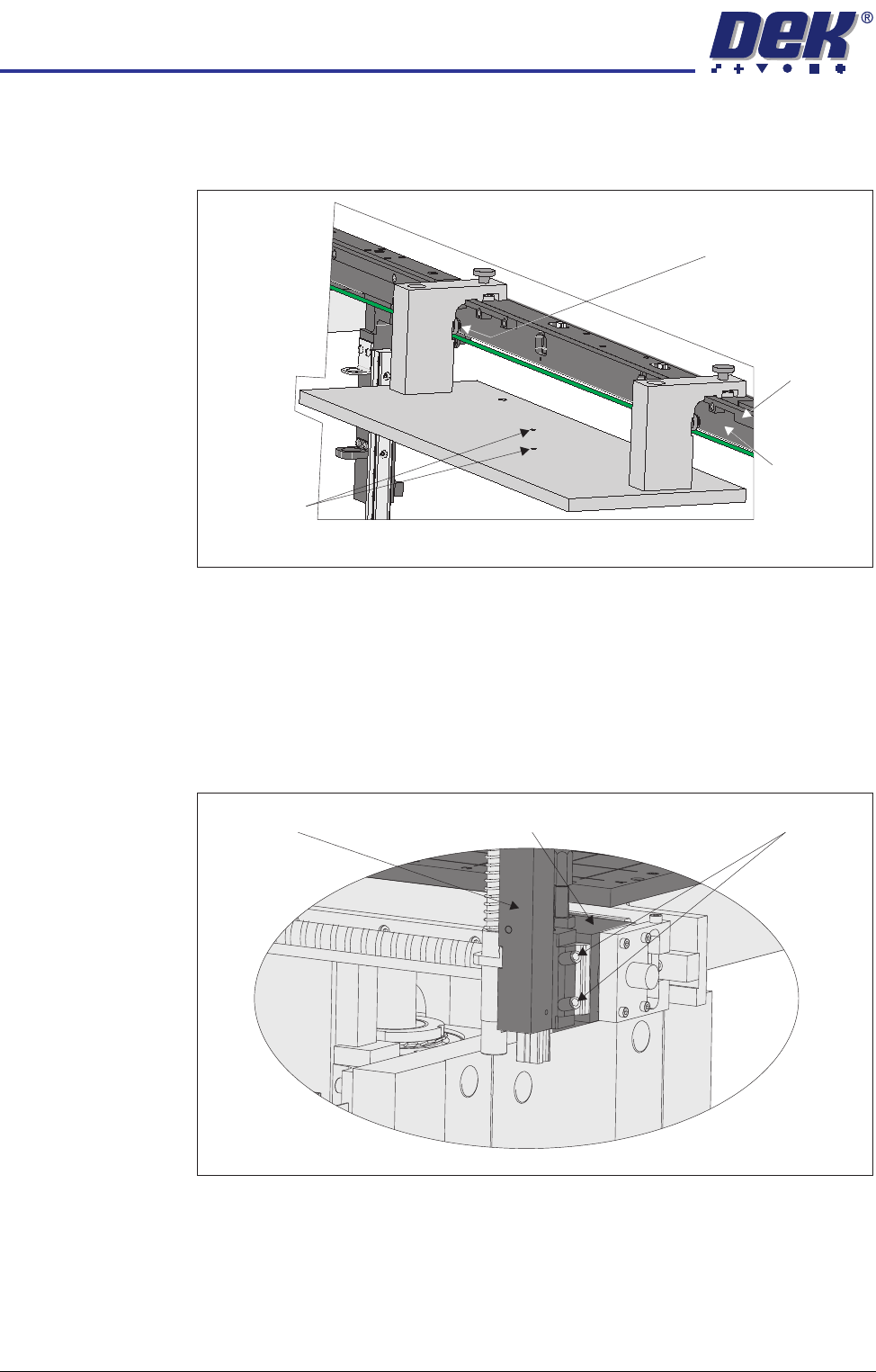
8. Place the rail location jig onto the rising table, so that the alignment pads
abut the rear of the front rail and the two 6mm locating pins fit into the
corresponding holes on the rising table.
9. Secure the location jig to the front rail using the two thumbscrews on the
location jig.
10. Using a feeler gauge check that the gap between the alignment pads and
the front rail is less than 0.05mm.
11. If adjustment is not necessary continue with Step 23.
12. Using a 3mm Allen key slacken the four securing bolts attaching the left
hand transport leg to the carriage nut.
13. Repeat Step 12 on the right hand transport leg.
View on Rear of Front Rail
Locating Pins
Alignment Pad
(2 positions)
Main Rail
Belt Support
Plate
View on Front of Fixed Rail
Carriage Nut Securing BoltsTransport Leg