TM1629_TM1630_TM1631.The explanation document of the parameters on simplified GUI.pdf - 第11页
SMT Software Engineering Group IM Operations Y AMAHA MOT OR CO.,L TD MDOC-SO FT50035 11/34 4. BGA 4.1. White BGA Suitable for BG A c ompone nts with white base. A ball inform ation setting is required, an…
SMT Software Engineering Group
IM Operations
YAMAHA MOTOR CO.,LTD
MDOC-SOFT50035
10/34
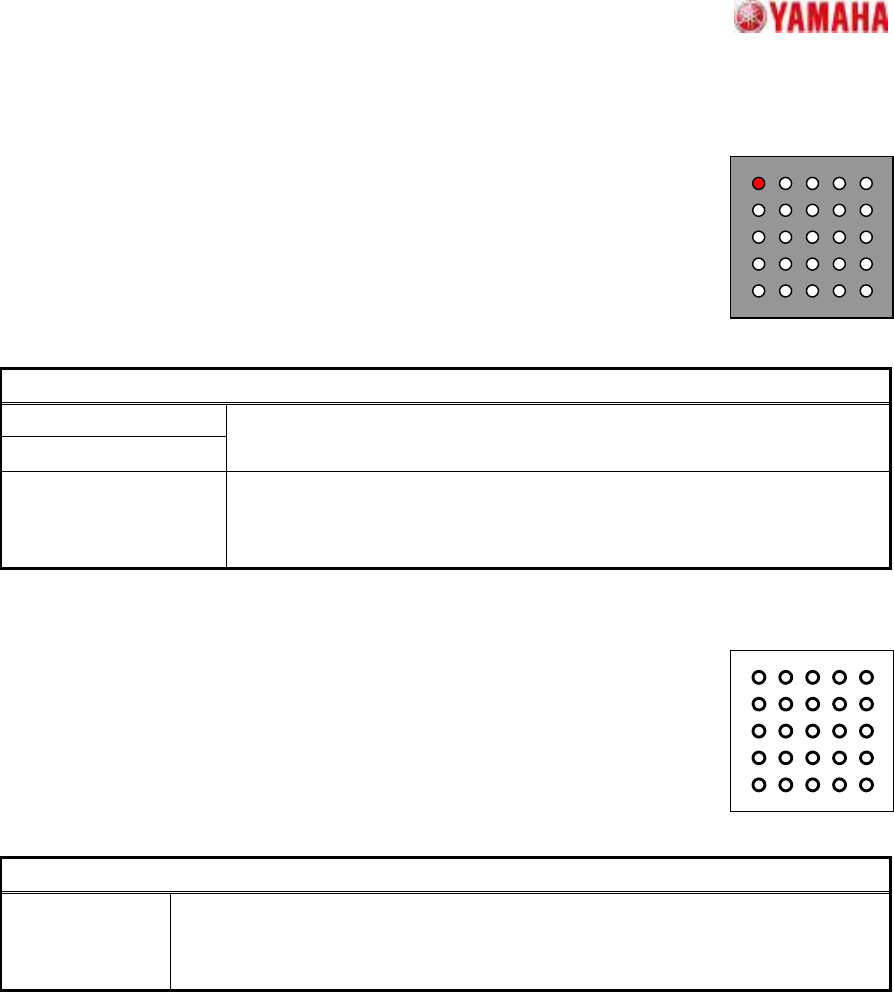
3. Simple BGA
3.1. Check Polarity
Suitable for BGA components with uniform horizontal and vertical pitches,
with balls arrayed at the entire lattice grid, using only simple-setting based
recognition.
A ball presence/absence check occurs only at the specified grid (1 location).
Particular parameters
Column of Polarity Ball
Row of Polarity Ball
The grid position used for a polar judgment is specified.
(Origin: The upper left)
Polarity Ball The conditions set to NG are specified. It becomes an error if it specifies
"Exist", and the ball is not detected in the specified grid position. In the
"None" case, it becomes the contrary.
3.2. Simple White BGA
Suitable for BGA components where the base is white, with uniform vertical
and horizontal pitch, and where balls are arrayed at the entire lattice grid, with
simple-setting.
Although the total number of balls is checked, their individual
presence/absence is not.
Particular parameter
Ball Exist
Threshold Level
Threshold value for judging whether balls exist. If the difference of the
brightness between a ball portion and a background portion is larger than the
value set up here, it will be extracted as a ball. If 0, 20 will be set.
SMT Software Engineering Group
IM Operations
YAMAHA MOTOR CO.,LTD
MDOC-SOFT50035
11/34
4. BGA
4.1. White BGA
Suitable for BGA components with white base.
A ball information setting is required, and a check occurs to verify that
balls are present at the positions specified by the setting.
Particular parameter
Ball Exist
Threshold Level
Threshold value for judging whether balls exist. If the difference of the
brightness between a ball portion and a background portion is larger than the
value set up here, it will be extracted as a ball. If 0, 20 will be set.
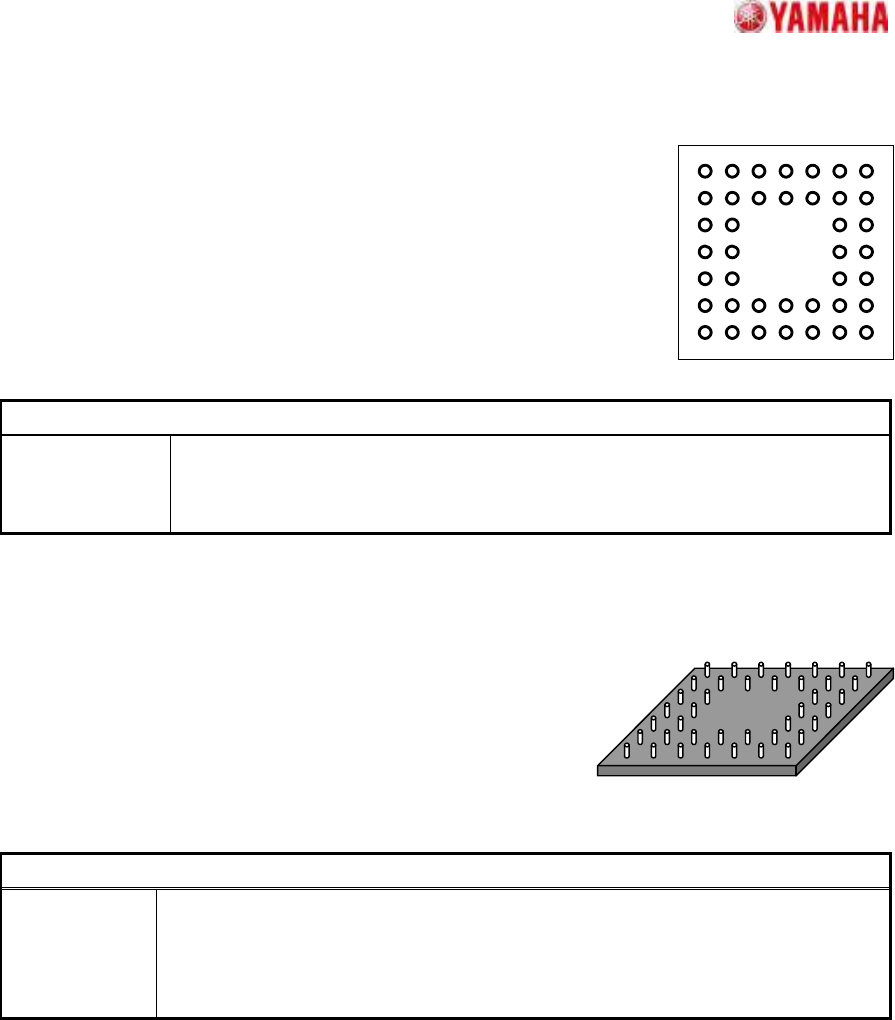
4.2. CGA
Suitable for CGA components.
A ball information setting is required, and a check occurs to
verify that pins are present at the positions specified by the
setting. The "Excessive Ball Check" function can be also
enabled to verify that no pins are present at positions which
have not been specified.
Particular parameter
Excessive Ball
Check
In "No Check", it does not check that there is no pin in the position where the pin
is not defined (there may be a pin). It checks that there is no pin in the case of
"Check." (It is the same function as the same name parameter in a recognition tab
at the normal algorithm.)
SMT Software Engineering Group
IM Operations
YAMAHA MOTOR CO.,LTD
MDOC-SOFT50035
12/34
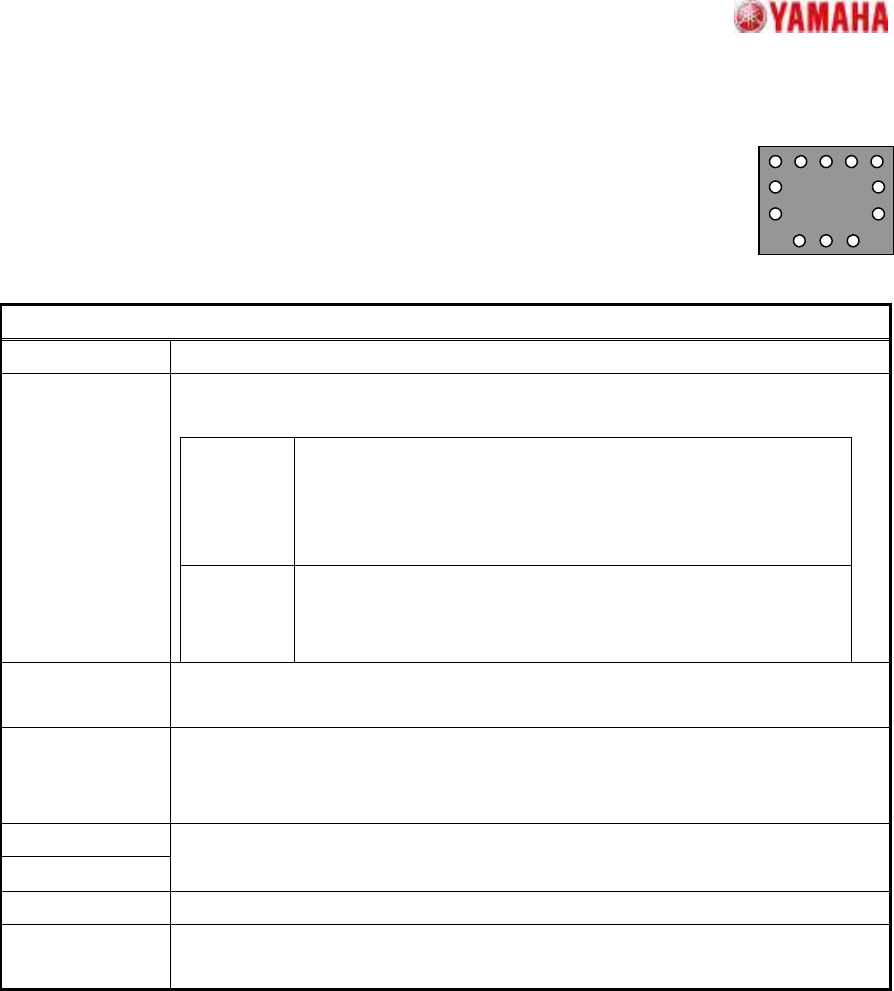
5. Simple Flip Chip
5.1. Outside Bump Recognition
Suitable for simple-setting based recognition using only the outer perimeter
balls at components where the ball pitch is uniform at each side.
Particular parameters
Check Pitch It is specified whether a strict pitch check is performed.
Method of Auto
Binarize
The method of binarizing is specified. This parameter is effective only when the
threshold is 0.
Brightness
Distinction
It searches for the threshold which improves separation of
white and black most automatically. It is suitable when the
brightness difference between a ball section and a base
section is big.
Area Size
Distinction
A threshold is determined that the area judged as white equal
to the area defined as balls. It is suitable when there is
nothing to reflect in addition to balls.
Check Bump
Position
It is specified whether gap between the defined bump position and the detected
bump position is checked.
Retry Trace In "On", it re-looks for the detection failure bumps based on the information of
the bumps which succeeded in detection. If "On", the recognition rate of low
contrast components may improve.
Cut Outer Noise
Cut Inner Noise
The amount of application of the noise cut is specified. In order to add
processing to the image, if it applies too much, quality of image will deteriorate.
Object Type It is specified whether an object is “White” or “Black”.
Noise Cut Order
The execution order of noise cuts is specified. Generally, the influence of what is
performed previously is big.