00196068_Install_Vista_unattended.pdf - 第15页
Installation Manual for Windows Vista (unattended setup) 11/2007 US+DE Installationsanleitung für Windows Vista (unattended setup) → Click the OK button to continue. → If you want to cancel the ongoing SI PLACE product s…
Installation Manual for Windows Vista (unattended setup) 11/2007 US+DE
Installationsanleitung für Windows Vista (unattended setup)
→ If you want to add a new entry, click the New entry button.
→ If you want to delete the selected entry, click the Delete entry button.
→ You can change the name of the selected entry in the field Name.
→ You can change the IP address of the selected entry in the field IP- Address.
→ Click the OK button to apply your changes.
→ If you want to reset the default settings, click the Reset button.
5.1.8 Software Configuration
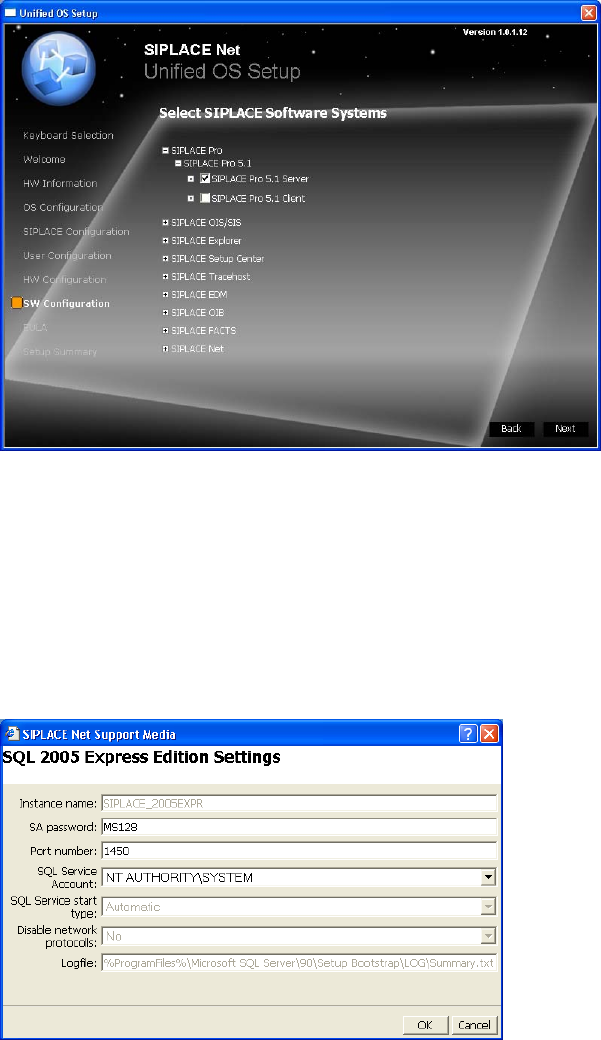
The following dialog is displayed:
Fig. 11 Software Configuration
The software configuration depends on the selected usage.
→ Select the SIPLACE products you want to use on this computer by activating the check boxes.
→ To display the detailed software products click on the “+” buttons in the menu tree.
→ Click the Next button to continue.
For some selected products, the configuration of prerequisites is required.
In this case the following dialog is displayed:
Fig. 12 Prerequisite configuration (Example)
→ Verify and modify the settings of the prerequisite.
14 37 /
Installation Manual for Windows Vista (unattended setup) 11/2007 US+DE
Installationsanleitung für Windows Vista (unattended setup)
→ Click the OK button to continue.
→ If you want to cancel the ongoing SIPLACE product selection, click the Cancel button.
5.1.9 End User License Agreement (EULA)
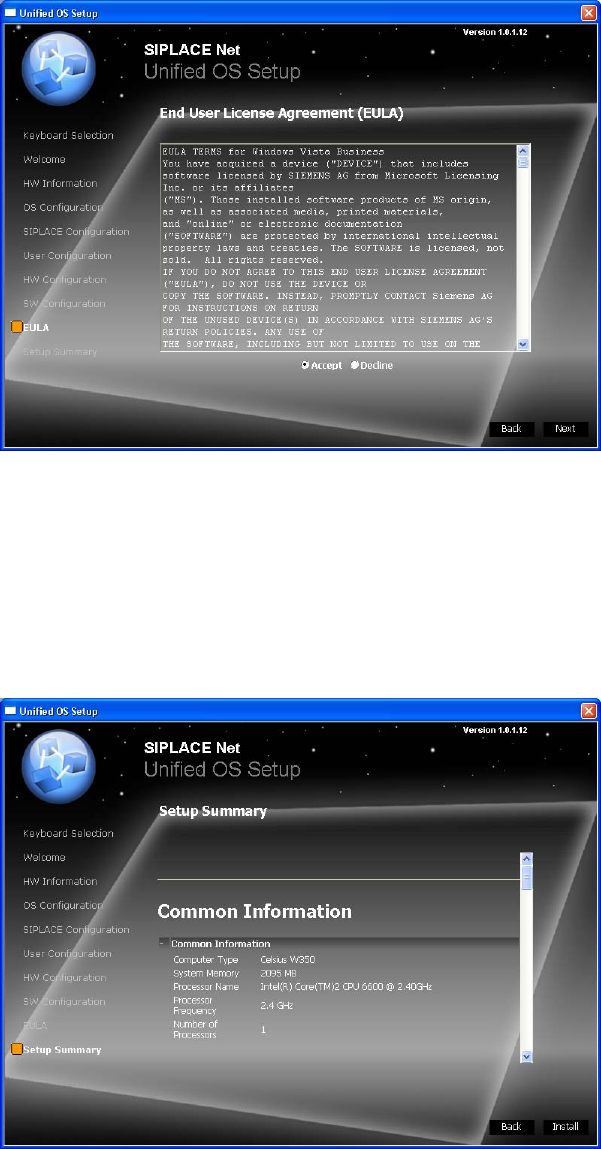
The following dialog is displayed:
Fig. 13 EULA
→ Read the license agreement carefully.
→ Select the Accept radio button to accept the EULA.
→ Click the Next button to continue.
5.1.10 Summary and Installation
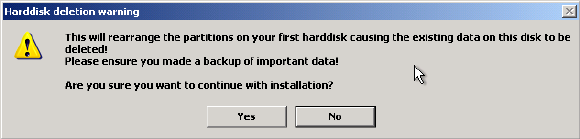
The following dialog is displayed:
Fig. 14 Summary and Installation
15 / 38
→ Verify the summarized information about the ongoing installation procedure carefully.
Installation Manual for Windows Vista (unattended setup) 11/2007 US+DE
Installationsanleitung für Windows Vista (unattended setup)
→ To agree with the selected configuration and start the installation, click the Install button.
The following warning message is displayed:
Fig. 15 Warning message
→ To continue erasing the first hard disk and starting the installion, click the Yes button.
→ To abort the procedure, click the No button.
16 39 /