00196068_Install_Vista_unattended.pdf - 第20页
Installation Manual for Windows Vista (unattended setup) 11/2007 US+DE Installationsanleitung für Windows Vista (unattended setup) Fig. 20 Activation via the internet → Wait until the activation has been finished. 6.2.2 …
Installation Manual for Windows Vista (unattended setup) 11/2007 US+DE
Installationsanleitung für Windows Vista (unattended setup)
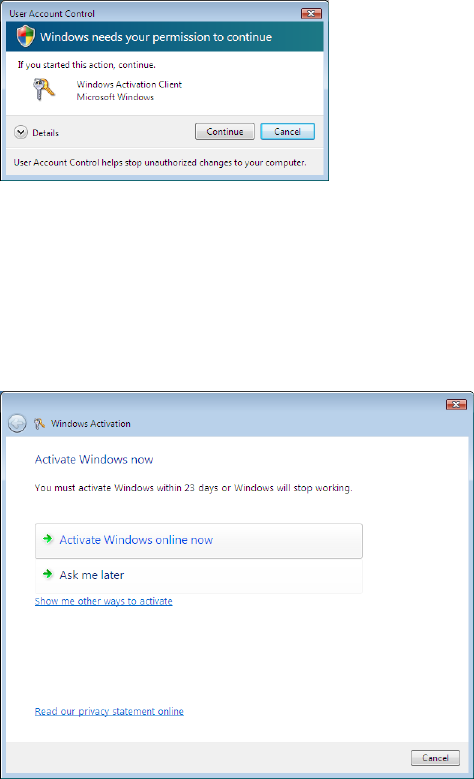
→ Click the link xx day(s) to activate. Activate Windows now.
The following dialog is displayed:
Fig. 18 Starting Windows Activation
→ Click on the Continue button.
6.2 Activating Windows
The following dialog is displayed:
Fig. 19 Performing Activation
Choose the way you want to activate Windows:
→ To activate Windows using the internet connection, click on Activate Windows online now.
→ To activate Windows via the telephone, at first click on Show me other ways to activate.
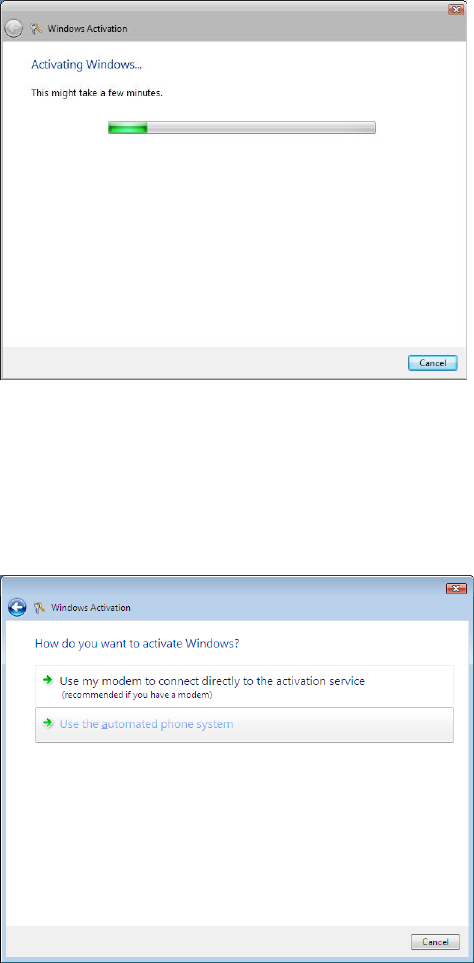
6.2.1 Activation via the internet
The following dialog is displayed:
19 / 39
Installation Manual for Windows Vista (unattended setup) 11/2007 US+DE
Installationsanleitung für Windows Vista (unattended setup)
Fig. 20 Activation via the internet
→ Wait until the activation has been finished.
6.2.2 Activation via the telephone
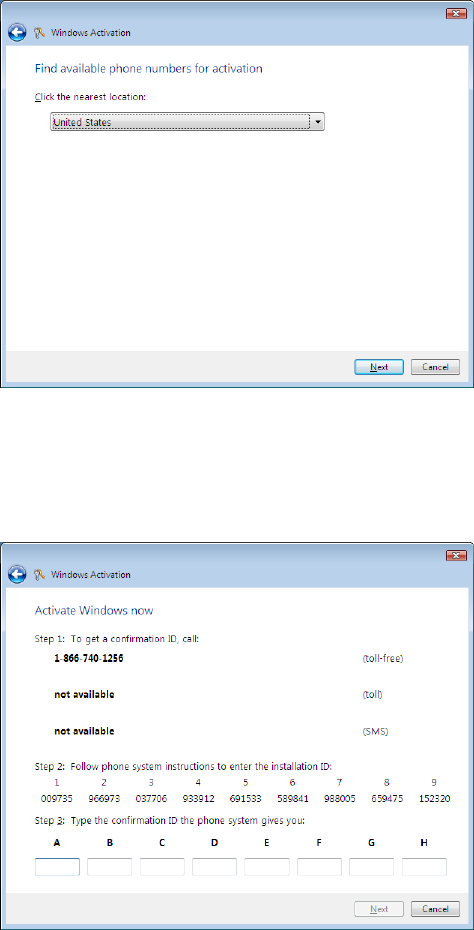
The following dialog is displayed:
Fig. 21 Activation via the telephone
→ Click on Use the automated phone system.
20 39 /
Installation Manual for Windows Vista (unattended setup) 11/2007 US+DE
Installationsanleitung für Windows Vista (unattended setup)
The following dialog is displayed:
Fig. 22 Activation via the telephone – Location selection
→ Choose the location from the list.
→ Click the Next button.
The following dialog is displayed:
Fig. 23 Activation via the telephone – ID confirmation
→ Call the specified number.
→ Follow the instructions on the phone and provide the installation ID.
→ Enter the confirmation ID provided by the automated phone system.
→ Click the Next button to continue.
21 / 40