Workcell-Installation-Guidelines-Troubleshooting-Maintenance-REV-G.pdf - 第18页
Workcell Installation and General Guidelines Revision G / Nov ember 2021 Page 18 of 60 Ins pection 1. Open the doors and remove all straps, ti e wraps, and spo nges arou nd the disp ense heads and gan try. NOTE: In order…
Workcell Installation and General Guidelines
Revision G / November 2021
Page 17 of 60
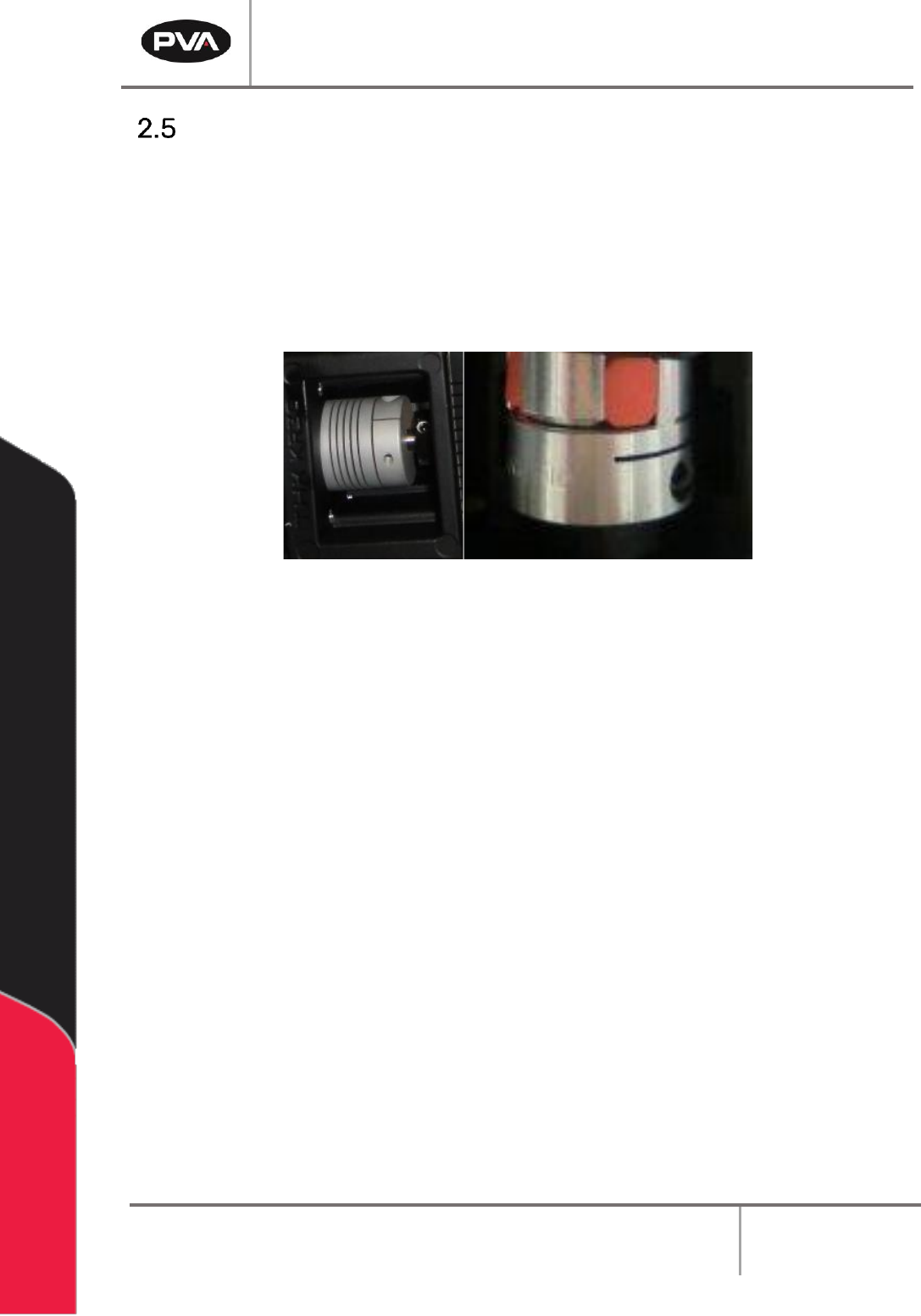
Servo Motor Couplings
Servo couplings are compensating couplings that are backlash free with conformal torque
transfer. They supply high torsion stiffness and a low moment of inertia. Examine the servo
motor couplings if shifting is suspected and to tighten the set screws.
Note: It may be necessary to remove the motor to get access to the second set
screw. The second set screw is not always visible but must also be tightened
periodically.
Figure 6: Servo Couplings
Workcell Installation and General Guidelines
Revision G / November 2021
Page 18 of 60
Inspection
1. Open the doors and remove all straps, tie wraps, and sponges around the dispense
heads and gantry.
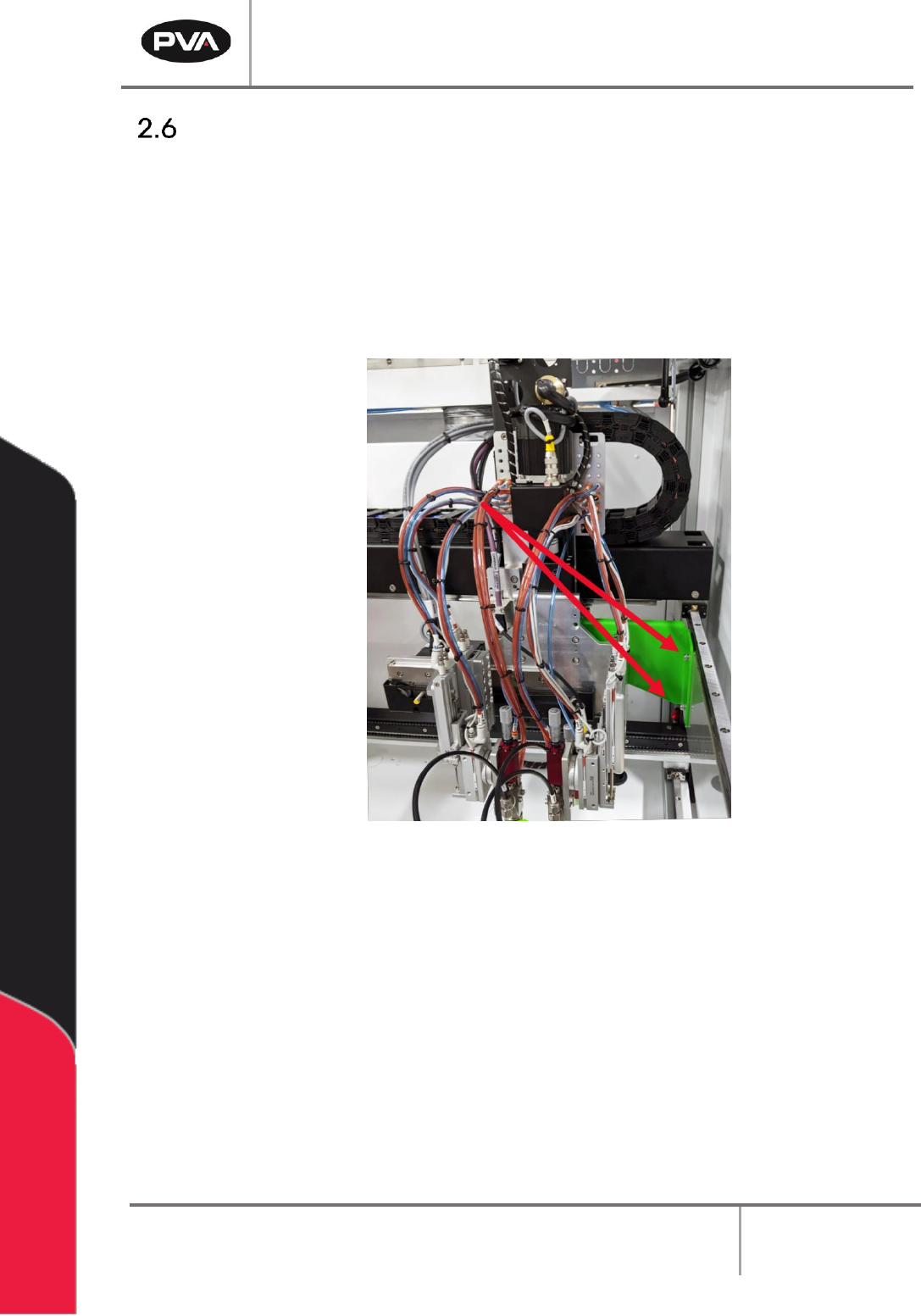
NOTE: In order to prevent any movement during the shipping process, many
workcells are equipped with green shipping brackets inside the machine. The
placement of these brackets will vary by workcell. The shipping brackets must be
removed before continuing the inspection.
Figure 7: Shipping Bracket
2. Fully examine the workcell for damage, loose fasteners, etc.
3. Use your hands to move the X and Y-axis slide to the center of the work area.
4. Examine all tubing connections, gauges, and regulators.
5. Open the electrical enclosure and visually inspect connectors and components for
signs of vibration during shipping. Close the door, the machine should not operate
with the doors open.
6. Make sure all cables and connections are fully and correctly installed.
Workcell Installation and General Guidelines
Revision G / November 2021
Page 19 of 60
Install the Teach Pendant
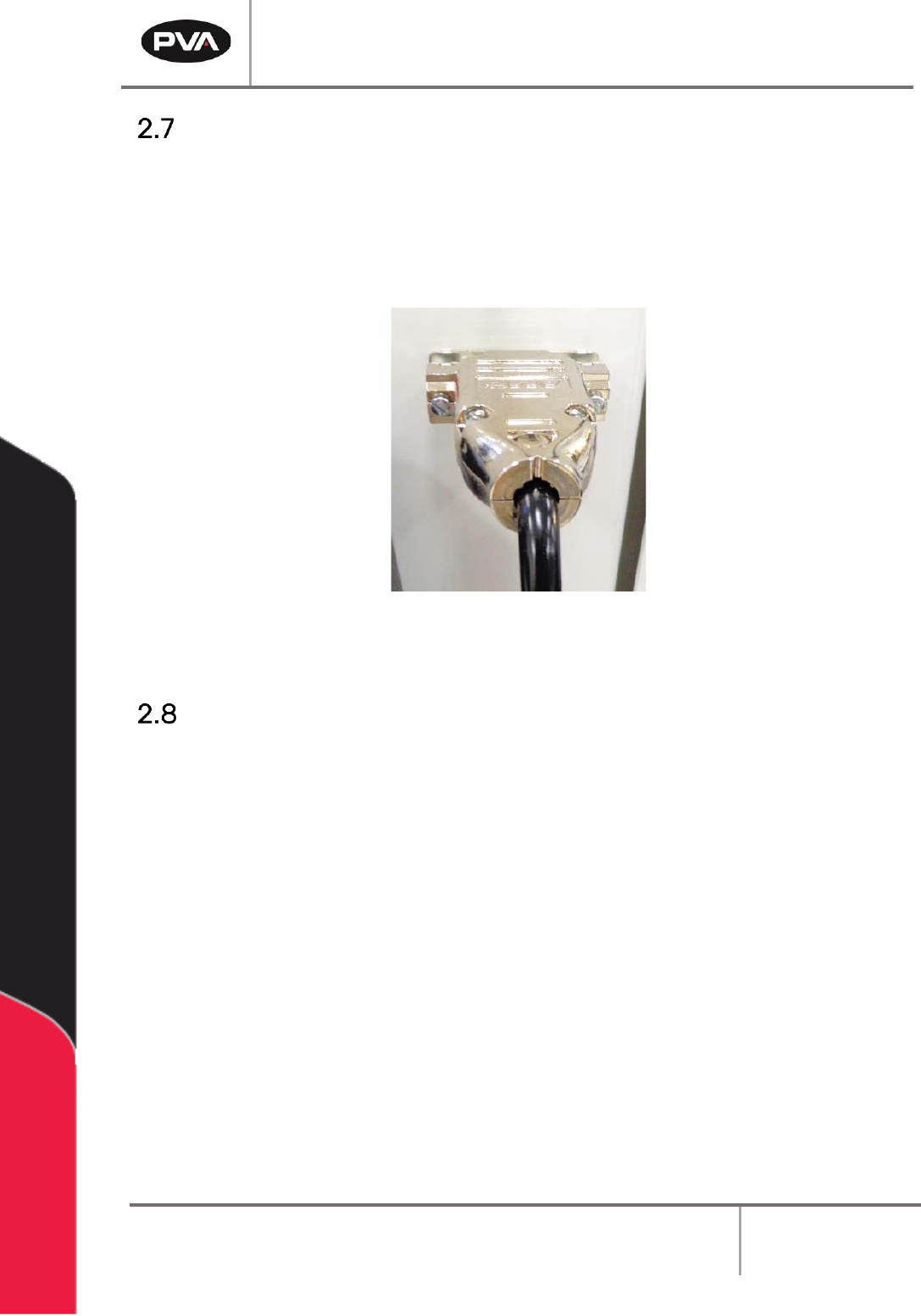
1. Find the teach pendant and connect the end into the 15 pin connector on the front
of the workcell.
2. Use a small flat head screwdriver to tighten the two screws on the teach pendant
connector into the threads on the workcell.
Figure 8: Teach Pendant Connection
Connect the Computer and Flow Monitor
1. Find the cords to connect the computer. Do the steps recommended by the PC
manufacturer to connect the computer. Make sure the computer is correctly
grounded.
2. Make sure the flow monitor is correctly connected and prime the flow monitor. Refer
to the flow monitor manual for instructions on how to prime the flow monitor.