TM2248_Explanation Document of DualLane MachineYS24(DL)YS24X(DL).pdf - 第11页
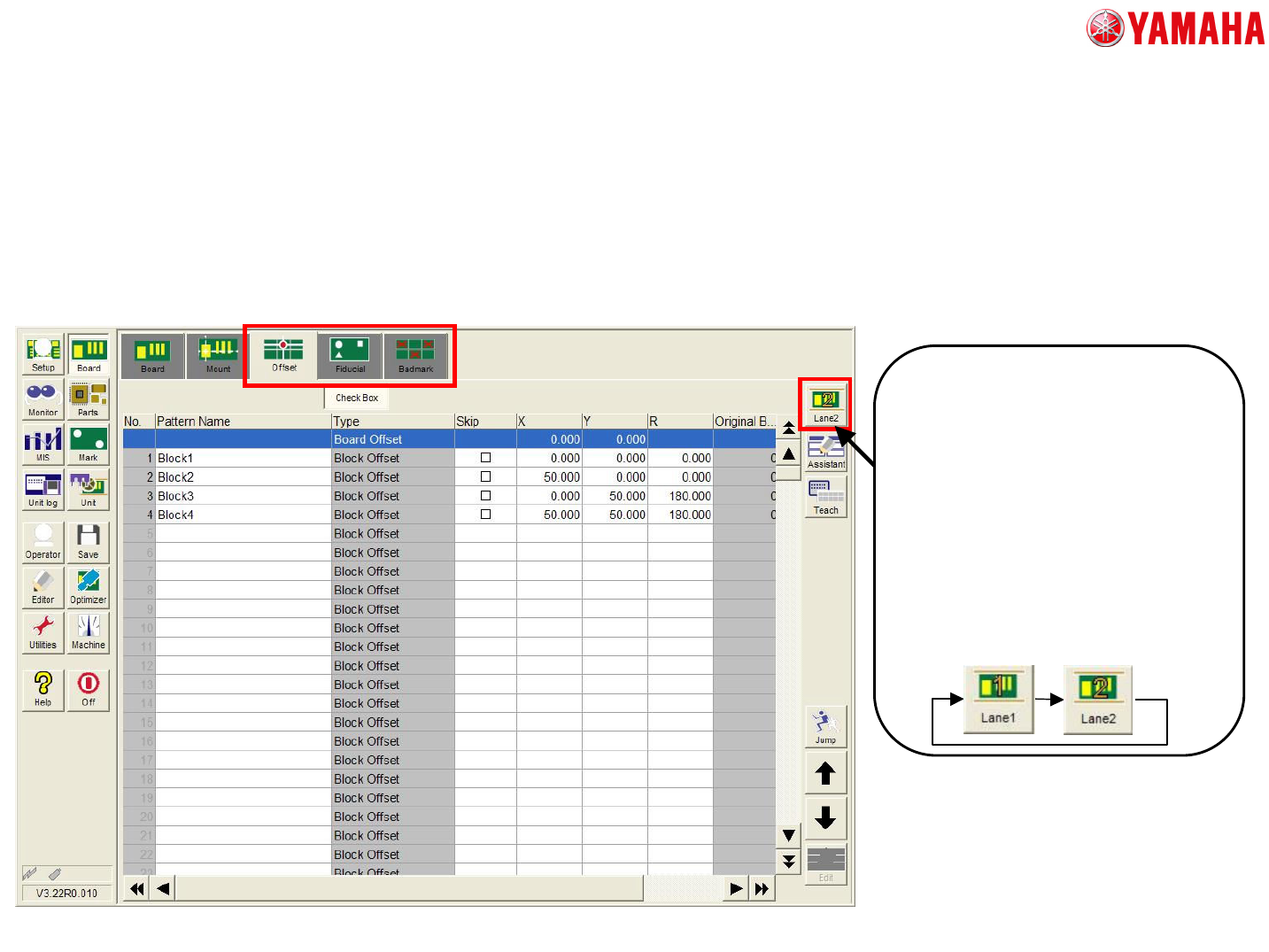
MDOC - SOFT50073 11 • [B o ard ] - [Off s et], [Fiducial] , and [Badmark] tab [Lane select button] Block data, fiducial dat a, and badmark data of each l ane is displ a yed. W hen t h e board data w h ich produc e s both…
MDOC
-
SOFT50073
10
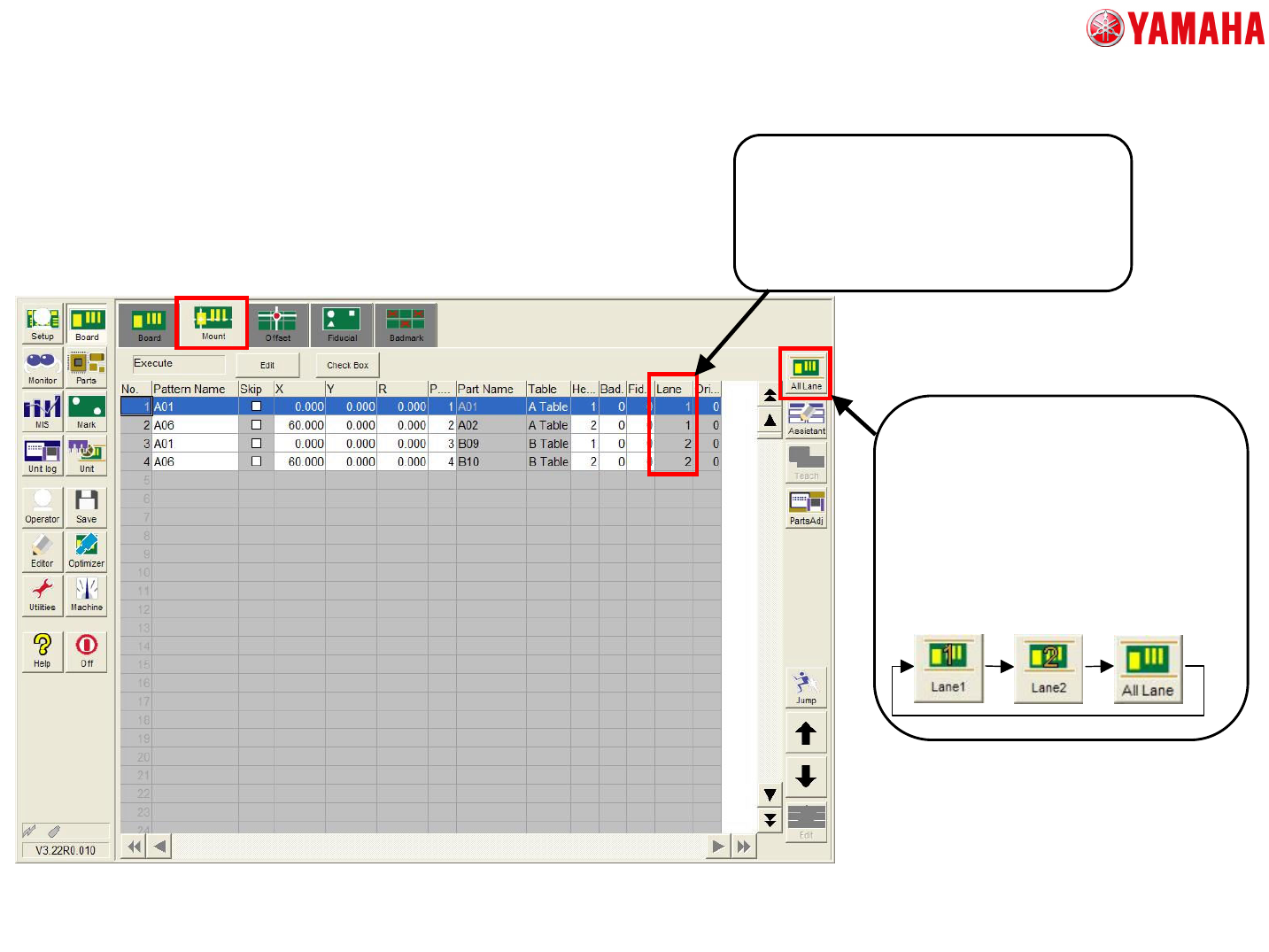
• [Board] – [Mount] tab
[The column of “Lane”]
The column of “Lane” is newly added.
The value shows which lane the
mounting is executed.
This item cannot be edited.
[Lane select button]
This button is for filtering of the
mounting data. The mounting
data of a chosen lane is
displayed.
When “All Lane” is selected, all
mounting data are displayed.
3. The detail of each screen
MDOC
-
SOFT50073
11
• [Board] - [Offset], [Fiducial], and [Badmark] tab
[Lane select button]
Block data, fiducial data, and
badmark data of each lane is
displayed.
When the board data which
produces both sides of board is
selected, this button is displayed.
In case of the board data which
produces one side of board , this
button is not displayed.
3. The detail of each screen
MDOC
-
SOFT50073
12
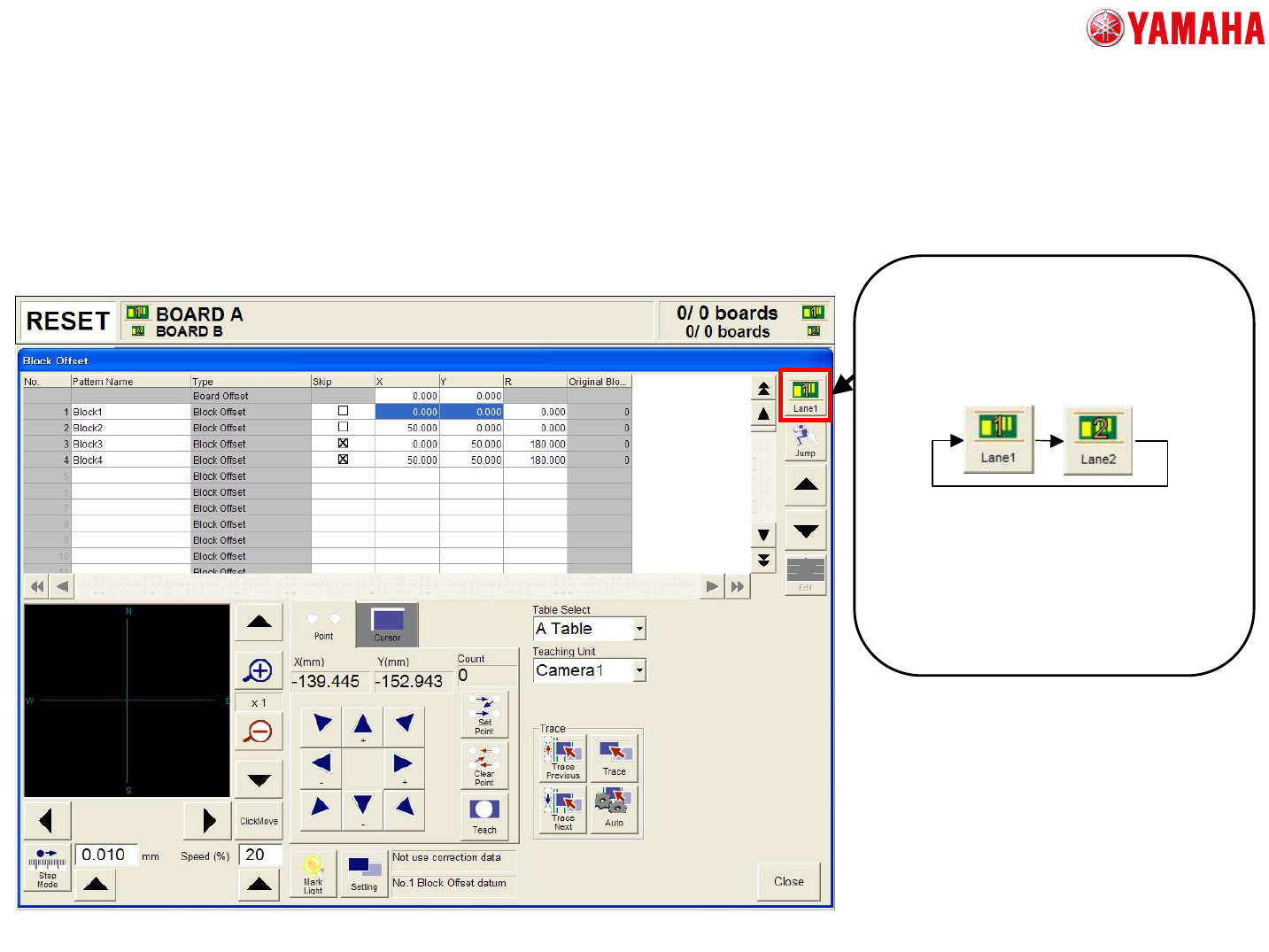
• Teach and trace screen
[Lane select button]
Teach and trace the coordinate of
mount, block, fiducial and badmark
are available.
In the case of same side of board is
selected, when the block, fiducial,
and badmark information is edited
in either lane selected, the value is
reflected in the other lane.
3. The detail of each screen